
XIAOVV P6
XIAOVV P6 Solar Security Camera User Manual
Model: P6
Introduction
Thank you for choosing the XIAOVV P6 Solar Security Camera. This wireless outdoor camera is designed to provide comprehensive surveillance with its integrated solar panel and high-capacity battery, ensuring continuous operation. It features advanced motion detection, two-way audio, and robust weather resistance for reliable home security.

The XIAOVV P6 Solar Security Camera, featuring an integrated solar panel for continuous power and a live feed displayed on a smartphone.
What's in the Box
- XIAOVV P6 Solar Security Camera
- Solar Panel
- Power Adapter
- Stand
- Mounting Screws
- Instruction Manual
Key Features
- 10000mAh Built-in Battery: Ensures continuous operation, supplemented by solar power.
- PIR Smart Detection: Triggers recording, spotlight, and voice alarms based on body temperature to reduce false alarms.
- Weatherproof (IP65): Designed to withstand various extreme environments, including rain, snow, and high temperatures.
- Pan & Tilt Functionality: Offers 355° horizontal and 100° vertical rotation for wide coverage.
- HD Night Vision & Motion Tracking: Provides clear visibility in low light and automatically tracks moving objects.
- Two-Way Audio: Allows for communication with visitors or deterrence of intruders.
- Integrated & Split Installation: Flexible mounting options suitable for various building scenarios.
- Privacy Protection: Utilizes military-grade data encryption for user privacy.
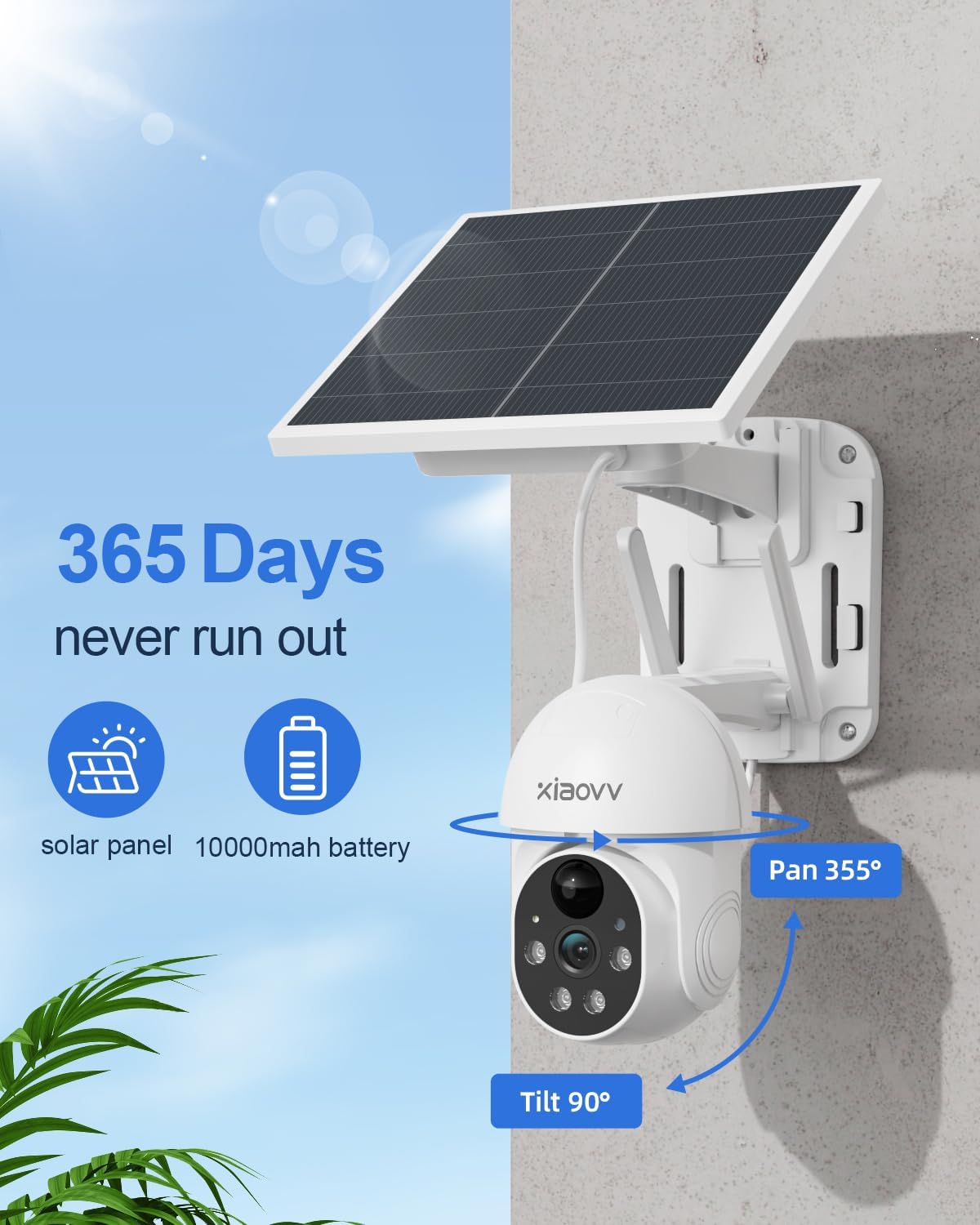
The camera's solar panel and 10000mAh battery provide 365 days of power, with pan (355°) and tilt (90°) capabilities.
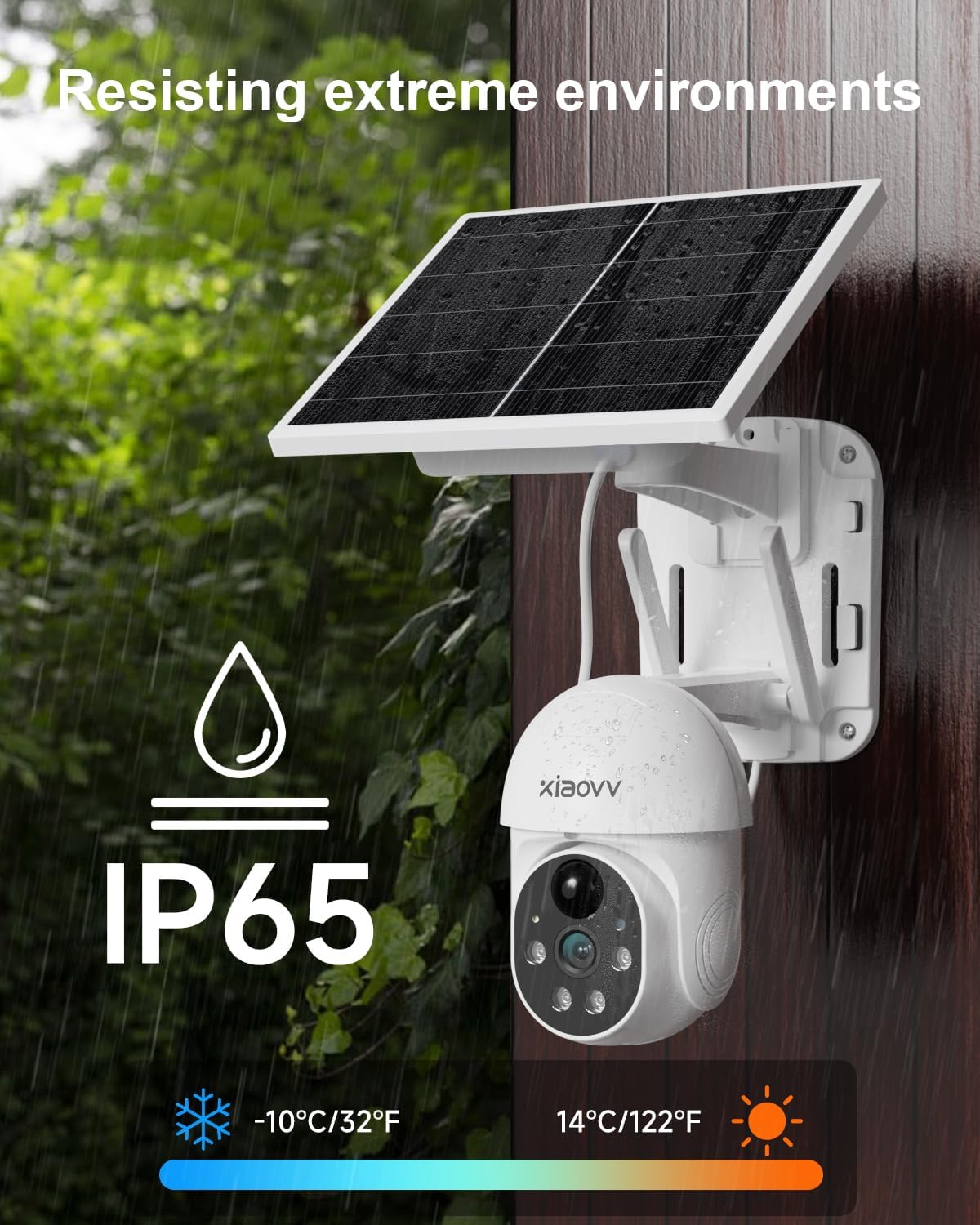
The camera is IP65 weatherproof, designed to operate reliably in various extreme weather conditions, including rain and snow.
Setup and Installation
Initial Charging
Before first use, it is recommended to fully charge the solar panel for 8 hours. This ensures the built-in 10000mAh battery has sufficient power for initial setup and continuous operation.
Mounting Options
The XIAOVV P6 camera supports both integrated and split installation methods to suit various environments. Use the provided mounting template and screws for secure attachment.

The camera's PIR smart detection activates recording, spotlight, and siren to deter intruders.
App Download and Setup
To operate the camera, download the "XiaoVV" app from your smartphone's app store (Google Play or Apple App Store). Follow the in-app instructions for registration and device pairing. You will need to scan a QR code displayed by the camera during the setup process.
This video demonstrates the product's function display, including app interface and basic controls.
This video illustrates the basic functions of the XIAOVV P6 camera, such as pan, tilt, and motion detection.
Operating Instructions
Pan, Tilt, and Zoom (PTZ)
Control the camera's viewing angle remotely through the XiaoVV app. The camera can pan 355° horizontally and tilt 100° vertically to cover a wide area.
Motion Detection and Alerts
The PIR smart detection system identifies human and animal body temperatures, triggering automatic recording, activating a spotlight, and sounding a voice alarm to deter intruders. This feature helps minimize false alarms.

The camera features accurate PIR detection, designed to reduce false alarms by focusing on human and animal movement.
Night Vision
The camera provides HD night vision, allowing you to see clear details even in complete darkness. When motion is detected at night, the spotlight can illuminate the area.
Two-Way Audio
Utilize the built-in microphone and speaker for two-way communication. You can speak to visitors or issue warnings to potential intruders directly through the app.
Recording and Storage
Recordings are initiated automatically upon motion detection. The camera supports local storage via an SD card (up to 128GB, not included) or cloud storage subscription for continuous recording and playback.
Maintenance
The XIAOVV P6 camera is designed for outdoor use with an IP65 weatherproof rating. To ensure optimal performance, periodically clean the solar panel to remove any dust or debris that may obstruct sunlight absorption. No specific routine maintenance is required beyond ensuring the solar panel is exposed to adequate sunlight and the camera lens is clear.
Troubleshooting
- Connectivity Issues: Ensure your Wi-Fi network is 2.4 GHz, as the camera does not support 5 GHz networks. Check Wi-Fi signal strength at the installation location.
- Battery Not Charging: Verify the solar panel is placed in a position that receives direct sunlight for several hours daily. Ensure the connection cable between the solar panel and camera is secure.
- False Alarms: Adjust the PIR smart detection sensitivity settings within the XiaoVV app to reduce unwanted alerts from non-human movements.
- Recording Problems: Ensure an SD card is properly inserted and formatted, or that your cloud storage subscription is active.

The camera prioritizes privacy protection with military-grade data encryption.
Specifications
| Feature | Detail |
|---|---|
| Brand | XIAOVV |
| Model Name | Solar Panel Outdoor Security Camera (P6) |
| Indoor/Outdoor Usage | Outdoor |
| Power Source | Corded Electric (for initial charge), Solar Powered |
| Connectivity Protocol | Wi-Fi (2.4 GHz) |
| Video Capture Resolution | 2K |
| Battery Capacity | 10000 mAh |
| Viewing Angle | 360 Degrees (Pan 355°, Tilt 100°) |
| Night Vision Range | 33 Feet |
| Flash Memory Installed Size | 128 GB (Micro SDHC, not included) |
| Weatherproof Rating | IP65 |
| Item Dimensions L x W x H | 7.7 x 7.4 x 4.2 inches |
| Item Weight | 3.65 pounds |
Warranty and Support
XIAOVV provides a one-year after-sales guarantee for this product. For any product issues, maintenance, or online support, please contact XIAOVV customer service.

XIAOVV offers 24/7 online after-sales service for customer support.
Related documentsP6


Ask a question about this manual
Ask about setup, troubleshooting, compatibility, parts, safety, or missing instructions. Manuals+ will review the question and use this page’s manual context to help answer it.