
1. Introduction
The Bisofice KP36 is an Android 11.0 handheld PDA terminal designed for efficient data collection and inventory management in various business environments. It features a robust processor, high-resolution cameras, comprehensive connectivity options, and a durable design for reliable performance.
2. Product Overview
2.1 Key Features
- Operating System: Android 11.0 for smooth operation and strong compatibility.
- Processor: MTK6762 8-core, up to 2.0GHz, 12nm.
- Memory: 4GB RAM + 64GB internal storage, expandable up to 256GB via TF card.
- Display: 4-inch capacitive multi-touch screen with 800*480 pixel resolution.
- Cameras: Front 5MP, Rear 13MP with autofocus flash light.
- Barcode Scanner: Integrated 1D/2D scanner module (CM60 Scanning Head) for various barcode types.
- Connectivity: 4G (TDD LTE, FDD LTE), 3G (HSPA+, EVDO), 2G (GPRS, EDGE), Wi-Fi (2.4G/5G a/b/g/n/ac), Bluetooth 5.0, NFC.
- Navigation: GPS/Beidou/Galileo/GLONASS/AGPS.
- Battery: 5000mAh gel polymer battery.
- Durability: IP-65 waterproof rating, 1.5m free fall drop resistance.
- Interface: USB Type-C (supports 5V3A charging, 2.0USB, OTG, headset function).
2.2 Device Layout

Figure 1: Front view of the Bisofice KP36 Handheld PDA Terminal, showing the screen and physical keyboard.

Figure 2: Overview of key features including Android 11, 2D/1D barcode scanning, 1.5m drop-proof design, 5000mAh battery, 4GB+64GB memory, 4-inch touchscreen, 2/3/4G/WiFi/BT connectivity, and 2D scanning module.

Figure 3: Close-up of the 4.0-inch capacitive multi-touch screen with 800x480 resolution and the main physical keyboard with F1-F8 function keys.
3. Setup
3.1 SIM Card and TF Card Installation
- Locate the SIM/TF card slot on the device. The KP36 supports a NANO SIM card and a TF card (up to 256GB) in a two-out-of-three card holder configuration.
- Carefully open the card slot cover.
- Insert the NANO SIM card and/or TF card into their respective trays, ensuring correct orientation.
- Close the card slot cover securely to maintain the device's IP-65 rating.
3.2 Battery Charging
- Connect the provided USB Type-C charging cable to the device's Type-C port.
- Connect the other end of the cable to a compatible power adapter (5V/3A or 9V/2A recommended).
- The device will indicate charging status on the screen. A full charge takes approximately 3 hours and 15 minutes.

Figure 4: Information on the 5000mAh battery, showing approximately 3 hours 15 minutes charging time, 10 hours discharging time, and 7 days standby time.
3.3 Initial Power On
Press and hold the power button located on the side of the device until the Bisofice logo appears. Follow the on-screen prompts to complete the initial Android setup, including language selection, Wi-Fi connection, and Google account setup.
4. Operating Instructions
4.1 Basic Navigation
The KP36 operates on Android 11.0. Use the touch screen for navigation, app launching, and data input. The physical keyboard provides additional input methods and function keys (F1-F8) for specific applications.
4.2 Barcode Scanning
- Open the dedicated scanning application or an application that supports barcode input.
- Point the device's scanning window towards the barcode.
- Press the designated scan button (usually on the side of the device) to activate the scanner.
- Ensure the barcode is within the scanner's field of view for accurate and fast decoding. The device supports various 1D and 2D barcodes.
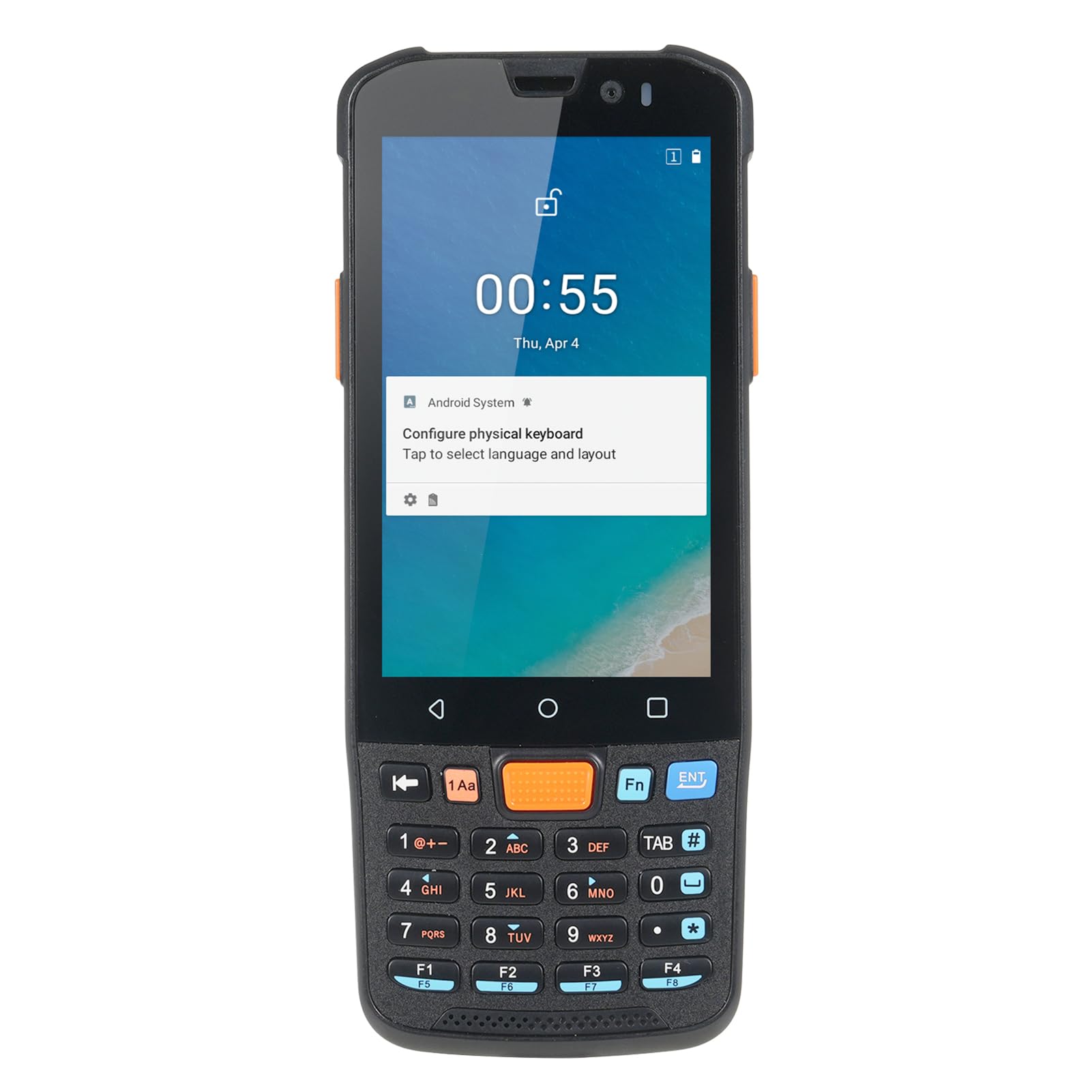
Figure 5: The Bisofice KP36 equipped with a CM60 Scanning Head for fast and accurate 1D and 2D barcode reading.
4.3 Camera Usage
The KP36 features a 5MP front camera and a 13MP rear camera with autofocus and flash. Open the camera application to capture photos or videos. The rear camera is suitable for documentation in various lighting conditions.

Figure 6: The device features a 5MP front camera and a 13MP rear camera with autofocus flash, enabling photo and video capture in various scenarios.
4.4 Network Connectivity
- Wi-Fi: Access Wi-Fi settings from the Android system menu to connect to available wireless networks (2.4G/5G).
- 4G/3G/2G: Once a SIM card is installed, mobile data will be available. Configure mobile network settings as needed.
- Bluetooth: Enable Bluetooth in settings to pair with other Bluetooth-enabled devices (e.g., headsets, printers).
- NFC: The device supports NFC functionality. Activate NFC in settings for proximity-based data exchange or payment applications.
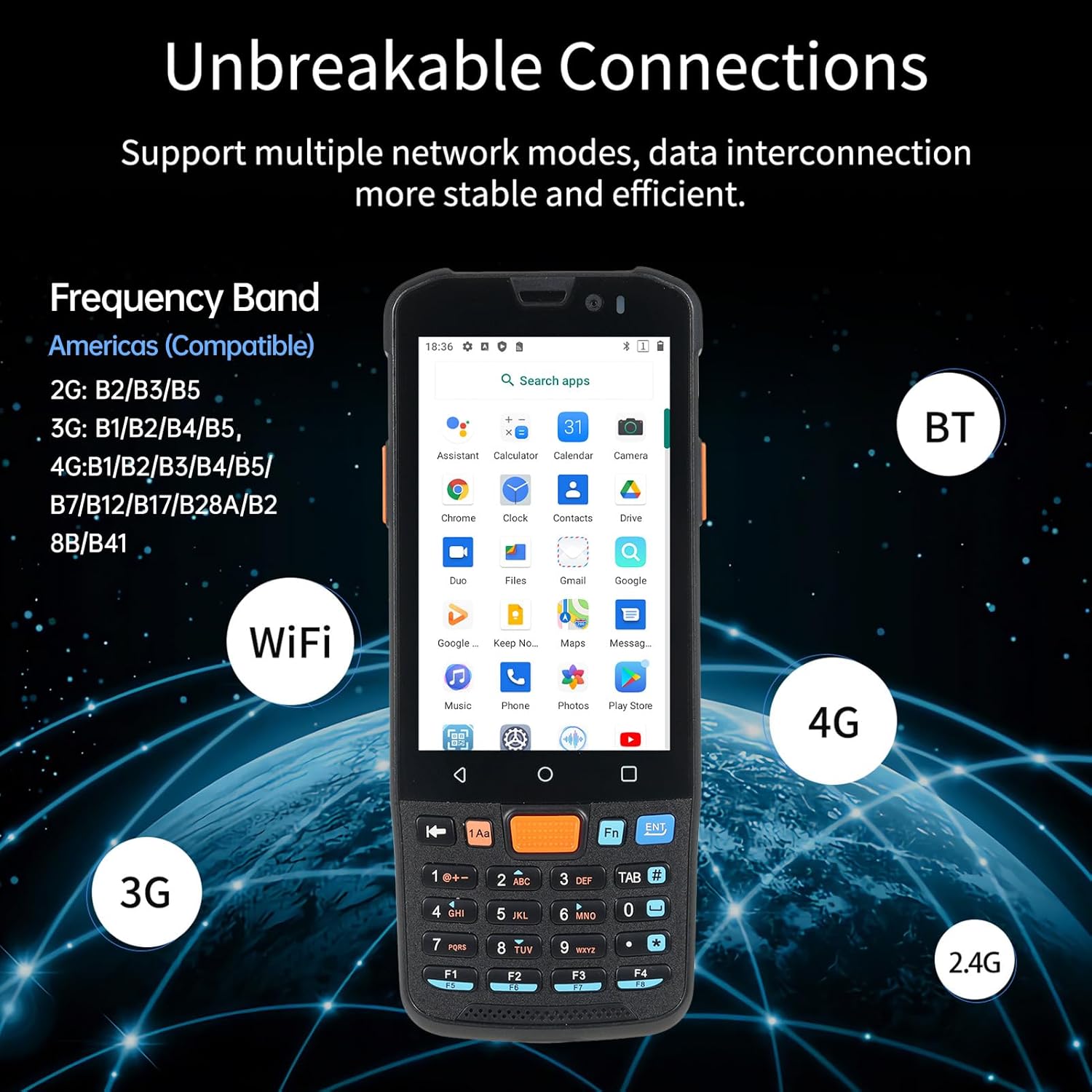
Figure 7: The KP36 supports multiple network modes including 2G, 3G, 4G, WiFi (2.4G/5G), and Bluetooth for stable and efficient data interconnection.
5. Maintenance
- Cleaning: Use a soft, damp cloth to clean the device's screen and body. Avoid harsh chemicals or abrasive materials.
- Battery Care: To prolong battery life, avoid extreme temperatures and do not allow the battery to fully discharge frequently. Charge the device regularly.
- Software Updates: Periodically check for system updates to ensure optimal performance and security.
- Environmental Protection: Despite its durable design, avoid unnecessary exposure to water, dust, and extreme impacts to maintain its longevity.

Figure 8: The KP36 features a compact and sturdy design with IP-65 protection and 1.5m free fall drop resistance.
6. Troubleshooting
- Device not powering on: Ensure the battery is charged. Connect the device to a charger and try again.
- Scanning issues: Check if the scanning application is open. Ensure the barcode is clean, well-lit, and within the scanner's range.
- No network connection: Verify that Wi-Fi is enabled and connected, or that the SIM card is properly inserted and mobile data is active. Check signal strength.
- Device unresponsive: Press and hold the power button for approximately 10-15 seconds to force a restart.
7. Specifications
| Feature | Specification |
|---|---|
| CPU | MTK6762, 8-core Up to 2.0GHz, 12nm |
| Operating System | Android 11 |
| Memory | DDR3 4GB RAM + 64GB ROM |
| Screen | 4-inch Capacitive Multi-touch, 800*480 pixels |
| Camera | Front: 5MP, Rear: 13MP |
| 1D Barcode Support | EAN13, EAN8, UPCA, UPCE, Code 128, Code 39, Codabar, UCC/EAN128, RSS, ITF, ITF14, ITF6, ISSN, ISBN, Standard 25, Matrix 25, Industrial 25, Plessey, MSl Plessey, Code 11, Code 93, etc. |
| 2D Barcode Support | PDF417, Micro PDF417, QR Code, Micro QR, DataMatrix, AZTEC, Hanxin code, Maxicode, Composite, etc. |
| SIM Card | Support NANO card (two-out-of-three card holder) |
| TF Card | Support up to 256GB (two-out-of-three card holder) |
| 4G Frequency Band | B1/B2/B3/B4/B5/B7/B12/B17/B28A/B28B/B41 |
| 3G Frequency Band | B1/B2/B4/B5 |
| 2G Frequency Band | B2/B3/B5 |
| Wi-Fi | 2.4G/5G a/b/g/n/ac |
| Navigation | GPS/Beidou/Galileo/GLONASS/AGPS |
| Bluetooth | 5.0 |
| NFC | Supported |
| USB Interface | Type-C, supports 5V3A charging, 2.0USB, OTG, headset function |
| Battery | 5000mAh gel polymer battery, 4.35V (3.8V), 10K NTC resistance |
| Charging Time | Approx. 3 hours 15 minutes |
| Discharging Time | Approx. 10 hours |
| Standby Time | Approx. 7 days |
| Protection Grade | 1.5M Free Fall Drop / IP-65 |
| Package Size | 19.5 x 10.5 x 5.6 cm (7.7 x 4.1 x 2.2 in) |
| Package Weight | 450g (15.8oz) |
8. Warranty and Support
For warranty information and technical support, please refer to the documentation provided with your purchase or contact Bisofice customer service. Keep your proof of purchase for warranty claims.