
HONOR ORL-ME00
Contents
HONOR Choice Open-Ear Earbuds User Manual
Model: ORL-ME00
1. Introduction
The HONOR CHOICE TiinLab Open-Ear True Wireless Earbuds are designed to provide a high-quality audio experience with an open-ear design, ensuring comfort and situational awareness. This manual provides detailed instructions on how to set up, operate, maintain, and troubleshoot your earbuds, ensuring optimal performance and longevity. These true wireless stereo Bluetooth earphones consist of left and right earbuds and a charging case, connecting seamlessly to Bluetooth-enabled devices like smartphones and tablets for music playback and voice calls.
2. Product Overview
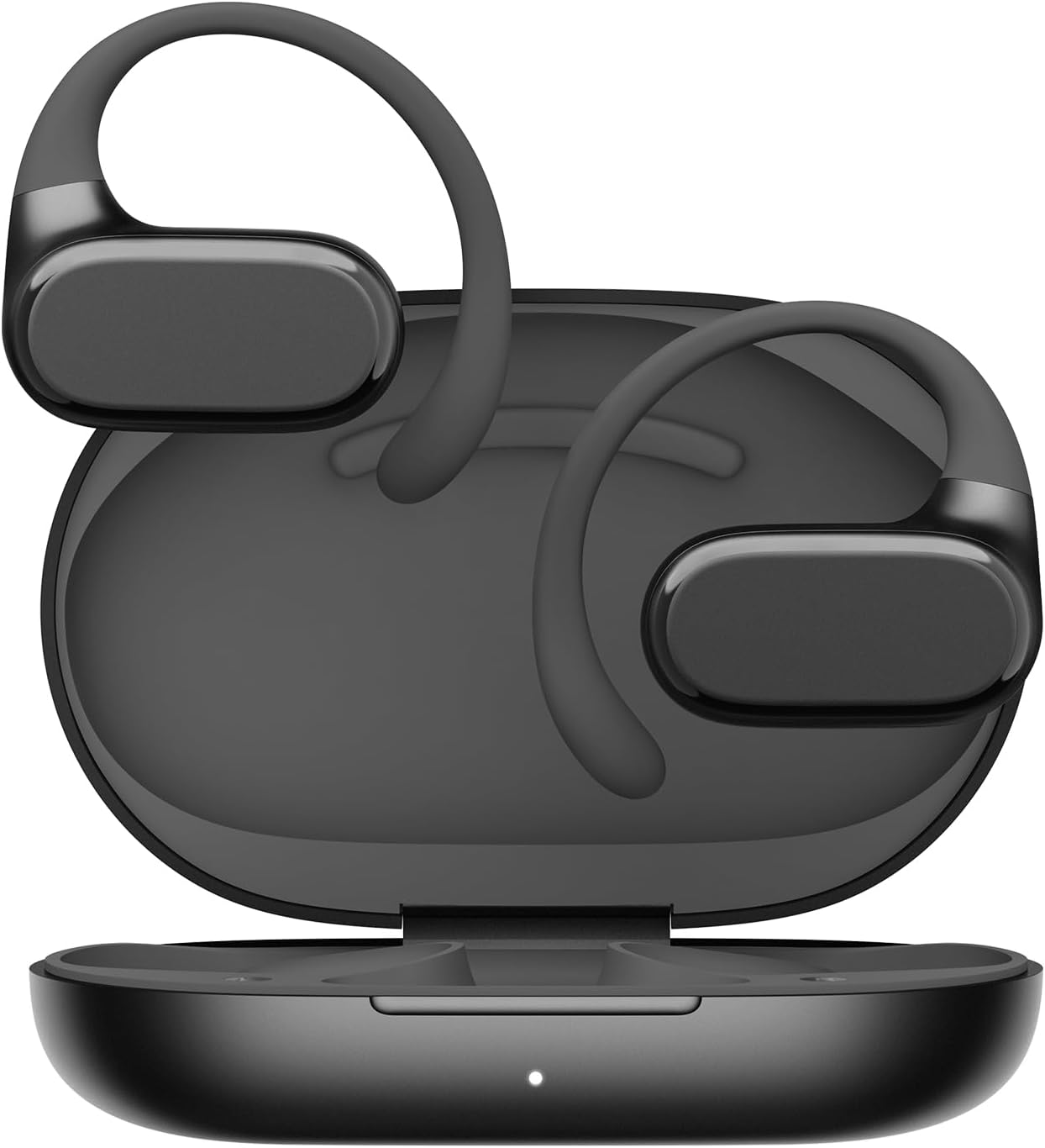
Image: HONOR Choice Open-Ear Earbuds in their charging case. The earbuds are black with an open-ear design, featuring ear hooks for a secure fit. The charging case is compact and black, with a smooth, matte finish.
Key Features:
- Exceptional Audio Quality: Equipped with 13.4mm dynamic drivers for rich and clear sound.
- Extended Battery Life: Up to 40 hours of total playback with the charging case, and 10 hours on a single earbud charge.
- Low Latency Gaming Mode: Ensures audio-video synchronization for an immersive gaming experience.
- Smart Touch Controls: Capacitive touch controls for easy management of calls, music, and voice assistant.
- AI Noise Reduction for Calls: Dual microphones with advanced AI algorithms effectively reduce background noise for crystal-clear calls.
- IP54 Water and Dust Resistance: Suitable for outdoor activities and workouts, protecting against splashes and sweat.
- Lightweight and Comfortable: Each earbud weighs only 7 grams, designed for airy comfort and a secure fit with memory metal wire ear hooks.
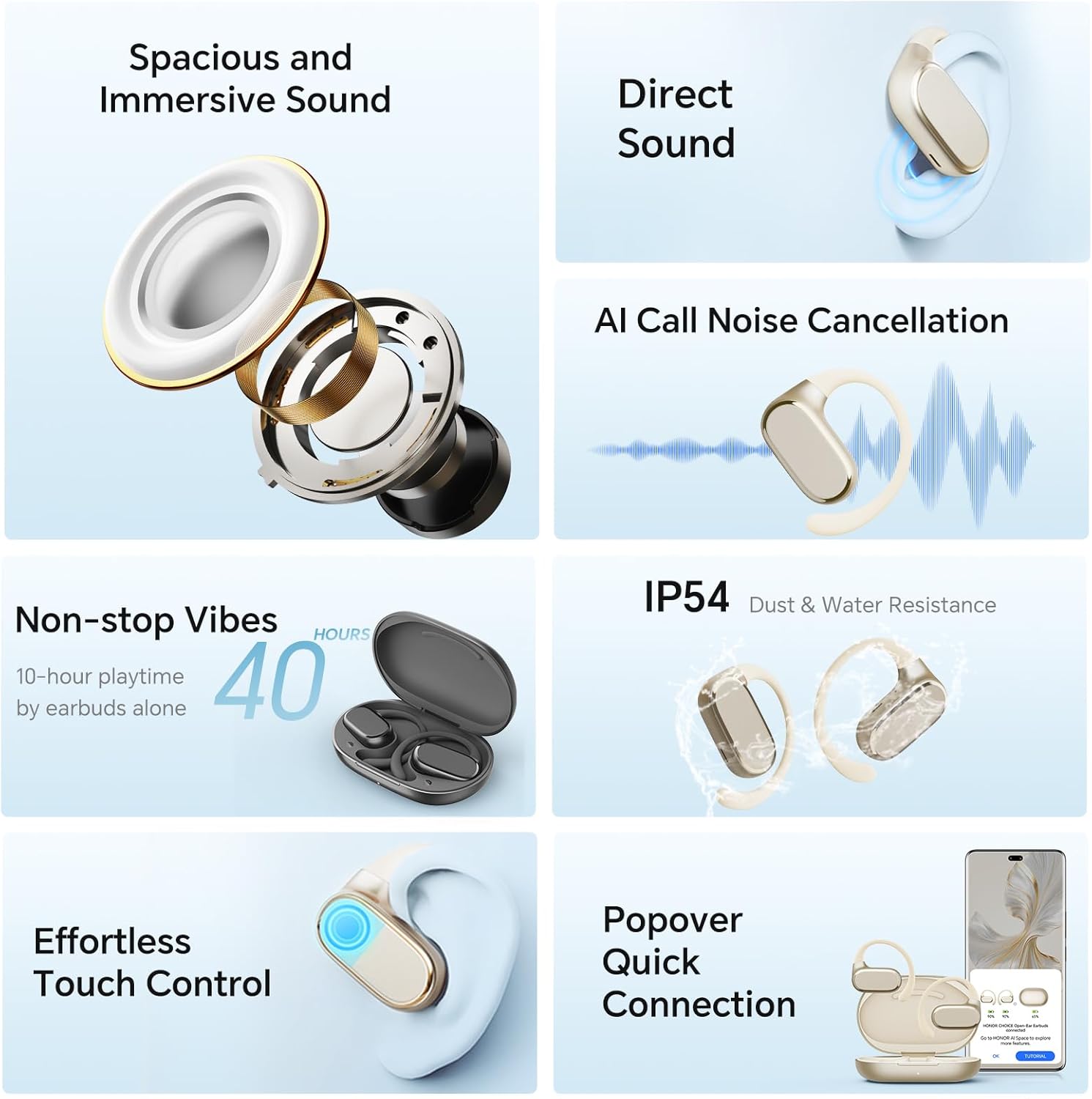
Image: A visual breakdown of the earbuds' features, including spacious and immersive sound, direct sound, AI call noise cancellation, 40-hour battery life, IP54 dust and water resistance, effortless touch control, and popover quick connection.
3. Setup
3.1 Initial Charging
Before first use, fully charge the earbuds and the charging case. Connect the charging case to a USB Type-C power source using the provided cable. The charging indicator light on the case will show charging status. A full charge takes approximately 120 minutes.
3.2 Pairing with a Device
- Ensure the earbuds are in the charging case and the case has sufficient battery.
- Open the charging case lid. The earbuds will automatically enter pairing mode.
- On your Bluetooth-enabled device (smartphone, tablet, etc.), go to the Bluetooth settings.
- Search for available devices and select "HONOR Choice Open-Ear Earbuds" from the list.
- Once connected, a confirmation sound will play, and the earbuds will be ready for use.

Image: A visual representation highlighting the faster and stable connection provided by the Bluetooth 5.3 chip, with the earbuds and charging case shown.
3.3 Quick Connection (Pop-over)
For compatible HONOR devices, simply open the charging case near your device, and a pop-up window will appear on your screen for quick pairing and connection.
4. Operating Instructions
4.1 Wearing the Earbuds
Gently place the earbuds into your ears, ensuring the ear hooks are securely positioned over your outer ear for a stable and comfortable fit. The lightweight design and ergonomic ear hooks conform to the ear contour, providing increased stability.

Image: A person running outdoors, demonstrating the airy comfort and secure fit of the 6.8g lightweight earbuds with ear hooks.
4.2 Touch Controls
The earbuds feature capacitive touch controls. You can customize these actions via the Honor Smart Space application.
- Double Tap:
- Answer/End a call
- Play/Pause music
- Activate voice assistant
- Next/Previous track (customizable)
- Long Press (2 seconds):
- Decline a call
- Switch songs (customizable)

Image: A split image showing the IP54 dust and water resistance with a person exercising, and a detailed diagram of the effortless touch controls (double tap and long press functions).
4.3 AI Noise Reduction for Calls
Each earbud is equipped with two microphones and utilizes advanced AI algorithms to effectively eliminate background noise, ensuring your voice is clear during calls, even in noisy environments.

Image: A person talking while wearing the earbuds, illustrating the AI Call Noise Cancellation feature that provides crystal-clear calls by removing ambient noise.
4.4 Low Latency Gaming Mode
Activate the low latency gaming mode for improved audio-video synchronization, providing a more immersive gaming experience. Refer to the Honor Smart Space app for specific activation methods.
5. Maintenance
- Cleaning: Regularly clean the earbuds and charging case with a soft, dry, lint-free cloth. Avoid using abrasive materials or harsh chemicals.
- Water Resistance: The earbuds are IP54 rated for dust and water resistance. This means they are protected against limited dust ingress and water spray from any direction. Do not submerge them in water or expose them to strong jets of water. Dry them thoroughly if they get wet.
- Storage: When not in use, store the earbuds in their charging case to protect them and keep them charged. Store in a cool, dry place away from extreme temperatures.
- Battery Care: To preserve battery life, avoid fully discharging the earbuds and charging case frequently. Charge them regularly, even if not in constant use.
6. Troubleshooting
| Problem | Possible Cause | Solution |
|---|---|---|
| Earbuds not pairing. | Bluetooth is off on device; earbuds not in pairing mode; interference. | Ensure Bluetooth is enabled. Place earbuds in case, close and open lid to re-enter pairing mode. Move closer to device. Try pairing with another device. |
| No sound from one or both earbuds. | Low battery; not properly connected; volume too low. | Charge earbuds. Reconnect Bluetooth. Increase volume on device. |
| Charging case not charging. | Faulty cable/charger; dirty charging port. | Try a different USB-C cable and power adapter. Clean the charging port gently. |
| Touch controls not responding. | Earbuds not properly seated; software glitch. | Adjust earbuds in ear. Restart earbuds by placing them in the case and taking them out. Check Honor Smart Space app for settings. |
7. Specifications
- Model Number: ORL-ME00
- Earbud Type: Open-Ear True Wireless
- Drivers: 13.4mm Dynamic
- Bluetooth Version: 5.3
- Wireless Connectivity: Bluetooth
- Frequency Range: 20 Hz - 20,000 Hz
- Battery Life (Earbuds): Up to 10 hours on a single charge
- Total Battery Life (with Case): Up to 40 hours
- Charging Case Battery Capacity: 600mAh
- Charging Time (Case): Approximately 120 minutes via USB Type-C
- Water Resistance Rating: IP54 (Dust and Water Resistant)
- Microphones: Dual microphones per earbud with AI Noise Reduction
- Earbud Weight: Approximately 7 grams each
- Charging Case Weight: Approximately 49 grams
- Charging Case Dimensions: 84.7 mm x 54.9 mm x 26.5 mm
- Control Type: Touch Control
- Compatible Devices: Bluetooth-enabled devices including smartphones, tablets, computers.
- Material: Plastic, Thermoplastic Elastomer (TPE)

Image: An illustration emphasizing the "Non-stop Vibes" with up to 40 hours of total battery life when combined with the charging case.
8. Warranty and Support
For detailed warranty information, please refer to the warranty card included with your product or visit the official HONOR website. If you encounter any issues not covered in this manual, or require further assistance, please contact HONOR customer support through their official channels.
Official Website: www.hihonor.com
Documents and downloads
Ask a question about this manual
Ask about setup, troubleshooting, compatibility, parts, safety, or missing instructions. Manuals+ will review the question and use this page’s manual context to help answer it.