
1. Introduction
Thank you for purchasing the CIO NovaPort TRIO II 67W 2C1A Multi-Port Charger. This compact and powerful charger is designed to provide efficient and safe charging for a wide range of devices, including smartphones, tablets, and laptops. Please read this manual carefully before use to ensure proper operation and to maximize the lifespan of your device.
2. Product Overview
The NovaPort TRIO II is a highly compact 3-port charger featuring two USB-C ports and one USB-A port, capable of delivering up to 67W of power from a single USB-C port. It incorporates advanced technologies for optimal performance and safety.
2.1 Key Features
- Ultra-Compact Design: Achieves a remarkably small size for a 3-port, 67W charger, making it highly portable.
- 3-Port Output: Equipped with 2 USB-C ports and 1 USB-A port for simultaneous charging of up to three devices.
- NovaIntelligence: Automatically adjusts power distribution to connected devices for optimal charging speed.
- NovaEngine: Utilizes dual GaN chips to minimize energy loss, improve conversion efficiency, and suppress heat generation.
- NovaSafety 2.0: Advanced safety features including constant temperature monitoring and automatic power adjustment to prevent overheating and ensure stable charging.
- PPS Support: Compatible with PPS (Programmable Power Supply) for super-fast charging of devices like the Samsung Galaxy S24 Ultra (up to 45W).
- Durable Textured Finish: Features a scratch-resistant surface, similar to a camera body, to maintain its aesthetic appeal over time.
- Insulated Plug: Designed with an insulated plug base to prevent tracking fires caused by dust or moisture accumulation between the plug and outlet.
2.2 Product Diagram
Below is an image of the CIO NovaPort TRIO II charger, showcasing its compact design and available ports.

The charger is designed to be highly portable, fitting easily into a pouch or bag, as illustrated below.
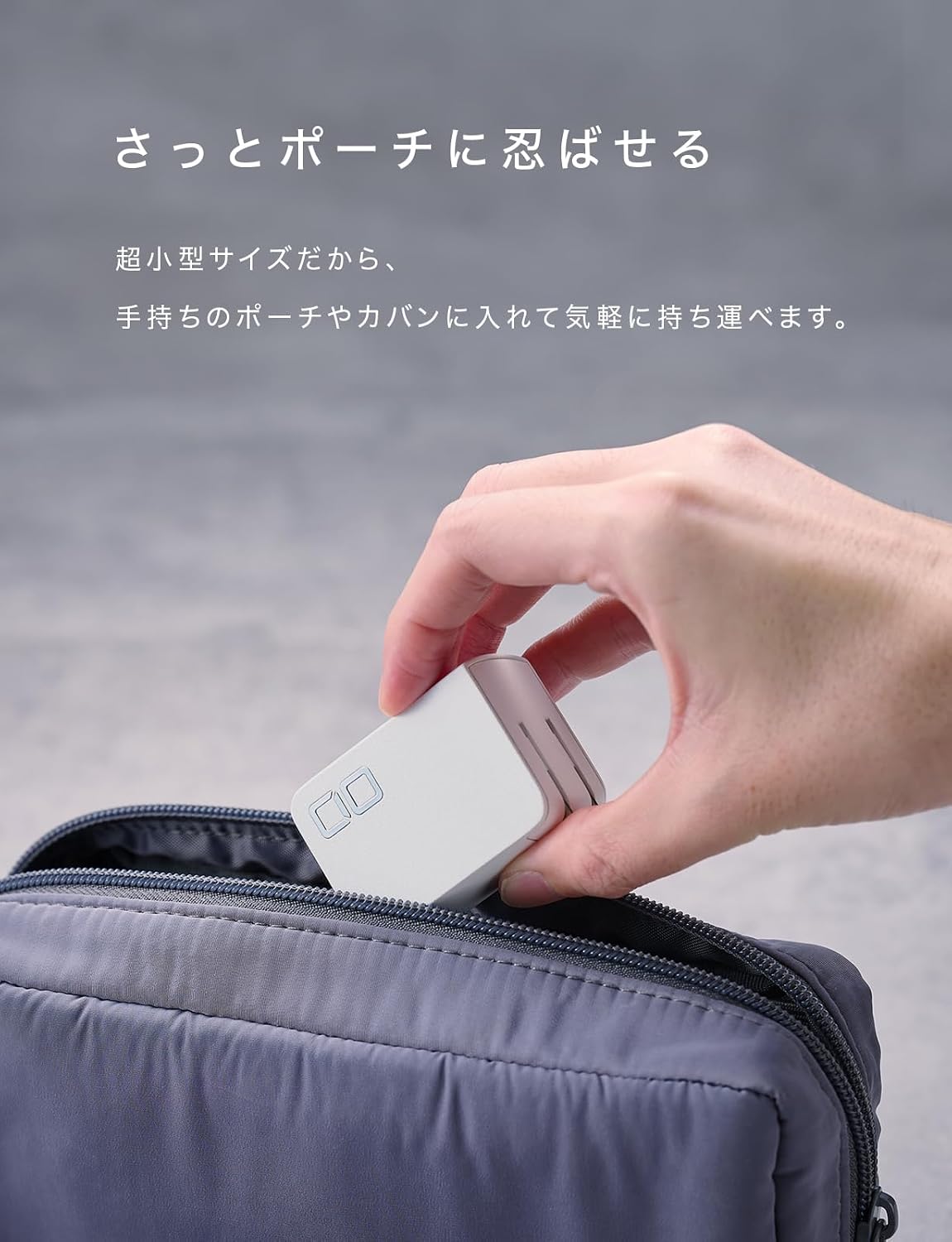
Its compact size is comparable to an egg, demonstrating its minimal footprint.

3. Setup
- Unpack the Charger: Carefully remove the CIO NovaPort TRIO II charger from its packaging.
- Inspect for Damage: Before use, check the charger for any visible damage. Do not use if damaged.
- Unfold the Plug: The charger features a foldable AC plug. Gently unfold the prongs until they lock into place.
- Connect to Power Outlet: Insert the charger's AC plug into a standard wall outlet (100-240V, 50-60Hz).
- Prepare Charging Cables: Ensure you have appropriate USB-C to USB-C or USB-C to Lightning cables for your devices, and a USB-A cable if using the USB-A port.
4. Operating Instructions
The NovaPort TRIO II charger is designed for intuitive use. It features NovaIntelligence technology to optimize power delivery.
4.1 Single Port Charging
For maximum power to a single device, connect it to either USB-C port (C1 or C2). Each USB-C port can deliver up to 67W individually. The USB-A port can deliver up to 18W.
- Connect your device to the desired port using a compatible charging cable.
- The charger will automatically detect the device and begin charging.
4.2 Multi-Port Charging
The NovaPort TRIO II can charge up to three devices simultaneously. The NovaIntelligence technology dynamically allocates power based on the connected devices' needs.

When multiple devices are connected, the total power output is distributed. The following table illustrates the typical power distribution scenarios:

| Ports in Use | C1 Output | C2 Output | A1 Output | Total Max Output |
|---|---|---|---|---|
| C1 Only | 67W | N/A | N/A | 67W |
| C2 Only | N/A | 67W | N/A | 67W |
| A1 Only | N/A | N/A | 18W | 18W |
| C1 + C2 | Dynamically distributed (Max 65W total) | 65W | ||
| C1 + A1 | 45W | N/A | 18W | 63W |
| C2 + A1 | N/A | Total 15W | 15W | |
| C1 + C2 + A1 | 45W | Total 15W | 60W | |
Note: When using two USB-C ports simultaneously, NovaIntelligence operates to automatically distribute optimal power up to a total of 65W based on the connected devices. For stable charging of PCs, especially when multiple devices are connected, it is recommended to charge the PC using a single USB-C port if possible.
4.3 NovaIntelligence Technology
The NovaIntelligence technology automatically adjusts the power output to match the connected device's requirements. This eliminates the need to worry about which port to use for specific power outputs, providing a stress-free and efficient charging experience even when charging multiple devices simultaneously.

4.4 PPS Fast Charging
When charging a single device, the USB-C ports support PPS output up to 5A. This enables super-fast charging (e.g., Super Fast Charging 2.0 up to 45W for the latest Galaxy S24 Ultra).
5. Safety Features
The NovaPort TRIO II incorporates advanced safety mechanisms to ensure reliable and secure operation.
5.1 NovaSafety 2.0
NovaSafety 2.0 continuously monitors the product's temperature and automatically adjusts power output during high-load conditions to control heat generation. This temperature management aims for safer and longer-lasting use. Additionally, it features technology to suppress the momentary charging interruption (flickering) that often occurs with conventional fast chargers when connecting a new device. This ensures a smoother charging experience for smartphones, tablets, and laptops.

Note: The flicker suppression function does not operate when using the USB-A port due to differences in fast charging standards.
5.2 Insulated Plug
The power plug is equipped with an insulating cap at its base. This design helps prevent tracking fires that can occur when dust or moisture accumulates between the plug and the electrical outlet.

6. Maintenance
Proper maintenance ensures the longevity and safe operation of your charger.
- Cleaning: Disconnect the charger from the power outlet and all devices before cleaning. Use a soft, dry cloth to wipe the surface. Do not use liquid cleaners or abrasive materials.
- Storage: When not in use, store the charger in a cool, dry place away from direct sunlight and extreme temperatures. Fold the AC plug for compact storage.
- Avoid Moisture: Do not expose the charger to water or high humidity.
- Inspect Cables: Regularly check your charging cables for any signs of wear or damage. Replace damaged cables immediately.
7. Troubleshooting
If you encounter issues with your charger, please refer to the following common problems and solutions:
- Device not charging:
- Ensure the charger is securely plugged into a working power outlet.
- Verify that the charging cable is properly connected to both the charger and your device.
- Try a different charging cable or port to rule out a faulty cable or port.
- Confirm your device is compatible with the charger's output specifications.
- Slow charging:
- Ensure you are using a high-quality cable that supports fast charging.
- Check the power distribution table (Figure 4.2) if multiple devices are connected, as total power is shared. Disconnect other devices to see if charging speed improves for a specific device.
- Verify that your device supports the fast charging protocols (PD, PPS) offered by the charger.
- Charger feels warm:
- It is normal for the charger to become warm during operation, especially during high-power charging.
- If the charger becomes excessively hot, disconnect it immediately and allow it to cool down. Ensure it is used in a well-ventilated area. NovaSafety 2.0 is designed to manage temperature, but extreme conditions can still cause overheating.
- Charging repeatedly stops and restarts (flickering):
- This can occur when connecting a new device while others are already charging, as the charger re-negotiates power. The NovaSafety 2.0 feature minimizes this, but it may still happen.
- If using the USB-A port, this feature is not active, and flickering may be more noticeable.
8. Specifications
Detailed technical specifications for the CIO NovaPort TRIO II charger.

| Feature | Detail |
|---|---|
| Model Number | CIO-G67W2C1A-N2 |
| Dimensions | Approx. 54 × 40 × 30 mm |
| Weight | Approx. 109 g |
| Input Voltage | 100-240V ~ 50-60Hz 1.6A |
| USB-C1/C2 Output (Max 67W) | 5V=3A / 9V=3A / 12V=3A / 15V=3A / 20V=3.35A PPS: 3.3-11V=5A |
| USB-A Output (Max 18W) | 5V=3A / 9V=2A / 12V=1.5A |
| Combined Output (C1+C2) | 45W (5V=3A / 9V=3A / 12V=3A / 15V=3A / 20V=2.25A) PPS: 3.3-11V=4.05A |
| Combined Output (C1+A1) | 45W (5V=3A / 9V=3A / 12V=2.5A / 15V=2A / 20V=1.5A) PPS: 3.3-11V=3A |
| Combined Output (C2+A1) | 20W (5V=3A / 9V=2.22A / 12V=1.67A) PPS: 3.3-11V=2A |
| Combined Output (C1+C2+A1) | Total 60W Max |
| Included Components | Main Unit, User Manual |
| Color | White |
| Origin | China |
9. Warranty and Support
CIO, as a Japanese manufacturer, provides reliable warranty support for its products.
- Manufacturer's Warranty: The product comes with a manufacturer's warranty. Please refer to the warranty card or product packaging for specific terms and duration.
- Contacting Support: For initial defects or product malfunctions during use, please contact our customer support. When contacting us, please provide your Amazon order number for smoother service.
- Product Inspection: Products are inspected for functionality before shipment. Therefore, you may find signs of opening, but rest assured that the product is new and unused.

