
1. Introduction
Thank you for choosing the CIO NovaPort Duo II 45W Dual USB-C Charger. This compact and efficient charger is designed to provide fast and stable power to a wide range of devices, including smartphones, tablets, and laptops. Featuring advanced GaN technology and smart power management, it ensures optimal charging performance and enhanced safety.

The CIO NovaPort Duo II 45W charger highlights its key features: compact size, simultaneous dual device charging, automatic power distribution, Nova Safety 2.0 protection, and PC charging compatibility.
Key Features:
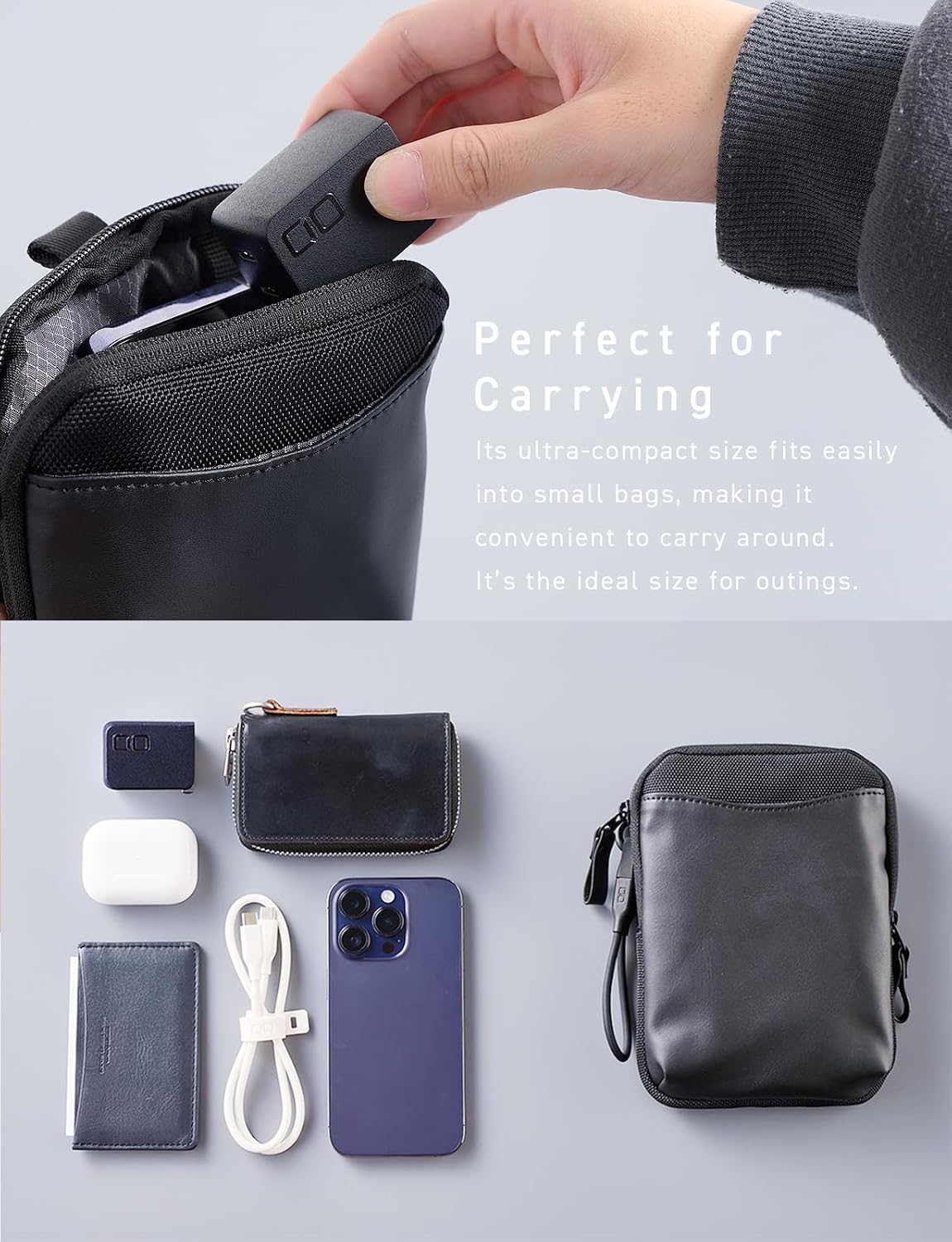
- Compact 45W Dual USB-C Charger: Delivers up to 45W, suitable for phones, tablets, and laptops. Features a foldable plug and lightweight design for portability.
- 2-Port USB-C Charger: Provides reliable charging for multiple devices with a total output of up to 45W.
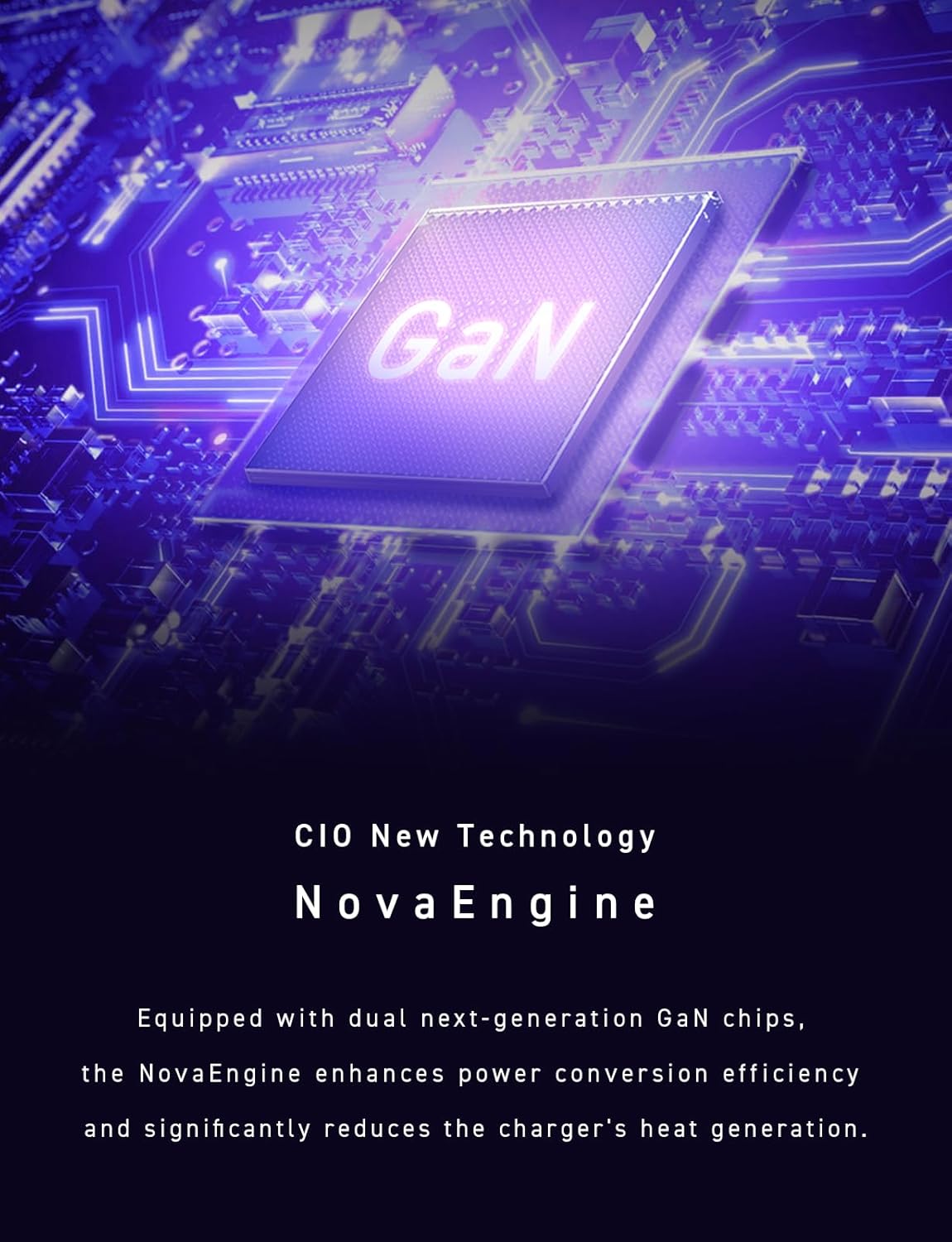
- Efficient GaN Technology: Built with GaN chips to reduce energy loss and ensure stable power delivery.
- Smart Power Distribution: Equipped with Nova Intelligence to optimize power for connected devices, ensuring safe and efficient charging.
- Durable Design with Safety Features: Features NovaSafety 2.0 for temperature monitoring and overheating prevention, with a scratch-resistant finish.

The NovaPort Duo II 45W charger is designed to be exceptionally compact, comparable in size to a small egg, making it highly portable.
2. Important Safety Information
Please read and follow these safety guidelines to ensure safe operation and prevent damage to the product or connected devices.
- Do not expose the charger to water, moisture, or extreme temperatures.
- Do not attempt to disassemble, repair, or modify the charger. This will void the warranty and may cause electric shock or fire.
- Avoid dropping or subjecting the charger to strong impacts.
- Ensure the charger is used in a well-ventilated area.
- Unplug the charger from the wall outlet when not in use or during electrical storms.
- Keep out of reach of children.
NovaSafety 2.0
The NovaPort Duo II 45W charger incorporates NovaSafety 2.0 technology, which continuously monitors internal temperature, adjusts output, and distributes optimal power to automatically control heat generation. This advanced temperature management system aims to provide a safer charging experience.

The charger's internal components are designed with NovaSafety 2.0 for continuous temperature monitoring and heat control.
Insulated Plug
The charger is equipped with an insulated cap at the base of the power plug. This design helps prevent tracking fires that can be caused by dust or moisture accumulating in the gap between the outlet and the plug.
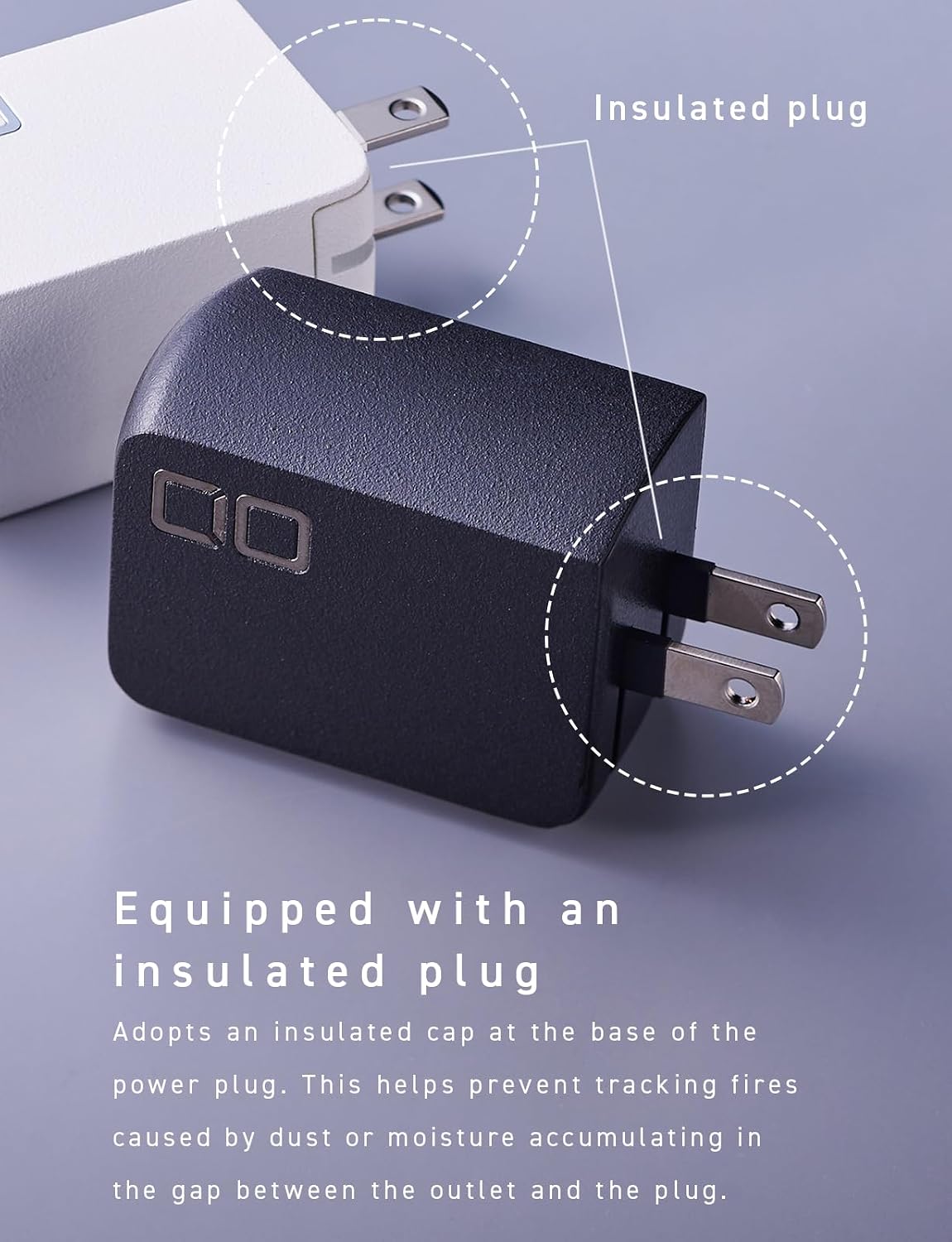
The insulated plug design enhances safety by preventing dust and moisture accumulation.
3. Package Contents
Please check that all items are present in your package:
- CIO NovaPort Duo II 45W Dual USB-C Charger
- User Manual (this document)
4. Setup Instructions
- Unfold the Plug: Gently unfold the foldable AC prongs from the charger body.
- Connect to Power Outlet: Insert the charger into a standard wall power outlet.
- Connect Charging Cable: Plug one end of a compatible USB-C charging cable (not included) into one of the USB-C ports on the charger.
- Connect to Device: Plug the other end of the USB-C charging cable into your device (e.g., smartphone, tablet, laptop).
- Begin Charging: Your device should begin charging automatically.
The charger can deliver up to 45W output when charging a single device like a laptop.
5. Operating Instructions
Single Port Charging
When using a single USB-C port, the charger can deliver up to 45W of power. This is ideal for fast charging compatible laptops, tablets, or smartphones that require higher power input.

The charger provides a maximum of 45W output when only one port is in use, suitable for charging laptops and other high-power devices.
Dual Port Charging
The NovaPort Duo II allows simultaneous charging of two devices. The total maximum output across both ports is 45W. The integrated Nova Intelligence technology automatically distributes power optimally between the connected devices.

Simultaneous charging of an iPad (30W) and an iPhone (10W) demonstrates the charger's dual-port capability with intelligent power distribution.
Smart Power Distribution (Nova Intelligence)
Nova Intelligence automatically detects the power requirements of connected devices and allocates power optimally. This ensures efficient and safe charging without needing to worry about which port to use for specific devices.

Nova Intelligence allows for flexible power combinations, such as charging an iPhone (20W) and AirPods (5W), or two iPhones (20W each), ensuring stress-free charging.
Quick Charging Reference Chart

This chart illustrates the power distribution for single and dual port charging scenarios.
| Charging Mode | Port C1 | Port C2 | Total Output |
|---|---|---|---|
| Single Port (C1) | 45W | N/A | 45W Max |
| Single Port (C2) | N/A | 45W | 45W Max |
| Two Ports (C1 + C2) | Optimally distributed by Nova Intelligence | 45W Max (e.g., 20W+20W, 30W+15W, 15W+30W) | |
Note: When charging two devices simultaneously, Nova Intelligence automatically distributes optimal power within the total maximum of 45W, depending on the connected devices. Depending on device compatibility, the maximum power may not be reached. PD charging for PCs requires different voltage and power levels depending on the manufacturer. If PC charging is unstable when using multiple ports, please charge the device using a single port.
6. Maintenance
- Cleaning: Disconnect the charger from the power outlet and all devices before cleaning. Use a soft, dry cloth to wipe the surface. Do not use liquid cleaners or aerosols.
- Storage: Store the charger in a cool, dry place away from direct sunlight and extreme temperatures.
- Scratch-Resistant Surface: The product's surface is treated with a scratch-resistant texture to minimize scratches during daily use and transport.

The charger features a scratch-resistant surface, ensuring durability even when carried in bags or pouches.
7. Troubleshooting
Device is not charging:
- Ensure the charger is securely plugged into a working wall outlet.
- Verify that the USB-C cable is properly connected to both the charger and your device.
- Try using a different USB-C cable to rule out a faulty cable.
- Test the charger with a different device to confirm charger functionality.
- Try a different wall outlet.
Charging is slow:
- Ensure your device and cable support fast charging protocols.
- If charging two devices simultaneously, the total 45W output is shared. For maximum speed on a single device, ensure only one device is connected.
- Check if the cable is rated for the required power delivery.
Charger feels warm:
- It is normal for the charger to become warm during operation, especially during fast charging or when charging multiple devices.
- The NovaSafety 2.0 feature actively manages temperature. If the charger becomes excessively hot, disconnect it immediately and contact customer support.
8. Specifications
Detailed specifications for the NovaPort Duo II 45W charger.
| Feature | Detail |
|---|---|
| Model Number | CIO-G45W2C-N2 |
| Product Dimensions | 1.14 x 1.77 x 1.3 inches (approx. 45 × 33 × 29mm) |
| Item Weight | 2.43 ounces (approx. 69g) |
| Input Voltage | 100-240V AC, 50/60Hz, 1.0A |
| Output (USB-C1/C2 Single) | 5V=3A / 9V=3A / 12V=3A / 15V=3A / 20V=2.25A (Max 45W) PPS: 5-11V=4.05A |
| Output (USB-C1+C2 Combined) | 30W+15W or 15W+30W or 20W+20W (Total 45W MAX) |
| Total USB Ports | 2 (USB Type C) |
| Compatible Devices | Cellular Phones, Game Consoles, Laptops, Smartwatches, Tablets |
| Special Features | Fast Charging, Lightweight Design, Multi Device Charging, Retractable Plug, Travel |
| Color | Black |
9. Warranty and Support
Warranty Information
Specific warranty details for your CIO NovaPort Duo II 45W charger are typically provided with your purchase documentation or can be found on the official CIO website. Please retain your proof of purchase for warranty claims.
Customer Support
For technical assistance, troubleshooting, or warranty inquiries, please contact CIO customer support through their official website or the contact information provided with your product packaging.
Manufacturer: CIO
