
1. Introduction
This manual provides detailed instructions for installing, setting up, and operating your meross 3 Way Smart Dimmer Switch Kit. This kit includes both a main and a secondary switch, designed for controlling lights from two different locations. The smart dimmer switches offer dimming capabilities from 1% to 100% and are compatible with various smart home platforms.
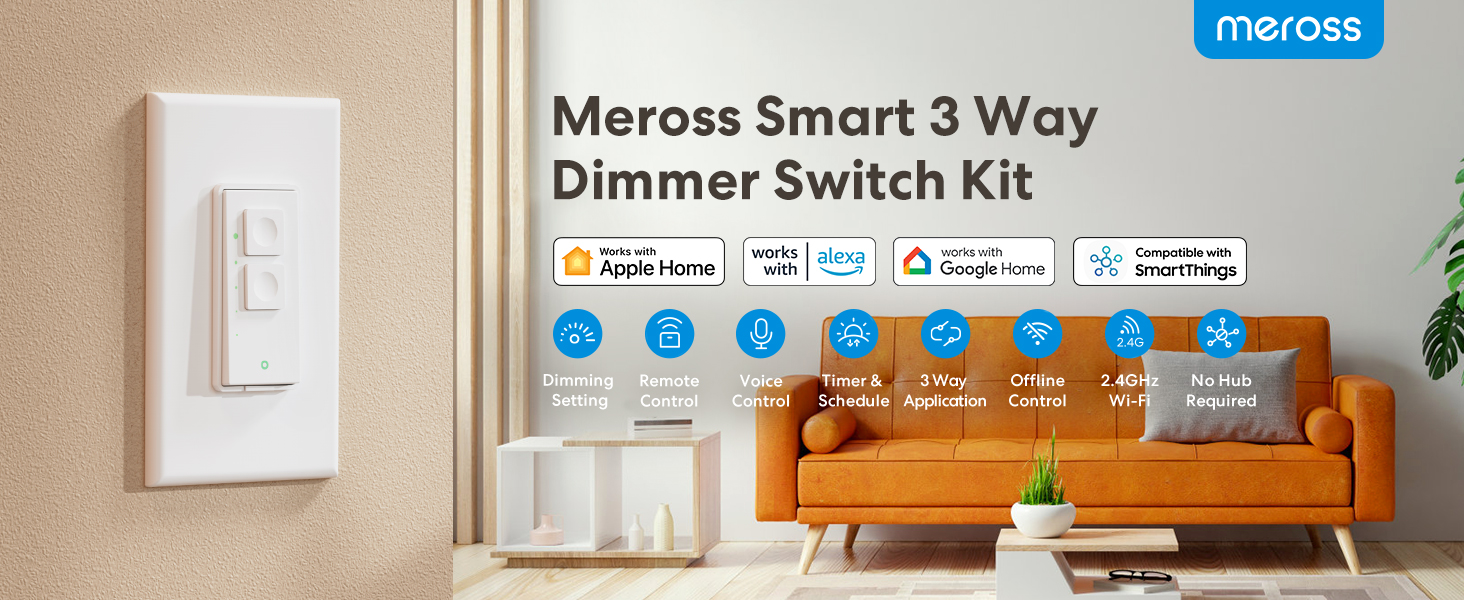
Image: Meross Smart 3 Way Dimmer Switch Kit highlighting key features.
2. Safety Information
WARNING: This is an electrical shock hazard. Follow installation instructions carefully. Ensure power is turned off before electrical work.
- Neutral Wire Required: The Smart Dimmer Switch Kit requires a neutral wire (typically white) in your electrical box for proper operation. If you are unsure, consult a qualified electrician.
- 3-Way Application Only: This kit is designed exclusively for 3-way installations. The main switch cannot function with other standard 3-way switches.
- Wi-Fi Compatibility: The device operates on 2.4GHz Wi-Fi networks only. It does NOT support 5GHz Wi-Fi.
- Bulb Compatibility: Max 400W for Incandescent (INC) bulbs, max 150W for CFL and LED bulbs. Not compatible with smart bulbs.
- Fire Safety: Features fire-retardant housing with a UL94-V0 fire rating.

Image: Key compatibility and installation requirements for the smart dimmer switch.
3. Package Contents
Your meross 3 Way Smart Dimmer Switch Kit typically includes the following items:
- 1 x Main Smart Dimmer Switch
- 1 x Secondary Smart Dimmer Switch (Add-on Switch)
- 2 x Wall Plates (Screwless design)
- Wire Nuts
- Mounting Screws
- Wire Labels (Neutral, Lin, Lout, Ground)
- 1 x Quick Installation Guide
4. Product Overview
The meross Smart Dimmer Switch Kit provides intelligent control over your lighting. It features physical buttons for manual operation and integrates seamlessly with popular smart home ecosystems for voice and app control. The switches are designed for a clean, modern look with screwless faceplates.

Image: Front view of the meross Smart Dimmer Switch.
Key Features:
- Dimming Control: Adjust light brightness from 1% to 100%.
- Multi-Compatible: Works with LED, CFL, and Incandescent (INC) bulbs.
- 3-Way Functionality: Control lights from two distinct locations.
- Smart Home Integration: Compatible with Apple HomeKit, Amazon Alexa, Google Assistant, and SmartThings.
- Voice Control: Use voice commands with Siri, Alexa, or Google Assistant.
- Remote Control: Manage lights from anywhere via the Meross app.
- Scheduling: Set custom schedules, timers, and sunrise/sunset routines.
- Wi-Fi Connectivity: Connects directly to your 2.4GHz Wi-Fi network; no additional hub required.

Image: Dimmable and multi-compatible features of the smart switch.
5. Installation
Before beginning installation, ensure you have read and understood all safety warnings. If you are not comfortable with electrical wiring, please consult a qualified electrician.
Pre-Installation Checklist:
- Verify Neutral Wire: Confirm your electrical box has a neutral wire (usually white). This is mandatory for the meross smart dimmer switch.
- Power Off: ALWAYS turn off power at the circuit breaker before starting any electrical work.
- Tools: Gather necessary tools such as a screwdriver, wire strippers, and voltage tester.
Wiring Instructions (3-Way Application):
The meross 3 Way Smart Dimmer Kit consists of a Master Switch and an Add-on Switch. Follow the wiring diagram provided in your Quick Installation Guide and below. Use the included wire nuts and labels for clear and secure connections.

Image: Detailed wiring diagram for the smart dimmer switch, highlighting the neutral wire connection.

Image: 3-Way wiring diagram for Master and Add-on Switches.
- Identify and label your wires: Live (Line), Load, Neutral, and Ground.
- Connect the wires from the meross switches to your home's wiring according to the diagram.
- Secure the switches into the electrical box using the provided screws.
- Attach the screwless faceplates for a clean finish.
- Restore power at the circuit breaker.
6. Setup (App Configuration)
Once the switches are physically installed, you can configure them using the meross app and integrate them with your preferred smart home system.
Initial Setup with Meross App:
- Download the meross app from the App Store or Google Play.
- Create a meross account or log in.
- Follow the in-app instructions to add your new smart dimmer switches. Ensure your smartphone is connected to a 2.4GHz Wi-Fi network during this process.
HomeKit Remote Control Setup:
To enable remote control for HomeKit, you need a HomeKit hub device:
- A HomePod, HomePod mini, Apple TV 4K, or Apple TV HD.
- Set up one of these Apple devices as a HomeKit bridge and connect it to your home Wi-Fi network.
- The HomeKit bridge must remain online and connected to Wi-Fi for remote control functionality.

Image: Setting up HomeKit remote control with Apple devices. For more information, visit Apple Support.
7. Operating
Your meross Smart Dimmer Switches offer multiple ways to control your lighting.
Manual Control:
Press the physical buttons on the switch to turn lights on/off or adjust brightness. The top button typically increases brightness, and the bottom button decreases it.
Voice Control:
Integrate your switches with Apple HomeKit, Amazon Alexa, or Google Assistant for hands-free control.
- Siri: "Hey Siri, turn on the living room light."
- Alexa: "Alexa, dim the bedroom light to 50%."
- Google Assistant: "Hey Google, turn off the kitchen light."

Image: Voice control in action with smart assistants.
Remote Control:
Control your lights from anywhere using the meross app on your smartphone or the Apple Home app (if HomeKit is configured with a hub).

Image: Remote control of lights via the Meross app.
Scheduling and Scenes:
Set up custom schedules, timers, and scenes to automate your lighting based on your daily routine or preferences. Schedules can operate even if your internet connection is temporarily down.
- Timers: Set lights to turn on/off after a specific duration.
- Schedules: Program lights to activate or deactivate at set times.
- Sunrise/Sunset: Automate lights to follow natural light cycles.

Image: Scene and schedule features for automated lighting control.
8. Maintenance
To ensure optimal performance and longevity of your meross Smart Dimmer Switches, follow these simple maintenance guidelines:
- Cleaning: Gently wipe the switch and faceplate with a soft, dry cloth. Avoid using harsh chemicals or abrasive cleaners.
- Connection Check: Periodically ensure all wiring connections are secure and free from damage.
- Firmware Updates: Keep your meross app and switch firmware updated to benefit from the latest features and security enhancements.
9. Troubleshooting
If you encounter issues with your meross Smart Dimmer Switch, refer to the following common troubleshooting steps:
- No Power/Not Responding:
- Ensure power is on at the circuit breaker.
- Check all wiring connections for tightness and correctness, especially the neutral wire.
- Locate the small power reboot button (if present) on the switch and press it once to perform a soft reboot.
- Wi-Fi Connectivity Issues:
- Confirm your Wi-Fi network is 2.4GHz. The switch does not support 5GHz.
- Ensure your Wi-Fi router is within range and functioning correctly.
- Restart your Wi-Fi router and try connecting again.
- If the indicator light is red, it may signal a connectivity problem.
- HomeKit Remote Control Not Working:
- Verify your HomeKit hub (HomePod, Apple TV) is online and connected to your home Wi-Fi network.
- Ensure the HomeKit hub is powered on and not disconnected from Wi-Fi.
- Dimming Issues:
- Confirm your bulbs are dimmable and compatible with the switch (LED, CFL, INC). Smart bulbs are not supported.
- Check the total wattage of connected bulbs does not exceed the switch's maximum capacity (400W for INC, 150W for CFL/LED).
10. Specifications
| Feature | Specification |
|---|---|
| Model Number | MSS570 |
| Operation Mode | ON-OFF-ON |
| Current Rating | 4 Amps |
| Operating Voltage | 120 Volts |
| Contact Type | Normally Open |
| Connector Type | Clamp |
| Terminal | Spdt |
| Dimensions (L x W x H) | 4.7 x 2.8 x 1.5 inches |
| Circuit Type | 3-way |
| Actuator Type | Dimmer Switch |
| Contact Material | Copper |
| International Protection Rating | IP00 |
| Temperature Range | 32 to 104 Degrees Fahrenheit |
| Controller Type | Amazon Alexa, Apple HomeKit, Google Assistant |
| Control Method | Voice |
| Connectivity Protocol | Wi-Fi (2.4GHz only) |
| Color | White |
| Wattage | 480 watts |
| Item Weight | 9.8 ounces |
11. Warranty and Support
For detailed warranty information, technical support, and frequently asked questions, please visit the official meross website or contact their customer service directly. Keep your purchase receipt for warranty claims.


