
1. Introduction
This manual provides instructions for the safe installation, operation, and maintenance of your Bricosmocon 4-Light Gold Track Lighting Ceiling Fixture, Model FC0107. This fixture is designed for indoor use and features four rotatable light heads, allowing for adjustable illumination. It is compatible with GU10 base bulbs (not included).
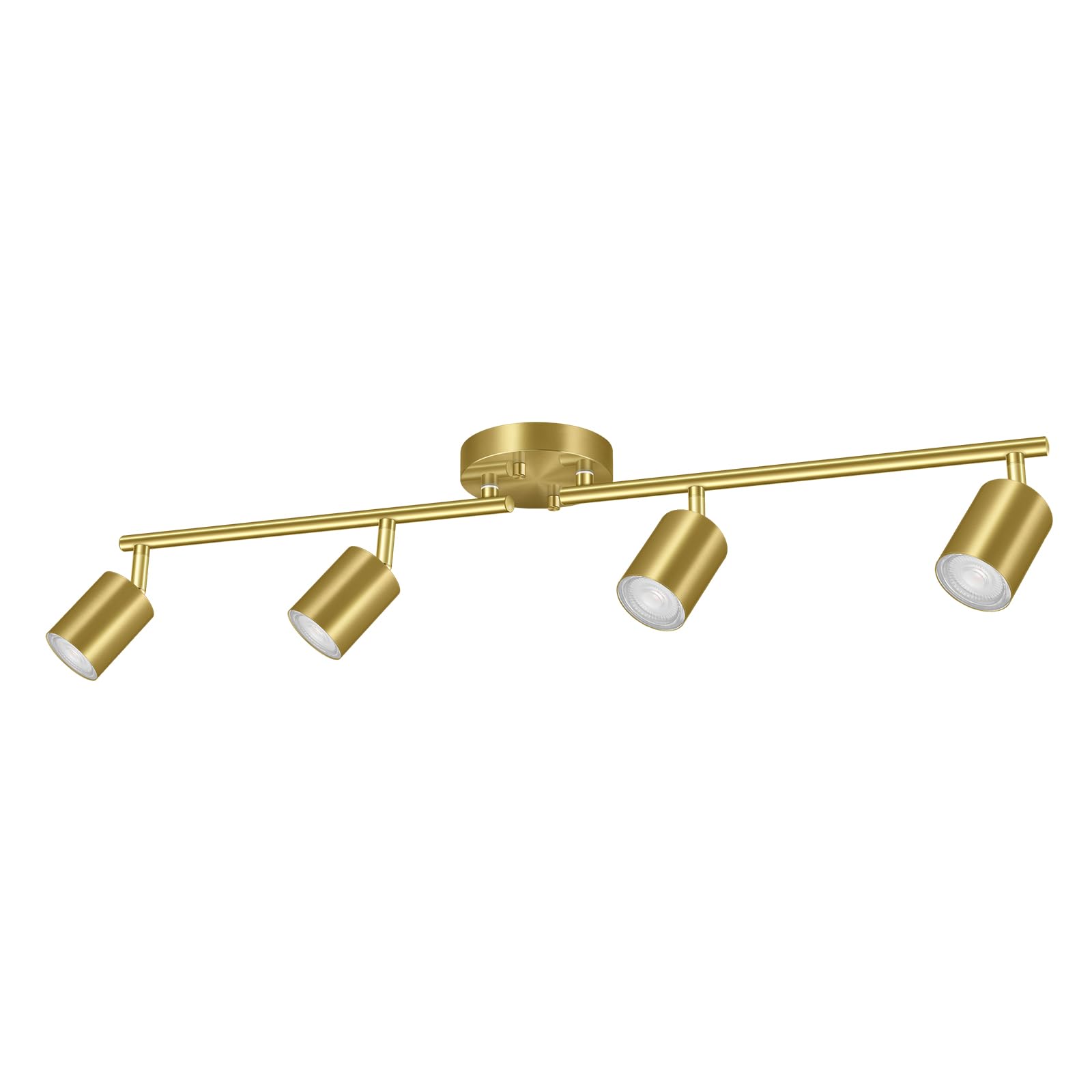
Image 1: Bricosmocon 4-Light Gold Track Lighting Ceiling Fixture (Model FC0107).
2. Safety Information
Please read and understand all instructions before beginning installation. Failure to do so may result in electric shock, fire, or other injuries that could be fatal or cause property damage.
- WARNING: Risk of electric shock. Disconnect power at the circuit breaker or fuse box before installation or servicing.
- All electrical connections must be in accordance with local codes, ordinances, or the National Electric Code (NEC). Contact a qualified electrician if you are unfamiliar with electrical wiring.
- Use only GU10 base bulbs with a maximum wattage of 15W.
- Do not install this fixture in wet or damp locations.
- Ensure the fixture is securely mounted to a structural element of the ceiling.
- Do not exceed the maximum wattage specified for the bulbs.
3. Package Contents
Verify that all components are present before beginning installation:
- 1 x 4-Light Track Lighting Fixture (Gold)
- Mounting Hardware (screws, wire nuts, canopy)
- Instruction Manual
Note: Bulbs are not included. This fixture requires GU10 base bulbs (Max 15W).
4. Specifications
| Model Number | FC0107 |
| Color | Gold |
| Material | Metal |
| Finish Type | Painted |
| Light Source Type | LED or Incandescent (Bulb not included) |
| Bulb Base | GU10 |
| Maximum Wattage per Bulb | 15 Watts |
| Voltage | 120 Volts (AC) |
| Number of Light Sources | 4 |
| Mounting Type | Ceiling Mount |
| Product Dimensions | 29"L x 4"W x 6.3"H |
| Item Weight | 1.87 Pounds |
| Special Features | Rotatable Heads |
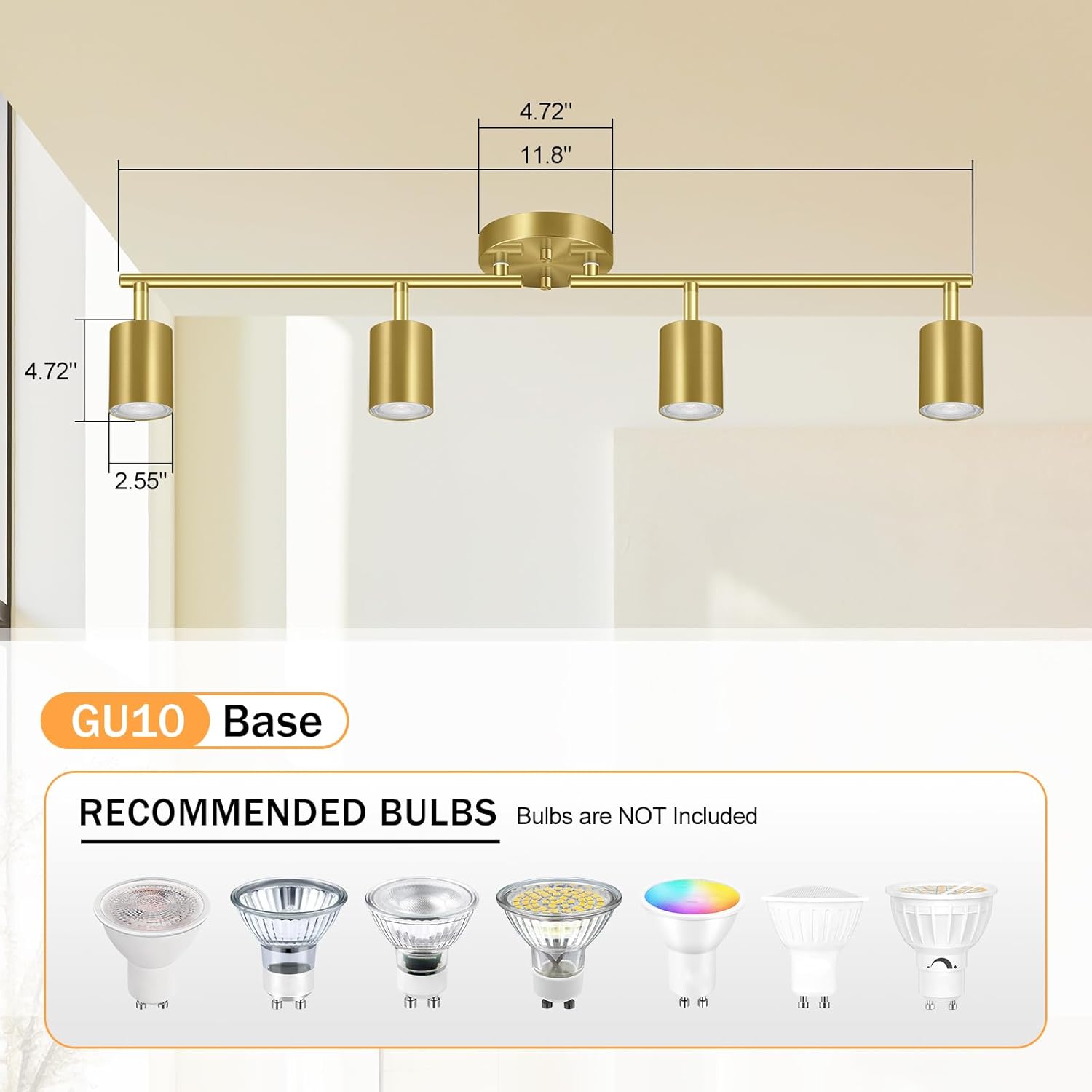
Image 2: Product dimensions and recommended GU10 bulb types.
5. Setup and Installation
Follow these steps to install your track lighting fixture. It is recommended to have a second person assist during installation.
5.1 Prepare for Installation
- Turn off power: Locate the circuit breaker or fuse box that supplies power to the light fixture location and turn off the power.
- Gather tools: You will need a screwdriver, wire strippers, and possibly a ladder.
- Unpack: Carefully remove all components from the packaging.
5.2 Mounting the Fixture
- Remove mounting plate: Unscrew the fastening fitting from the fixture's canopy to detach the mounting plate.
- Attach mounting plate: Secure the mounting plate to the ceiling junction box using the provided screws. Ensure it is firmly attached.
- Connect wires: Connect the fixture's wires to the household electrical wires (black to black, white to white, ground to ground) using the provided wire nuts. Ensure all connections are secure.
- Secure canopy: Carefully push the fixture's canopy up to the ceiling, aligning the holes with the mounting plate. Secure it with the fastening fitting.

Image 3: Visual guide for connecting wires, attaching the lamp base, and adjusting the rotatable socket.
5.3 Installing GU10 Bulbs
This fixture uses GU10 base bulbs (not included). Follow these steps to install them:
- Align the two pins of the GU10 bulb with the holes in the lamp socket.
- Gently push the bulb into the socket.
- Rotate the bulb clockwise until it locks into place.
For a visual guide on installing GU10 bulbs, please watch the video below:
Video 1: Demonstration of how to install a GU10 light bulb into the fixture.
6. Operating Instructions
Once installed and bulbs are in place, turn on the power at the circuit breaker. The fixture is now ready for use.
6.1 Adjusting Light Heads
The Bricosmocon 4-Light Track Lighting Fixture features flexible, rotatable arms and individual light heads. You can adjust each light head to direct illumination where needed:
- Rotatable Arms: The main bars can swivel up to 350 degrees from the central canopy.
- Rotatable Lamp Sockets: Each individual lamp socket can rotate 90 degrees, allowing for precise light direction.
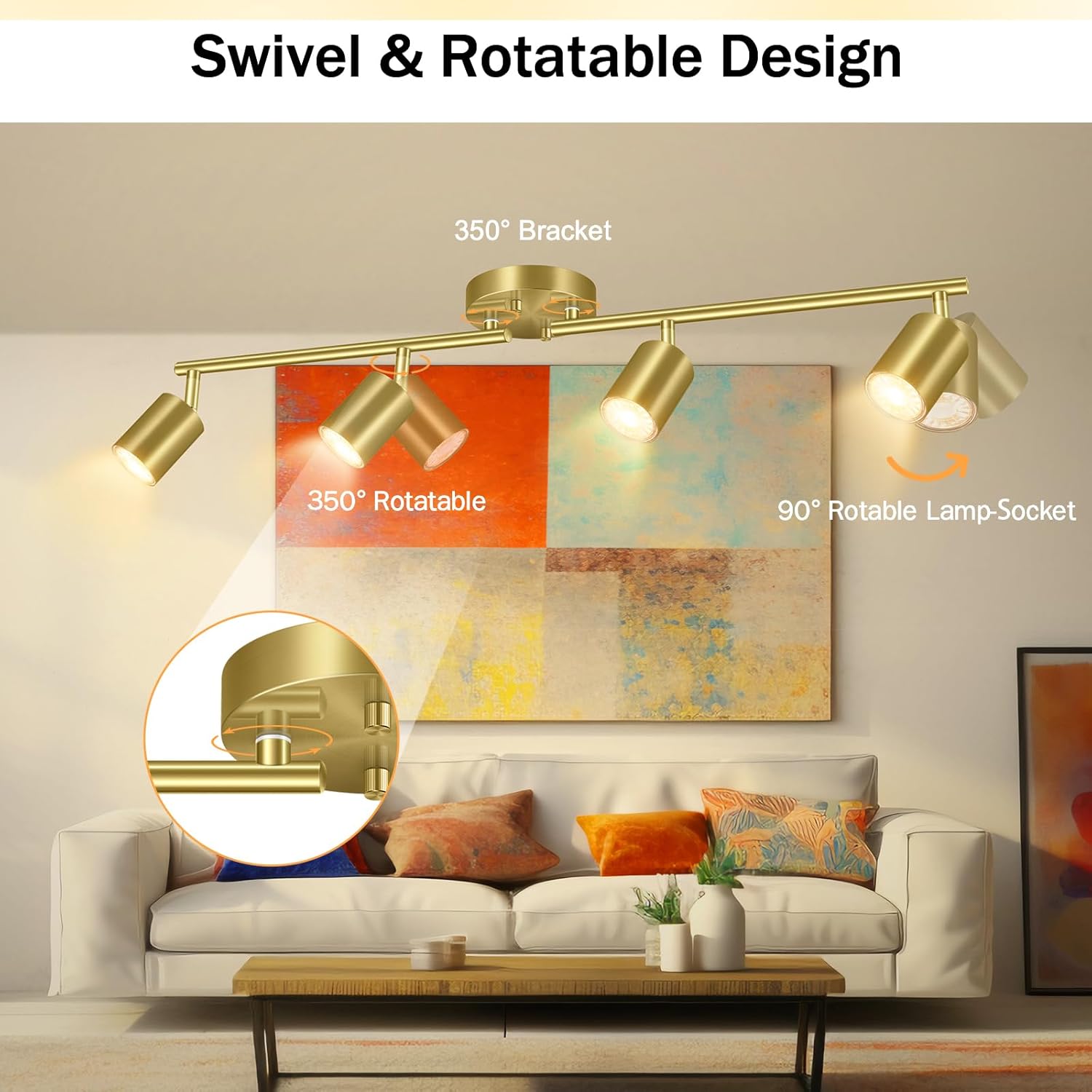
Image 4: Illustration of the 350-degree rotatable bracket and 90-degree rotatable lamp sockets.

Image 5: Examples of how the track light can be adjusted to illuminate different areas.
For a visual demonstration of the adjustable features, please refer to the video below:
Video 2: Demonstration of the adjustable track light heads and 4-way ceiling fixture lighting.
6.2 Dimmable Functionality
This fixture is designed to be dimmable when used with compatible dimmable GU10 bulbs and a compatible dimmer switch (both sold separately). Consult the instructions for your dimmer switch for proper operation.
7. Maintenance
7.1 Cleaning
Always disconnect power before cleaning. Wipe the fixture with a soft, dry cloth. Do not use abrasive cleaners or solvents, as they may damage the finish.
7.2 Bulb Replacement
Before replacing bulbs, ensure the power is turned off at the circuit breaker. Allow bulbs to cool completely before handling. Follow the bulb installation steps in Section 5.3 to replace GU10 bulbs. Use only GU10 base bulbs with a maximum of 15W.
8. Troubleshooting
If you encounter issues with your track lighting fixture, refer to the following common problems and solutions:
- Light does not turn on:
- Check that the power is on at the circuit breaker.
- Ensure all wire connections are secure.
- Verify that the bulbs are correctly installed and not faulty.
- Lights flicker:
- Ensure bulbs are fully seated in their sockets.
- If using a dimmer, ensure it is compatible with your GU10 bulbs and properly installed.
- One light head not working:
- Check the individual bulb in the affected head. Replace if necessary.
If these steps do not resolve the issue, please contact customer support.
9. Warranty and Support
Bricosmocon proudly stands behind the quality of its products.
9.1 Warranty Information
This product comes with a 12-month warranty (as per product feature bullets, though another bullet mentions 36-month warranty, 12-month is more common for electronics). If your fixture encounters any defects or stops working within 1 year from the date of purchase, Bricosmocon is available to assist with troubleshooting or provide a replacement.
9.2 Customer Support
If you experience any issues with your Bricosmocon track lighting fixture or have questions not covered in this manual, please contact us through the Amazon message box. We aim to respond within 24 hours.