
Product Overview
The P Panoraxy 3K 5MP Outdoor Security Camera is designed to provide comprehensive surveillance for your home or property. Featuring high-resolution imaging, dual-band Wi-Fi connectivity, and advanced AI tracking, this camera offers reliable monitoring and enhanced security features.
Key features include:
- 5MP High-Quality Imaging: Delivers 2560x1920p resolution with color night vision and powerful spotlights for clear visibility up to 55 feet.
- Dual-Band Wi-Fi (2.4GHz/5GHz): Ensures robust coverage and faster connections, supporting NVR and ONVIF for flexible network configurations.
- 360° PTZ and AI Tracking: Offers 355° horizontal pan and 90° vertical tilt coverage with automatic tracking and customizable detection zones.
- Flexible Storage Options: Supports continuous recording via SD card (up to 128GB, not included) and cloud storage.
- Two-Way Talk and IP66 Weatherproof: Enables communication through the camera and withstands extreme weather conditions.
Package Contents
Please ensure all items are present in the package:
- 1 x P Panoraxy 3K 5MP Security Camera
- Mounting Screws and Anchors
- Power Adapter
- User Manual (this document)
Setup Guide
Follow these steps to set up your P Panoraxy security camera:
- Prepare for Installation:
Choose a suitable outdoor location for the camera, ensuring it has a clear view of the area you wish to monitor and is within range of your Wi-Fi network. The camera is IP66 weatherproof, suitable for various outdoor conditions.

Image: The P Panoraxy 3K 5MP Outdoor Security Camera, highlighting its 5G connectivity capability and remote viewing via a smartphone app.
- Download the CloudEdge App:
Search for "CloudEdge" in your smartphone's app store (iOS or Android) and download the latest version. Ensure the app is version 5.5.3 or higher for optimal compatibility, especially with 5GHz Wi-Fi networks.
- Power On the Camera:
Connect the camera to a power source using the provided power adapter. Wait for the camera to initialize. You should hear a prompt indicating it's ready for setup.
- Connect to Wi-Fi:
Open the CloudEdge app, create an account or log in, and follow the in-app instructions to add a new device. Select your camera model and proceed with the Wi-Fi configuration. The camera supports both 2.4GHz and 5GHz Wi-Fi bands. For 5GHz connections, ensure your CloudEdge app is updated to the latest version to avoid "Device Does Not Work with 5G Wifi Networks" errors.

Image: Diagram illustrating the camera's dual-band Wi-Fi capability, connecting to both 5GHz for stronger signals and 2.4GHz for remote transmission.
- Mount the Camera:
Once connected, use the provided mounting screws and anchors to securely install the camera in your chosen location. Adjust the camera's angle to cover the desired area.
Operating Instructions
Learn how to utilize the full capabilities of your P Panoraxy security camera:
Remote Pan-Tilt-Zoom (PTZ) Control
The camera offers 355° horizontal pan and 90° vertical tilt, allowing you to adjust the viewing angle remotely via the CloudEdge app. You can also use the 4X digital zoom to focus on specific details.

Image: Screenshot of the CloudEdge app interface demonstrating the remote Pan-Tilt-Zoom (PTZ) functionality, including 355° pan, 90° tilt, and 4X digital zoom.
AI Motion Detection and Auto Tracking
The camera features advanced AI detection for automatic tracking of moving objects. You can customize detection zones and time schedules within the app. When motion is detected, you will receive instant alerts on your iOS or Android device.

Image: The camera's AI motion detection in action, triggering a spotlight and siren alarm when movement is detected.
Night Vision and Spotlights
The 5MP camera provides clear images even in low light conditions. It supports color night vision, activated by powerful spotlights, ensuring visibility up to 55 feet. You can also switch to infrared night vision if preferred.
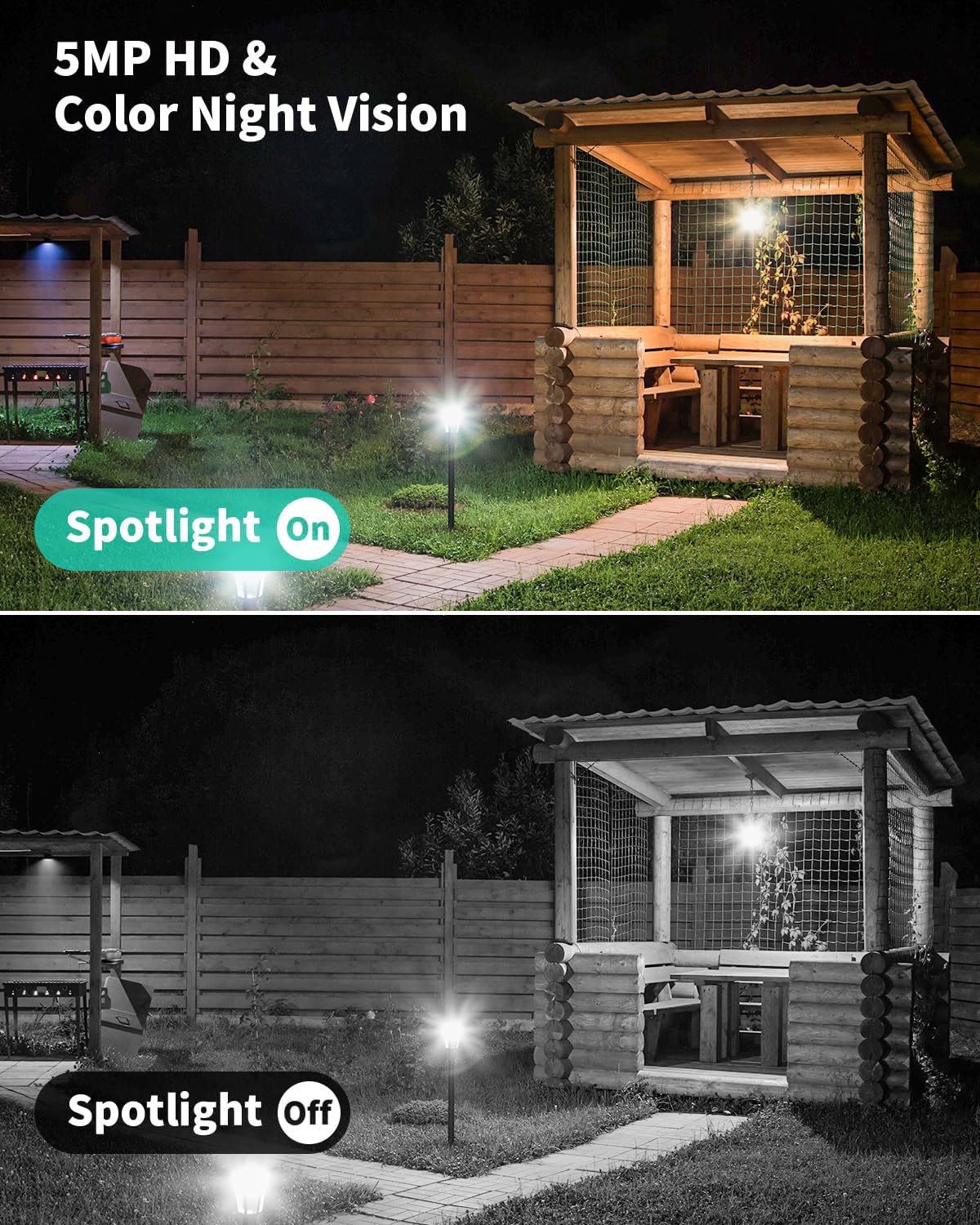
Image: A side-by-side comparison demonstrating the superior clarity and brightness of 5MP HD color night vision with the spotlight on, versus standard infrared night vision with the spotlight off.
Two-Way Talk
Utilize the built-in microphone and speaker for two-way communication. This allows you to speak to visitors or deter intruders directly through the camera from your smartphone.
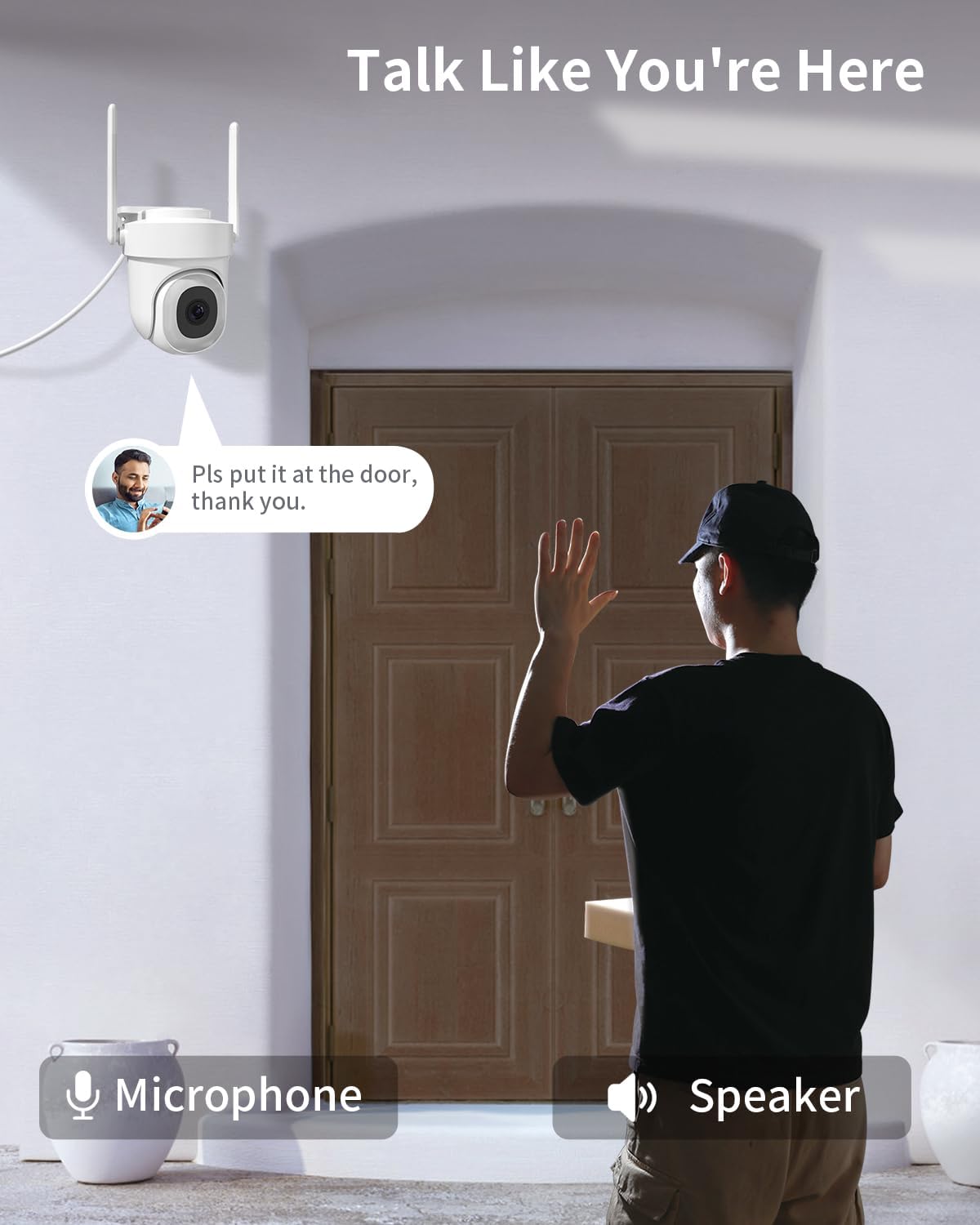
Image: Illustration of the two-way talk feature, showing a user communicating through the camera's microphone and speaker.
Storage Options
The camera supports flexible storage solutions:
- SD Card Storage: Insert an SD card (up to 128GB, not included) for continuous local recording.
- Cloud Storage: Subscribe to cloud storage services through the CloudEdge app for secure, remote storage of your recordings.
Maintenance
To ensure optimal performance and longevity of your P Panoraxy security camera, follow these maintenance guidelines:
- Regular Cleaning: Periodically clean the camera lens and housing with a soft, damp cloth to remove dust, dirt, or water spots that may obstruct the view. Avoid abrasive cleaners.
- Firmware Updates: Check the CloudEdge app regularly for firmware updates. Keeping your camera's firmware up-to-date ensures you have the latest features, security patches, and performance improvements.
- Power Supply Check: Ensure the power adapter and cable are free from damage. A stable power supply is crucial for continuous operation.
- Wi-Fi Signal Strength: Periodically check the Wi-Fi signal strength in the CloudEdge app to ensure a stable connection. If the signal is weak, consider repositioning your router or using a Wi-Fi extender.
Troubleshooting
If you encounter issues with your camera, refer to the following common problems and solutions:
- Camera not connecting to Wi-Fi:
- Ensure your Wi-Fi network is active and the password is correct.
- Verify the camera is within range of your Wi-Fi router.
- If connecting to 5GHz Wi-Fi and receiving an error "The Device Does Not Work with 5G Wifi Networks", update your CloudEdge app to version 5.5.3 or higher.
- Try restarting both your router and the camera.
- Poor image quality:
- Clean the camera lens.
- Ensure adequate lighting in the monitored area, especially at night.
- Check your internet connection speed; a slow connection can affect live stream quality.
- Verify the camera is set to 5MP resolution in the app settings.

Image: A visual comparison highlighting the superior clarity and brightness of 5MP Super HD resolution compared to 4MP.
- Motion alerts not received:
- Ensure motion detection is enabled in the CloudEdge app settings.
- Check your phone's notification settings for the CloudEdge app.
- Adjust motion detection sensitivity.
- Two-way audio not working:
- Ensure microphone and speaker permissions are granted to the CloudEdge app on your phone.
- Check the volume settings on both your phone and within the app.
Specifications
| Feature | Detail |
|---|---|
| Model Name | 3k 5MP Security Camera Outdoor |
| Item Model Number | BF-BK05 |
| Indoor/Outdoor Usage | Outdoor |
| Video Capture Resolution | 3K 5MP (2560*1920p) |
| Connectivity Technology | 2.4G/5Ghz WIFI |
| Pan/Tilt Coverage | 355° Pan, 90° Tilt |
| Night Vision | Color Night Vision, Infrared Night Vision |
| Special Features | 2-Way Audio, Auto-Tracking, Spotlight Alarm |
| Storage Options | SD Card (up to 128GB, not included), Cloud Storage |
| International Protection Rating | IP66 (Weatherproof) |
| Power Source | Corded Electric |
| Item Dimensions L x W x H | 5.9 x 4.96 x 4.92 inches |
| Item Weight | 1.04 pounds |
| Manufacturer | P Panoraxy |
Warranty and Customer Support
P Panoraxy is committed to providing high-quality products and excellent customer service. If you encounter any issues with your camera, please do not hesitate to contact our support team.
- Customer Support: We guarantee a response within 24 hours for any inquiries or issues. Please refer to the contact information provided on the product packaging or the official P Panoraxy website for the most up-to-date support channels.
- Warranty Information: Specific warranty details are typically included with your purchase documentation. Please retain your proof of purchase for warranty claims.
For further assistance, visit the official P Panoraxy store: P Panoraxy Store on Amazon
