
Introduction
This manual provides instructions for the proper setup, operation, and maintenance of your Generic Replacement Remote Control for the P.L.Z MP-800 Car Entertainment Multimedia System. Please read this manual thoroughly before using the remote control to ensure optimal performance and longevity.
Setup
The remote control is designed for immediate use with the P.L.Z MP-800 system once batteries are installed. No programming is required.
1. Battery Installation
- Locate the battery compartment cover on the back of the remote control.
- Slide or press the latch to open the battery compartment.
- Insert two new AAA batteries (not included), ensuring the positive (+) and negative (-) terminals align correctly with the markings inside the compartment.
- Close the battery compartment cover securely.
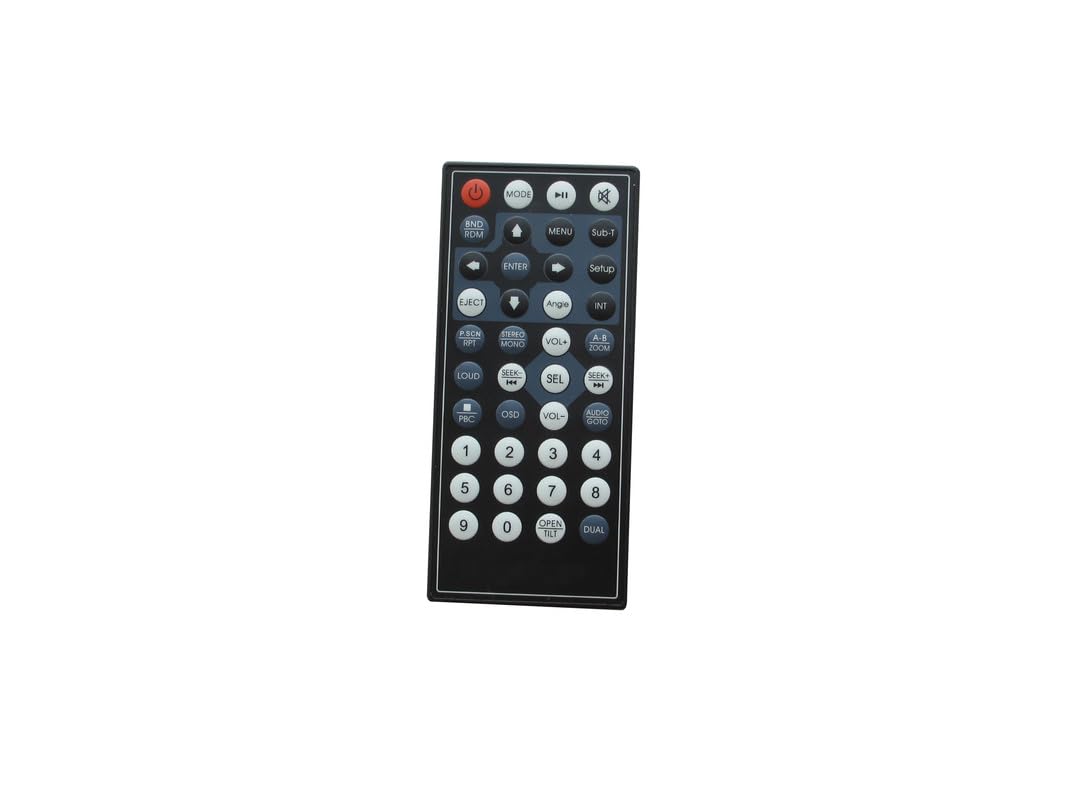
Figure 1: Generic Replacement Remote Control. This image shows the front view of the remote control, highlighting its button layout and compact design. The remote is black with various function buttons for operating a car entertainment system.
2. Initial Use
Once batteries are installed, the remote control is ready to operate your P.L.Z MP-800 Car Entertainment Multimedia System. Point the remote directly at the system's infrared receiver.
Operating
This remote control provides essential functions for navigating and controlling your P.L.Z MP-800 Car Entertainment Multimedia System. Familiarize yourself with the button layout for efficient use.
Common Button Functions:
- Power Button: Turns the system on or off.
- Volume Up/Down: Adjusts the audio output level.
- Mute Button: Silences the audio output.
- Navigation Buttons (Up/Down/Left/Right/OK): Used to navigate menus and select options on the system's display.
- Play/Pause: Controls media playback.
- Skip/Track Forward/Backward: Skips to the next or previous track/chapter.
- Source/Mode: Switches between different input sources (e.g., Radio, USB, Bluetooth, AUX).
- Menu/Setup: Accesses the system's main menu or settings.
For specific functions and their corresponding buttons, refer to the original user manual of your P.L.Z MP-800 Car Entertainment Multimedia System.
Maintenance
Battery Replacement:
Replace batteries when the remote control's responsiveness decreases or it stops functioning. Always replace both batteries simultaneously with new ones of the same type (AAA). Do not mix old and new batteries or different battery types.
Cleaning:
Wipe the remote control with a soft, dry cloth. Do not use liquid cleaners, abrasive pads, or chemical solvents, as these can damage the surface or internal components.
Storage:
Store the remote control in a cool, dry place away from direct sunlight and extreme temperatures. If storing for an extended period, remove the batteries to prevent leakage.
Troubleshooting
| Problem | Possible Cause | Solution |
|---|---|---|
| Remote control not working. | Dead or incorrectly inserted batteries. Obstruction between remote and system. Remote out of range. |
|
| Limited range or intermittent response. | Weak batteries. Interference. |
|
Specifications
- Connectivity Technology: Infrared (IR)
- Max Number of Supported Devices: 1 (P.L.Z MP-800 Car Entertainment Multimedia System)
- Maximum Range: 8 Meters (approximately 26 feet)
- Power Source: 2 x AAA Batteries (not included)
- Special Feature: No Programming Required
- Compatible Devices: P.L.Z MP-800 Car Entertainment Multimedia System
Warranty and Support
Warranty information for this Generic Replacement Remote Control is typically provided by the seller at the time of purchase. Please refer to your purchase documentation or contact the seller directly for details regarding warranty coverage and terms.
For technical support or further assistance, please contact the seller or the manufacturer of the P.L.Z MP-800 Car Entertainment Multimedia System.


