
Introduction
Thank you for choosing the FitStand Adjustable Stand Up Desk. This manual provides essential information for the safe assembly, operation, and maintenance of your new desk. Please read these instructions carefully before use and retain them for future reference.
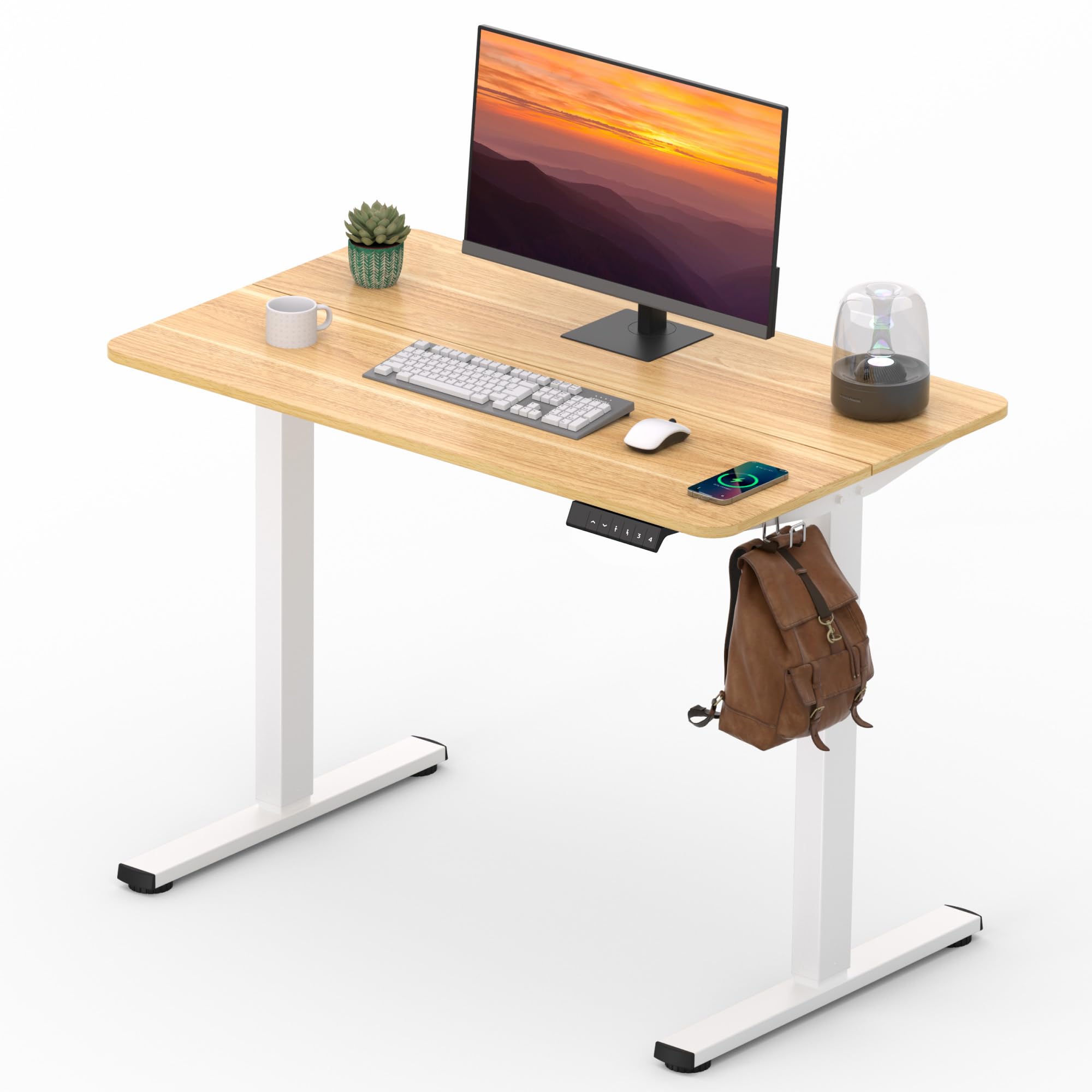
Image: The FitStand Adjustable Stand Up Desk in a home office environment, showcasing its maple top and white frame, with a laptop and office chair.
Safety Information
To ensure safe operation and prevent injury or damage, please adhere to the following guidelines:
- Always assemble the desk on a stable, level surface.
- Keep the work area clear of obstructions during height adjustment to prevent injury.
- Do not exceed the maximum weight limit of 154 lbs (70 kg) to ensure stability and safety.
- Always use the desk with the casters locked (if applicable) to prevent unintended movement during use.
- Children should be supervised when near the desk to prevent accidents.
- Ensure all cables are properly managed and do not interfere with the desk's movement.
Package Contents
Before assembly, verify that all components are present and undamaged. If any parts are missing or damaged, please contact customer support.
- Desktop (Splice Maple Top)
- Desk Frame (White)
- Control Panel
- Power Adapter and Cable
- Headphone Hooks (2)
- Assembly Hardware (screws, wrenches, etc.)
- Instruction Manual
Setup and Assembly
Assembly of your FitStand desk is designed to be straightforward. Follow the included assembly instructions carefully. The desktop features two spliced panels to simplify handling during installation.
- Unpack Components: Carefully remove all parts from the packaging and lay them out on a clean, soft surface to prevent scratches.
- Assemble Frame: Attach the lifting columns to the desk feet, ensuring all bolts are securely tightened.
- Attach Desktop: Position the spliced desktop panels onto the assembled frame. Secure the desktop to the frame using the provided screws.
- Install Control Panel: Mount the digital control panel to the underside of the desktop in the designated area.
- Connect Cables: Connect the motor cables to the control box, and then connect the power adapter to the control box and a power outlet.
- Attach Accessories: Install the headphone hooks on either side of the desk as desired.
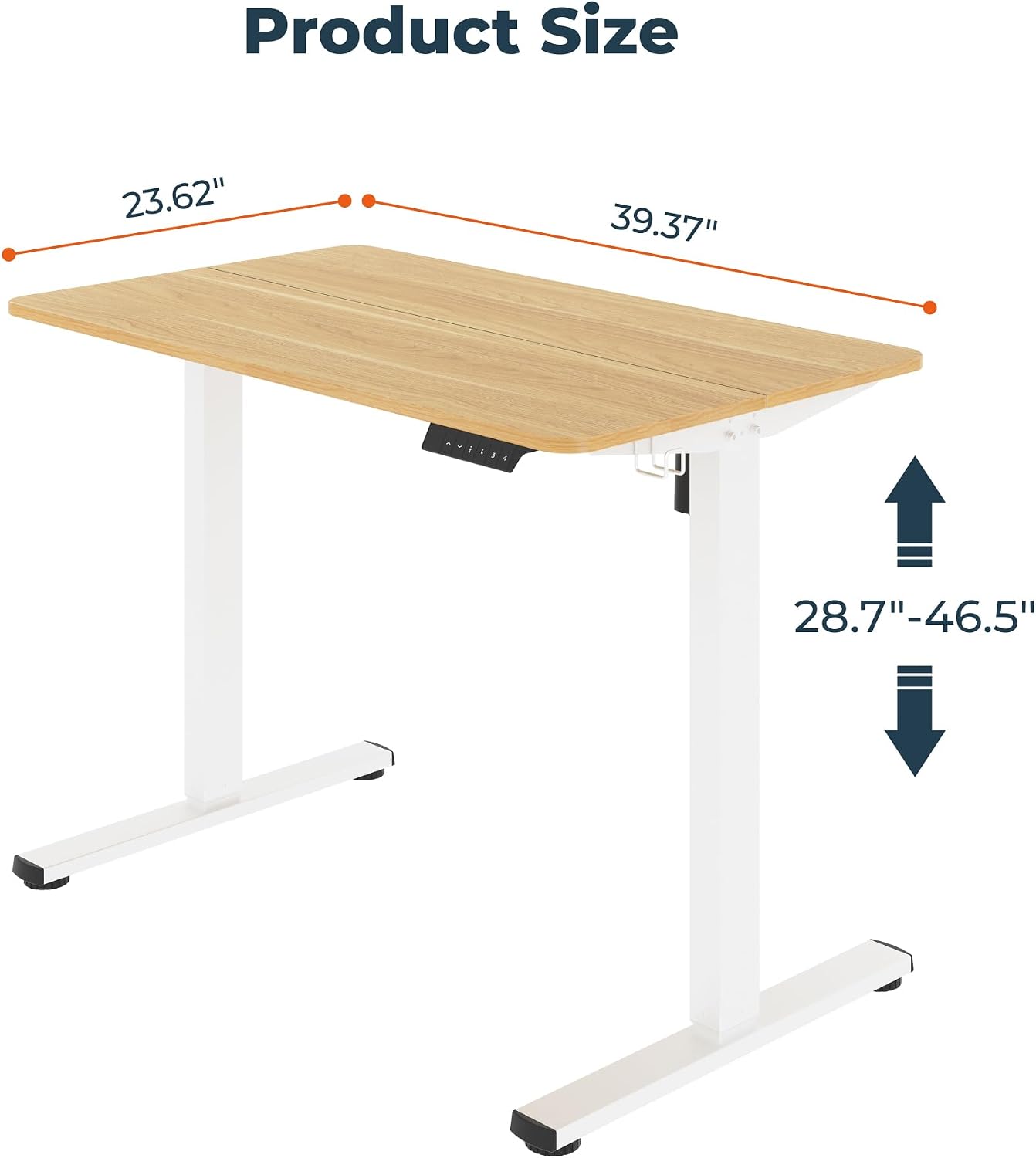
Image: Product dimensions of the FitStand desk, illustrating its 40-inch width, 24-inch depth, and height adjustment range from 28.7 to 46.5 inches.
Operating Instructions
Your FitStand desk features an intuitive digital control panel for easy height adjustments and memory presets.
Height Adjustment
- Raise Desk: Press and hold the Up Arrow button to raise the desk to your desired standing height.
- Lower Desk: Press and hold the Down Arrow button to lower the desk to your desired sitting height.
- The LED digital display will show the current desk height in inches.
Memory Presets
The desk allows you to save up to 3 preferred height settings for quick transitions.
- Adjust the desk to your desired height using the Up/Down arrows.
- Press the "M" button (Memory). The display will flash "S-".
- Immediately press one of the numbered preset buttons (1, 2, or 3) to save the current height to that preset. The display will show the number you selected, confirming it's saved.
- To recall a saved height, simply press the corresponding numbered preset button (1, 2, or 3). The desk will automatically move to the saved height.
Anti-Collision System
The desk is equipped with an anti-collision system that automatically stops movement if it encounters an obstruction during adjustment. If this occurs, remove the obstruction and resume operation.

Image: Detailed view of the digital control panel, highlighting the LED display, up/down controls, memory preset buttons (1, 2, 3), and the anti-collision system indicator.

Image: Visual representation of the desk's height adjustment range, showing it at its lowest (28.7 inches) and highest (46.5 inches) positions.
Maintenance
Proper care will extend the life and appearance of your FitStand desk.
- Cleaning: The desktop is scratch-resistant and waterproof. Wipe surfaces with a soft, damp cloth and mild detergent. Avoid abrasive cleaners or harsh chemicals.
- Inspection: Periodically check all screws and bolts to ensure they remain tight. Retighten if necessary.
- Cable Management: Ensure power and data cables are neatly organized and do not interfere with the desk's movement. Utilize the integrated cable hole and headphone hooks for tidiness.

Image: A hand wiping the scratch-resistant and waterproof maple desktop, illustrating its easy-to-clean surface.

Image: Detail of the desk's friendly curved table corners, emphasizing the design for a safer and more welcoming work environment.
Troubleshooting
If you encounter issues with your FitStand desk, refer to the following common problems and solutions:
| Problem | Possible Cause | Solution |
|---|---|---|
| Desk does not move | Power cable disconnected; Motor cable disconnected; Overload; Reset needed. | Check all cable connections. Ensure desk is not overloaded (max 154 lbs). Perform a reset (refer to specific reset instructions in full manual if available, typically by holding down arrow until lowest point and then releasing and holding again). |
| Uneven height adjustment | Obstruction; Unbalanced load. | Remove any obstructions. Redistribute weight evenly on the desktop. |
| Anti-collision system frequently triggers | Sensitivity setting too high; Obstructions. | Ensure no objects are in the desk's path. If the issue persists, consult the full manual for adjusting anti-collision sensitivity. |
| Noise during adjustment | Normal operation; Loose components. | A low noise level (<50dB) is normal. If noise is excessive, check for loose screws or components and tighten them. |
If these solutions do not resolve the issue, please contact FitStand customer support.
Specifications
| Brand | FitStand |
| Model Number | 810072852106 (Model 4024) |
| Product Dimensions (D x W x H) | 24"D x 40"W x 29"H (Minimum Height) |
| Adjustable Height Range | 28.7" to 46.5" |
| Desktop Material | Engineered Wood (Maple Finish) |
| Frame Material | Alloy Steel (White Finish) |
| Max Weight Capacity | 154 lbs (70 kg) |
| Motor Noise Level | < 50 dB |
| Special Features | Adjustable Height, Memory Presets (3), Anti-Collision System, Headphone Hooks, Cable Hole |
| Assembly Required | Yes |
Warranty
The FitStand Adjustable Stand Up Desk comes with a Limited Warranty. Please refer to the warranty card included with your product or visit the official FitStand website for detailed terms and conditions regarding coverage and duration.
Customer Support
For further assistance, technical support, or warranty claims, please contact FitStand customer service:
- Online: Visit the FitStand Brand Store on Amazon.
- Email: Refer to your product packaging or the FitStand website for direct email support.
- Phone: Refer to your product packaging or the FitStand website for phone support options.
Please have your model number (4024) and purchase date ready when contacting support.