
Introduction
Thank you for choosing the SHGMEET Mini Coffee Scale with Timer. This precision instrument is designed to enhance your coffee brewing experience, providing accurate measurements and timing for various brewing methods. Please read this manual thoroughly to understand its features and ensure optimal performance.
Key Features
- High Precision Sensors: Measures from 0.1g to 3kg (0.01oz to 6.6lbs) with a sensitivity of 0.1g/0.01oz for accurate coffee concentration control.
- Multiple Measurement Units: Easily switch between grams (g) and ounces (oz).
- Four Weighing Modes:
- Weighing Only
- Manual Timing Weighing Mode
- Automatic Timing Weighing Mode
- Automatic Weighing and Concentration Reminder Mode (Italian concentration mode)
- Rechargeable Battery: Built-in 300mAh lithium battery, offering up to 30 days of use on a single charge. Includes a USB-C charging cable.
- One-Key Tare Function: Automatically subtracts the weight of containers for net weight measurement.
- Durable Design: Constructed from heat-resistant ABS material with dual LCD displays and hidden touch control buttons. Seamless surface for improved waterproof performance and easy cleaning. Non-slip pads ensure stability.
Setup
1. Initial Charging
Before first use, fully charge the scale using the provided USB-C cable. The battery icon will flash during charging and remain solid when fully charged. A single charge can last up to 30 days with typical daily use.
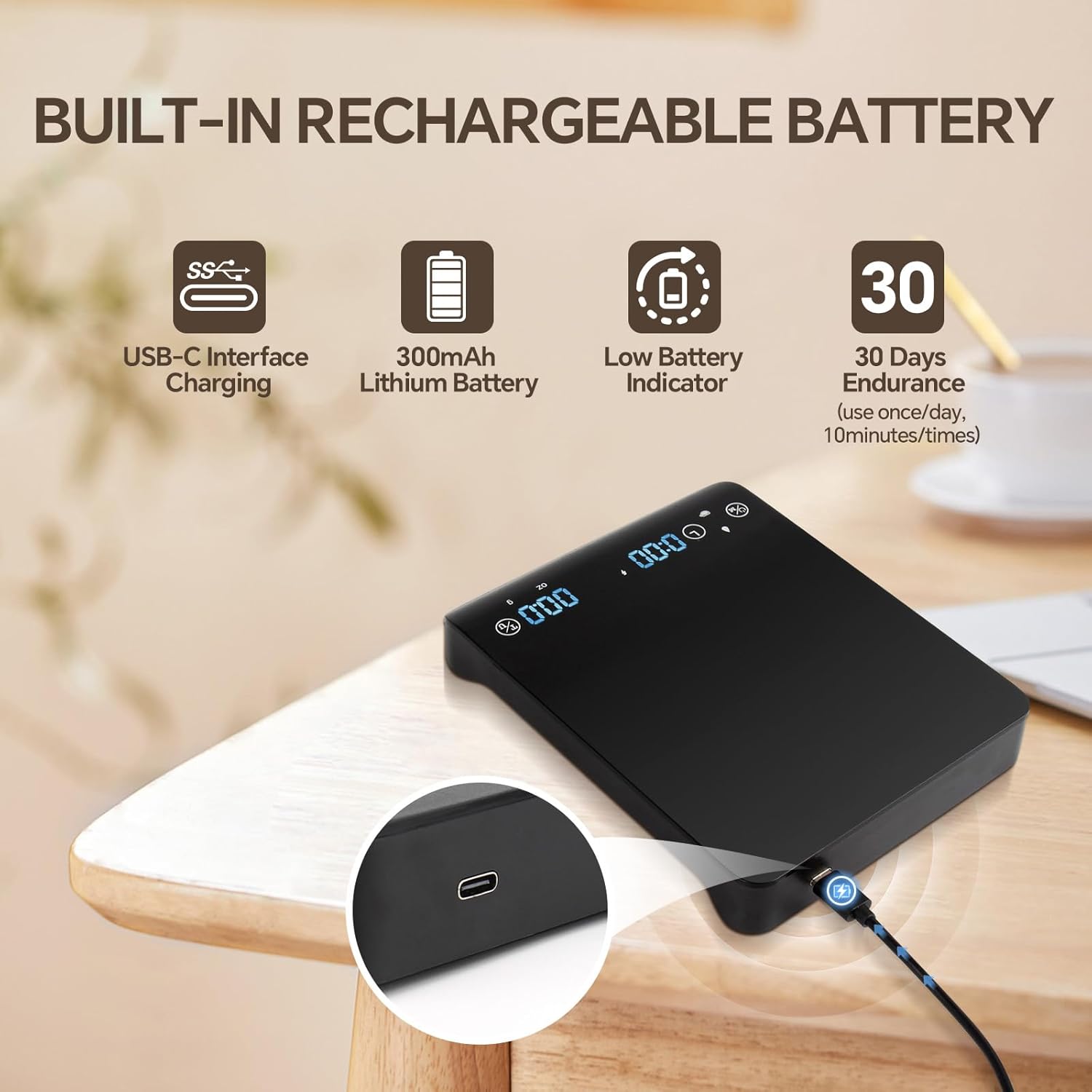
Image: The SHGMEET Mini Coffee Scale with its USB-C charging port highlighted, indicating its built-in rechargeable battery and low battery indicator.
Video: Demonstrates the charging process of the Maestri House Mini Coffee Scale. It shows the USB-C port and the battery indicator flashing during charging, and the automatic shutdown feature after 5 minutes of inactivity.
2. Power On/Off
Locate the ON/OFF button on the side of the scale. Press it to turn the scale on. To turn it off, long-press the power button.
Video: Shows the general operation of a digital coffee scale, including powering it on, switching units, using the tare function, and demonstrating semi-automatic and automatic timing modes.
3. Removing the Protective Cover
The scale comes with a clear protective cover. To remove it, gently pull the cover in the direction indicated in the video. It can be reassembled by pushing it back into place.
Video: Demonstrates how to properly remove and reattach the protective cover of the coffee scale.
Operating Instructions
1. Placing the Scale
Place the scale on a flat, stable surface for the most accurate readings. Avoid placing it on uneven or vibrating surfaces.
2. Unit Conversion (g/oz)
The scale supports two measurement units: grams (g) and ounces (oz). To switch between units, press the 'UNIT' button located on the display panel.
3. Tare Function
The tare function allows you to subtract the weight of any container, ensuring you measure only the net weight of your ingredients.
- Place your empty container on the scale.
- Press the 'TARE' button. The display will reset to 0.0.
- Add your coffee beans, ground coffee, or water to the container. The scale will display the net weight.

Image: The SHGMEET Mini Coffee Scale showing the tare function in action. A container is placed on the scale, then the tare button is pressed to zero the weight, allowing for accurate measurement of coffee beans.
Video: Demonstrates the accurate weighing capabilities of the AMIR Coffee Scale, including the tare function and its use in brewing coffee.
4. Weighing Modes
The scale offers four distinct weighing modes to suit your brewing needs:
- Weighing Only: Standard weighing function without a timer.
- Manual Timing Weighing Mode: Allows you to manually start and stop the timer while weighing.
- Automatic Timing Weighing Mode: The timer starts automatically when weight is detected on the scale, ideal for pour-over or espresso.
- Automatic Weighing and Concentration Reminder Mode (Italian Concentration Mode): Provides automatic weighing and a concentration reminder, useful for achieving specific espresso ratios.
Refer to the display icons for the active mode. The video below illustrates the semi-automatic and automatic timing modes.
Video: Shows the general operation of a digital coffee scale, including powering it on, switching units, using the tare function, and demonstrating semi-automatic and automatic timing modes.
5. Silent Mode
To turn off the sound alerts, press both the 'TIME' and 'UNIT' buttons simultaneously for two seconds. Repeat the action to re-enable sound.
Maintenance
1. Cleaning
The scale features a seamless, smooth glass surface that is easy to clean. Wipe the surface with a soft, damp cloth. Avoid abrasive cleaners or submerging the scale in water.

Image: The SHGMEET Mini Coffee Scale being cleaned with a white cloth, demonstrating its easy-to-clean surface.
Video: Demonstrates the cleaning process of the Maestri House Mini Coffee Scale, highlighting its smooth glass surface.
2. Storage
Store the scale in a dry place away from extreme temperatures. Use the protective cover when not in use to prevent scratches and damage.
Troubleshooting
- Inaccurate Readings: Ensure the scale is on a flat, stable surface. Avoid placing it near vibrating appliances or in drafty areas. Recalibrate if necessary (refer to specific calibration instructions if provided in packaging).
- Scale Not Turning On: Check if the battery is charged. Connect the USB-C cable and allow it to charge for at least 30 minutes before attempting to power on again.
- Display Errors: If the display shows an error message (e.g., 'EEEE'), it may indicate an overload. Remove items from the scale immediately. If the error persists, try resetting the scale by turning it off and on.
- Timer Malfunction: Ensure you are in the correct weighing mode for automatic or manual timing. If the timer is unresponsive, try restarting the scale.
Specifications
| Feature | Detail |
|---|---|
| Manufacturer | SHGMEET |
| Model Number | C08 |
| Item Weight | 390 g |
| Parcel Dimensions | 17.91 x 13.59 x 3.81 cm |
| Batteries | 1 Lithium Polymer battery (included) |
| Colour | Black |
| Material | Acrylonitrile Butadiene Styrene |
| Maximum Weight Capacity | 3 Kilograms |
| Measurement Accuracy | +/-0.1g; +/-0.01oz |
| Display Style | LCD |
| Special Features | Auto Shut Off, Lightweight, Portable, Smart, Tare Function |
| Included Components | USB-C charging cable; User Manual |
Warranty and Support
For warranty information and customer support, please refer to the documentation included in your product packaging or visit the official SHGMEET website. Keep your purchase receipt for warranty claims.