
Introduction
This manual provides essential instructions for the safe and efficient operation, maintenance, and troubleshooting of your VEVOR 2L Digital Ultrasonic Cleaner. Please read this manual thoroughly before using the device and retain it for future reference.
The VEVOR 2L Digital Ultrasonic Cleaner is designed for professional-grade cleaning, utilizing 40kHz ultrasonic frequency and a heating function to effectively remove dirt, grease, and grime from various items. It features a durable SUS304 stainless steel tank and a precise digital control panel for time and temperature settings.

Figure 1: VEVOR 2L Digital Ultrasonic Cleaner
Safety Precautions
To ensure safe operation and prevent damage to the unit or injury, observe the following precautions:
- Do not power on the device before filling the tank with water or cleaning solution. Operating the unit dry can cause severe damage.
- Do not heat the tank without liquid. Ensure the tank is filled to the appropriate level before activating the heating function.
- Always power off the device and unplug it before draining the tank.
- Ensure the unit is connected to a grounded outlet.
- Do not disassemble the unit. Refer servicing to authorized personnel.
- Avoid touching the power socket with wet hands to reduce the risk of electric shock.
- Keep the unit away from children.
- Use appropriate cleaning solutions for your items. Avoid flammable or corrosive liquids.
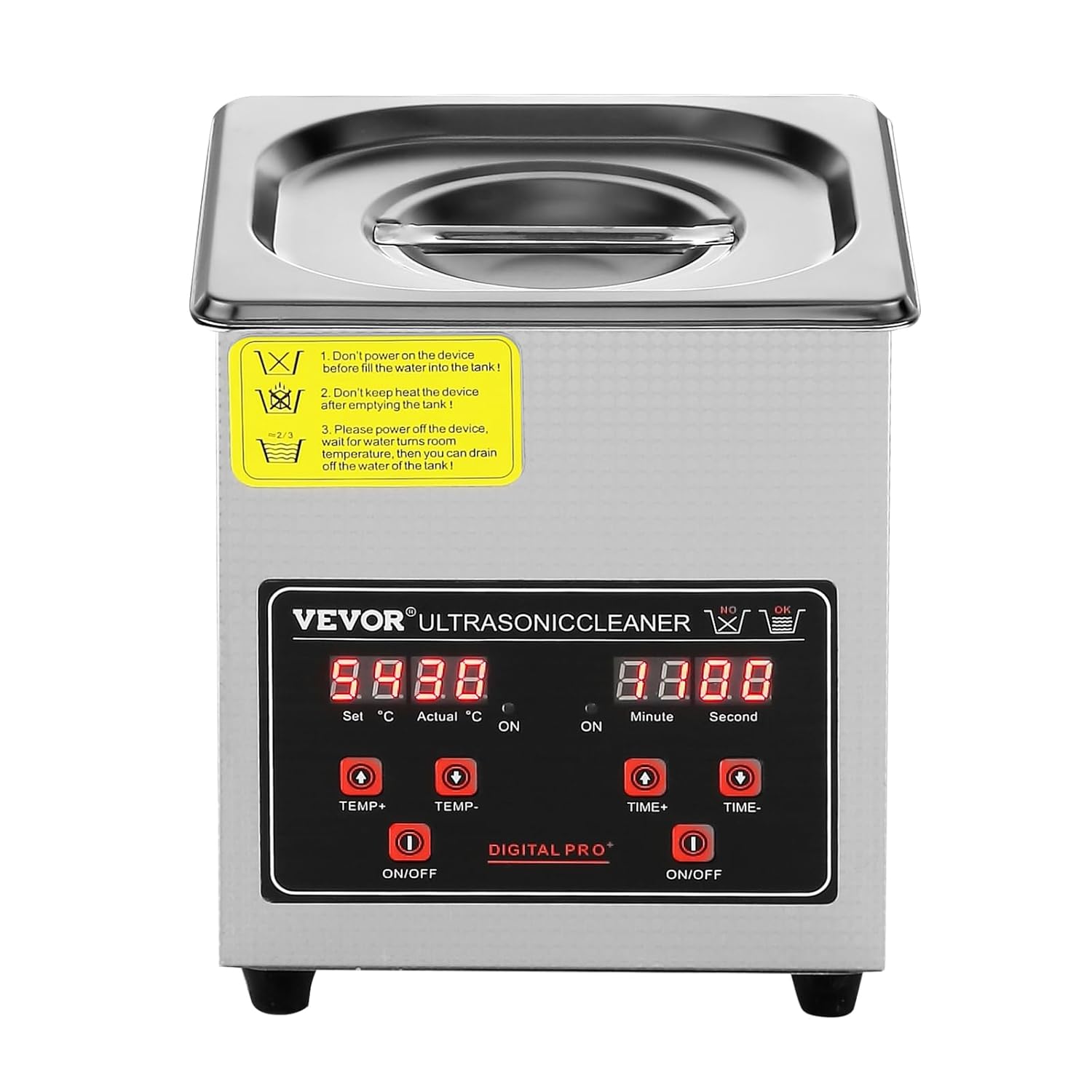
Figure 2: Important safety warnings on the control panel.
Product Components
The VEVOR 2L Digital Ultrasonic Cleaner includes the following main components:
- Main Unit: Houses the ultrasonic transducers, heating element, and control circuitry.
- Stainless Steel Tank (2L capacity): Made from SUS304 stainless steel for durability and corrosion resistance.
- Stainless Steel Basket: Designed to hold items during cleaning, preventing them from resting directly on the tank bottom.
- Lid: Helps contain heat and reduce noise during operation.
- Digital Control Panel: For setting time and temperature.
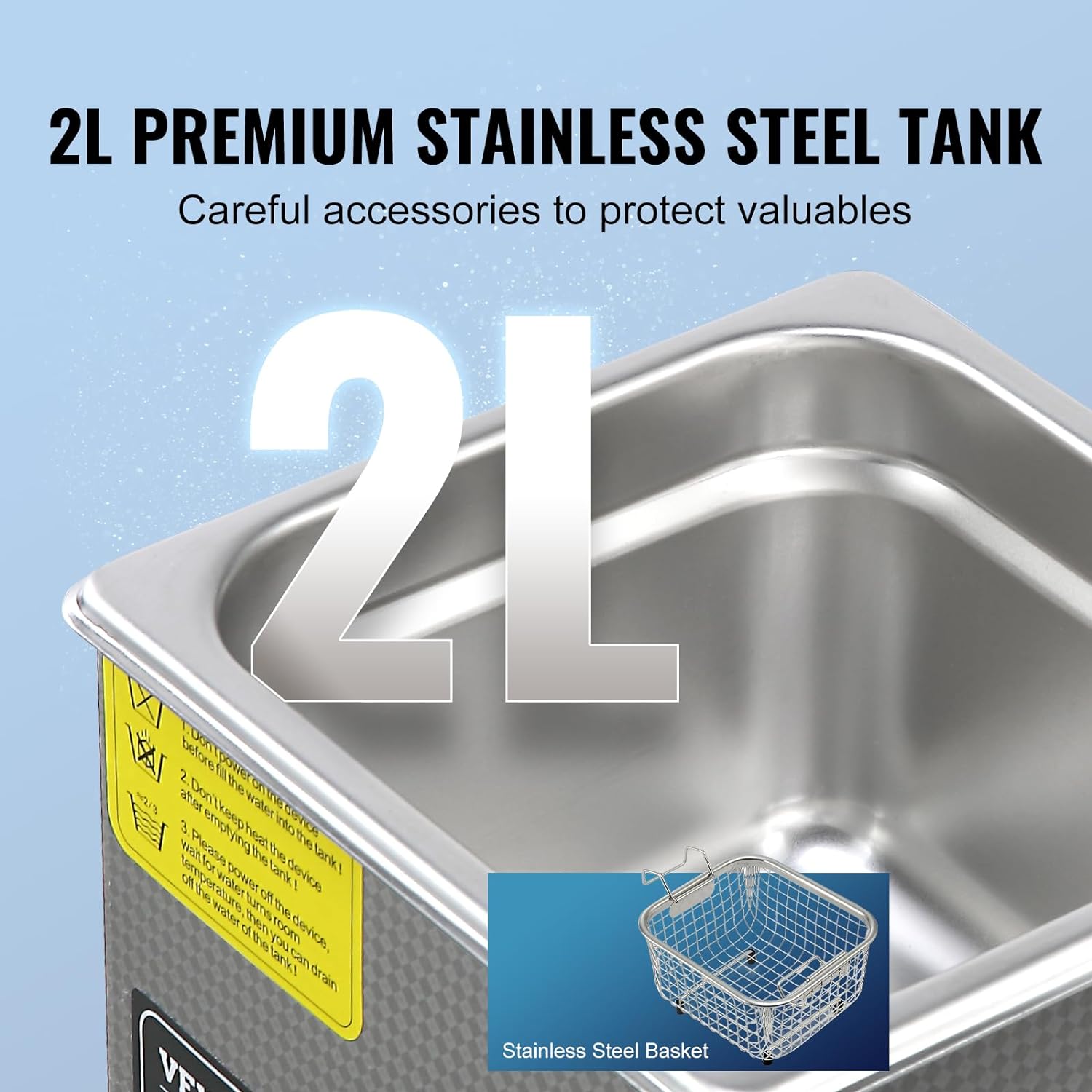
Figure 3: The 2L stainless steel tank and included basket.
Setup Instructions
- Unpack the Unit: Carefully remove the ultrasonic cleaner and all accessories from the packaging. Inspect for any shipping damage.
- Placement: Place the unit on a stable, flat, and dry surface. Ensure there is adequate ventilation around the unit.
- Fill the Tank: Open the lid and fill the stainless steel tank with water or a suitable ultrasonic cleaning solution. Ensure the liquid level is between the "MIN" and "MAX" marks. Do not overfill.
- Connect Power: Plug the power cord into a grounded electrical outlet. The digital display will illuminate.
Operating Instructions
Control Panel Overview

Figure 4: Digital Control Panel layout.
- Temperature Display: Shows set temperature and actual temperature.
- TEMP+ / TEMP- Buttons: Adjust the desired heating temperature (0-80°C).
- Heating ON/OFF Button: Activates or deactivates the heating function.
- Time Display: Shows set cleaning time (0-30 minutes).
- TIME+ / TIME- Buttons: Adjust the desired cleaning duration.
- Ultrasonic ON/OFF Button: Starts or stops the ultrasonic cleaning process.
Cleaning Procedure
- Prepare Items: Place the items to be cleaned into the stainless steel basket. Ensure items are not touching each other or the tank walls.
- Place Basket: Carefully lower the basket with items into the cleaning solution in the tank.
- Set Temperature (Optional): Press the "TEMP+" or "TEMP-" buttons to set the desired temperature. Press the "Heating ON/OFF" button to start heating. Allow time for the solution to reach the set temperature.
- Set Cleaning Time: Press the "TIME+" or "TIME-" buttons to set the desired cleaning duration (e.g., 5-10 minutes for light cleaning, longer for heavy grime). The maximum time is 30 minutes.
- Start Cleaning: Press the "Ultrasonic ON/OFF" button to begin the ultrasonic cleaning cycle. The unit will emit a high-frequency sound.
- Monitor Progress: Observe the cleaning process. For optimal results, ensure the lid is closed during operation to maintain temperature and reduce noise.
- End Cycle: The unit will automatically stop when the set time expires. You can manually stop the cycle at any time by pressing the "Ultrasonic ON/OFF" button again.
- Remove Items: Once cleaning is complete, turn off the heating and ultrasonic functions. Carefully lift the basket out of the tank.
- Rinse and Dry: Rinse the cleaned items with clean water and dry them thoroughly.
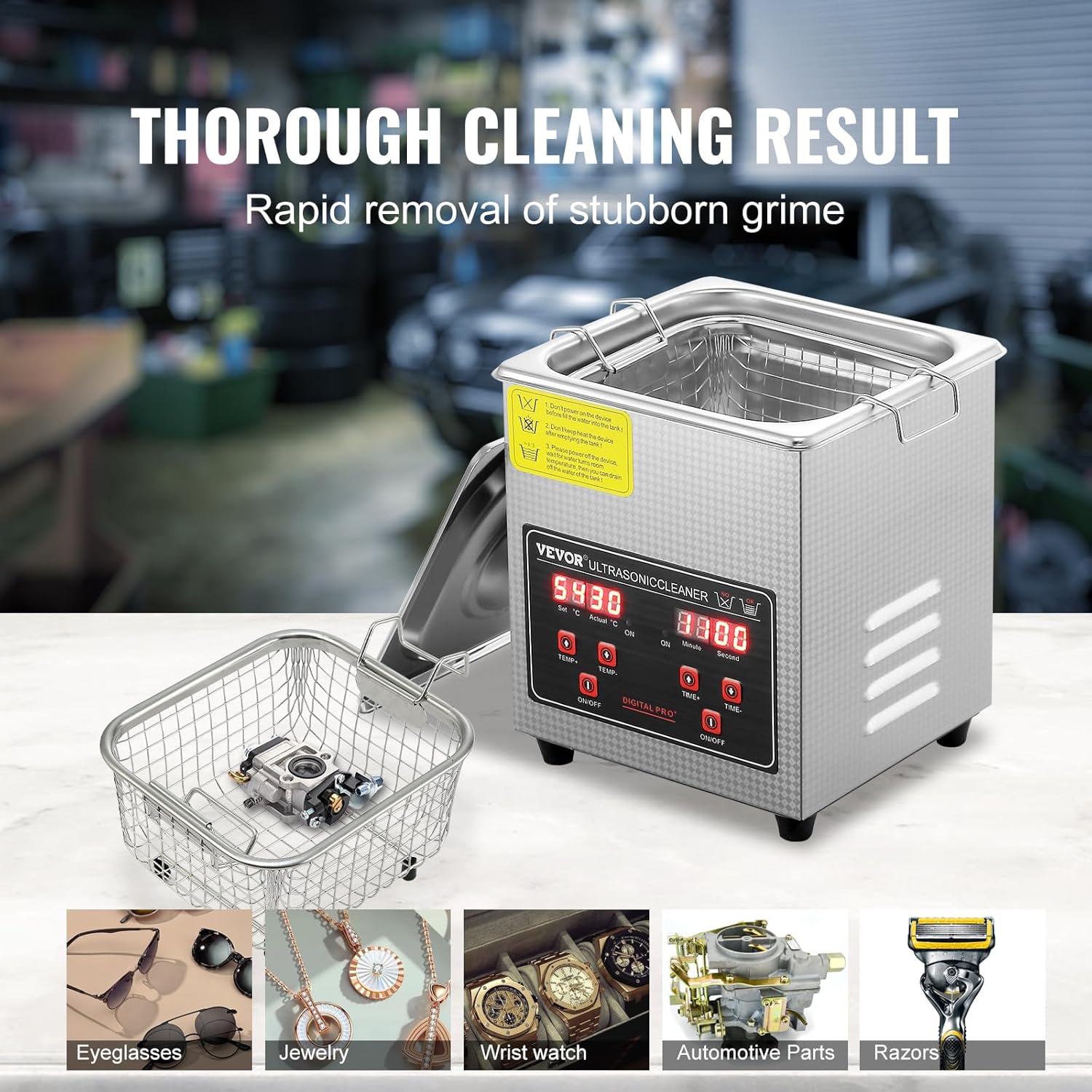
Figure 5: Various items placed in the cleaning basket for ultrasonic cleaning.
Maintenance
- Draining the Tank: After each use, especially if the solution is dirty, turn off and unplug the unit. Carefully drain the cleaning solution from the tank.
- Cleaning the Tank: Wipe the interior of the stainless steel tank with a soft cloth. For stubborn residue, use a mild, non-abrasive cleaner. Avoid harsh chemicals or abrasive pads that could scratch the surface.
- Exterior Cleaning: Wipe the exterior of the unit with a damp cloth. Do not immerse the unit in water.
- Storage: Store the ultrasonic cleaner in a cool, dry place when not in use. Ensure the tank is completely dry before storage.
- Regular Inspection: Periodically check the power cord for any signs of damage. Ensure the lid fits securely.
Troubleshooting
| Problem | Possible Cause | Solution |
|---|---|---|
| Unit does not power on. | No power supply; power cord loose. | Check power connection; ensure outlet is functional. |
| Ultrasonic function not working. | Ultrasonic ON/OFF button not pressed; insufficient liquid in tank. | Press the ultrasonic button; ensure liquid level is adequate. |
| Heating function not working. | Heating ON/OFF button not pressed; temperature not set. | Press the heating button; set desired temperature. |
| Poor cleaning results. | Incorrect cleaning solution; insufficient cleaning time; items overcrowded. | Use appropriate solution; increase time; clean fewer items at once. |
| Unusual noise during operation. | Items touching tank bottom or each other; unit not on a stable surface. | Use the basket; ensure proper item placement; place unit on a stable surface. |
Product Specifications
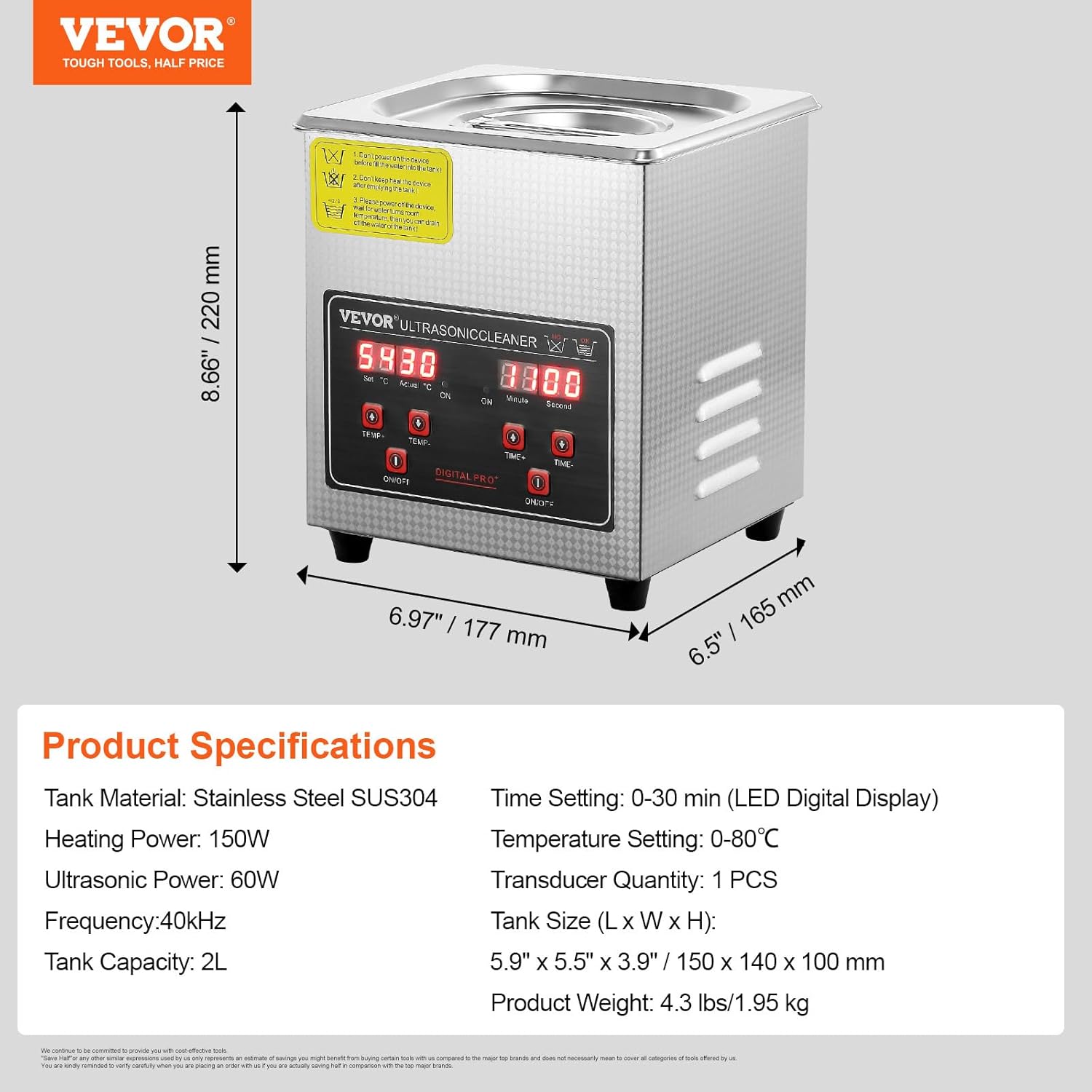
Figure 6: Detailed product specifications and dimensions.
- Model: 2L
- Tank Material: SUS304 Stainless Steel
- Tank Capacity: 2 Liters
- Ultrasonic Frequency: 40 kHz
- Ultrasonic Power: 60W
- Heating Power: 150W
- Temperature Setting Range: 0-80°C (32-176°F)
- Time Setting Range: 0-30 minutes (LED Digital Display)
- Transducer Quantity: 1 PCS
- Tank Size (L x W x H): 5.9" x 5.5" x 3.9" (150 x 140 x 100 mm)
- Product Dimensions: 10.43 x 9.06 x 8.35 inches
- Item Weight: 4.3 pounds (1.95 kg)
- Manufacturer: VEVOR
Warranty and Support
VEVOR products are designed for reliability and performance. For technical support or warranty inquiries, please refer to the warranty certificate included with your product or visit the official VEVOR support website.
Online Support: www.vevor.com/support
Please have your product model and purchase information ready when contacting support.


