
1. Introduction
The Ajazz AJ159 Dual Mode Gaming/Office Mouse is a versatile and lightweight peripheral designed for both gaming and professional use. Featuring a high-precision PAW3395 optical sensor, dual-mode connectivity (2.4G wireless and USB-C wired), and programmable buttons, it offers a seamless and responsive experience. Its ergonomic design ensures comfort during extended use, complemented by a magnetic RGB charging dock for convenient power management.

Image: Ajazz AJ159 mouse and its magnetic charging dock.
2. What's in the Box
- Ajazz AJ159 Wireless Mouse
- Magnetic RGB Charging Dock
- USB-C to USB-A Braided Cable
- Grip Stickers
- User Manual (this document)
3. Setup
3.1. Charging the Mouse
The Ajazz AJ159 mouse features a 400mAh built-in lithium-ion battery and can be charged using the included magnetic RGB charging dock or directly via the USB-C cable.
- Connect the USB-C end of the braided cable to the charging dock and the USB-A end to a power source (e.g., computer USB port, USB wall adapter).
- Place the mouse onto the magnetic charging dock. The mouse will magnetically align and begin charging.
- The mouse's LED indicator will show a red light when charging and will change color or turn off when fully charged. The charging dock also features customizable RGB lighting.

Image: The Ajazz AJ159 mouse being charged on its magnetic RGB dock.
3.2. Connecting the Mouse
The AJ159 supports dual-mode connection: 2.4G wireless and USB-C wired.
- 2.4G Wireless Mode:
The 2.4G USB receiver is conveniently located within the charging dock. Connect the charging dock to your computer via the USB-C cable. Ensure the switch on the bottom of the mouse is set to '2.4G'. The mouse will automatically connect, providing a stable wireless connection up to 10 meters. - USB-C Wired Mode:
To use the mouse in wired mode, simply connect the USB-C end of the braided cable directly to the mouse and the USB-A end to your computer. This mode ensures continuous use even if the battery is low or wireless signal is interrupted.
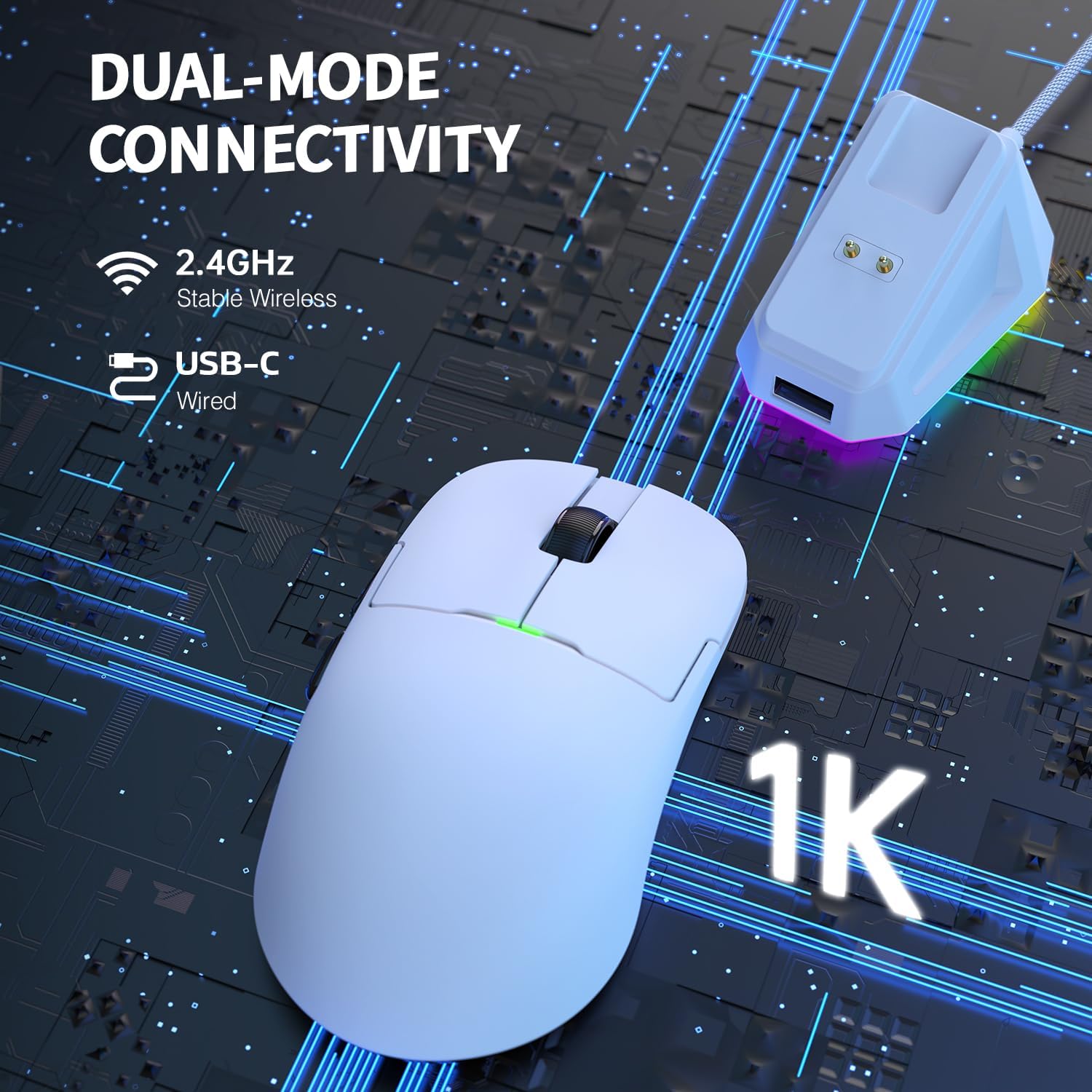
Image: Visual representation of the mouse's dual-mode connectivity.
The mouse is compatible with a wide range of operating systems, including Windows Vista/XP/7/8/9/10/11 and MAC.
4. Operating Instructions
4.1. DPI Adjustment
The mouse features a dedicated DPI/PR button on its underside, allowing for quick sensitivity adjustments. Default DPI levels are:
- 400 DPI (Red)
- 800 DPI (Green)
- 1200 DPI (Blue)
- 1600 DPI (Cyan)
- 2400 DPI (Yellow)
- 3200 DPI (Purple)
For advanced customization and a wider range of 100-26000 DPI options, please use the official Ajazz software.

Image: The mouse's PAW3395 sensor, capable of up to 26000 DPI.
4.2. Connection Mode Switch
On the bottom of the mouse, there is a switch to select between connection modes:
- 2.4G: Activates 2.4GHz wireless mode.
- OFF: Turns the mouse off.
- BT: Activates Bluetooth mode.
4.3. Programmable Buttons
The Ajazz AJ159 features 5 programmable buttons. These buttons can be customized to perform specific functions, macros, or key bindings through the official Ajazz software, enhancing your gaming or office productivity.

Image: Illustration of the mouse's programmable buttons and software interface.
4.4. Power Saving Features
To conserve battery life, the mouse incorporates intelligent power-saving features:
- The mouse enters a power-saving hibernation state after 10 seconds of inactivity. Moving the mouse or pressing any button will wake it up.
- After 5 minutes of inactivity, the mouse enters a deep hibernation state. Pressing any button is required to wake it up from this state.
4.5. Product Demonstration Video
Video: A short demonstration of the Ajazz AJ159 Dual Mode Gaming/Office Mouse, highlighting its features and design.
5. Maintenance
5.1. Battery Care
To maximize battery lifespan, avoid fully discharging the mouse frequently. Recharge the 400mAh lithium-ion battery when the indicator light signals low power. Use the provided USB-C cable and charging dock for optimal charging.
5.2. Cleaning
Regularly clean the mouse and charging dock with a soft, dry cloth. For stubborn dirt, a slightly damp cloth can be used, ensuring no moisture enters the internal components or ports. Avoid using harsh chemicals or abrasive materials.
6. Troubleshooting
- Mouse not responding: Ensure the mouse is charged. Check the connection mode switch on the bottom of the mouse (2.4G, OFF, BT) and set it to the desired mode. For 2.4G wireless, ensure the USB receiver in the dock is properly connected to your computer. Try connecting via USB-C wired mode to confirm functionality.
- DPI not changing: Press the DPI/PR button on the bottom of the mouse. If using custom DPI settings, ensure the Ajazz software is running and configured correctly.
- Charging issues: Verify the USB-C cable and charging dock are securely connected to a power source. Check the mouse's magnetic connection to the dock. Try a different USB port or power adapter.
- Intermittent connectivity: Ensure the mouse is within the 10-meter effective range for 2.4G wireless. Minimize interference from other wireless devices. Update mouse drivers if available.
7. Specifications
| Model | AJ159 |
| Connectivity | 2.4G Wireless, USB-C Wired |
| Sensor | Pixart 3395 Optical Sensor |
| DPI Range | 100-26000 DPI (Software Adjustable) |
| Default DPI Levels | 400, 800, 1200, 1600, 2400, 3200 |
| Polling Rate | 1000Hz (up to 8000Hz via software) |
| Weight | 56 grams |
| Battery Capacity | 400mAh Lithium-ion |
| Micro Switches | HUANNO POWDER POINT MICRO SWITCHES (80 million clicks) |
| Encoder | Fungus Wich wheel encoder (1 million turns) |
| Programmable Buttons | 5 |
| Compatibility | Windows Vista/XP/7/8/9/10/11, MAC |

Image: The ultra-lightweight design of the Ajazz AJ159 mouse.

Image: Close-up of the Funchwitch Roller Encoder.

Image: Internal view highlighting the durable Huanno Powder Point Micro Switches.
8. Warranty and Support
The Ajazz AJ159 mouse comes with a standard manufacturer's warranty. For detailed warranty information, technical support, or service inquiries, please refer to the official Ajazz website or contact their customer support directly. Keep your purchase receipt for warranty claims.


