
Hosim VEXARO MAX
Hosim VEXARO MAX 1:8 Brushless RC Car Instruction Manual
Model: VEXARO MAX
1. Introduction
1.1 Product Overview
The Hosim VEXARO MAX is a high-performance 1:8 scale brushless remote control truggy designed for enthusiasts seeking speed and durability. This 4X4 vehicle is equipped with a powerful 3660 brushless motor and an 85A ESC, capable of reaching speeds over 50 MPH (80+ KM/H) on a 3S LiPo battery. Its robust construction features an all-metal chassis, metal suspension arms, and hydraulic shock absorbers, making it suitable for various challenging terrains.

Image 1.1: The Hosim VEXARO MAX RC Car, remote control, and included components like batteries, motor, ESC, and shocks.
1.2 What's in the Box
Upon unboxing, verify that all components are present:
- 1 x Hosim VEXARO MAX RC Truck
- 1 x 2.4GHz Remote Controller
- 1 x Truck Shell
- 12 x Body Clips
- 2 x 11.1V 2600mAh Li-Po Batteries
- 1 x USB Charger
- 1 x Waterproof Bag
- 1 x Cleaning Brush
- 1 x User Manual (this document)
- 2 x Screwdrivers
- 1 x Wrench
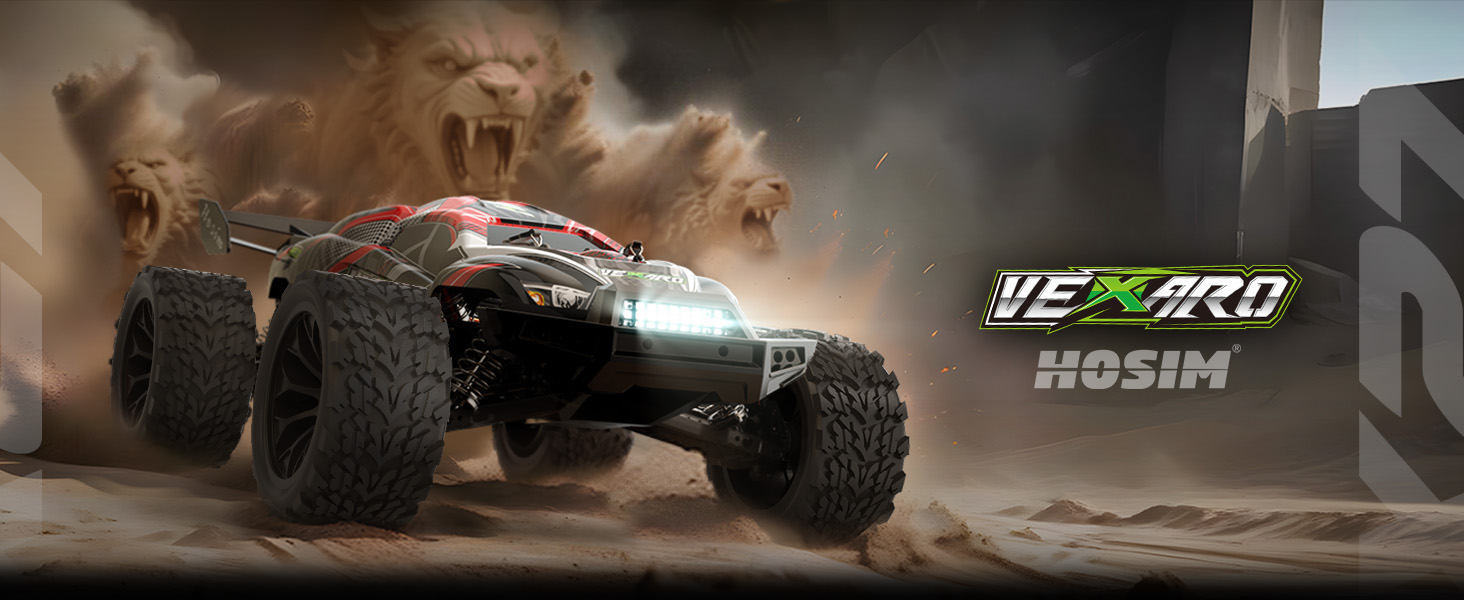
Image 1.2: Visual representation of the items included in the product package.
2. Safety Information
WARNING: Read this manual fully before use. Failure to follow instructions may cause injury or damage.
- This product is not intended for children without adult supervision. Recommended age is 14 years and up.
- Use only Hosim-compatible parts for replacements and upgrades.
- Operate the RC car in open areas, away from people, pets, and obstacles.
- Avoid operating near roads, water, or in crowded environments.
- Always ensure the battery is properly charged and secured before operation.
- Do not touch moving parts during operation to prevent injury.
- Store the RC car and batteries in a cool, dry place, away from direct sunlight and heat sources.
- Disconnect the battery from the vehicle when not in use.
3. Setup Guide
3.1 Battery Charging and Installation
- Connect the provided USB charger to a suitable USB power source (e.g., computer, USB wall adapter).
- Connect the 11.1V 2600mAh Li-Po battery to the charger. Ensure correct polarity.
- Allow the battery to charge fully. The charger's indicator light will change (refer to charger manual for specific indications).
- Once charged, disconnect the battery from the charger.
- Open the battery compartment on the RC car.
- Insert the charged battery into the compartment and secure it. Ensure the battery is connected to the Electronic Speed Controller (ESC).
- Close the battery compartment.
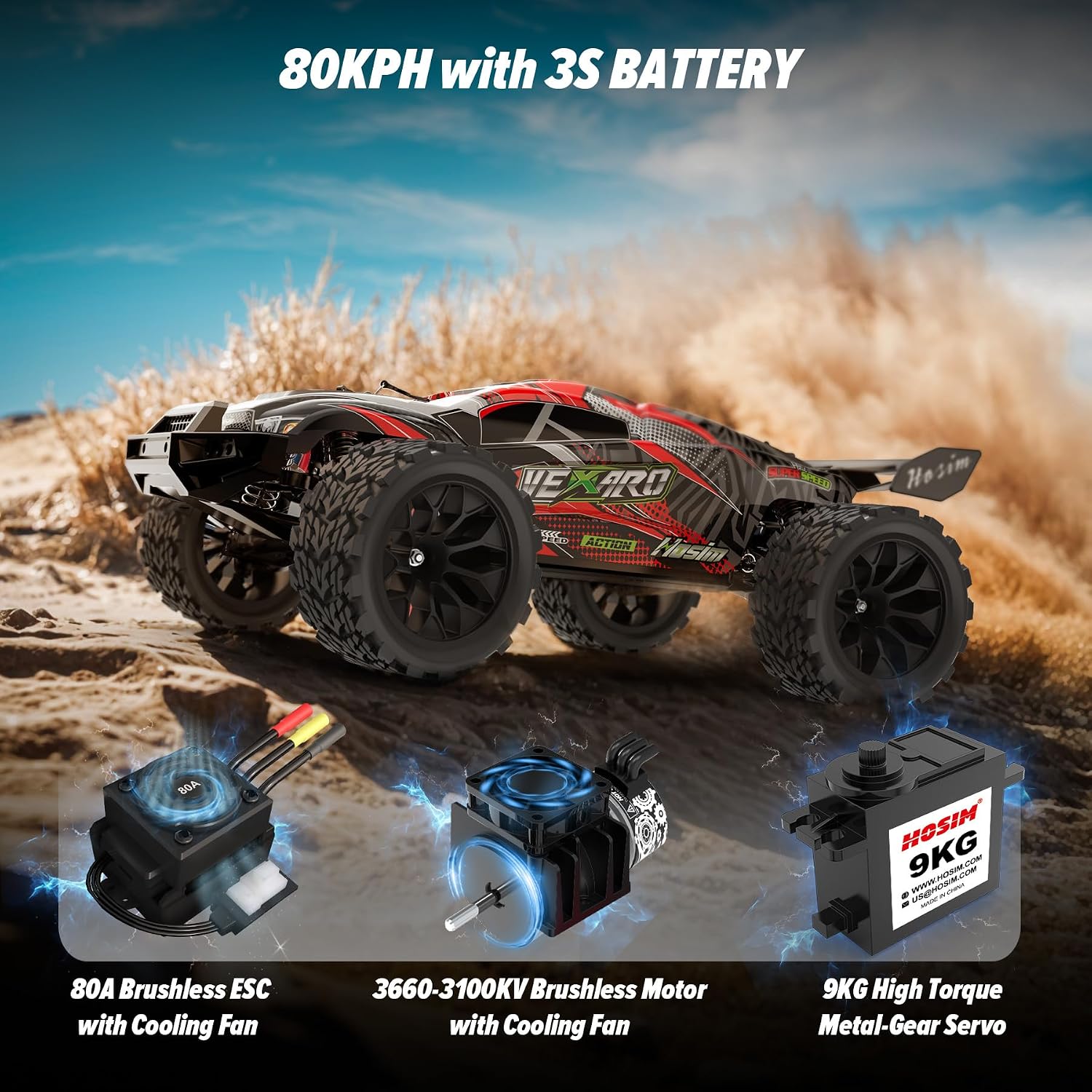
Image 3.1: The Hosim VEXARO MAX RC car and its main electronic components, including the battery.
3.2 Remote Controller Setup
- Install 4 AA batteries (not included) into the remote controller, observing correct polarity.
- Turn on the remote controller.
- Turn on the RC car. The car and remote should automatically pair. If not, refer to the remote controller's specific pairing instructions (usually involves holding a bind button on the receiver and turning on the remote/car).
- Test steering and throttle response before operating the vehicle at speed.
4. Operating Instructions
4.1 Basic Controls
- Throttle Trigger: Pull to accelerate forward, push to brake/reverse.
- Steering Wheel: Turn left to steer left, turn right to steer right.
- Steering Trim: Adjusts the neutral steering position. If the car pulls left or right when the steering wheel is centered, use the trim knob to correct it.
- Throttle Trim: Adjusts the neutral throttle position. Use if the car creeps forward or backward when the trigger is released.

Image 4.1: The VEXARO MAX RC car demonstrating its agility and speed on a dirt track.
4.2 Driving Tips
- Start slowly to get accustomed to the controls, especially the high speed of the VEXARO MAX.
- Practice in an open, clear area before attempting more challenging maneuvers or terrains.
- The 4X4 drivetrain and oil-filled shocks allow for excellent performance on grass, dirt, and gravel.
- Be mindful of battery life. The 2600mAh 3S battery provides approximately 30 minutes of run time.
- Avoid prolonged full-throttle operation to prevent overheating of electronic components.
5. Maintenance
5.1 General Care
- After each use, clean the vehicle to remove dirt, dust, and debris using the provided cleaning brush or compressed air.
- Inspect the chassis, suspension, and drivetrain for any loose screws, damaged parts, or excessive wear.
- Ensure all connections are secure.
- Store the vehicle with the battery disconnected.

Image 5.1: Internal view of the VEXARO MAX showing the brushless motor, ESC, and servo with cooling fans.
5.2 Component Inspection
- Differentials: The VEXARO MAX features 40Cr chrome steel differentials for enhanced durability. Regularly check for smooth operation and any signs of damage.
- Shocks: The hydraulic oil-filled shock absorbers are designed for extreme terrains. Check for leaks or bent shafts.
- Tires: Inspect tires for cuts, tears, or excessive wear. Ensure they are securely mounted.
- Chassis: The all-metal chassis and metal suspension arms provide a strong frame. Check for bends or cracks after impacts.
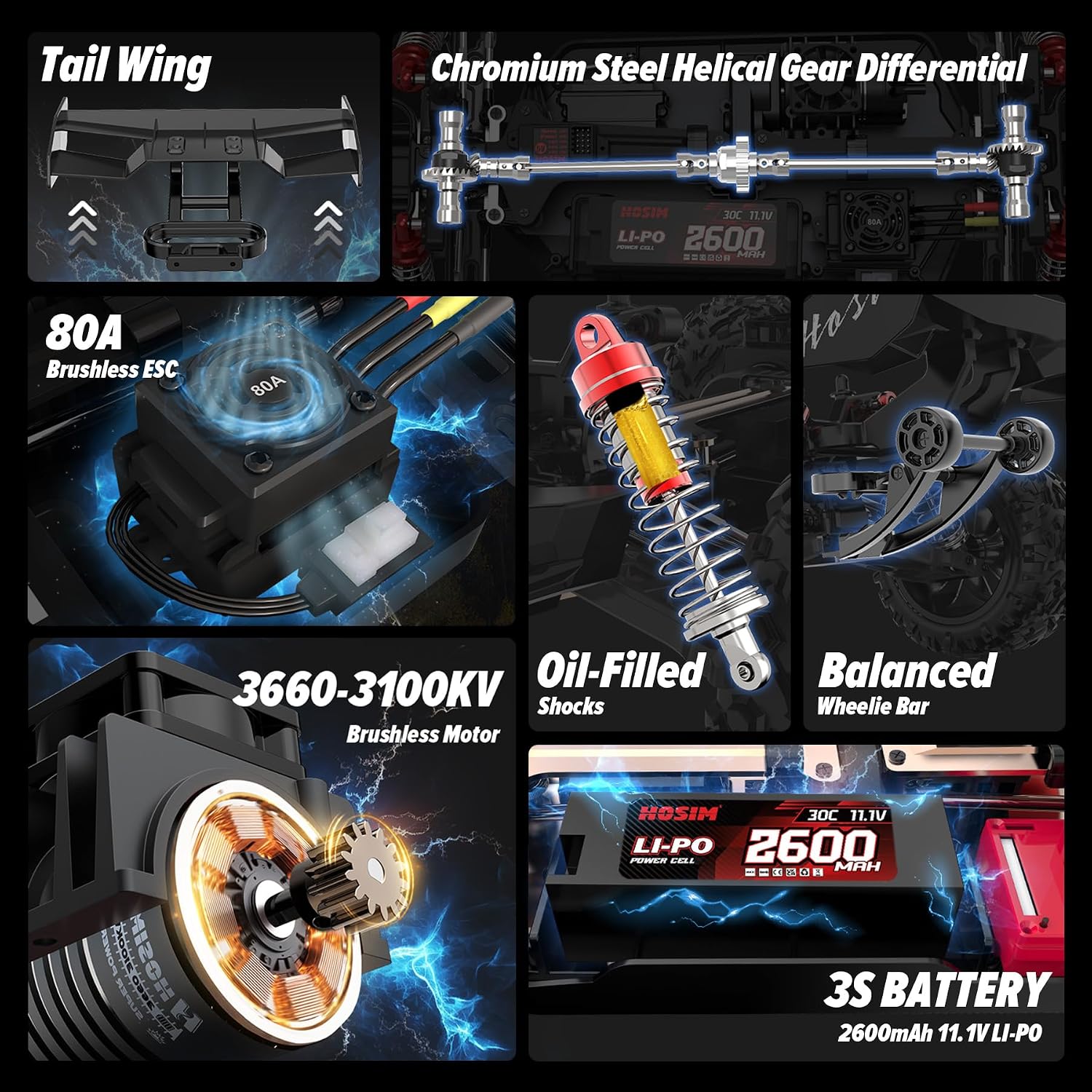
Image 5.2: Detailed view of key components including the differential, shocks, and motor.
6. Troubleshooting
| Problem | Possible Cause | Solution |
|---|---|---|
| Car does not respond to remote. |
|
|
| Car runs slowly or stops unexpectedly. |
|
|
| Steering is erratic or unresponsive. |
|
|
| Tires rubbing against the body. |
|
|
7. Specifications
| Feature | Detail |
|---|---|
| Model | VEXARO MAX |
| Scale | 1:8 |
| Motor | Pro 3660 Brushless (3100KV) |
| ESC | 85A Brushless with Cooling Fan |
| Servo | 9KG High Torque Metal-Gear Servo |
| Top Speed | 50+ MPH (80+ KM/H) with 3S Battery |
| Battery | 2 x 11.1V 2600mAh 3S Li-Po |
| Drivetrain | 4X4 (Four-Wheel Drive) |
| Differentials | 3 x 40Cr Chrome Steel Helical Gear Differentials |
| Shocks | Hydraulic Oil-Filled Shocks |
| Chassis | Full Metal Chassis with Metal Suspension Arms |
| Radio System | 2.4GHz (320ft control range) |
| Item Weight | 8.73 pounds |
| Package Dimensions | 21.25 x 13 x 8 inches |
| Manufacturer Recommended Age | 14 years and up |
8. Warranty and Support
Hosim is committed to providing quality products and customer satisfaction. If you encounter any issues with your Hosim VEXARO MAX RC car, please contact our after-sales support team.
For support, please refer to the contact information provided in your product packaging or visit the official Hosim website. When contacting support, please have your model number (VEXARO MAX) and purchase details available.
Note: Using non-Hosim compatible parts may void your warranty. Always refer to the official Hosim warranty policy for detailed terms and conditions.
Ask a question about this manual
Ask about setup, troubleshooting, compatibility, parts, safety, or missing instructions. Manuals+ will review the question and use this page’s manual context to help answer it.