
BOXPUT Q3
BOXPUT Q3 TV Stick Android 10 User Manual
Model: Q3
1. Introduction
The BOXPUT Q3 Android TV Stick transforms any compatible display into a smart TV, offering access to streaming applications and digital content. This device operates on Android 10.0 and features an Allwinner H313 64-bit Quad-Core ARM Cortex-A53 CPU for stable and efficient performance. It supports 4K Ultra HD and HDR 10 for high-quality visuals and includes a Bluetooth voice remote control for intuitive navigation.
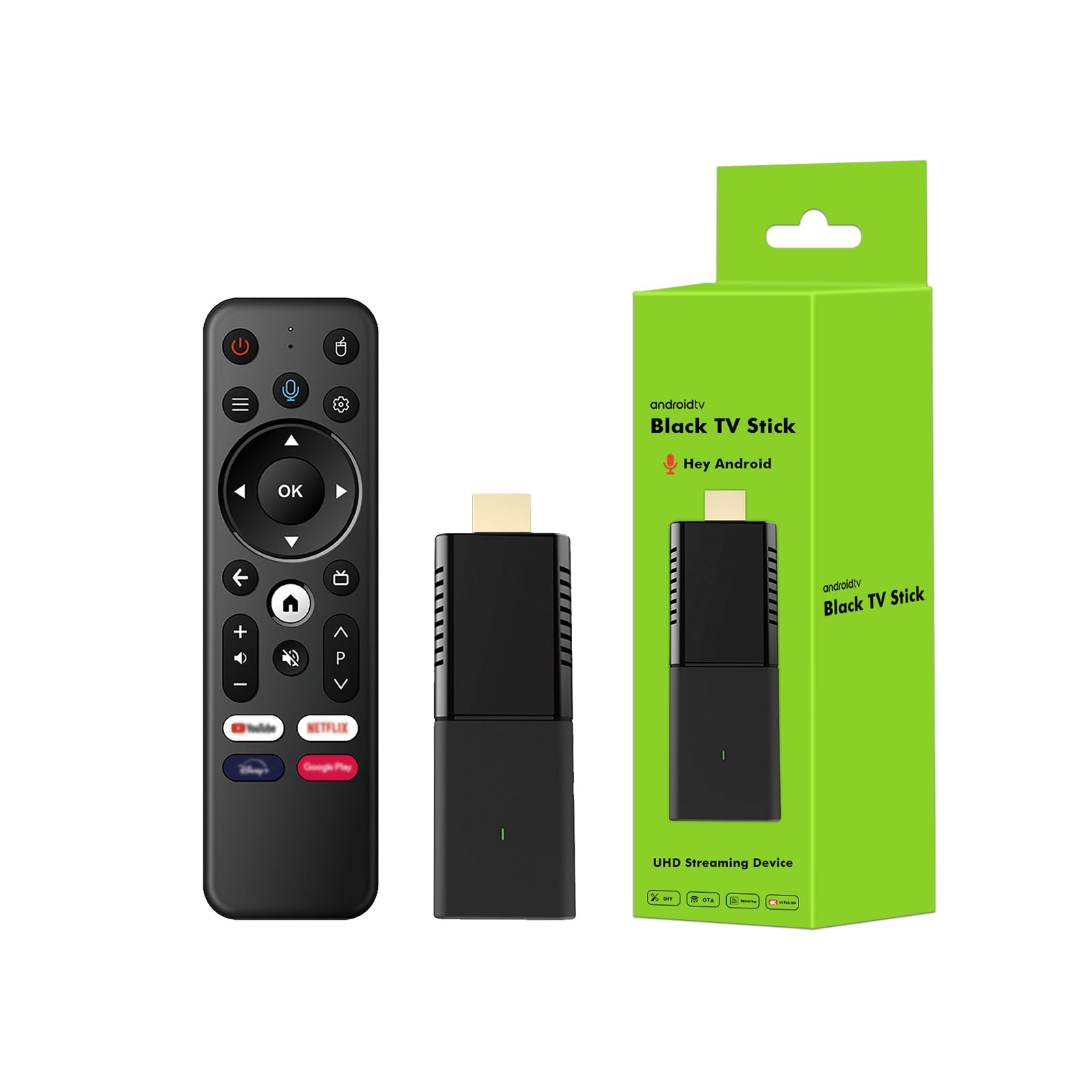
Image 1.1: BOXPUT Q3 TV Stick, remote control, and product packaging.
2. What's in the Box
Verify that all items are present in the package:
- 1x BOXPUT Q3 TV Stick
- 1x BT Voice Remote Control
- 1x HD Cable
- 1x Power Adapter
- 1x User Manual

Image 2.1: Contents of the BOXPUT Q3 TV Stick package.
Video 2.1: An unboxing video demonstrating the contents of the iATV Q3 TV Stick package, including the device, remote, and accessories.
3. Setup Instructions
3.1 Connecting the TV Stick
- Plug the BOXPUT Q3 TV Stick directly into an available HDMI port on your television or display.
- Connect the provided power adapter to the TV Stick's power input port (usually Micro USB or USB-C) and then plug the adapter into a wall outlet.
- If the HDMI port is difficult to access, use the included HD Cable extender.
- Turn on your television and select the correct HDMI input source using your TV remote.

Image 3.1: Detailed view of the BOXPUT Q3 TV Stick ports, including HDMI, USB, and IR.
3.2 Pairing the Bluetooth Voice Remote Control
After connecting the TV Stick and selecting the correct HDMI input, you will need to pair the Bluetooth voice remote control:
- Ensure the remote control has batteries installed (batteries are not included).
- Point the remote control towards the TV Stick.
- Press and hold the 'OK' button and the 'Back' button (or specified pairing button) simultaneously for a few seconds until the indicator light on the remote flashes.
- Release the buttons. The remote should automatically pair with the TV Stick. A confirmation message will appear on your TV screen once pairing is successful.
Video 3.1: A demonstration of the quick and easy setup process for the BOXPUT Q3 TV Stick, including physical connection and remote pairing.
4. Operating Instructions
4.1 Basic Navigation
Use the directional pad (up, down, left, right) and the 'OK' button on your remote to navigate through the Android TV interface. The 'Back' button returns to the previous screen, and the 'Home' button takes you to the main home screen.
4.2 Using the Voice Remote Control
The Bluetooth voice remote allows for convenient voice commands. Press and hold the dedicated voice button (often represented by a microphone icon) on the remote, then speak your command clearly. You can search for content, open applications, or ask questions.
4.3 Accessing and Installing Applications
The BOXPUT Q3 TV Stick comes with pre-installed applications. To install more applications:
- Navigate to the 'Apps' section on the home screen.
- Select the Google Play Store icon.
- Browse or search for desired applications.
- Select an app and choose 'Install' to download and add it to your device.
5. Key Features
5.1 4K HD HDR Support
The iATV Q3 4K TV stick supports 4K Ultra HD and HDR 10, providing accurate, clear, and vivid pictures. This allows for smooth 4K movie playback and enhanced detail in all content, delivering a more immersive entertainment experience.

Image 5.1: Visual comparison illustrating the enhanced clarity and color depth of 4K HDR compared to standard 4K resolution.
Video 5.1: A review highlighting the 4K video display capabilities of the Q3 TV Stick.
5.2 Dual-Band Wi-Fi 6 and Bluetooth 5.2
The Q3 Android 10 TV Stick features advanced Wi-Fi 6 and BT 5.2 for stable and reliable connectivity. With 2.4G/5.8G Dual-band Wi-Fi, wireless connections are optimized for speed, reducing lag and buffering when streaming 4K videos or using wireless headphones and speakers.

Image 5.2: The BOXPUT Q3 TV Stick enabling screen mirroring from a smartphone to a television.
5.3 USB 2.0 Port and Portable Design
A built-in USB 2.0 port allows connection of external devices. Weighing less than 30 grams, the TV Stick's compact and lightweight design makes it highly portable, easily fitting into a pocket. It can be plugged into any TV, monitor, or projector with an HD port to convert it into a smart display.

Image 5.3: The compact size of the BOXPUT Q3 TV Stick, shown held in a hand.
6. Maintenance
6.1 Cleaning
To clean the TV Stick and remote control, use a soft, dry, lint-free cloth. Do not use liquid cleaners, aerosols, or abrasive materials, as these may damage the device.
6.2 Storage
Store the device in a cool, dry place away from direct sunlight and extreme temperatures. If not in use for an extended period, disconnect it from the power source.
7. Troubleshooting
7.1 No Display on TV
- Ensure the TV Stick is securely plugged into the HDMI port.
- Verify that the power adapter is connected and the TV Stick is receiving power.
- Check that your TV is set to the correct HDMI input source.
- Try a different HDMI port on your TV.
7.2 Remote Control Not Responding
- Replace the batteries in the remote control.
- Re-pair the remote control by following the instructions in Section 3.2.
- Ensure there are no obstructions between the remote and the TV Stick.
7.3 Wi-Fi Connectivity Issues
- Check your Wi-Fi router to ensure it is working correctly.
- Restart the TV Stick and your Wi-Fi router.
- Ensure the TV Stick is within range of your Wi-Fi signal.
- Verify that the Wi-Fi password entered is correct.
8. Product Specifications
| Feature | Specification |
|---|---|
| Brand | BOXPUT |
| Model Name | iATV Stick Q3 |
| Operating System | Android 10.0 |
| Processor | Allwinner H313 64-bit Quad-Core ARM Cortex-A53 CPU |
| RAM | 2GB |
| ROM | 16GB |
| Resolution | 4K Ultra HD, HDR 10 |
| Connectivity | Dual-band Wi-Fi (2.4G/5.8G), Wi-Fi 6, Bluetooth 5.2, HD, IR, USB |
| Ports | HDMI, USB 2.0 |
| Special Features | DLNA, Miracast |
| Color | Black |
| Item Weight | 7.2 ounces |
| Product Dimensions | 5.85 x 2.26 x 1.87 inches |
9. Warranty and Support
9.1 Product Support
For any operational or usage issues with your BOXPUT Q3 TV Stick, please contact BOXPUT Official Support. When contacting support, provide your device’s MAC address to facilitate assistance. Our technical team aims to resolve problems within 24 hours.
9.2 Remote Control Support
If you experience any issues with the remote control, please contact BOXPUT Official Support. Our technical team is available to assist you with troubleshooting and resolution.
For further assistance, visit the BOXPUT Store on Amazon.
Ask a question about this manual
Ask about setup, troubleshooting, compatibility, parts, safety, or missing instructions. Manuals+ will review the question and use this page’s manual context to help answer it.