
Introduction
This manual provides essential information for the safe and efficient use of your ABCPOW 25W Fast Charger Block and 6ft USB-C to USB-C Power Cord. Please read these instructions carefully before use and retain them for future reference.
What's in the Box
- 1 x ABCPOW 25W Type C Fast Charger Wall Plug
- 1 x 6ft 60W USB-C to USB-C Charging Cable

The package includes one 25W USB-C wall charger and one 6-foot USB-C to USB-C charging cable, designed for fast charging and data transfer.
Setup
- Unpack Components: Carefully remove the charger block and USB-C cable from the packaging.
- Connect Cable: Insert one end of the USB-C to USB-C cable into the USB-C port on the charger block.
- Connect to Device: Insert the other end of the USB-C cable into the charging port of your compatible device (e.g., smartphone, tablet).
- Plug into Power Outlet: Insert the charger block into a standard AC 100-240V wall outlet. Ensure the connection is secure.

Ensure all connections are firm before initiating charging. The 6-foot cable provides flexibility for use in various locations.
Operating Instructions
The ABCPOW 25W Fast Charger is designed for efficient power delivery to compatible devices.
- Fast Charging: This charger supports PD 3.0/2.0, QC 4.0+/4.0/3.0/2.0, and MTK PE+2.0 protocols, delivering up to 25W (3 Amps) output. For devices that support these protocols, it can charge a battery from 0% to 70% in approximately 30 minutes, and achieve a full charge in about 50 minutes.
- Compatibility: Compatible with a wide range of USB-C devices, including Samsung Galaxy S series (S8 and newer), A series, Z Fold/Flip series, Note series, Google Pixel phones, and iPhone 15 series.
- Data Transfer: The included USB-C to USB-C cable supports data syncing at speeds up to 480Mbps. Connect your device to a computer using the cable for file transfers.
- Laptop Charging: The 60W USB-C cable can support laptop charging when paired with a compatible USB-C power adapter of 30W or higher. The included wall charger is 25W and is not suitable for laptop charging.
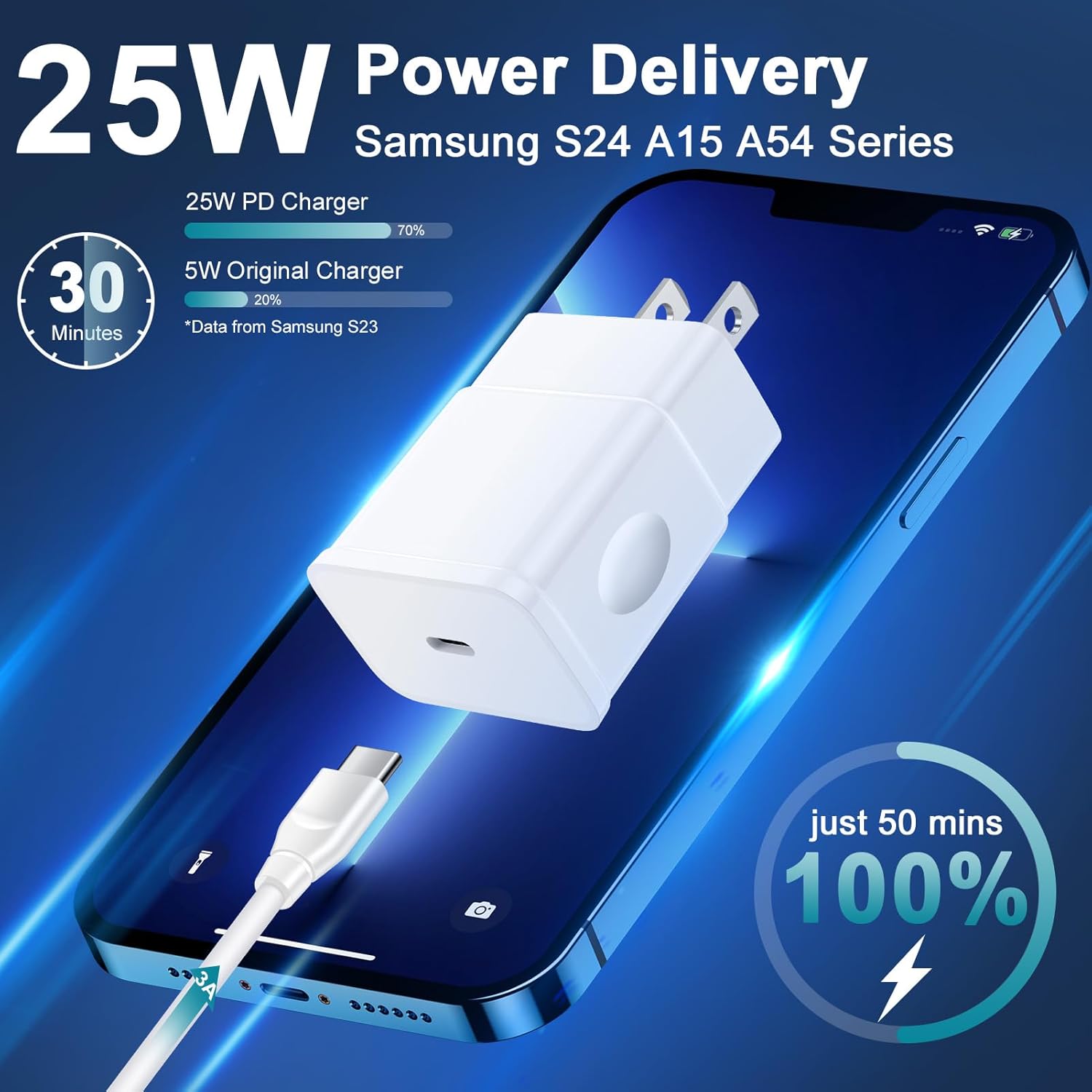
The charger automatically adjusts the current to match your device's needs, ensuring optimal charging speed and safety.

The durable cable is designed for longevity and supports both charging and data synchronization.
Maintenance
- Cleaning: Disconnect the charger from the power outlet and your device before cleaning. Use a dry, soft cloth to wipe the surface of the charger block and cable. Do not use liquid cleaners or abrasive materials.
- Storage: Store the charger and cable in a cool, dry place away from direct sunlight and extreme temperatures. Avoid tightly coiling the cable to prevent damage.
- Handling: Do not drop, disassemble, or attempt to repair the charger or cable. Avoid exposing them to water or excessive moisture.

The charger incorporates multiple safety features, including protection against over-current, over-voltage, over-heating, and short-circuits, to ensure the safety of your devices during charging.
Troubleshooting
- Device Not Charging:
- Ensure the charger is securely plugged into a working wall outlet.
- Verify that the USB-C cable is firmly connected to both the charger and your device.
- Try using a different wall outlet.
- Test the charger with another compatible device or use a different USB-C cable to isolate the issue.
- Slow Charging:
- Confirm your device supports fast charging protocols (PD 3.0/2.0, QC 4.0+/4.0/3.0/2.0, MTK PE+2.0). If your device does not support these, it will charge at its standard rate.
- Ensure the cable is not damaged.
- Avoid using the device heavily while charging, as this can slow down the charging process.
- Charger or Device Overheating:
- It is normal for the charger to become slightly warm during operation. However, if it becomes excessively hot, disconnect it immediately.
- Ensure the charger is used in a well-ventilated area.
- Avoid charging in direct sunlight or enclosed spaces.
Specifications
| Model Number | BP2110-25W |
| Input Voltage | AC 100-240V |
| Output Wattage | 25W Max |
| Output Amperage | 3 Amps Max |
| Connector Type | USB Type C |
| Cable Length | 6 feet (1.8 meters) |
| Cable Wattage Support | 60W |
| Data Transfer Speed | Up to 480Mbps |
| Special Feature | Fast Charging (PD, QC, MTK PE+) |
| Dimensions (Charger Block) | 5.59 x 4.84 x 1.02 inches |
| Item Weight | 2.39 ounces |
Warranty and Support
Your ABCPOW 25W Fast Charger is designed with built-in intelligent IC chips to protect your devices against overcharging, over-currents, and overheating. The charger automatically stops charging when your device's battery is full, ensuring device longevity.
For any questions or concerns regarding your product, please contact ABCPOW customer service. Refer to your purchase documentation for specific warranty details.
You can visit the official ABCPOW store for more information: ABCPOW Store