
1. Product Overview
The LLS Casambi CBU-TED-LR is a compact, Bluetooth-controlled trailing edge dimmer designed for a variety of dimmable lighting loads, including incandescent lamps, dimmable LED lamps, and dimmable LED control gear. It seamlessly integrates into a Casambi mesh radio network, allowing for advanced control via the Casambi App on iOS and Android devices, as well as traditional wall switches. This dimmer supports up to 100 W at 230 VAC and includes built-in overcurrent and over-temperature protection for safe operation.
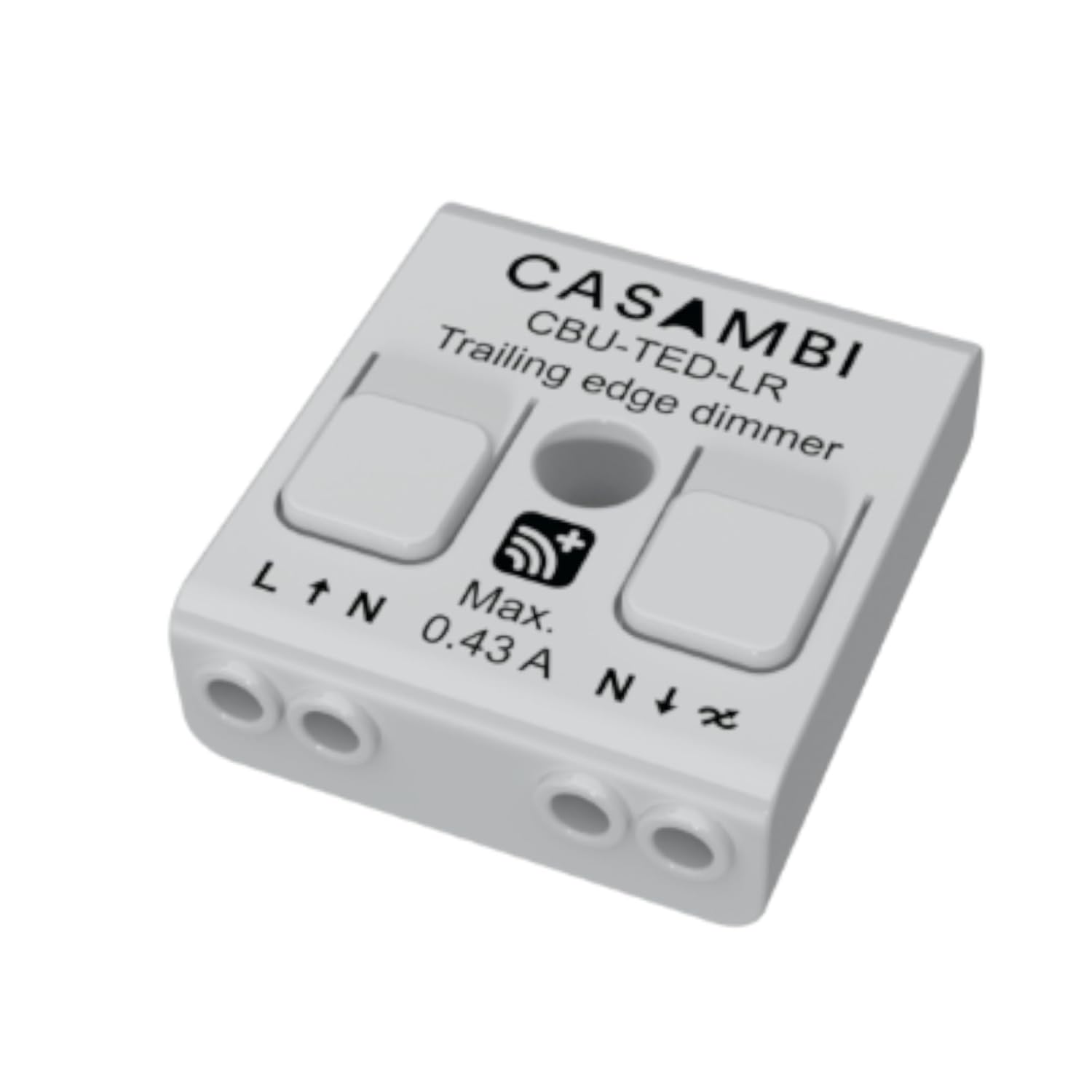
This image shows the compact white casing of the CBU-TED-LR dimmer, with connection terminals clearly labeled for Line (L), Neutral (N), and output (dimmed L). The Casambi logo and model name are visible on the top surface.
2. Important Safety Information
WARNING: Hazardous voltages. Risk of electric shock or fire. Only qualified professionals should make the connections. Disconnect the mains power supply and verify its absence prior to installation.
To ensure safe and proper operation of the CBU-TED-LR dimmer, please observe the following:
- Always disconnect the mains power supply before attempting any installation, wiring, or maintenance. Verify the absence of voltage before proceeding.
- Installation and wiring should only be performed by a qualified electrician or professional.
- Never connect inductive loads, such as iron core transformers, to the dimmer. This could cause permanent damage to the unit.
- Do not mix different types of loads on the same dimmer circuit.
- Some luminaires may flicker at low dimming levels; this is often dependent on the load electronics.

This image displays detailed technical specifications including input/output parameters, radio transceiver details, operating conditions, connector specifications, mechanical dimensions, weight, and certifications. It also includes a critical safety warning regarding hazardous voltages and the need for professional installation.

This image presents a table detailing the types of lighting loads compatible with the CBU-TED-LR dimmer and their maximum supported wattage (100W for most compatible types). Crucially, it warns against connecting inductive loads like iron core transformers and mixing different types of loads, as this can cause permanent damage or flickering.
3. Setup and Installation
Before beginning installation, ensure the mains voltage is switched off. Strip the wire 6-8 mm from the end. Press the buttons on top of the dimmer case and insert the wires into the corresponding terminals. Make sure to connect the input and output correctly. The input connector is marked with letters L and N, while the output connector is marked with the letter N and a symbol with a wave and an arrow. If you install the dimmer in a heat-sensitive environment (e.g., inside a luminaire or a ceiling outlet box above a luminaire), make sure that the ambient temperature does not exceed the specified maximum value. Using the dimmer in a heat-sensitive environment may limit the maximum output power.
Wiring Diagrams
Each CBU product can operate in various roles according to the chosen profile. It is possible to change the profile of an unpaired device using the Casambi App. Below are listed the fixture profile options for the CBU-TED-LR and their corresponding wiring diagrams.

This image provides a table of fixture profiles, outlining how the CBU-TED-LR can be configured within the Casambi App for different dimming behaviors or even as a presence sensor. Below the table, detailed wiring diagrams illustrate connections for a standard switch (Diagram 1) and for a PIR sensor or Bluetooth-enabled switch (Diagrams 2A and 2B), showing connections for Line/Hot, Neutral, and the dimmed output.
Fixture Profiles
| Profile # | Profile name / in app description | Wiring |
|---|---|---|
| 526* | CBU-TED (Trailing edge phase cut dimmer for 50/60Hz load. Light level is controllable with a slider in the Casambi App.) | 1 |
| 11766 | CBU-TED (Trailing edge phase cut dimmer for 50/60Hz load. Light level is controllable with a slider in the Casambi App.) (Linear) | 1 |
| 8123 | CBU-TED (Trailing edge phase cut dimmer for 50/60Hz load. Light level is controllable with a slider in the Casambi App.) (Log) | 1 |
| 3534 | CBU-TED Presence (CBU-TED-LR acting as a presence sensor or Bluetooth enabled switch. The fixture provides presence information to the mesh network when the CBU-TED-LR is powered up.) | 2A, 2B |
* Default profile
4. Operating Instructions
Dimming Without App
The CBU-TED-LR can be controlled using a traditional wall switch, even without the Casambi App. Follow these steps for dimming:
- Turn lights on from a wall switch.
- Quickly flick the wall switch off (maximum 1 second) and back on. The light level will start to increase gradually.
- Flick the switch again at the desired dim level. The selected level is saved automatically.
- If the second flick is not done within 8 seconds, the light intensity will reach its maximum level.
- Flicking the switch can also be used to switch between predefined scenes.
Casambi App Control and Mesh Network
The CBU-TED-LR is fully compatible with the Casambi App, available for iOS and Android devices. We support the latest OS versions for Android and iOS, and their last two major versions respectively. The Casambi App allows for comprehensive control and configuration of the dimmer.
The CBU-TED-LR operates within a Casambi mesh radio network. Different radio modes can be selected when creating a network in the Casambi App: 'Balanced', 'Better Performance', and 'Long Range'. The 'Long Range' option enables extended range capabilities, provided all other devices within the network are also long-range capable. Casambi's mesh network technology means each Casambi unit acts as a repeater, extending the overall communication range.
The communication range may vary depending on the product's antenna design and the operating environment. In practice, a well-designed product with good line of sight can achieve radio coverage up to 50 meters indoors and up to 200 meters in open air.

This image provides a dimensional drawing of the CBU-TED-LR, information on Casambi mesh network modes including 'Long Range', details on compatible Android and iOS devices, and an explanation of the wireless communication range. It also illustrates the five-step process for dimming lights using a traditional wall switch without the Casambi app.
5. Technical Specifications
| Category | Specification |
|---|---|
| Input | |
| Voltage | 95-240 VAC |
| Frequency | 50 or 60 Hz |
| Max. mains current | 0.43 A |
| No-load standby power | < 0.3 W |
| Output | |
| Dimming method | Trailing-edge phase control |
| Max. output power | 100 W @ 230 VAC |
| Max. output current | 0.43 A |
| Min. load requirement | 1 W |
| Max. load inrush current | 10 A, 100 ms |
| Radio Transceiver | |
| Operating frequencies | 2402...2480 MHz |
| Maximum output power | +8 dBm |
| Operating Conditions | |
| Ambient temperature | -20 to +45°C |
| Max. case temperature | +75°C |
| Storage temperature | -25...+75°C |
| Max. relative humidity | 0...80%, non-condensing |
| Connectors | |
| Wire range, solid | 0.5-1.5 mm² |
| Wire range, stranded | 16-20 AWG |
| Wire strip length | 6-8 mm |
| Mechanical Data | |
| Product Dimensions (L x W x H) | 1.59 x 1.42 x 0.55 inches (40.4 x 36.3 x 14.0 mm) |
| Weight | 15 g |
| Degree of protection | IP20 (indoor use only) |
| Certifications | CE, AU/NZ |
| Compatible Devices | Android and iOS Operating Systems |
| Item Model Number | CBU-TED-LR |
| Manufacturer | CASAMBI |
| Country of Origin | USA |
6. Troubleshooting
If you encounter issues with your CBU-TED-LR dimmer, consider the following common points:
- No light or flickering: Ensure the mains power supply is connected correctly and the load type is compatible. Refer to the 'Type of Load / Max. Load' table in Section 2. Inductive loads (e.g., iron core transformers) are not allowed and can damage the dimmer.
- Dimming issues: Dimming quality can depend on the load electronics. Avoid mixing different types of bulbs or loads on the same dimmer circuit. Some luminaires may flicker at low dimming levels.
- Connectivity problems: Ensure your Casambi App is updated to the latest version. Check the communication range; physical obstructions can affect signal strength. Remember that Casambi units act as repeaters, so adding more units can extend the network range.
- Dimmer not responding: Verify that the dimmer is powered. If using wall switch control, ensure the flicking sequence is performed within the specified timeframes (e.g., 1 second for the first flick, 8 seconds for the second).
For persistent issues, consult the Casambi App for diagnostic tools or visit the official Casambi website for further support.
7. Maintenance
The LLS Casambi CBU-TED-LR dimmer is designed for long-term, maintenance-free operation. To ensure optimal performance and longevity:
- Keep the device clean and free from dust. Use a soft, dry cloth for cleaning. Do not use liquid cleaners or aerosols.
- Ensure the operating environment adheres to the specified temperature and humidity ranges to prevent damage.
- There are no user-serviceable parts inside the dimmer. Do not attempt to open or repair the unit, as this will void the warranty and poses a risk of electric shock.
8. Support Information
For additional support, technical documentation, or to download the Casambi App, please visit the official Casambi website:
For product-specific inquiries related to your LLS Casambi CBU-TED-LR dimmer, please contact your retailer or the manufacturer, LLS.