
BAOFENG UV-25
BAOFENG UV-25 Ham Radio User Manual
Model: UV-25
1. Introduction
This manual provides detailed instructions for the safe and effective operation of your BAOFENG UV-25 Ham Radio. The UV-25 is a high-performance, long-range handheld tactical radio designed for reliable communication across various frequency bands. It features a tri-power output, a large color display, and a 5200mAh battery for extended use. Please read this manual thoroughly before using the device.

The BAOFENG UV-25 Ham Radio, a robust communication device.
2. Safety Information
Always observe the following safety precautions to prevent injury or damage to the radio:
- Do not operate the radio in explosive atmospheres (e.g., flammable gases, dust particles, metallic powders).
- Do not transmit without an antenna attached.
- Avoid prolonged exposure to direct sunlight or extreme temperatures.
- Keep the radio away from water and moisture. The device is not water resistant.
- Use only BAOFENG approved batteries and chargers.
- Do not disassemble or modify the radio. Refer all servicing to qualified personnel.
- Maintain a safe distance from the antenna during transmission, especially for high-power settings.
3. Package Contents
Verify that all items are present in your package:
- BAOFENG UV-25 Ham Radio Unit
- 5200mAh Li-ion Battery
- Gooseneck Antenna
- Desktop Charger with US Plug
- Type-C USB Charging Cable
- Belt Clip
- Hand Strap
- User Manual (this document)

All components included in the BAOFENG UV-25 package.
4. Product Overview
Familiarize yourself with the main components of your UV-25 radio:

Key components and controls of the BAOFENG UV-25.
- Antenna: For transmitting and receiving signals. The flexible gooseneck antenna allows for 360° arbitrary bending.
- Power Switch/Volume Knob: Rotates to turn the radio on/off and adjust volume.
- LED Flashlight: Provides illumination.
- SK-Weather Forecast/Frequency Sweep Key: Activates weather forecast or frequency sweep functions.
- PTT (Push-to-Talk) Button: Press and hold to transmit, release to receive.
- K2-FM Radio Switch/Monitoring Key: Toggles FM radio or monitoring function.
- SK3 LED Flashlight Switch/Emergency Alarm Button: Activates the flashlight or emergency alarm.
- Menu Key: Accesses the radio's menu system.
- Color LCD Screen: Displays frequency, channel, battery status, and other information.
- 2-Pin Mic Port: Standard K-style port for external speaker/microphone accessories.

The flexible gooseneck antenna provides versatile positioning.
5. Setup
5.1 Battery Installation and Charging
The UV-25 comes with a 5200mAh Li-ion battery. Ensure the battery is fully charged before first use.
- Install Battery: Align the battery with the grooves on the back of the radio and slide it upwards until it clicks into place.
- Charge Battery: Connect the Type-C USB charging cable to the radio or place the radio in the desktop charger. Connect the charger to a power source (wall adapter, power bank, PC, car charger, laptop). The charging indicator will show charging status.
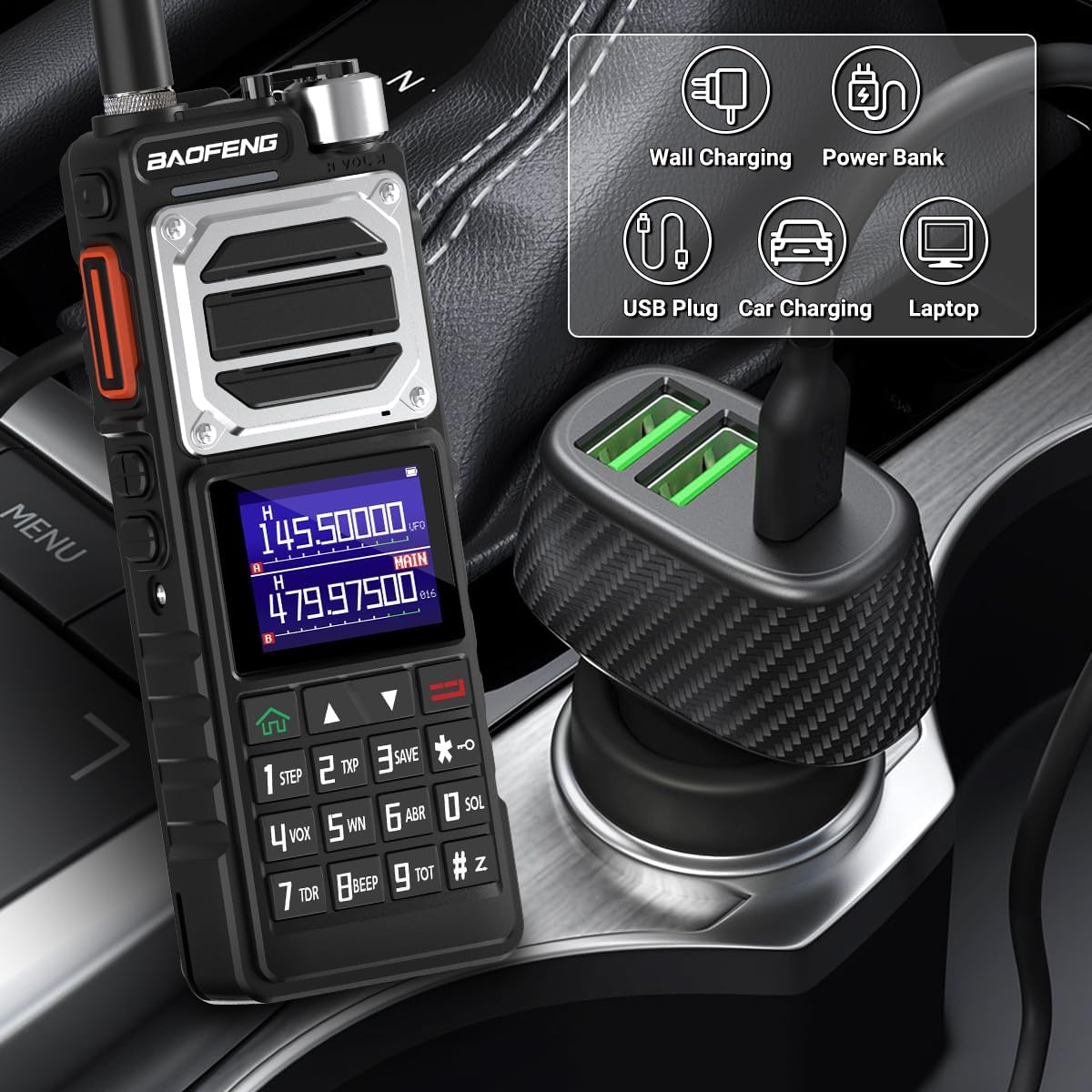
The UV-25 supports versatile Type-C USB charging.
5.2 Antenna Attachment
Screw the gooseneck antenna clockwise onto the antenna connector at the top of the radio until it is finger-tight. Do not overtighten.
5.3 Initial Power On
Rotate the Power Switch/Volume Knob clockwise to turn on the radio. Adjust the knob to set the desired volume level.
6. Operating Instructions
The BAOFENG UV-25 offers a wide range of features for effective communication.
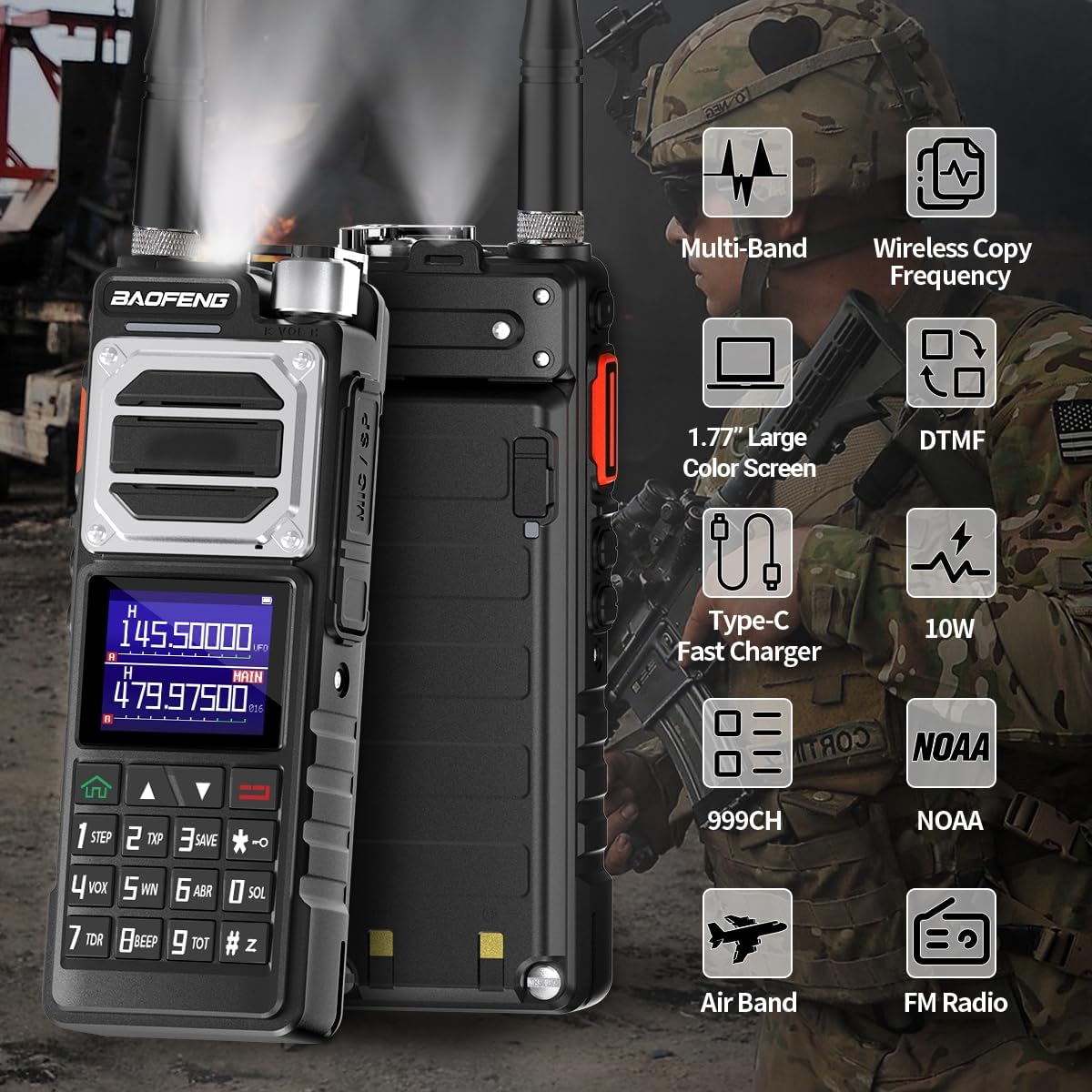
Overview of the BAOFENG UV-25's advanced features.
6.1 Power On/Off and Volume Control
To power on or off the radio, rotate the Power Switch/Volume Knob. Continue rotating to adjust the audio volume.
6.2 Channel Selection and Frequency Input
The UV-25 supports up to 999 channels. You can select channels using the up/down arrow keys or directly input frequencies using the keypad.
- Channel Mode: Use the arrow keys to scroll through programmed channels.
- Frequency Mode: Enter the desired frequency directly using the numeric keypad. Press the Menu key to confirm or access settings.
6.3 Transmitting and Receiving (PTT)
To transmit, press and hold the PTT button on the side of the radio. Speak clearly into the microphone. Release the PTT button to return to receive mode.
6.4 Tri-Power Switchable
The UV-25 offers High, Medium, and Low power output settings. This feature allows you to conserve battery life when long-range communication is not required. Refer to the menu settings to adjust the power level.
6.5 Copy Frequency Function
This feature allows you to quickly copy frequencies from other walkie-talkies, simplifying programming. Consult the radio's menu for specific steps on activating and using the copy frequency function.

The wireless copy frequency feature simplifies radio setup.
6.6 NOAA Weather Receiver
The UV-25 can automatically scan and receive all 10 channels of the NOAA Weather Radio, providing timely weather alerts and forecasts.

Enhanced NOAA Weather Reception for critical alerts.
6.7 DTMF Function
The DTMF (Dual-Tone Multi-Frequency) function supports single and multiple person calls, enhancing team collaboration. Refer to the menu for DTMF settings and usage.
6.8 FM Radio and Air Band Reception
The UV-25 includes an FM radio for entertainment and can receive signals on the AM Aviation Band (108-136MHz RX).

The UV-25 offers multiple functions including aviation band reception and DTMF.
6.9 LED Flashlight
Press the SK3 button to activate the built-in LED flashlight for illumination in low-light conditions.
7. Maintenance
Proper maintenance ensures the longevity and optimal performance of your UV-25 radio.
- Cleaning: Use a soft, damp cloth to clean the radio's surface. Do not use harsh chemicals or abrasive cleaners.
- Battery Care: Store batteries in a cool, dry place when not in use. Avoid fully discharging the battery frequently. Recharge the battery regularly, even if not in use, to maintain its health.
- Storage: When storing the radio for extended periods, remove the battery. Store the radio in a dry, dust-free environment.
- Antenna: Ensure the antenna is securely attached during operation. Avoid bending or stressing the antenna excessively, despite its flexible design.
8. Troubleshooting
If you encounter issues with your UV-25, refer to the table below for common problems and solutions.
| Problem | Possible Cause | Solution |
|---|---|---|
| Radio does not power on | Battery is low or not installed correctly. | Charge the battery. Reinstall the battery, ensuring it clicks into place. |
| Cannot transmit or receive | Incorrect frequency/channel. Antenna not connected. Low battery. | Verify frequency/channel settings. Ensure antenna is securely attached. Recharge battery. |
| Poor audio quality/static | Weak signal. Antenna issue. Interference. | Move to an area with better signal. Check antenna connection. Identify and reduce sources of interference. |
| Battery drains quickly | High power setting. Frequent transmission. Battery nearing end of life. | Use lower power settings when possible. Reduce transmission time. Consider replacing the battery if it's old. |
| Display is dim or blank | Low battery. Display settings. | Recharge battery. Adjust display brightness in menu settings. |
9. Specifications
| Feature | Specification |
|---|---|
| Model Number | UV-25 |
| Frequency Range | VHF: 144-148MHz, UHF: 420-450MHz (RX/TX); FM: 65-108MHz (RX); AM Aviation Band: 108-136MHz (RX); 220-260MHz (RX/TX); 350-390MHz (RX); 400-480MHz (RX/TX); 480-520MHz (RX) |
| Number of Channels | Up to 999 |
| Power Output | Tri-Power Switchable (High/Medium/Low), up to 10W |
| Battery Capacity | 5200mAh Li-ion |
| Charging Port | Type-C USB |
| Display | 1.77 inch Color Large Screen |
| Dimensions (approx.) | 7CM/2.76inch (Width) x 17CM/6.69inch (Height) (excluding antenna) |
| Weight (approx.) | 2.09 pounds (with battery and antenna) |
| FCC ID | 2AJGM-UV25 |
| Water Resistance Level | Not Water Resistant |

Size comparison illustrating the larger form factor of the UV-25.
10. Warranty and Support
The BAOFENG UV-25 Ham Radio comes with a 3-month warranty from the date of purchase. This warranty covers manufacturing defects and workmanship under normal use.
For technical support, warranty claims, or further assistance, please contact BAOFENG customer service through the retailer where you purchased the product or visit the official BAOFENG website for contact information.
Online Resources:
- BAOFENG Official Store: Visit BAOFENG Store on Amazon
Related Documents - UV-25
 |
BAOFENG UV-5R Series Battery Eliminator Car Charger User Manual User manual for the BAOFENG UV-5R series battery eliminator car charger, detailing its features, specifications, compatible radio models, and package contents. Provides direct power from a vehicle to your UV-5R series walkie-talkie. |
 |
Baofeng UV-82, UV-9R Plus, UV-XR Radio Transceiver User Manual Comprehensive user manual for Baofeng UV-82, UV-9R Plus, and UV-XR radio transceivers, covering safety, features, assembly, battery usage, controls, LCD display, operation modes, built-in functions, menu settings, CTCSS/DCS tones, and technical specifications. |
 |
BAOFENG UV-25 Series Amateur Radio Owner's Manual Comprehensive owner's manual for the BAOFENG UV-25 Series Amateur Radio, covering features, operations, battery charging, accessory installation, troubleshooting, and technical specifications for this dual-band, dual-display, dual-watch transceiver. |
 |
Baofeng BF-18H Series Amateur Radio User's Manual User's manual for the Baofeng BF-18H Series amateur radio transceiver, detailing operation, features, safety guidelines, and technical specifications for amateur radio enthusiasts. |
 |
BAOFENG UV-5RM PLUS (GPS) Multi-Band Amateur Radio User Manual Explore the BAOFENG UV-5RM PLUS (GPS) Multi-Band Amateur Radio with this comprehensive user manual. Learn about its advanced features, including GPS, APRS, DTMF, and multi-band scanning, designed for reliable communication for both professional and recreational users. This guide covers operation, safety, battery information, and FCC compliance. |
 |
BaoFeng UV-5R Series FAQs: Your Comprehensive Guide Frequently asked questions (FAQs) for the BaoFeng UV-5R, UV-5RA, UV-5RE, and UV-5R+ series radios. Covers firmware, FCC certification, transmitter/receiver, programming, scanning, tone access, accessories, software, audio, antennas, display, and general troubleshooting. |
Ask a question about this manual
Ask about setup, troubleshooting, compatibility, parts, safety, or missing instructions. Manuals+ will review the question and use this page’s manual context to help answer it.