
1. Introduction
Thank you for choosing the LEDEPLY Zigbee MR16 Smart Bulb. This manual provides essential information for the safe and efficient installation, operation, and maintenance of your new smart lighting product. Please read these instructions thoroughly before use and retain them for future reference.

Image 1.1: Two LEDEPLY Zigbee MR16 Smart Bulbs, showcasing their compact design and GU5.3 base.
2. Important Safety Information
To ensure safe operation and prevent damage, observe the following precautions:
- Voltage Compatibility: This bulb operates on AC/DC 12V. It is designed for use with a compatible 12V LED transformer. Do not connect directly to 110-130V AC power.
- Dimmer Compatibility: This smart bulb is dimmable via its smart control features (app/hub). Do not use with traditional hardware dimmers, as this can cause damage or malfunction.
- Transformer Type: Do not use with electronic transformers that are not specifically designed for LED MR16 bulbs. Ensure your transformer is compatible with LED loads.
- Indoor Use Only: This product is intended for indoor use.
- Power Off Before Installation: Always turn off the power supply to the fixture before installing or removing the bulb.
- Avoid Water: Do not expose the bulb to water or moisture.
- Operating Temperature: Ensure the operating environment is within suitable temperature ranges.
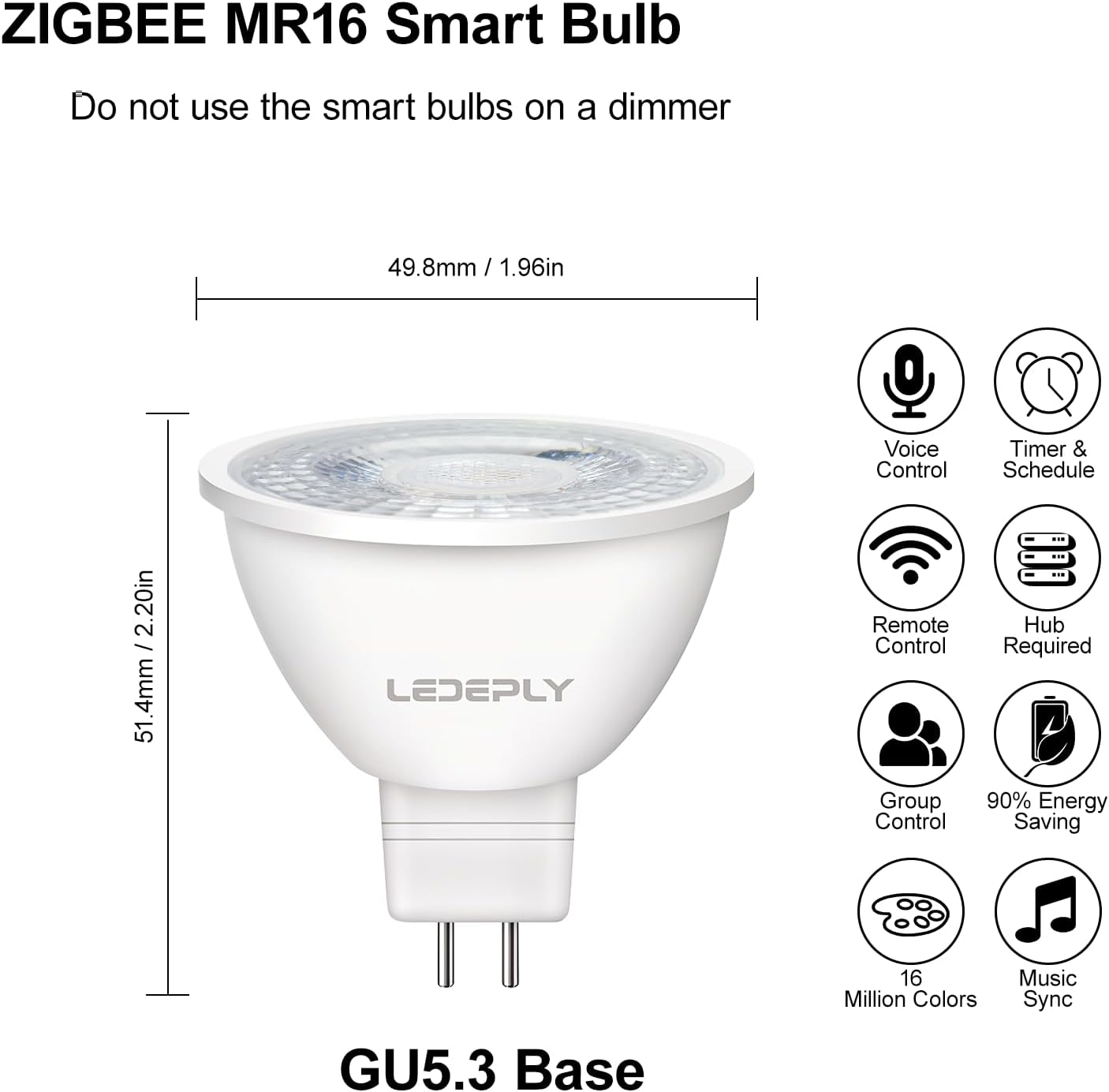
Image 2.1: Visual guide illustrating that the bulb requires an LED transformer for AC/DC 12V operation and should not be connected directly to 110-130V AC or used with electronic transformers.
3. Product Features
The LEDEPLY Zigbee MR16 Smart Bulb offers advanced lighting control and energy efficiency:
- Zigbee 3.0 Standard: Enhanced compatibility with various smart home systems.
- Customizable Lighting: Offers full color-changing capabilities and tunable white light (from warm to cool white).
- Dimmable: Adjust brightness levels from a soft glow to bright illumination via the control app.
- Energy Efficient: 5W LED bulb provides illumination equivalent to a 50W traditional bulb, saving up to 90% on energy costs.
- Long Lifespan: Designed for a lifespan of approximately 25,000 hours.
- Wide Compatibility: Directly compatible with Philips Hue, SmartThings hub, Amazon Echo Plus, Echo Show (2nd Gen), Echo 4th Gen, Studio, and Echo Show 10. Requires a hub for other Alexa devices (e.g., Echo Dot) and Google Home. Compatible with ConBee. Not compatible with Apple HomeKit.
- Control Methods: Supports voice control, remote control via app, group control, and scheduling with timers.

Image 3.1: Product dimensions (49.8mm / 1.96in width, 51.4mm / 2.20in height) and key features of the ZBMR16 Smart Bulb with GU5.3 base.
4. Setup and Installation
4.1 Pre-installation Checklist
- Ensure your lighting fixture uses an MR16 bulb with a GU5.3 base.
- Verify that your circuit has a compatible AC/DC 12V LED transformer.
- Confirm you have a compatible Zigbee hub (e.g., Philips Hue Bridge, SmartThings Hub, Amazon Echo Plus/Show 2nd Gen/4th Gen/Studio/Show 10) if required for your smart home ecosystem.
4.2 Physical Installation
- Turn off Power: Before installation, ensure the power supply to the light fixture is completely off at the circuit breaker.
- Insert Bulb: Carefully insert the GU5.3 pins of the LEDEPLY MR16 Smart Bulb into the corresponding sockets of your fixture.
- Restore Power: Turn the power supply back on. The bulb should illuminate briefly.
4.3 Pairing with a Smart Hub
The LEDEPLY Zigbee MR16 Smart Bulb uses the Zigbee 3.0 protocol for seamless integration with compatible smart home hubs. For optimal pairing, place the bulb close to your hub initially.
- Activate Pairing Mode on Hub: Open your smart home app (e.g., Philips Hue, SmartThings, Alexa app) and initiate the device discovery or pairing mode. Refer to your hub's specific instructions for this step.
- Power Cycle Bulb for Pairing: If the bulb does not automatically appear, you may need to reset it to pairing mode. Turn the bulb's power ON for 1 second, then OFF for 2 seconds. Repeat this sequence (ON 1s, OFF 2s) two more times, then turn it ON. The bulb should flash a few times to indicate it's in pairing mode.
- Complete Pairing: Once the bulb is discovered by your hub, follow the on-screen prompts in your smart home app to complete the pairing process and assign the bulb to a room or group.
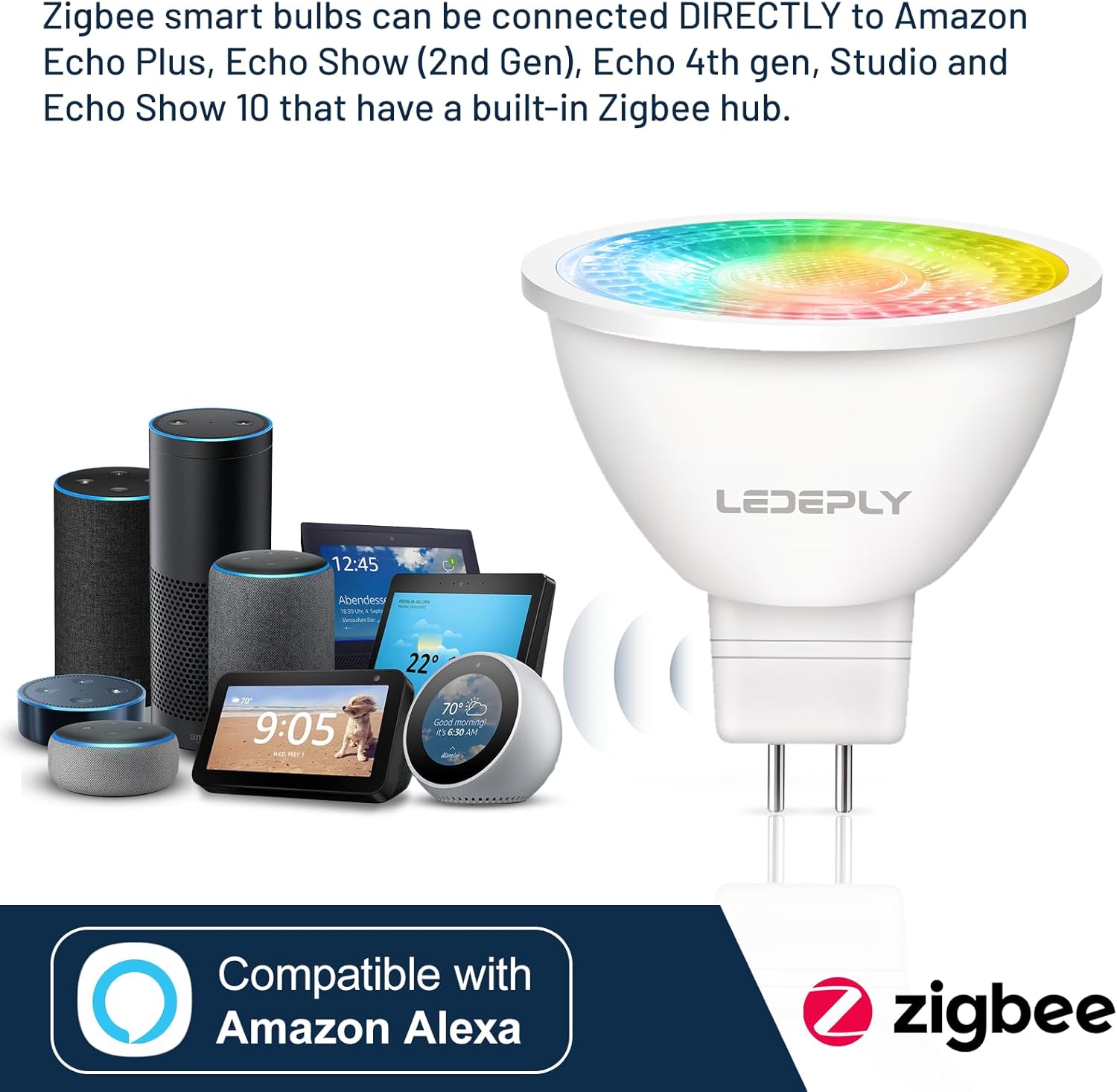
Image 4.1: The LEDEPLY Zigbee MR16 smart bulb is directly compatible with Amazon Echo Plus, Echo Show (2nd Gen), Echo 4th Gen, Studio, and Echo Show 10, which have a built-in Zigbee hub.

Image 4.2: The LEDEPLY Zigbee MR16 smart bulb can connect directly to the SmartThings hub through the SmartThings app.

Image 4.3: The LEDEPLY Zigbee smart bulb is compatible with Philips Hue systems.
5. Operating Instructions
Once paired, you can control your LEDEPLY Zigbee MR16 Smart Bulb using your smart home app or voice commands.
5.1 App Control
- On/Off: Toggle the bulb's power directly from the app.
- Brightness Adjustment: Use the dimmer slider in the app to adjust the light intensity.
- Color Selection: Choose from millions of colors to set the mood.
- Tunable White: Adjust the white light temperature from warm white (e.g., 2700K) to cool white.
- Group Control: Group multiple bulbs together to control them simultaneously.
- Scenes and Routines: Create custom lighting scenes or schedule routines for automated lighting.
5.2 Voice Control
If connected to a compatible voice assistant (e.g., Alexa, Google Assistant via a hub), you can control your bulb with voice commands:
- "Alexa, turn on the [room name] light."
- "Hey Google, set [bulb name] to blue."
- "Alexa, dim [bulb name] to 50%."
- "Hey Google, change [room name] to warm white."

Image 5.1: Example of voice control functionality with smart speakers in a kitchen setting.
6. Maintenance
The LEDEPLY Zigbee MR16 Smart Bulb requires minimal maintenance.
- Cleaning: Ensure the power is off before cleaning. Wipe the bulb with a soft, dry cloth. Do not use liquid cleaners or abrasive materials.
- Lifespan: The bulb has an estimated lifespan of 25,000 hours under normal operating conditions.
- Replacement: If the bulb ceases to function, ensure power is off, remove the old bulb, and replace it with a new LEDEPLY Zigbee MR16 Smart Bulb.
7. Troubleshooting
If you encounter issues with your LEDEPLY Zigbee MR16 Smart Bulb, refer to the following common solutions:
| Problem | Possible Cause | Solution |
|---|---|---|
| Bulb does not turn on. | No power; incorrect voltage; faulty transformer; loose connection. | Check power supply. Ensure AC/DC 12V transformer is working. Verify bulb is securely seated. Confirm not connected to 110-130V AC directly. |
| Bulb does not pair with hub. | Bulb too far from hub; hub not in pairing mode; bulb not in pairing mode; incompatible hub. | Move bulb closer to hub. Activate pairing mode on your hub. Perform a power cycle reset on the bulb (ON 1s, OFF 2s, repeat 3 times, then ON). Verify hub compatibility. |
| Bulb is unresponsive after pairing. | Weak Zigbee signal; network interference; hub issue. | Ensure bulb is within range of the hub. Check for other Zigbee devices that might be causing interference. Restart your smart home hub. Power cycle the bulb. |
| Cannot use with my existing dimmer switch. | Incompatible with traditional hardware dimmers. | This smart bulb is designed for app/hub-based dimming only. Remove any traditional dimmer switches and replace with a standard on/off switch. |
If these steps do not resolve your issue, please contact LEDEPLY customer support.
8. Specifications
| Feature | Specification |
|---|---|
| Model | ZBMR16-2P |
| Brand | LEDEPLY |
| Light Type | LED |
| Bulb Shape Size | MR16 |
| Bulb Base | GU5.3 |
| Wattage | 5 Watts |
| Incandescent Equivalent | 50 Watts |
| Brightness | 300 Lumens |
| Voltage | AC/DC 12V (Requires compatible 12V LED transformer) |
| Color Temperature | Tunable White (e.g., 2700K) & Color Changing |
| Color Rendering Index (CRI) | 82 |
| Beam Angle | 38 Degrees |
| Lifespan | 25,000 Hours |
| Control Method | App, Voice Control (via compatible hub) |
| Connectivity | Zigbee 3.0 |
| Material | Plastic |
| Product Dimensions | 1.96" (W) x 2.2" (H) |
| Indoor/Outdoor Usage | Indoor |
9. Warranty and Support
LEDEPLY is committed to providing quality products and customer satisfaction. While specific warranty details are not provided in this manual, for any issues or support inquiries, please contact LEDEPLY customer service.
Customer Support: If you encounter any problems or have questions regarding your LEDEPLY Zigbee MR16 Smart Bulb, please do not hesitate to contact us. We aim to reply to your email within 24 hours.
For the most up-to-date support information, please visit the official LEDEPLY website or contact your retailer.