
1. Introduction
Thank you for choosing the ONEVAN Cordless Staple Gun. This tool is designed for efficient and convenient fastening in various applications such as upholstery, textiles, and woodworking. It offers cordless freedom and is compatible with Makita 18V lithium-ion batteries (battery not included). Please read this manual thoroughly before operation to ensure safe and effective use of the product.
2. Important Safety Instructions
Always follow basic safety precautions when using power tools to reduce the risk of fire, electric shock, and personal injury. Keep this manual for future reference.
- Eye Protection: Always wear appropriate eye protection (safety glasses or goggles) to protect against flying debris.
- Hearing Protection: Wear hearing protection during extended use.
- Hand Placement: Keep hands and fingers away from the staple discharge area. Never point the tool at yourself or others.
- Work Area: Ensure your work area is clean, well-lit, and free from obstructions.
- Secure Workpiece: Always secure the workpiece to prevent movement during stapling.
- Trigger Lock: Engage the trigger lock when the tool is not in use, when clearing jams, or when loading/unloading staples.
- Battery Safety: Use only compatible Makita 18V lithium-ion batteries. Remove the battery when not in use or during maintenance.
- Safety Contact: The tool is equipped with a safety contact mechanism. It will only fire when the safety contact is fully depressed against the workpiece and the trigger is pulled. Do not bypass or disable this safety feature.
- Proper Staples: Use only staples of the specified size and type (4mm width, 10-22mm length).
3. Product Overview
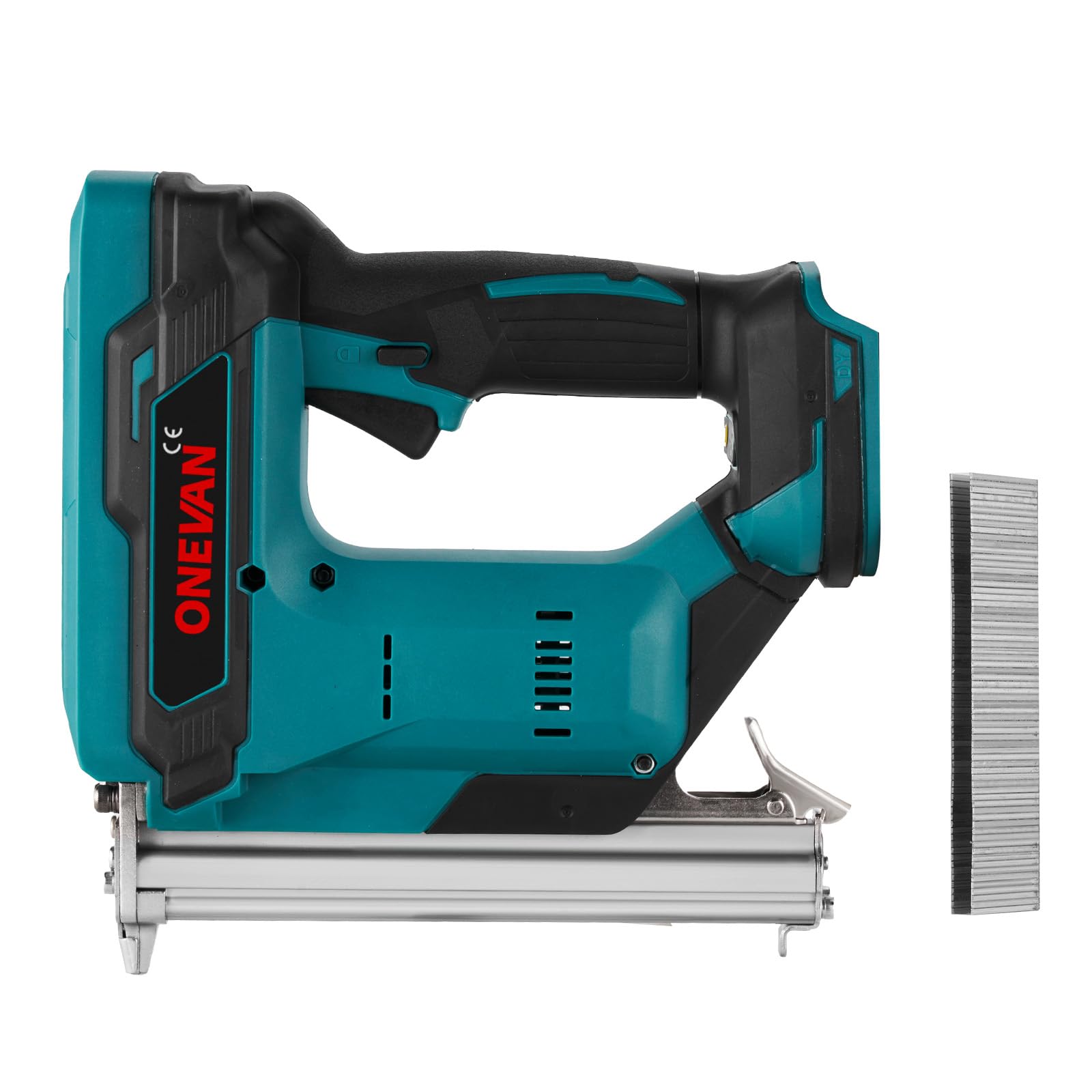
The ONEVAN Cordless Staple Gun (Model sku005380) is a versatile tool designed for various fastening tasks. Its cordless design provides flexibility, eliminating the need for power cords or air compressors.
3.1 Components
- Staple Magazine
- Trigger
- Safety Contact Tip
- Battery Port (for Makita 18V compatible batteries)
- Depth Adjustment Knob
- LED Work Light
- Firing Mode Selector


4. Technical Specifications
| Feature | Specification |
|---|---|
| Brand | ONEVAN |
| Model Number | sku005380 |
| Compatible Battery | Makita 18V Lithium-ion (tool rated for 20V max) |
| Staple Length | 10-22 mm |
| Staple Width | 4 mm (e.g., 410J, 413J, 416J, 419J) |
| Staple Capacity | 100 pieces |
| Firing Modes | Single Shot, Continuous Shot (2 speeds) |
| Max Firing Speed | Up to 70 nails/min (in bump firing mode) |
| Vibration Level | 2.5 m/s² |
| Material | Metal |
| Color | Blue |
| Item Weight | 2.2 Kilograms |
| Operation Mode | Semi-Automatic |
5. Setup
5.1 Battery Installation
- Ensure the staple gun is switched off and the trigger lock is engaged.
- Align the compatible Makita 18V battery with the battery port on the tool.
- Slide the battery into the port until it clicks securely into place.
- To remove, press the battery release button and slide the battery out.
5.2 Loading Staples
- Ensure the staple gun is switched off and the trigger lock is engaged.
- Locate the staple magazine release latch, typically at the rear or bottom of the magazine.
- Open the staple magazine.
- Insert a strip of 4mm wide staples (10-22mm length) into the magazine, ensuring the staple legs face downwards.
- Close the staple magazine until it latches securely.

6. Operating Instructions
6.1 Powering On/Off
The tool is powered on when a charged battery is inserted and the trigger lock is disengaged. To power off, engage the trigger lock and remove the battery.
6.2 Selecting Firing Mode
The staple gun offers two operating modes:
- Single Firing Mode: For precise placement. The tool fires one staple each time the trigger is pulled and the safety contact is depressed.
- Continuous Firing Mode (Bump Firing): For rapid, efficient stapling on larger projects. Hold the trigger and repeatedly depress the safety contact against the workpiece to fire staples continuously.
Use the mode selector switch on the tool to choose between these two modes.
6.3 Adjusting Depth Control
The staple gun features an adjustable depth control to set how deep the staples are driven into the material. Locate the depth adjustment knob or lever on the tool. Rotate or slide it to increase or decrease the fastening depth according to your material and application requirements. Test on a scrap piece of material first.

6.4 Using the LED Work Light
The integrated LED work light illuminates the work area, improving visibility in dimly lit conditions. The light typically activates when the trigger is partially pressed or when the tool is active.

7. Maintenance
Regular maintenance ensures the longevity and optimal performance of your staple gun.
- Cleaning: Keep the tool clean and free from dust, debris, and resin buildup. Use a dry cloth to wipe down the exterior. Do not use harsh chemicals or solvents.
- Magazine Inspection: Periodically inspect the staple magazine for any obstructions or damage. Clear any staple jams promptly.
- Safety Contact: Ensure the safety contact tip moves freely and is not damaged. A damaged safety contact can prevent the tool from firing or cause misfires.
- Storage: Store the staple gun in a dry, secure place, out of reach of children. Remove the battery before storage.
- Fasteners: Use only clean, high-quality staples to prevent jams and ensure proper operation.
8. Troubleshooting
Refer to the table below for common issues and their solutions.
| Problem | Possible Cause | Solution |
|---|---|---|
| Tool does not fire | No battery or low battery charge Trigger lock engaged Safety contact not fully depressed Staple jam | Insert charged battery Disengage trigger lock Press tool firmly against workpiece Clear staple jam (see below) |
| Staples not driving fully | Depth adjustment too shallow Low battery charge Incorrect staple length for material | Adjust depth control deeper Recharge or replace battery Use appropriate staple length for workpiece |
| Staple jams frequently | Damaged or incorrect staples Debris in magazine Worn driver blade | Use correct, high-quality staples Clean magazine Contact customer support for service |
| Tool fires multiple staples | Incorrect firing mode selected Tool bouncing off workpiece | Ensure single firing mode is selected for precision Maintain firm contact with workpiece |
8.1 Clearing a Staple Jam
- Immediately remove the battery from the tool.
- Open the staple magazine.
- Carefully remove any jammed staples using pliers or tweezers. Do not force them.
- Inspect the magazine and firing mechanism for any remaining debris or damage.
- Reload staples and close the magazine. Reinsert the battery and test the tool on a scrap piece of material.
9. Warranty and Customer Support
ONEVAN products are manufactured to high-quality standards. For information regarding warranty coverage, service, or technical support, please refer to the warranty card included with your purchase or contact ONEVAN customer service directly through their official website or the retailer where the product was purchased. Please have your model number (sku005380) and purchase date available when contacting support.