
1. Introduction
This manual provides detailed instructions for the proper use and maintenance of your QZT L12003 Body Camera. Please read this manual thoroughly before operating the device to ensure optimal performance and longevity. The QZT L12003 is a compact, high-definition body camera designed for various recording needs, featuring 1080P video, night vision, and motion detection capabilities.
2. Product Overview
The QZT L12003 Body Camera is a versatile recording device equipped with several key features:
- 1080P HD Video: Records high-definition video for clear footage.
- 1.3-inch Display: Allows for real-time viewing and playback of recordings.
- 1200mAh Battery: Provides extended operating time.
- 180° Rotatable Lens: Offers flexible recording angles to capture various perspectives.
- Speaker: For audio playback.
- Photo Function: Captures still images.
- Audio Recording: Records sound independently or with video.
- Night Vision: Enhanced recording in low-light conditions with IR-CUT filter and white light assistance.
- Motion Detection: Automatically starts recording when motion is detected.

Figure 2.1: Overview of QZT L12003 Body Camera features, including 1080P HD, 1.3-inch screen, 1200mAh battery, 180° wide angle lens, speaker, photo, video, record, night vision, and motion detection capabilities.
3. Setup
3.1 Charging the Device
Before first use, fully charge the body camera. Connect the camera to a power source using the provided charging cable. The charging indicator light will typically show the charging status and turn off or change color when fully charged.
3.2 Storage
The camera comes with 32GB of internal storage. For extended recording needs, the device supports storage expansion up to 128GB. Ensure the storage medium is properly formatted if using an external card (not included).
4. Operating Instructions
4.1 Power On/Off
- To power on: Locate the power button (often labeled ON/OFF) and press and hold it until the screen illuminates.
- To power off: Press and hold the power button again until the device shuts down.
4.2 Video Recording
To begin recording video in 1080P HD:
- Ensure the camera is powered on.
- Navigate to the video recording mode using the menu buttons.
- Press the record button (often marked with a camera icon or 'REC') to start recording. A red indicator light or on-screen icon will typically confirm recording is active.
- Press the record button again to stop recording.
4.3 Photo Taking
To capture still images:
- Ensure the camera is powered on.
- Switch to photo mode.
- Press the photo capture button (often marked with a camera icon) to take a picture.
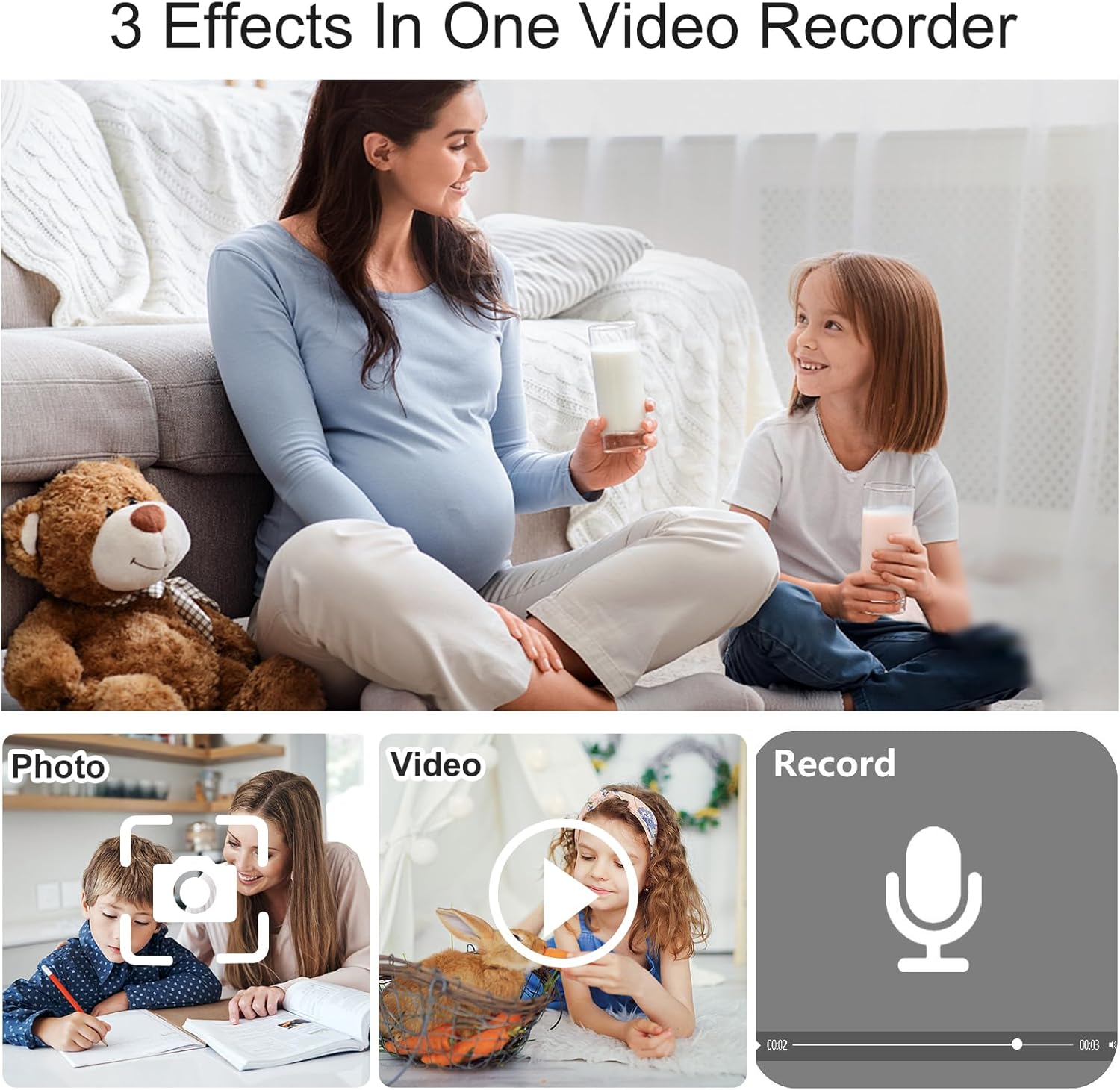
Figure 4.1: The camera supports three primary functions: photo capture, video recording, and audio recording.
4.4 Audio Recording
The device can record audio. Refer to the on-screen menu for specific instructions on activating standalone audio recording mode.
4.5 Motion Detection Recording
The motion detection feature allows the camera to automatically start recording when movement is detected within its field of view.
- Access the camera's settings menu.
- Locate and enable the 'Motion Detection' option.
- Once enabled, the camera will enter standby mode and begin recording automatically upon detecting motion.

Figure 4.2: Motion detection feature automatically initiates recording when movement is detected, useful for security monitoring.
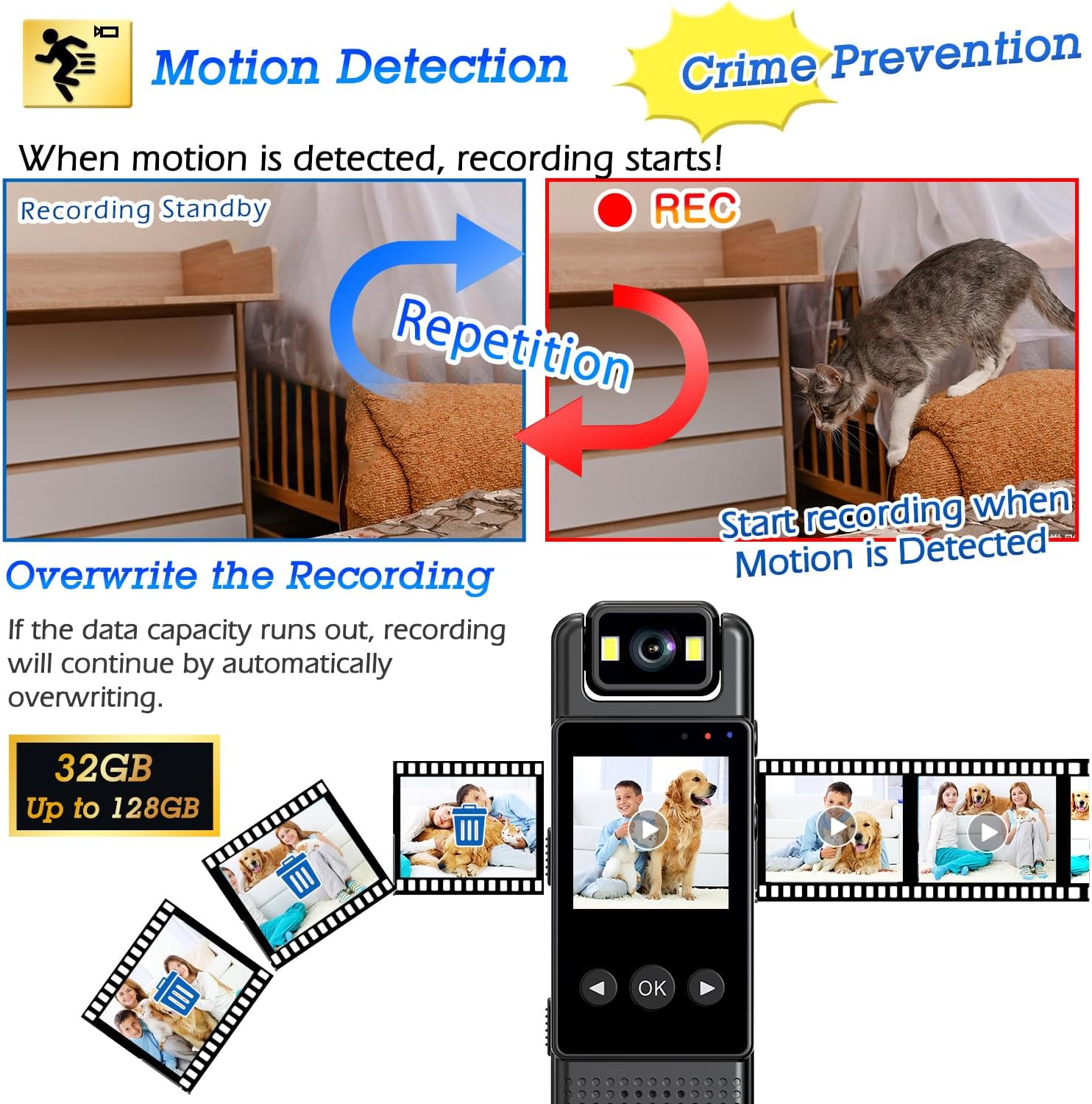
Figure 4.3: When motion is detected, recording starts. If storage capacity is reached, the camera will automatically overwrite the oldest files to continue recording.
4.6 Night Vision
The camera is equipped with night vision capabilities for recording in low-light or dark environments.
- The dual-level IR-CUT filter automatically adjusts to external brightness.
- To activate the white light for recording in total darkness, press and hold the designated button (typically the right button).

Figure 4.4: The camera provides clear images in both day and night conditions. Long-pressing the right button activates the white light for recording in complete darkness.
4.7 Using the 180° Rotatable Lens
The camera features a lens that can rotate 180 degrees, allowing you to adjust the recording angle as needed.
- Gently rotate the lens assembly to the desired position.
- This feature is useful for capturing different directions without repositioning the entire camera.

Figure 4.5: The 180° rotatable lens allows for quick adjustment of the recording direction.
4.8 Reviewing Footage
Recordings can be reviewed directly on the camera's 1.3-inch color display. Use the navigation buttons to browse and play back files.
4.9 Data Transfer
To transfer recorded files to a computer, connect the camera using a USB cable. The camera should appear as a removable storage device, allowing you to copy files.
5. Maintenance
5.1 Cleaning
- Use a soft, dry cloth to clean the camera body.
- For the lens, use a specialized lens cleaning cloth and solution to avoid scratches.
- Do not use harsh chemicals or abrasive materials.
5.2 Storage
- Store the camera in a cool, dry place away from direct sunlight and extreme temperatures.
- Keep the camera away from strong magnetic fields.
5.3 Battery Care
- Charge the battery regularly, even if the camera is not in frequent use, to maintain battery health.
- Avoid fully discharging the battery frequently.
6. Troubleshooting
- Camera not powering on: Ensure the battery is charged. Connect to a power source and try again.
- Poor image/video quality: Ensure the lens is clean. Check lighting conditions; activate night vision if necessary. Verify that the camera is set to 1080P recording mode.
- Recording not starting: Check if the storage is full. If so, transfer files or enable overwrite recording (refer to Section 4.5). Ensure motion detection is not preventing manual recording if not intended.
- Device unresponsive: Try performing a soft reset by pressing and holding the power button for an extended period (e.g., 10-15 seconds) until it restarts or shuts down.
- Cannot transfer files to computer: Ensure the USB cable is securely connected. Try a different USB port or cable. The camera should be recognized as a mass storage device.
7. Specifications
| Feature | Specification |
|---|---|
| Model Name | L12 (L12003) |
| Video Capture Resolution | 1080p |
| Photo Sensor Resolution | 32 MP |
| Video Capture Format | AVI |
| Special Features | HD Resolution, Local Recording, Night Vision, Motion Detection, 180° Rotatable Lens |
| Indoor/Outdoor Usage | Outdoor |
| Connectivity Technology | Wired |
| Waterproof Rating | IP54 |
| Battery | 1200 mAh (1 A batteries required, included) |
| Product Dimensions | 7.98 x 3.99 x 2.54 cm; 180 g |
| Built-In Media | Instruction Manual |
| Colour | Black |
8. Warranty and Support
8.1 Manufacturer Warranty
The QZT L12003 Body Camera comes with a 1 Year Manufacturer Warranty. Please retain your proof of purchase for warranty claims.
8.2 Support Information
For technical support or inquiries, please contact QZT customer service. Manufacturer contact information is available on the product packaging or official QZT website.