
Inateck BCST-23-BK
Inateck BCST-23 2D Barcode Scanner User Manual
Model: BCST-23-BK | Brand: Inateck
1. Introduction and Overview
The Inateck BCST-23 is a versatile 2D barcode scanner designed for efficient and reliable data capture. It features advanced decoding capabilities, supporting most 1D and 2D barcodes, even those that are blurry, damaged, or distorted. With multiple connection modes and long-lasting battery life, it is suitable for various professional environments.

Image: The Inateck BCST-23 2D Barcode Scanner shown with its accompanying USB wireless dongle.
2. Setup and Connectivity
The BCST-23 offers three primary connection modes for broad compatibility:
- 2.4G Wireless: Connects via the included USB wireless adapter. Ideal for desktop computers and systems requiring a dedicated wireless connection.
- Bluetooth: Pairs with Bluetooth-enabled devices such as laptops, smartphones, and tablets. Provides flexibility and mobility.
- Wired: Connects directly to a device via a USB cable. Ensures a stable and reliable connection, also used for charging.

Image: Visual representation of the three connection modes: 2.4G Wireless via USB dongle to a desktop, Bluetooth to a tablet, and Wired via USB cable to a laptop.
2.1. Using the Inateck APP and SDK
The Inateck BCST-23 can be configured and managed using the dedicated Inateck APP, available for Android and iOS devices. This app allows for easy adjustment of settings such as barcode type recognition, Bluetooth connection management, battery level display, and alert preferences, eliminating the need for a physical manual for common configurations.
For developers, the Inateck SDK provides seamless integration with existing ERP systems, supporting various programming languages (Python, Kotlin, Java, C, JavaScript/TypeScript, Objective-C, Swift) and operating systems (Windows, Android, Mac OS/iOS).
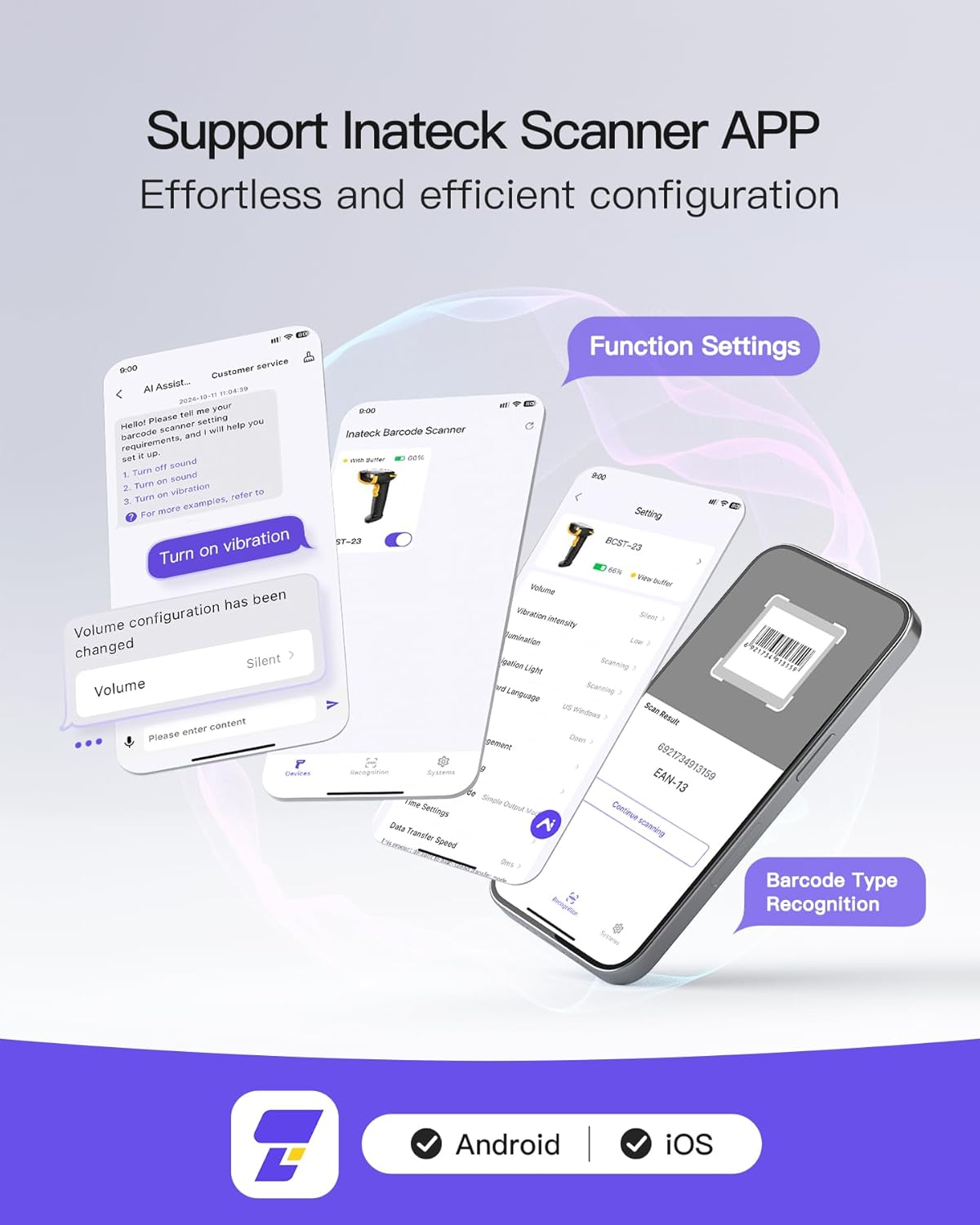
Image: Screenshots of the Inateck Scanner APP interface, highlighting function settings and barcode type recognition features.

Image: A visual representation of the various programming languages and platforms supported by the Inateck SDK, including Kotlin, Python, Java, C, JavaScript, Swift, and React Native.
3. Operating the Scanner
3.1. Decoding Capabilities
The BCST-23 utilizes a 300,000-pixel 2D module, enabling it to recognize and decode most 1D and 2D barcodes. This includes barcodes that are blurry, damaged, dirty, wrinkled, or distorted, even under varying lighting conditions. Note that Inverted DM barcodes are not supported.
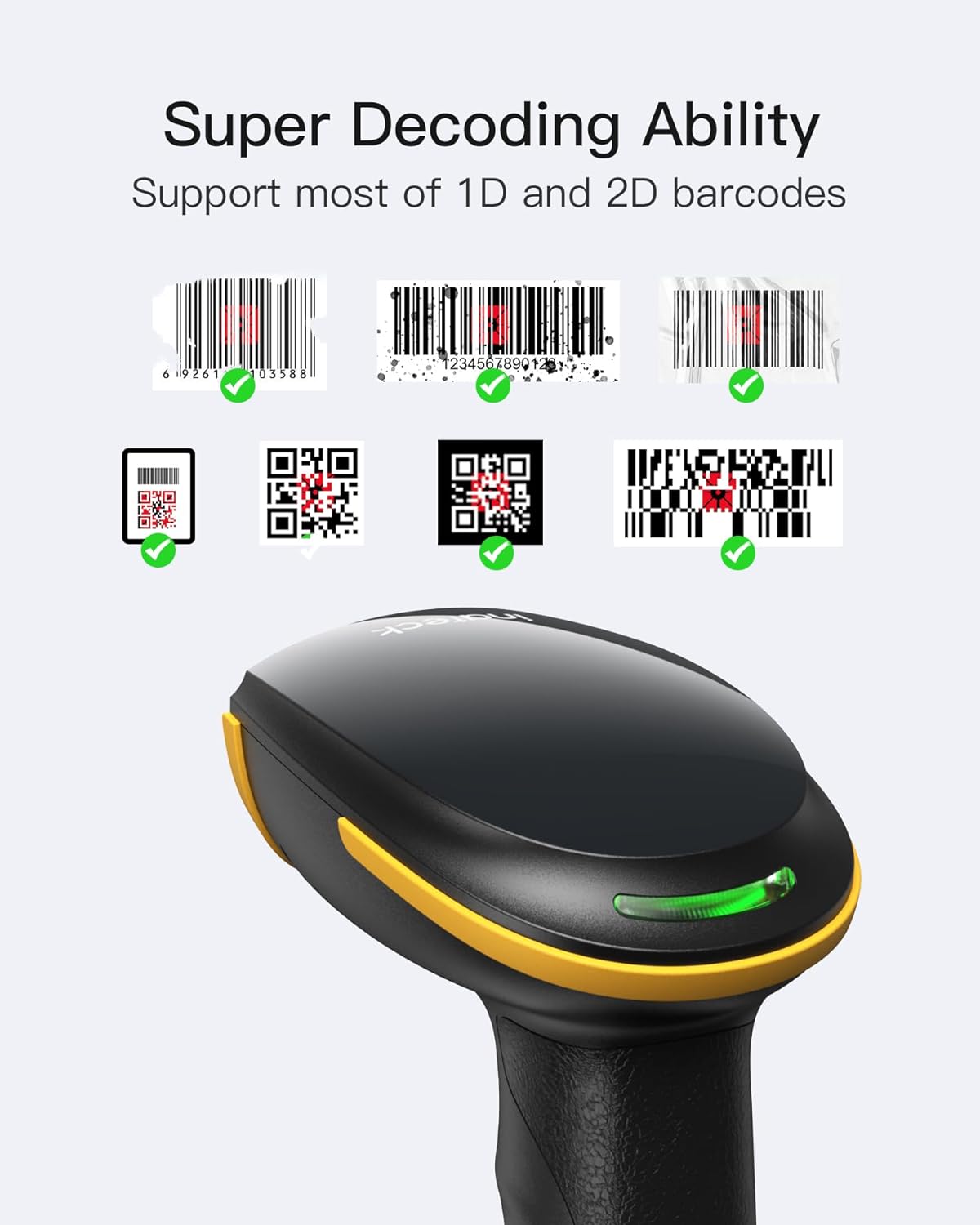
Image: The scanner's ability to decode various types of 1D and 2D barcodes, including QR codes and standard barcodes, is highlighted.
3.2. Data Upload Modes
The scanner supports two primary data upload modes:
- Instant Upload Mode: Data is immediately transmitted to the connected device upon scanning.
- Storage Mode: In inventory mode, the scanner can store up to 270,000 barcodes (with 13 characters each) internally, allowing for batch upload later.

Image: A diagram showing how data is instantly uploaded to a laptop in one mode, and stored internally (represented by a SIM card icon) for later upload in storage mode.
3.3. Transmission Range
The BCST-23 offers impressive transmission ranges:
- 2.4G Wireless Adapter: Up to 100 meters (328 feet) transmission range.
- Bluetooth: Up to 40 meters (131 feet) transmission range.

Image: A visual depiction of the scanner's wireless transmission capabilities, showing a 100m range with the wireless adapter and a 40m range with Bluetooth.
3.4. Application Scenarios
The scanner's robust features make it suitable for various applications, including retail, inventory management, and logistics.
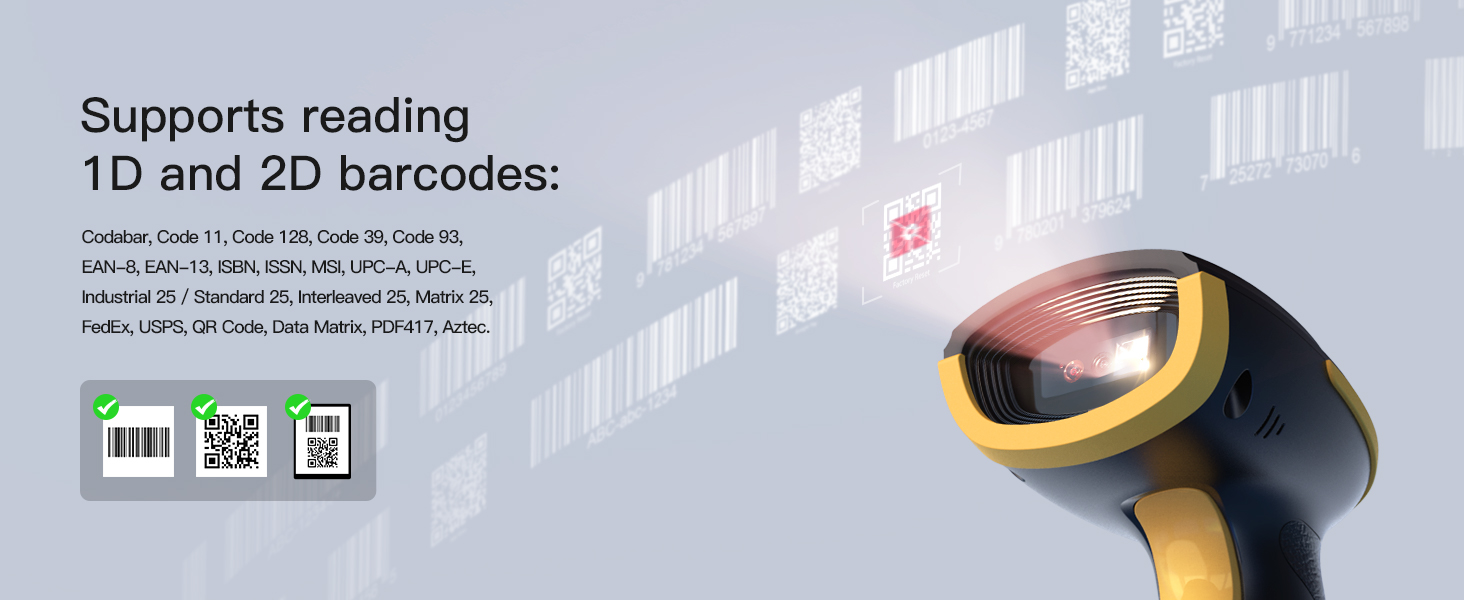
Image: A person using the scanner in a retail environment, possibly for point-of-sale or inventory checks.
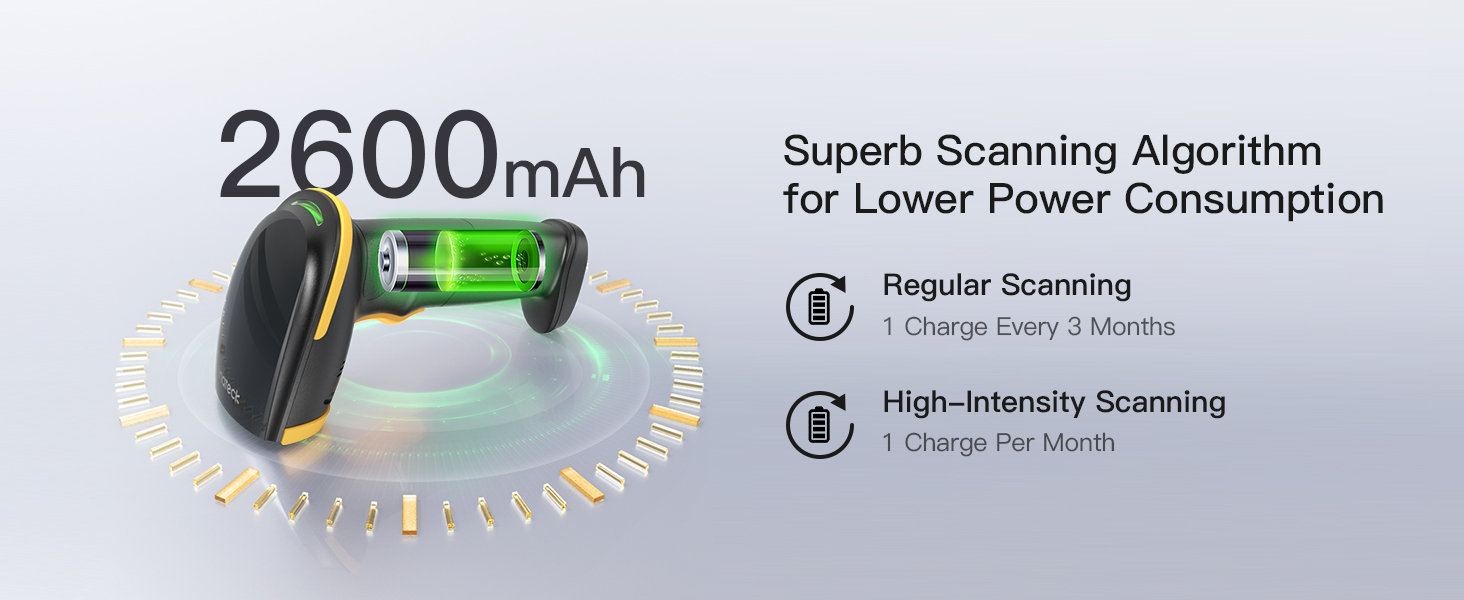
Image: A pharmacist scanning medication with the Inateck barcode scanner, demonstrating its use in healthcare or pharmaceutical settings.

Image: The scanner positioned to scan packages on a conveyor belt, illustrating its utility in warehouse or logistics operations.
4. Maintenance
4.1. Durability and Protection
The Inateck BCST-23 is designed for durability, encased in soft rubber to withstand daily use. It is 1.2 meters drop-resistant, providing protection against accidental falls.
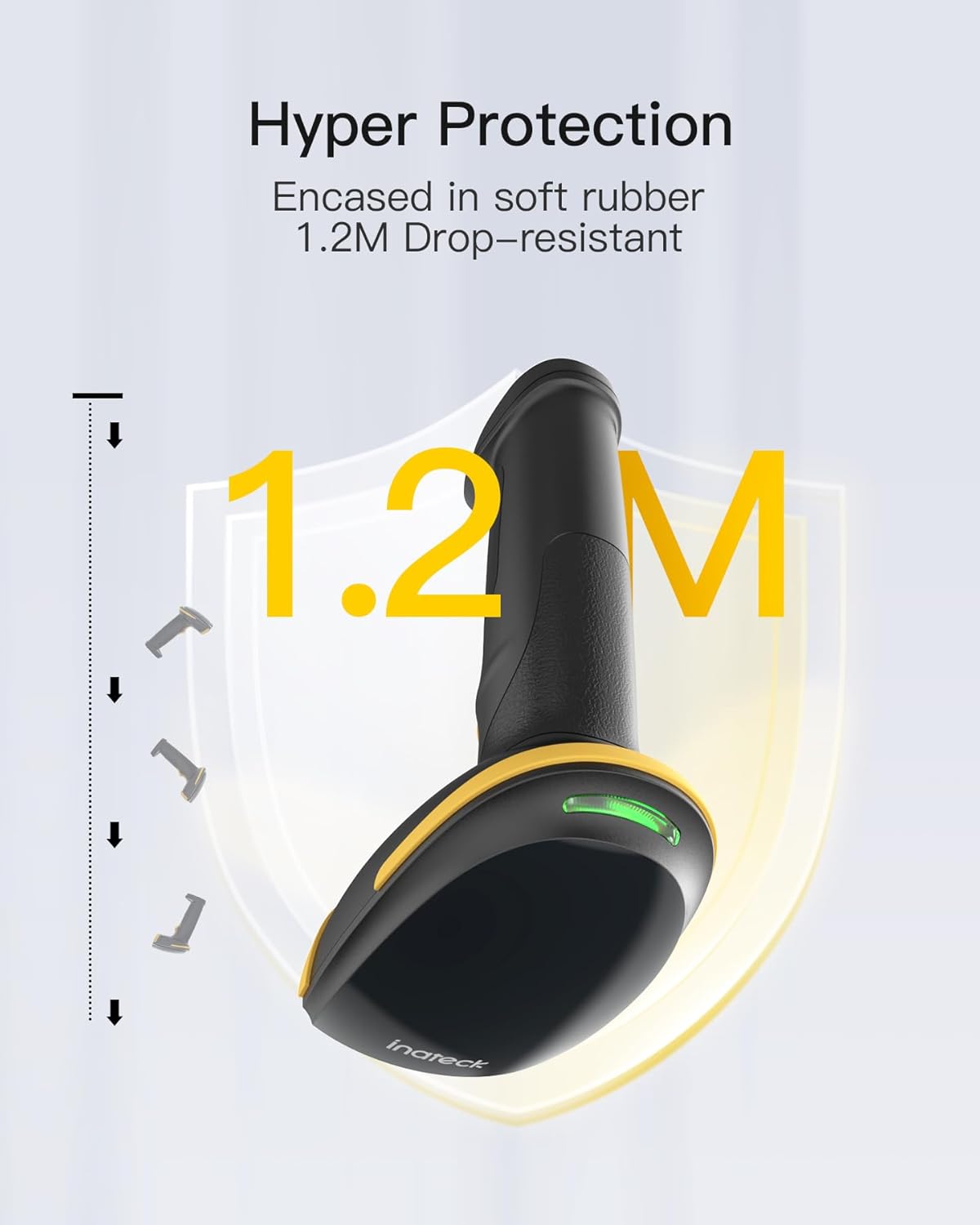
Image: A graphic illustrating the scanner's 1.2-meter drop resistance, emphasizing its robust design.
4.2. Battery Life and Charging
Equipped with a 2600mAh battery and advanced power management algorithms, the scanner offers extended battery life:
- Normal Scanning Frequency: One charge lasts for approximately 3 months.
- High-Frequency Usage: One charge lasts for approximately 1 month.
To charge the device, connect it via the USB cable to a power source (e.g., computer USB port, USB wall adapter). Ensure the scanner is fully charged before first use and when the battery indicator shows low power.

Image: The scanner highlighting its 2600mAh battery capacity and an internal view showing the battery, indicating long-lasting power.
4.3. Cleaning
To maintain optimal performance, regularly clean the scanner's lens and exterior. Use a soft, lint-free cloth. For stubborn dirt, a slightly damp cloth with mild soap can be used, ensuring no liquid enters the device. Do not use abrasive cleaners or solvents.
5. Troubleshooting
If you encounter issues with your Inateck BCST-23 scanner, consider the following common troubleshooting steps:
- No Connection: Ensure the scanner is fully charged. For 2.4G wireless, verify the USB adapter is securely plugged in. For Bluetooth, ensure the scanner is in pairing mode and your device's Bluetooth is enabled and discoverable. Try re-pairing the device.
- Scanning Issues: Check if the barcode is clean and not excessively damaged. Ensure adequate lighting. Verify that the barcode type is supported by the scanner.
- Incorrect Data Output: Use the Inateck APP or refer to the full manual (if available) to check and adjust barcode output settings, such as prefixes, suffixes, or data formatting.
- Battery Not Charging: Ensure the USB cable is properly connected to both the scanner and the power source. Try a different USB port or cable.
For more detailed troubleshooting or specific configuration needs, utilize the Inateck APP for guided settings or consult the official Inateck support resources.
6. Specifications
| Feature | Detail |
|---|---|
| Product Dimensions | 3.58 x 2.69 x 6.5 inches |
| Item Weight | 7.2 ounces |
| Item Model Number | BCST-23-BK |
| Batteries | 1 Lithium Ion batteries required (included) |
| Manufacturer | Inateck |
| Country of Origin | China |
| Compatible Devices | Laptop, Desktop, Smartphone |
| Power Source | Battery Powered |
| Connectivity Technology | Bluetooth, 2.4G Wireless, Wired |
7. Warranty and Support
Inateck products are manufactured with high-quality materials and superb technology. For warranty information and technical support, please refer to the official Inateck website or contact their customer service directly. Keep your purchase receipt for warranty claims.
For further assistance, visit the Inateck Store on Amazon.
Related documentsBCST-23-BK


Ask a question about this manual
Ask about setup, troubleshooting, compatibility, parts, safety, or missing instructions. Manuals+ will review the question and use this page’s manual context to help answer it.