1. Introduction
Thank you for choosing the Dekhaoxe Small Standing Desk Adjustable Height. This manual provides essential information for the safe assembly, operation, and maintenance of your new desk. Please read these instructions thoroughly before use and retain them for future reference.

Image 1: The Dekhaoxe Small Standing Desk, showcasing its compact design and adjustable features.
2. Important Safety Information
To ensure safe operation and prevent injury or damage, please observe the following:
- Always follow the assembly instructions carefully to avoid injury.
- Keep the desk away from water to prevent damage.
- Do not place objects on the desk that exceed its weight limit.
- Ensure all locking mechanisms are securely fastened before placing items on the desk or adjusting its height/tilt.
- Keep hands and fingers clear of moving parts during height and tilt adjustments.
- Do not allow children to play with or climb on the desk.
3. Package Contents
Before assembly, verify that all components are present and undamaged. If any parts are missing or damaged, please contact customer support immediately.
- Desktop Surface (1)
- Adjustable Height Legs (2)
- Base Supports with Wheels (2)
- Crossbar/Stabilizer Bar (1)
- Holding Strip/Edge Stopper (1)
- Lockable Wheels (4)
- Assembly Hardware (screws, wrenches, etc.)
- Instruction Manual (1)

Image 2: Key features and components of the desk, including the holding strip, liftable mechanism, double locking system, and lockable wheels.
4. Assembly Instructions
Follow these steps to assemble your Dekhaoxe Standing Desk. It is recommended to assemble the desk on a soft, clean surface to prevent scratches.
- Attach Wheels to Base Supports: Secure the four lockable wheels to the bottom of the base supports using the provided hardware. Ensure they are tightened firmly.
- Connect Legs to Base Supports: Insert the adjustable height legs into the base supports. Align the screw holes and fasten them with the appropriate screws.
- Install Crossbar: Attach the crossbar between the two adjustable height legs for added stability.
- Mount Desktop Surface: Place the desktop surface upside down on a protected surface. Align the adjustable leg assemblies with the pre-drilled holes on the underside of the desktop. Secure the desktop to the legs using the provided screws.
- Attach Holding Strip (Optional): If desired, attach the holding strip to the front edge of the desktop. This prevents items from sliding off when the desk is tilted.
- Final Check: Once assembled, ensure all screws are tight and the desk is stable.

Image 3: An illustration of the desk's structural components, aiding in the assembly process.
5. Operating Instructions
5.1. Adjusting Desk Height
The desk height can be adjusted from 32 inches to 47 inches. To adjust:
- Locate the height adjustment knobs on each leg.
- Loosen the knobs by turning them counter-clockwise.
- Carefully raise or lower the desktop to your desired height. Ensure both sides are adjusted evenly.
- Once at the desired height, tighten the knobs securely by turning them clockwise to lock the desk in place.

Image 4: Demonstrates the mechanism for adjusting the desk's height, allowing for ergonomic positioning.

Image 5: Illustrates the desk's versatility, accommodating both sitting and standing postures with its adjustable height.
5.2. Adjusting Desktop Tilt
The desktop surface can be tilted for various activities like drawing or reading. To adjust the tilt:
- Ensure the holding strip is attached to prevent items from sliding.
- Locate the tilt adjustment knobs beneath the desktop.
- Loosen the knobs.
- Adjust the desktop to your desired angle.
- Tighten the knobs securely to lock the tilt position.

Image 6: Shows the desktop's ability to tilt at various angles, enhancing its functionality for different tasks.
5.3. Using Lockable Wheels
The desk is equipped with lockable wheels for easy mobility and stability.
- To Move: Unlock all four wheels by flipping the locking levers upwards. Carefully push the desk to its new location.
- To Secure: Once the desk is in position, press down on the locking levers of all four wheels to prevent movement.
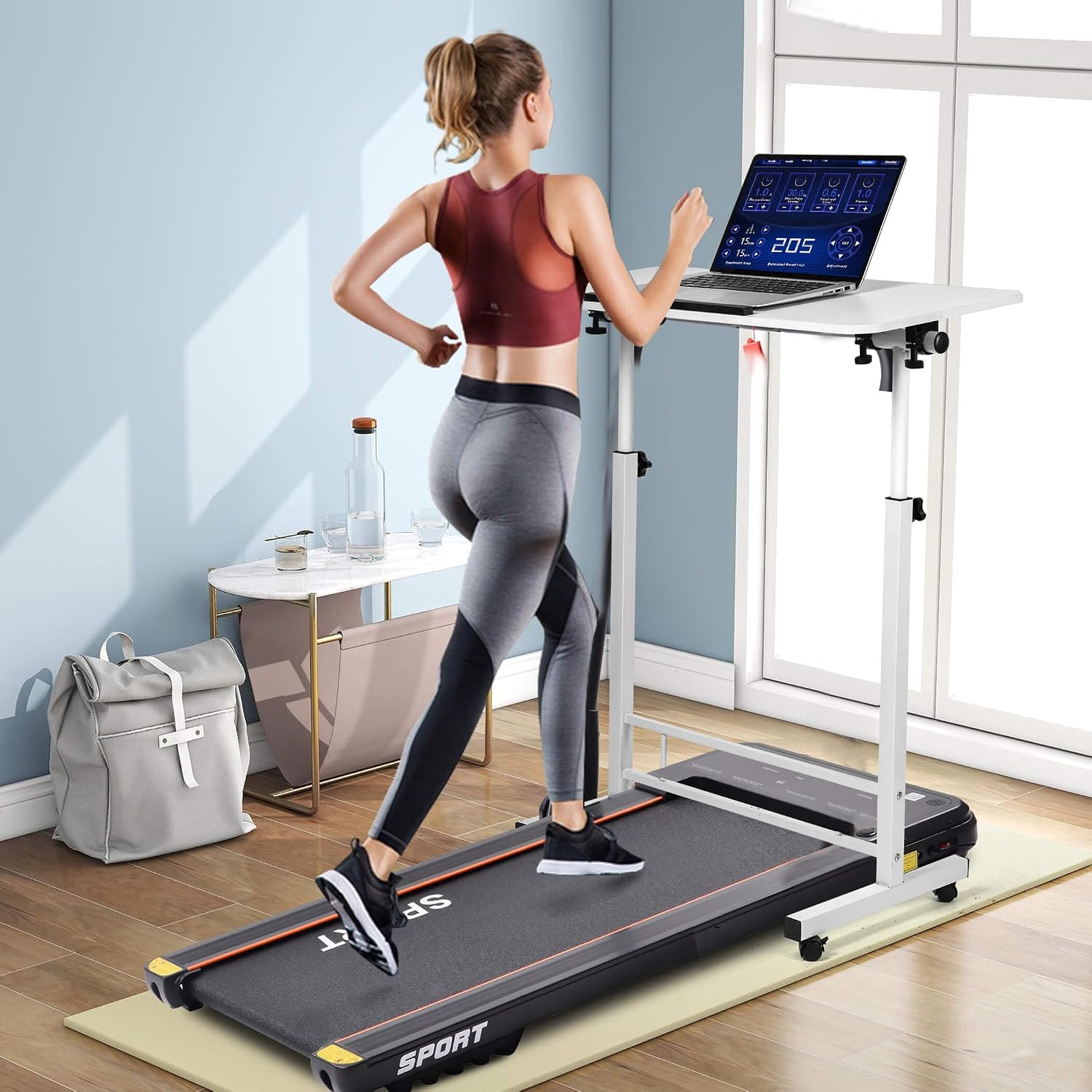
Image 7: The desk positioned over a treadmill, highlighting its mobile design and suitability for active workspaces.
6. Maintenance
- Cleaning: Wipe the desk surface and frame with a soft, damp cloth. Avoid abrasive cleaners or harsh chemicals that could damage the finish.
- Inspections: Periodically check all screws and bolts to ensure they remain tight. Re-tighten if necessary to maintain stability.
- Lubrication: If height adjustment becomes stiff, a small amount of silicone-based lubricant can be applied to the sliding mechanisms.
7. Troubleshooting
| Problem | Possible Cause | Solution |
|---|---|---|
| Desk is wobbly or unstable. | Loose screws or uneven floor. | Check and tighten all assembly screws. Ensure the desk is on a level surface. |
| Height adjustment is difficult. | Knobs not fully loosened or mechanism is dry. | Ensure adjustment knobs are completely loosened. Apply a silicone lubricant to the sliding parts if needed. |
| Desktop does not tilt smoothly. | Tilt knobs are too tight or mechanism is stiff. | Loosen tilt adjustment knobs sufficiently. Check for any obstructions. |
| Wheels do not roll freely. | Wheels are locked or obstructed. | Ensure wheel locking levers are in the unlocked position. Clear any debris from the wheels. |
8. Product Specifications
| Feature | Detail |
|---|---|
| Brand | Dekhaoxe |
| Model Number | ECK-01 |
| Product Dimensions (D x W x H) | 16"D x 32"W x 47"H (Maximum) |
| Adjustable Height Range | 32" to 47" |
| Desktop Size | 31.5" x 15.7" (approx. 32"W x 16"D) |
| Color | White |
| Top Material Type | Wood |
| Base Material | Metal |
| Item Weight | 10 Pounds |
| Special Feature | Adjustable Height, Adjustable Tilt, Rolling with Lockable Wheels |
| UPC | 799793786740 |
9. Warranty and Customer Support
The Dekhaoxe Small Standing Desk comes with a limited warranty. For specific warranty details, please refer to the documentation included with your purchase or contact customer support.
If you encounter any issues, find parts missing, or if the product is damaged, please contact our customer service team immediately for assistance. We are committed to providing exchange or return services as needed.
For support, please visit the Dekhaoxe Store on Amazon or refer to your purchase documentation for direct contact information.


