
TOA Electronics WH-4000A Headworn Microphone User Manual
Model: WH-4000A
1. Introduction
The TOA Electronics WH-4000A is a lightweight, headworn electret condenser microphone designed for clear voice pickup in various applications, particularly when used with a compatible wireless transmitter such as the WM-5325. Its unidirectional (cardioid) pickup pattern focuses on the speaker's voice while minimizing background noise. Featuring an adjustable neckband and protection against moisture ingress, this microphone is well-suited for active environments like gyms and aerobics classes, ensuring secure and reliable performance.
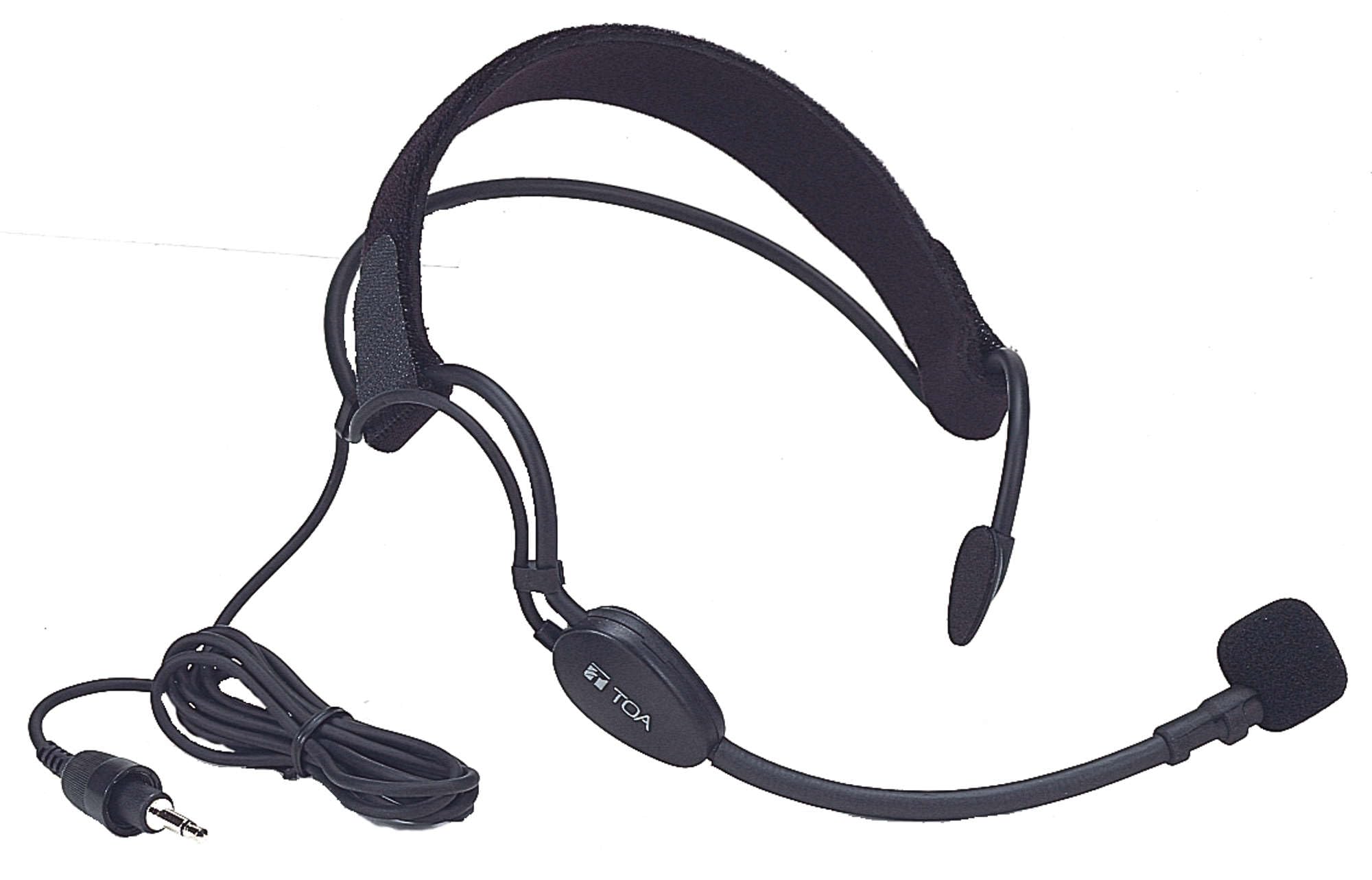
An image showing the TOA Electronics WH-4000A headworn microphone. The microphone features a black, lightweight design with an adjustable neckband that wraps around the back of the head. A thin boom extends from the neckband to position the microphone capsule near the mouth. The microphone is designed for secure and comfortable wear during active use.
2. What's in the Box
Please check that all the following items are included in the package:
- TOA Electronics WH-4000A Headworn Microphone
- Adjustable Headband (integrated)
- Windscreen
3. Setup
3.1 Unpacking and Inspection
Carefully remove the microphone from its packaging. Inspect the microphone and its components for any signs of damage. If any damage is found, contact your supplier immediately.
3.2 Connecting to a Wireless Transmitter
The WH-4000A is designed to be powered by and connected to a compatible beltpack wireless transmitter (e.g., TOA WM-5325). Locate the 3.5 mm mini plug on the microphone's cord.
- Ensure your wireless transmitter is turned off.
- Insert the 3.5 mm mini plug firmly into the microphone input jack on your beltpack transmitter.
- Secure the connection if your transmitter has a locking mechanism.
3.3 Wearing the Microphone
For optimal performance and comfort, proper placement of the headworn microphone is crucial.
- Place the adjustable neckband around the back of your head, ensuring it sits comfortably and securely.
- Adjust the neckband to achieve a snug fit that prevents the microphone from shifting during movement.
- Position the microphone boom so that the microphone capsule is approximately 2-3 cm (1 inch) from the corner of your mouth. Avoid placing it directly in front of your mouth to prevent plosive sounds.
- Ensure the windscreen is securely fitted over the microphone capsule to reduce breath noises and plosives.
4. Operating Instructions
4.1 Powering On/Off
The WH-4000A microphone receives its power directly from the connected beltpack transmitter. To power the microphone on or off, simply turn your wireless transmitter on or off according to its own operating instructions.
4.2 Microphone Placement for Optimal Sound
The WH-4000A features a unidirectional (cardioid) pickup pattern, meaning it is most sensitive to sound coming from the front and less sensitive to sounds from the sides and rear. To maximize sound quality:
- Maintain consistent distance: Keep the microphone capsule at a consistent distance (2-3 cm) from your mouth.
- Speak directly into the microphone: Ensure your voice is directed towards the front of the microphone capsule.
- Avoid obstructions: Do not let clothing or hair obstruct the microphone capsule.
4.3 Usage in Active Environments
The WH-4000A is designed with protection against moisture ingress, making it suitable for use in environments with high physical activity. The adjustable neckband ensures the microphone remains stable during movement. After use in such conditions, refer to the maintenance section for proper care.
5. Maintenance
5.1 Cleaning the Microphone
To ensure longevity and hygiene, clean your microphone regularly.
- Disconnect the microphone from the transmitter before cleaning.
- Wipe the microphone body and boom with a soft, slightly damp cloth. Do not use harsh chemicals or abrasive cleaners.
- Ensure no moisture enters the microphone capsule.
5.2 Windscreen Care
The included windscreen helps reduce plosives and breath noise. It can be gently removed for cleaning.
- Carefully pull the windscreen off the microphone capsule.
- Wash the windscreen with mild soap and water, then rinse thoroughly.
- Allow the windscreen to air dry completely before reattaching it to the microphone.
5.3 Moisture Protection and Storage
While the WH-4000A offers protection against moisture, proper care after use in humid or sweaty conditions is important.
- After use, especially in active environments, gently wipe down the microphone with a dry cloth.
- Allow the microphone to air dry completely before storing.
- Store the microphone in a clean, dry place, away from extreme temperatures and direct sunlight.
6. Troubleshooting
If you encounter issues with your WH-4000A microphone, please refer to the following common troubleshooting steps:
- No Sound Output:
- Ensure the 3.5 mm mini plug is fully inserted into the transmitter's microphone input.
- Verify that your wireless transmitter is powered on and functioning correctly.
- Check the transmitter's battery level.
- Confirm that the audio receiver (if applicable) is properly connected and configured.
- Poor Sound Quality (Muffled, Distorted, or Low Volume):
- Adjust the microphone's position to be 2-3 cm from your mouth and ensure it's directed towards your voice.
- Check if the windscreen is clean and properly fitted. A dirty or damaged windscreen can affect sound.
- Ensure no clothing or other objects are obstructing the microphone capsule.
- Verify the input gain settings on your wireless transmitter or audio mixer are correctly adjusted.
- Interference or Noise:
- While the microphone itself is passive, interference can originate from the wireless transmitter or receiver. Refer to your wireless system's manual for troubleshooting radio frequency (RF) interference.
- Ensure the microphone cable is not damaged or frayed.
If these steps do not resolve the issue, please contact TOA Electronics customer support or your authorized dealer for further assistance.
7. Specifications
| Feature | Specification |
|---|---|
| Microphone Type | Electret condenser |
| Directivity (Polar Pattern) | Unidirectional (Cardioid) |
| Cord Length | 1.3 m |
| Finish | Stainless steel, Synthetic rubber, black |
| Power Source | Supplied from beltpack unit |
| Connection | 3.5 mm mini plug |
| Max. Input Level | 120 dBSPL |
| Dimensions (WxHxD) | 210 x 44 x 205.1 mm |
| Weight | 50 g / 0.11 lb |
| Included Accessory | Windscreen |
| Manufacturer | TOA Electronics |
| Item Model Number | WH-4000A |
8. Warranty and Support
For information regarding the warranty period and terms for your TOA Electronics WH-4000A Headworn Microphone, please refer to the warranty card included with your purchase or contact your authorized TOA Electronics dealer or the manufacturer directly. Keep your proof of purchase for warranty claims.
For technical support, service, or replacement parts, please contact TOA Electronics customer service through their official website or the contact information provided with your product documentation.
