
Monster MH21901
Monster Clarity 102 Plus Wireless Earbuds User Manual
Model: MH21901 | Brand: Monster
Introduction
Welcome to the user manual for your Monster Clarity 102 Plus Wireless Earbuds. These earbuds are designed to provide an immersive audio experience with crystal-clear calls and long-lasting comfort. This manual will guide you through the setup, operation, maintenance, and troubleshooting of your new earbuds.

Image: Monster Clarity 102 Plus Wireless Earbuds and their compact charging case.
Setup
Initial Charging
Before first use, fully charge your earbuds and charging case. The charging case provides an additional 24 hours of playtime, extending the earbuds' 6 hours of continuous playback. Use the included USB-C charging cable for quick recharging.

Image: The earbuds inside their charging case, illustrating the battery life and charging capabilities.
One-Step Pairing
The Monster Clarity 102 Plus earbuds feature Bluetooth 5.4 technology for stable transmission and ultra-low latency. After the initial pairing, simply remove both earbuds from the charging case, and they will automatically connect to your device.
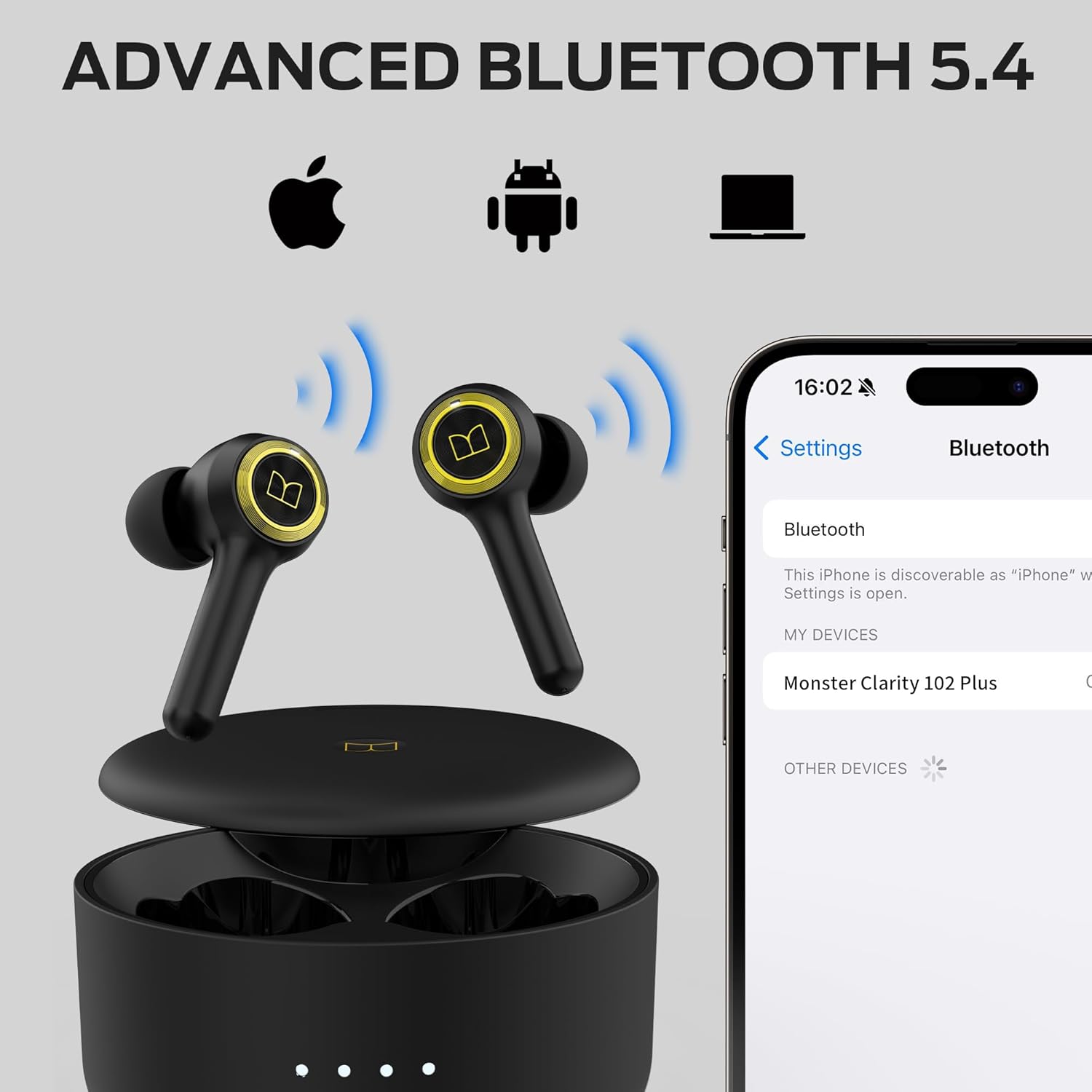
Image: The earbuds wirelessly connected to a smartphone, demonstrating the Bluetooth pairing process.
Comfortable Fit
To ensure a secure and comfortable fit, the earbuds come with 4 pairs of soft rubber ear caps in different sizes (S, M, L, XL). Select the size that best fits your ear canal to optimize sound quality and stability during use.
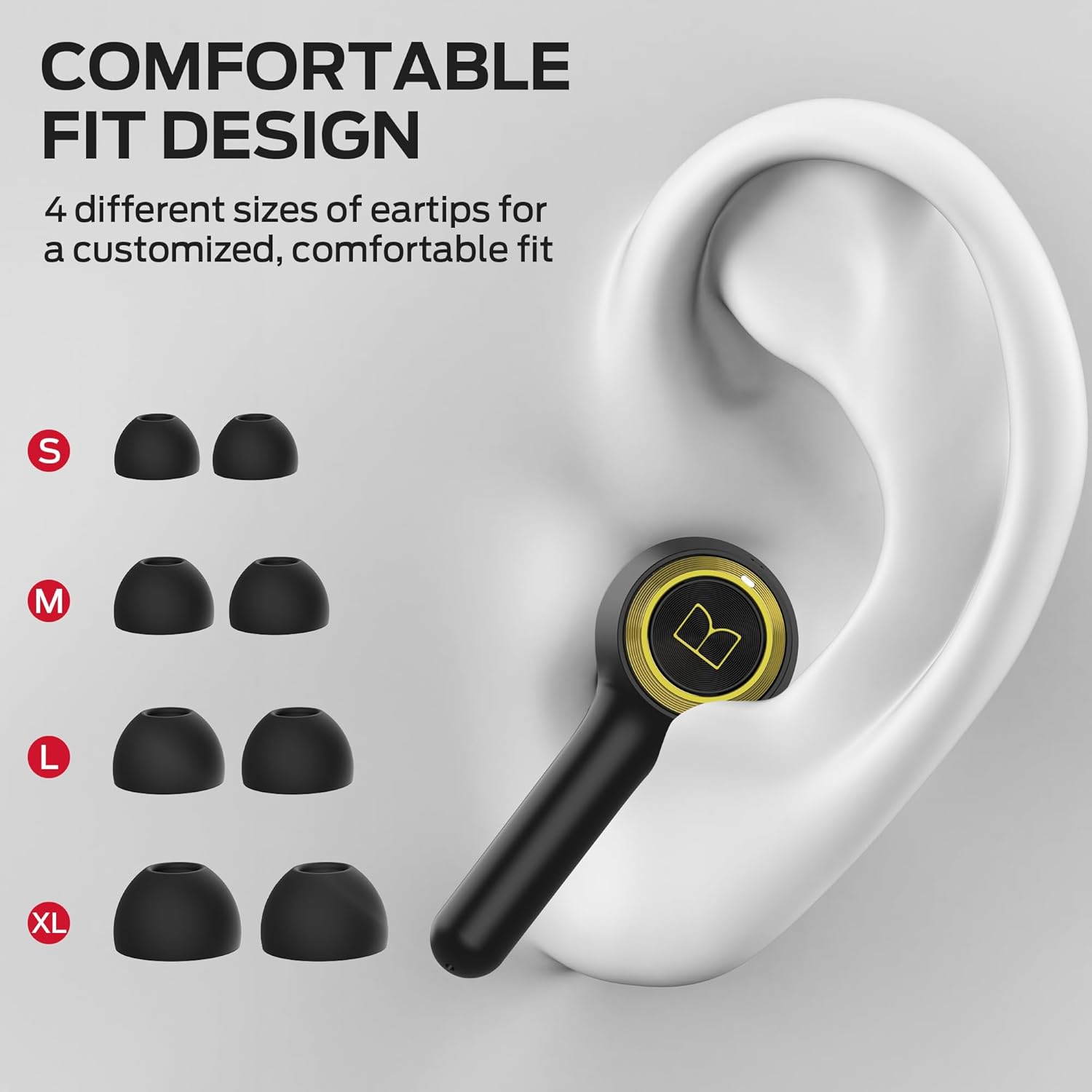
Image: A visual guide to selecting the correct eartip size and properly inserting the earbuds for a comfortable and secure fit.
Operating Instructions
Basic Controls
The earbuds feature intuitive press-button controls for easy management of your audio and calls:
- Play/Pause: Press 1 time
- Voice Assistant: Press and hold for 2 seconds
- Previous Song: Press and hold for 2 seconds (Left earbud)
- Next Song: Press and hold for 2 seconds (Right earbud)
- Answer/End Call: Press 1 time
- Reject Call: Press and hold for 2 seconds
- Volume Up: Press 2 times (Right earbud)
- Volume Down: Press 2 times (Left earbud)

Image: A visual representation of the touch controls on the earbuds for various functions.
Pure Monster Sound
Experience unparalleled audio quality with Pure Monster Sound. Powered by a unique digital audio processor and professional drivers, these earbuds enhance mid to high frequencies, delivering crystal-clear definition and deep bass.

Image: An earbud with visual representations of sound waves and an equalizer, highlighting the Pure Monster Sound technology.
Crystal Clear Calls
Each earbud is equipped with 2 built-in microphones (total of 4 mics) and an AI algorithm. This technology works together to accurately pick up your voice, ensuring crystal-clear calls even in noisy environments, so you never have to shout.

Image: A person using the earbuds, with a microphone icon indicating the clear call quality feature.
Maintenance
Water Resistance
The Monster Clarity 102 Plus earbuds are IPX6 water resistant. This means they are protected against splashes of water from any direction, making them suitable for workouts, light rain, and other activities where they might encounter moisture. They are sweatproof and rainproof.

Image: Earbuds shown with water droplets, illustrating their IPX6 water resistance for various conditions.
Cleaning
To maintain optimal performance and hygiene, regularly clean your earbuds and charging case. Use a soft, dry, lint-free cloth. For the eartips, you may gently wipe them with a slightly damp cloth and mild soap, ensuring they are completely dry before reattaching.
Troubleshooting
Common Issues and Solutions
- Earbuds not pairing: Ensure both earbuds are in the charging case, then remove them. Check your device's Bluetooth settings to ensure it's discoverable and try re-pairing.
- No sound from one earbud: Place both earbuds back into the charging case, close the lid, wait a few seconds, then open and remove them. This often re-syncs them.
- Charging issues: Verify the USB-C cable is securely connected to both the case and the power source. Ensure the charging contacts on the earbuds and inside the case are clean and free of debris.
- Poor call quality: Ensure the microphones are not obstructed. Try moving to a quieter environment.
Specifications
| Feature | Detail |
|---|---|
| Model Name | MH21901 |
| Connectivity Technology | Wireless (Bluetooth 5.4) |
| Playtime (Single Charge) | Up to 6 Hours |
| Total Playtime with Case | Up to 30 Hours |
| Charging Port | USB-C |
| Microphones | 4 (2 per earbud) with AI algorithm |
| Water Resistance | IPX6 (Sweatproof, Rainproof, Splash Resistant) |
| Included Components | Earbuds, Charging Case, 3 x Replacement Ear Caps, User Manual, USB-C Charging Cable |
| Material | Silicone, Plastic, Metal |
| Dimensions | 8.5 x 8.5 x 3.2 cm; 140 g |
Warranty and Support
For warranty information and customer support, please refer to the official Monster website or contact their customer service directly. Keep your proof of purchase for any warranty claims.
Visit the Monster Store for more information.
Official Product Video
Video: An official overview of the Monster Clarity 102 Plus Wireless Earbuds, showcasing their features and design.
Related documentsMH21901


Ask a question about this manual
Ask about setup, troubleshooting, compatibility, parts, safety, or missing instructions. Manuals+ will review the question and use this page’s manual context to help answer it.