
1. Product Overview
The Fintie Tuatara Magic Ring Case is a rugged protective cover designed for specific iPad Air 11-inch models. It features a multi-functional grip, a 360-degree rotating stand, a built-in screen protector, and a dedicated pencil holder. This case provides dual-layer protection against drops and impacts, while also guarding against dust.
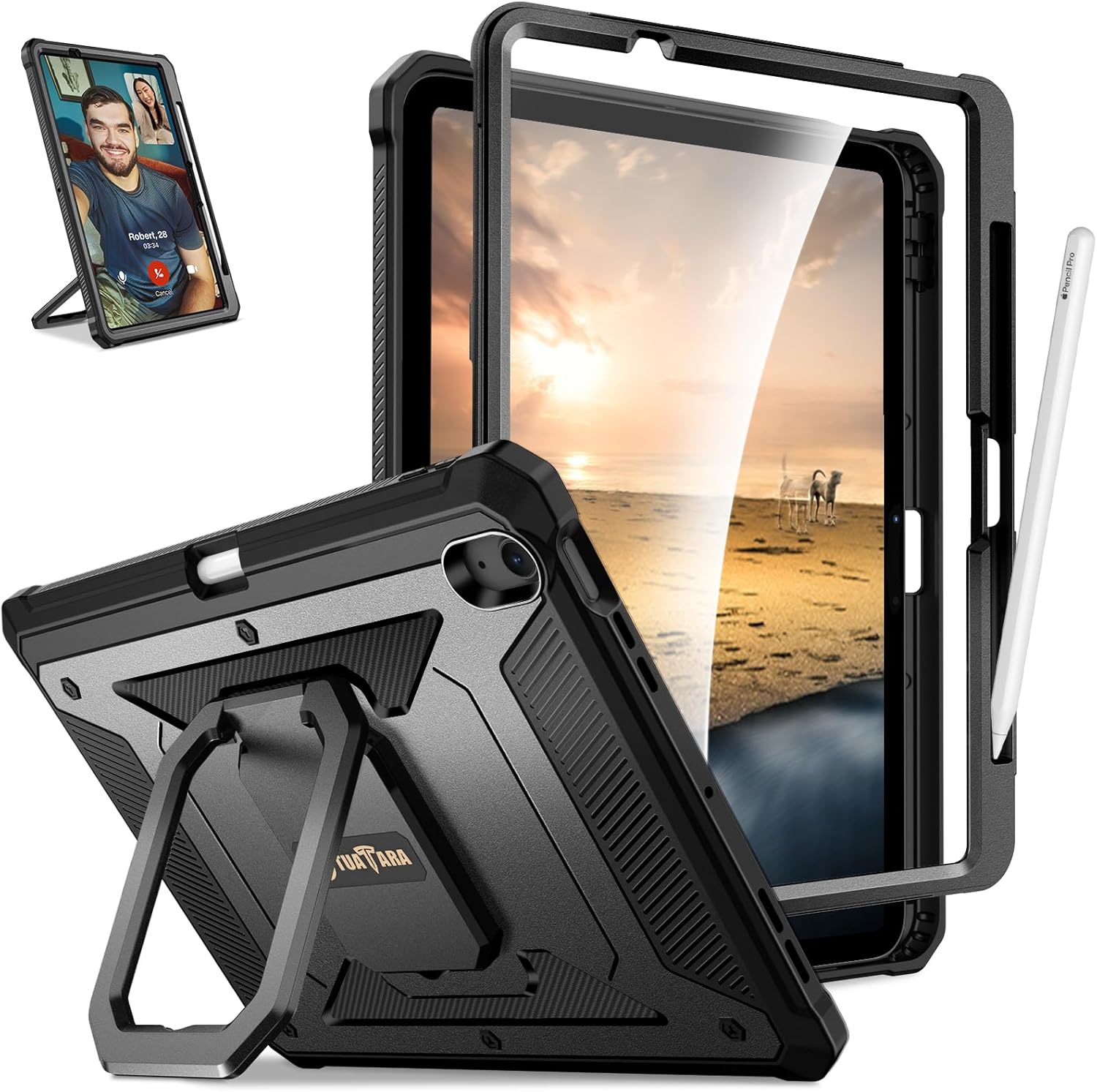
Figure 1: Front view of the Fintie Tuatara Magic Ring Case.
2. Compatibility
This case is exclusively designed for the following iPad Air 11-inch models:
- iPad Air 11-inch (M4) 2026
- iPad Air 11-inch (M3) 2025 (Model: A3266 / A3267 / A3270)
- iPad Air 11-inch (M2) 2024 (Model: A2902 / A2903 / A2904)
Important: This case is not compatible with any other iPad models. Please verify your iPad model number before installation.
How to Find Your iPad Model Number:
- Option 1: Look on the back of your iPad for a small print that includes the "Model Axxxx" number.
- Option 2: Go to Settings > General > About. Tap on the "Model Number" field to reveal the "Axxxx" model number.

Figure 2: Visual guide to identifying compatible iPad models and finding your model number.
3. Installation Instructions
The Fintie Tuatara Magic Ring Case provides comprehensive protection through its dual-layer design and built-in screen protector. Follow these steps for proper installation:
- Separate the Case Components: Carefully separate the front frame (with built-in screen protector) from the back cover.
- Insert iPad into Front Frame: Place your iPad Air 11-inch into the front frame, ensuring all edges and corners are securely seated.
- Attach Back Cover: Align the front frame with the back cover. Press firmly around the edges until you hear a click, indicating that the two parts are securely fastened.
- Check for Proper Fit: Ensure all ports, buttons, and camera cutouts are correctly aligned and accessible.

Figure 3: Exploded view showing the built-in screen protector, iPad placement, and dual-layer hybrid impact-resistant back cover.
Video 1: Demonstrates the installation process and key features of the Fintie Tuatara case.
4. Key Features and Operation
4.1. 360-Degree Rotating Grip Stand
The patented Magic Ring design allows the integrated stand to rotate 360 degrees. This enables you to position your iPad in various vertical and horizontal viewing angles securely. The stand also functions as a comfortable grip for holding and carrying your device.

Figure 4: The 360-degree rotating stand in action, showing its versatility.

Figure 5: Examples of fully adjustable viewing angles provided by the stand.

Figure 6: The multi-functional grip being used for comfortable holding and carrying.

Figure 7: The case's handle feature allows for hanging the iPad, useful in various environments like a kitchen.
4.2. Built-in Screen Protector
The integrated front cover includes a screen protector designed to prevent scratches and minor impacts without compromising touch sensitivity or screen visibility.
4.3. Built-in Pencil Slot
A dedicated slot is provided for your Apple Pencil. This slot supports magnetic attachment and wireless charging for Apple Pencil Pro and Apple Pencil (USB-C) while the case is installed.

Figure 8: The built-in pencil slot, demonstrating magnetic attachment and wireless charging capability.
4.4. Dual-Layer Full Protection
The case combines a soft shock-absorption TPU skin with an impact-resistant polycarbonate hard shell. This hybrid design provides robust protection against drops, bumps, and daily wear. It meets military-grade shock standards, having been drop-tested from a 48-inch height 26 times.

Figure 9: Illustration of the case's military-grade shock standards and drop-test performance.
4.5. Shock Resistant & Dust Proof
Beyond drop protection, the case features button and port covers to limit dust exposure, helping to maintain the longevity of your iPad.
5. Care and Maintenance
- Cleaning: Use a soft, damp cloth to wipe the exterior of the case. For stubborn dirt, a mild soap solution can be used. Avoid harsh chemicals or abrasive cleaners.
- Screen Protector: Clean the built-in screen protector with a microfiber cloth to remove fingerprints and smudges. Do not use paper towels, as they can scratch the surface.
- Inspection: Periodically inspect the case for any signs of wear or damage, especially around the edges and corners, to ensure continued protection.
- Storage: When not in use, store the case in a clean, dry environment away from direct sunlight and extreme temperatures.
6. Troubleshooting
- Issue: Case does not fit my iPad.
- Solution: Verify your iPad model number against the compatibility list in Section 2. This case is specifically designed for iPad Air 11-inch (M4/M3/M2) models. If your model does not match, the case will not fit correctly.
- Issue: Touch screen sensitivity is reduced with the built-in screen protector.
- Solution: Ensure the screen protector is clean and free of dust or debris underneath. Re-install the case, making sure there are no air bubbles or gaps between the iPad screen and the protector. If issues persist, check iPad settings for touch sensitivity options.
- Issue: Apple Pencil is not charging wirelessly.
- Solution: Ensure your Apple Pencil is correctly seated in the dedicated slot. Verify that your Apple Pencil model supports wireless charging (Apple Pencil Pro or Apple Pencil (USB-C)). Check your iPad's battery widget to confirm charging status.
- Issue: Stand feels loose or unstable.
- Solution: Ensure the rotating stand is fully extended and locked into position for the desired viewing angle. Avoid excessive force when adjusting the stand.
7. Product Specifications
| Feature | Detail |
|---|---|
| Brand | FINTIE |
| Model Number | EPAU039 |
| Compatible Devices | iPad Air 11-inch M4/M3/M2 (2026/2025/2024) |
| Color | Black |
| Material | Polycarbonate, Thermoplastic Polyurethane (TPU) |
| Protection Features | Dual-Layer, Shock Absorption, Built-in Screen Protector, Dust Proof |
| Stand Type | 360-Degree Rotating Grip Stand |
| Pencil Holder | Integrated slot, supports magnetic attachment & wireless charging for compatible Apple Pencils |
| Item Weight | 0.44 Kilograms |
8. Warranty and Support
FINTIE products are designed for durability and performance. For specific warranty information regarding your Fintie Tuatara Magic Ring Case, please refer to the warranty card included with your purchase or visit the official FINTIE website.
For technical support, product inquiries, or assistance with installation, please contact FINTIE customer service through their official channels. Contact details can typically be found on the product packaging or the FINTIE brand website.