
Introduction
The MONTECH HyperFlow ARGB 360 is an advanced All-In-One (AIO) liquid CPU cooler designed to provide superior thermal performance for both Intel and AMD processors. Featuring a high-speed 3100 RPM water pump, a slim 27mm radiator with a 20 FPI fin design, and three Metal Pro 12 ARGB fans, this cooler ensures efficient heat dissipation and vibrant customizable lighting. This manual provides essential information for installation, operation, maintenance, and troubleshooting to help you maximize your cooling experience.
Package Contents
Please verify that all components are present before proceeding with installation.
- MONTECH HyperFlow ARGB 360 AIO Liquid Cooler (Radiator, Pump, Tubes)
- 3 x Metal Pro 12 ARGB Ultimate Cooling Fans (pre-installed on radiator)
- Intel Mounting Hardware (LGA 1700/1200/15X/2066)
- AMD Mounting Hardware (AM3/AM4/AM5)
- Thermal Paste (pre-applied on cold plate, stencil included for reapplication)
- User Manual
Setup and Installation
Before You Begin
- Ensure your computer is powered off and unplugged from the wall outlet.
- Gather necessary tools: Phillips head screwdriver.
- Consult your motherboard manual for CPU socket type and available mounting points for a 360mm radiator.
- The cooler comes with pre-installed fans and pre-applied thermal paste for convenience.
Installation Steps
Prepare the Radiator: The three Metal Pro 12 ARGB fans are pre-installed on the 360mm radiator. Ensure they are oriented correctly for optimal airflow (typically pushing air through the radiator and out of the case).

This image displays the complete MONTECH HyperFlow ARGB 360 AIO liquid cooler assembly, featuring the 360mm radiator, three ARGB fans, and the distinctive gemstone-design pump with integrated ARGB lighting.
Install Radiator: Mount the radiator to an available 360mm fan mount location in your PC case (e.g., top, front). Secure it using the provided screws.

A vertical perspective of the MONTECH HyperFlow ARGB 360, highlighting the compact design of the radiator and the three vertically aligned ARGB fans.
Prepare CPU Socket: Select the appropriate mounting hardware for your Intel (LGA 1700/1200/15X/2066) or AMD (AM3/AM4/AM5) CPU socket. Follow the specific instructions for your socket type to install the backplate and standoffs.

This image illustrates the broad compatibility of the MONTECH HyperFlow ARGB AIO with various Intel (LGA 1700/1200/15X/2066) and AMD (AM3/AM4/AM5) CPU sockets. It also highlights the simplified cable management with a pre-connected 7-pin cable, ready for 4-pin and 5V3pin connectors, and includes features like organizer tube holders and a thermal paste stencil for reinstallation.
Mount the Pump: Carefully place the pump block onto your CPU, aligning it with the standoffs. The thermal paste is pre-applied. Secure the pump block using the provided thumb screws or nuts, tightening them in a diagonal pattern until snug.
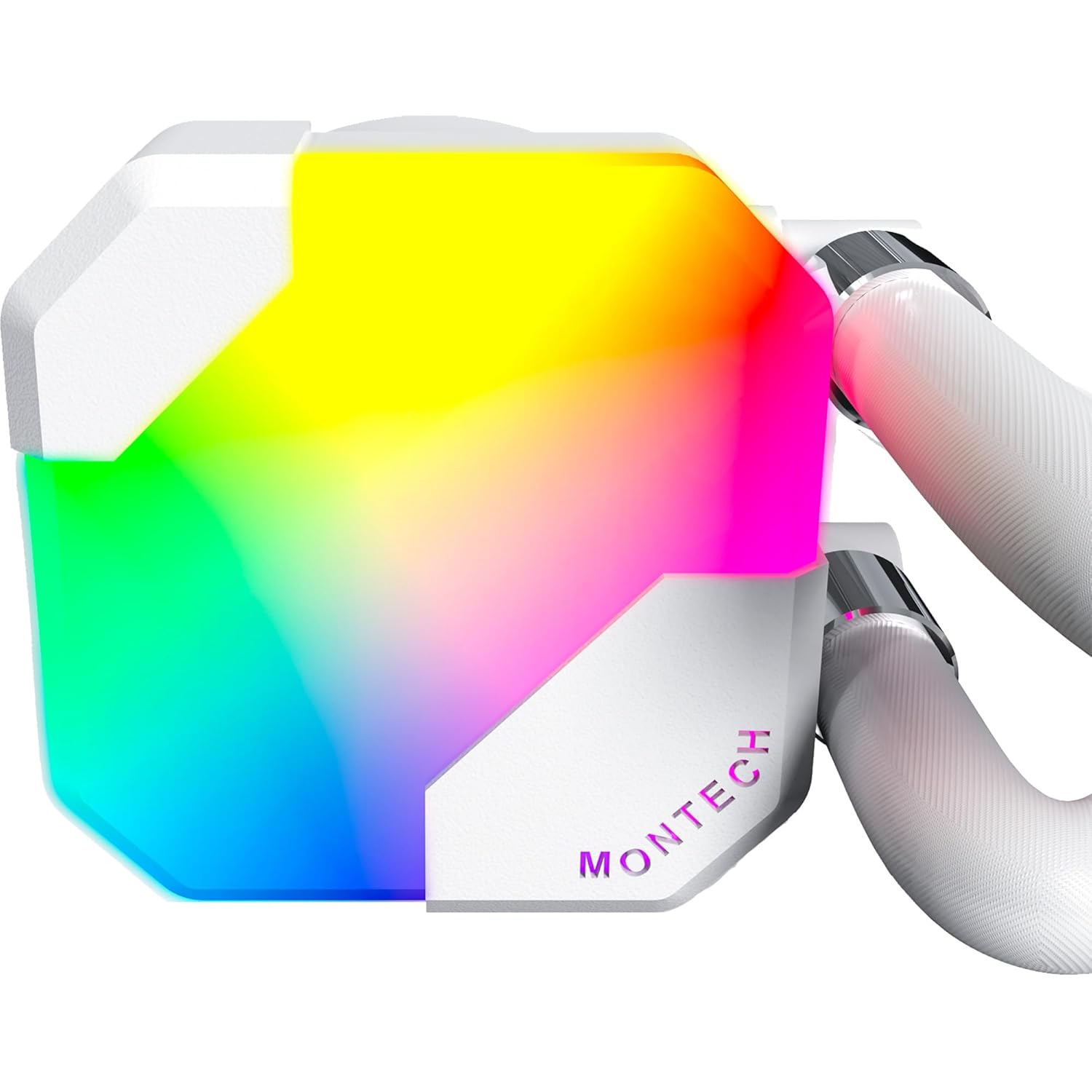
A detailed close-up of the MONTECH HyperFlow ARGB 360 pump, emphasizing its gemstone design and vibrant ARGB illumination.
Connect Cables: The cooler features simplified cable management with a pre-connected 7-pin short cable. Connect this cable to the appropriate 4-pin CPU_FAN header on your motherboard for pump power and speed control. Connect the 5V3pin ARGB connector to a compatible 5V ARGB header on your motherboard for lighting control. Ensure all fan cables are connected to the appropriate fan headers, either directly to the motherboard or via a fan hub/controller.
Cable Management: Route all cables neatly to ensure proper airflow within your case. Use cable ties or straps if necessary.
Operation
Initial Power-On
After completing the installation, power on your computer. The pump and fans should begin operating. You may hear a slight gurgling sound initially as air bubbles are purged from the loop; this should subside within a few minutes of operation. Monitor your CPU temperatures using system monitoring software to ensure proper cooling.
ARGB Lighting Control
The HyperFlow ARGB 360 features addressable RGB lighting on both the pump and fans. If connected to a compatible 5V ARGB header on your motherboard, you can control the lighting effects using your motherboard's RGB software (e.g., ASUS Aura Sync, MSI Mystic Light Sync, GIGABYTE RGB Fusion, ASRock Polychrome Sync). Refer to your motherboard's manual for specific software instructions.
Performance Monitoring
It is recommended to regularly monitor your CPU temperatures and cooler performance. Software tools can display pump RPM, fan RPM, and CPU temperature. The pump operates at a rapid 3100 RPM, and the Metal Pro 12 ARGB fans operate at up to 2200 RPM, providing robust cooling performance.

This graphic provides detailed specifications for the Metal Pro 12 ARGB fans, including their maximum rotation speed of 2200 RPM, low noise level of 29.1 dB(A), high airflow of 76.2 CFM, and strong static pressure of 3.81mmH2O, indicating powerful and quiet operation.
Maintenance
The MONTECH HyperFlow ARGB 360 is a closed-loop system and requires minimal maintenance. However, regular cleaning can help maintain optimal performance.
- Dust Cleaning: Periodically clean the radiator fins and fan blades to prevent dust buildup, which can impede airflow and cooling performance. Use compressed air or a soft brush. Ensure fans are not spinning during cleaning.
- Tube Inspection: Occasionally inspect the tubing for any signs of kinks, leaks, or damage. While highly durable, ensuring the tubes are not excessively bent will maintain optimal flow.
- Thermal Paste Reapplication: If you ever remove the pump block from the CPU, it is recommended to clean off the old thermal paste from both the CPU and the cold plate and apply new thermal paste before reinstallation. A stencil is included for this purpose.
Troubleshooting
This section addresses common issues you might encounter with your AIO liquid cooler.
| Problem | Possible Cause | Solution |
|---|---|---|
| High CPU Temperatures | Improper pump mounting; insufficient thermal paste; fans not spinning; radiator clogged with dust; pump failure. | Ensure pump is securely mounted and making full contact with CPU. Verify thermal paste application. Check fan connections and ensure they are spinning. Clean radiator fins. Check pump cable connection to CPU_FAN header. |
| Fans Not Spinning / ARGB Not Lighting Up | Loose cable connections; incorrect header connection; software issue. | Verify all fan power cables are securely connected to motherboard fan headers or fan controller. Ensure ARGB cable is connected to a 5V ARGB header (not 12V RGB). Check motherboard BIOS/UEFI settings for fan control. Reinstall or update motherboard RGB software. |
| Unusual Noise (Gurgling/Whining) | Air bubbles in the loop (gurgling); pump noise (whining). | Gurgling usually subsides after a few minutes of operation. Ensure the radiator is mounted higher than the pump if possible to allow air to collect at the highest point. If whining persists, ensure pump is not running at excessively high RPM if controllable. |
Specifications
| Feature | Specification |
|---|---|
| Model Name | HyperFlow ARGB 360 White |
| Radiator Dimensions (L x W x H) | 15.63" x 4.72" x 1.06" (397mm x 120mm x 27mm) |
| Radiator Material | Aluminum |
| Fan Type | Metal Pro 12 ARGB |
| Fan Speed | Up to 2200 RPM |
| Fan Airflow | 76.2 CFM |
| Fan Static Pressure | 3.81 mmH2O |
| Fan Noise Level | 29.1 dB(A) |
| Pump Speed | 3100 RPM |
| Pump Noise Level | 28 dB |
| Power Connector Type | 4-Pin (Pump), 7-Pin (Fans/ARGB combined) |
| ARGB Connector | 5V 3-Pin |
| Compatible CPU Sockets | Intel LGA 1700/1200/15X/2066, AMD AM3/AM4/AM5 |
| Cooling Method | Liquid (Water) |
| Wattage | 14.28 watts |
| Voltage | 5 Volts |
Warranty Information
MONTECH provides an industry-leading 6-year warranty for the HyperFlow ARGB 360 AIO CPU Liquid Cooler. This warranty covers defects in materials and workmanship under normal use. Please retain your proof of purchase for warranty claims. For detailed warranty terms and conditions, please refer to the official MONTECH website or contact customer support.

An image emphasizing the 6-year warranty period for MONTECH HyperFlow ARGB AIO coolers, providing assurance of product quality and reliability.
Support
For technical assistance, troubleshooting, or warranty inquiries, please visit the official Montech website or contact their customer support team. You can typically find contact information, FAQs, and driver downloads on their support page.
Website: www.montechpc.com
Please note that contact methods may vary by region.