
Introduction
Thank you for choosing the OLEVS Men's Classic Business Analog Quartz Watch. This manual provides essential information for the proper setup, operation, and maintenance of your timepiece. Please read these instructions carefully to ensure optimal performance and longevity of your watch.

Image: OLEVS Men's Classic Business Analog Quartz Watch on a wrist.
Product Features
- Quartz Movement: Ensures accurate timekeeping.
- Stainless Steel Construction: Durable case and bracelet for everyday wear.
- Luminous Display: Hands and markers glow in low-light conditions for enhanced readability.
- Date and Day Display: Convenient calendar function.
- Water Resistance: Designed to withstand daily water exposure (e.g., hand washing, splashes).
- High Hardness Coated Glass Mirror: Provides wear and scratch resistance.

Image: Close-up of the watch face.
Setup
Setting Time and Date
- Pull out the crown: Gently pull the crown (the knob on the side of the watch) to the first or second position.
- Set the date/day: Rotate the crown in one direction (usually clockwise) to adjust the date and day. Avoid setting the date/day between 9 PM and 3 AM, as this can interfere with the automatic date change mechanism.
- Set the time: Pull the crown out to the furthest position. Rotate the crown to set the hour and minute hands. Ensure the AM/PM is correctly set if your watch has a 24-hour indicator or if you are setting the date.
- Push in the crown: Once the time and date are set, push the crown back into its original position to start the watch movement.
Adjusting the Metal Bracelet
The metal bracelet can be adjusted by removing or adding links to achieve a comfortable fit. A watch band adjustment tool is typically required for this process.
Video: Instructions for removing and installing metal watch band links. This video demonstrates how to use a link removal tool to adjust the size of the watch bracelet.
- Determine required links: Try on the watch to determine how many links need to be removed for a comfortable fit. It is recommended to remove an equal number of links from both sides of the clasp to maintain balance.
- Position the band: Place the watch band into the link removal tool. Align the tool's pin with the link pin on the watch band.
- Push out the pin: Slowly rotate the tool's thimble to push the link pin out.
- Remove links: Once the pin is removed, detach the desired number of links.
- Reconnect the band: Realign the remaining band sections and insert the link pin in the direction of the arrow on the band. Use the tool to gently push the pin back into place until it is flush with the band.
- Verify security: Ensure all connections are firm. Keep any removed links for future use.
Operating Instructions
Daily Use
- Wear the watch comfortably on your wrist.
- Avoid exposing the watch to extreme temperatures or strong magnetic fields.
Water Resistance
This watch is rated for 30 meters (100 feet) of water resistance. This means it is suitable for daily use and can withstand splashes, rain, and brief immersion in water, such as during hand washing. It is not recommended for swimming, diving, or showering with hot water, as steam and pressure changes can compromise the seals.
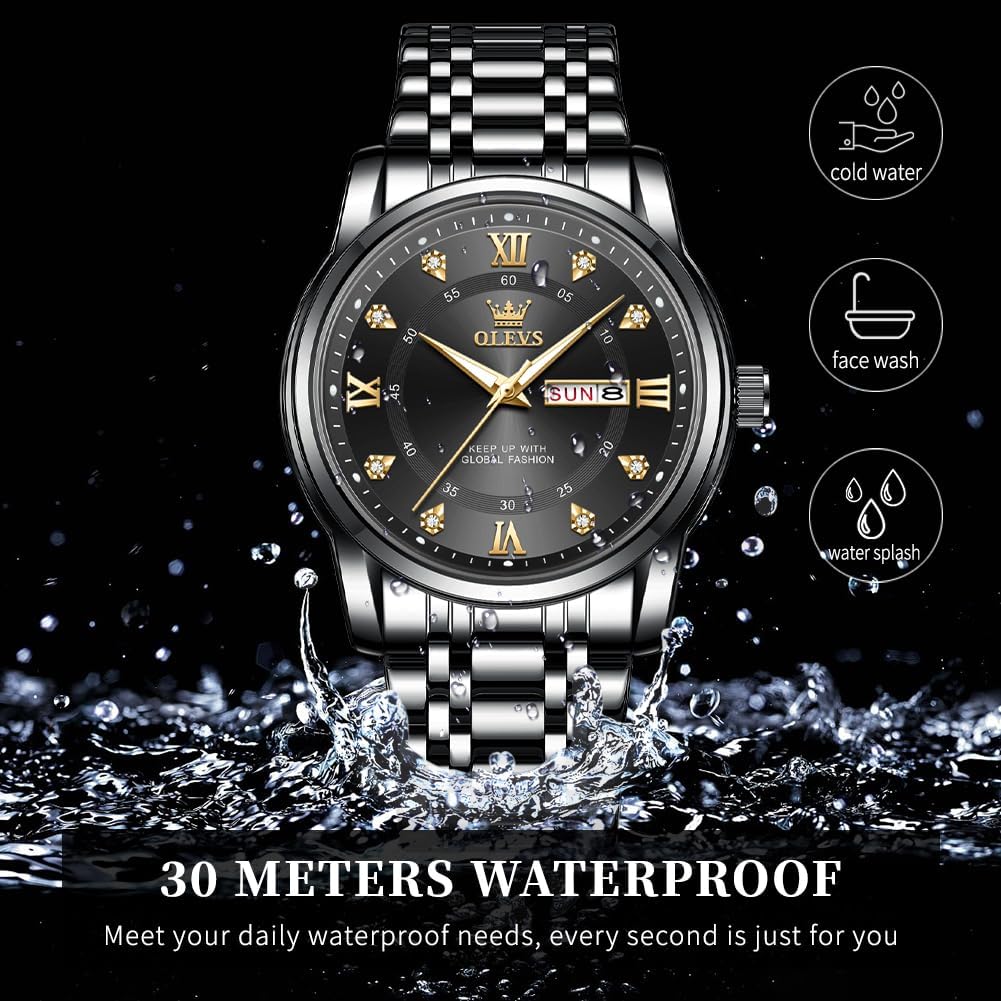
Image: Watch demonstrating 30-meter water resistance.
Maintenance
Cleaning
- Wipe the watch case and bracelet regularly with a soft, dry cloth to remove dust and dirt.
- For stubborn dirt, a slightly damp cloth can be used, followed by immediate drying.
- Avoid using harsh chemicals, solvents, or abrasive cleaners.
Battery Replacement
The watch is powered by a quartz battery. When the watch stops or the second hand begins to skip, the battery may need replacement. It is recommended to have the battery replaced by a qualified watch technician to ensure the water resistance seals are properly maintained.
Storage
When not in use, store your watch in a cool, dry place, away from direct sunlight and extreme temperatures. The original watch box is ideal for storage.
Troubleshooting
| Problem | Possible Cause | Solution |
|---|---|---|
| Watch not running | Dead battery, crown not pushed in, internal malfunction. | Ensure crown is fully pushed in. If not, replace battery (professional service recommended). If problem persists, contact support. |
| Incorrect time/date | Time/date not set correctly, crown pulled out. | Refer to "Setting Time and Date" section. Ensure crown is fully pushed in after setting. |
| Condensation inside watch | Exposure to extreme temperature changes or water ingress. | Avoid extreme temperature changes. If condensation persists, seek professional service immediately to prevent damage. |
Specifications
| Feature | Detail |
|---|---|
| Model Number | YPF-S-G5513-HH |
| Movement Type | Quartz |
| Case Material | Stainless Steel |
| Band Material | Stainless Steel |
| Case Diameter | 40 Millimeters |
| Case Thickness | 11 Millimeters |
| Band Width | 20 Millimeters |
| Band Length | 200 Millimeters |
| Water Resistance Depth | 30 Meters (100 Feet) |
| Crystal Type | High hardness coated glass mirror surface |
| Item Weight | 105 Grams |

Image: Detailed watch parameters.
Warranty and Support
This product is covered by a seller warranty. For any warranty claims, technical support, or service inquiries, please contact the seller directly through your purchase platform. Ensure you have your purchase details and model number (YPF-S-G5513-HH) available when contacting support.


