
Introduction
The Samsung Galaxy A55 5G is a feature-rich smartphone designed to provide a premium experience. This manual will guide you through the essential functions, setup, and maintenance of your device, ensuring optimal performance and longevity.
Setup
1. SIM Card and MicroSD Card Installation
To begin using your Samsung Galaxy A55 5G, you will need to insert your Nano-SIM card(s) and an optional microSD card for expanded storage. The device supports dual SIM functionality and microSD cards up to 1TB.
- Locate the SIM tray on the top edge of your device.
- Insert the SIM ejection tool into the small hole next to the tray and push gently until the tray ejects.
- Place your Nano-SIM card(s) into the designated slots with the gold contacts facing down. If using a microSD card, place it in the appropriate slot.
- Carefully reinsert the tray into the device until it clicks into place.

Image: Side view of the Samsung Galaxy A55 5G, highlighting the SIM card tray location.
2. Initial Power On
Press and hold the Power/Side key located on the right side of the device until the Samsung logo appears. Follow the on-screen prompts to complete the initial setup, including language selection, Wi-Fi connection, and Google account sign-in.
3. Face and Fingerprint Recognition
For enhanced security, set up face recognition and fingerprint unlock:
- Navigate to Settings > Security and privacy > Biometrics.
- Select Face recognition or Fingerprints and follow the on-screen instructions to register your biometric data.
- The optical under-display fingerprint sensor provides quick and secure access.
Design and Build
The Galaxy A55 5G features a premium design with an aluminum frame and Gorilla Glass Victus+ on both the front and back, offering enhanced durability and a sophisticated feel. It is also IP67 rated for dust and water resistance, providing protection against splashes and dust intrusion.
- Dimensions: 6 x 4 x 2 inches
- Frame: Aluminum
- Front/Back: Gorilla Glass Victus+
- Water Resistance: IP67 (dust and water resistant)

Image: Front view of the Samsung Galaxy A55 5G, showcasing its display.
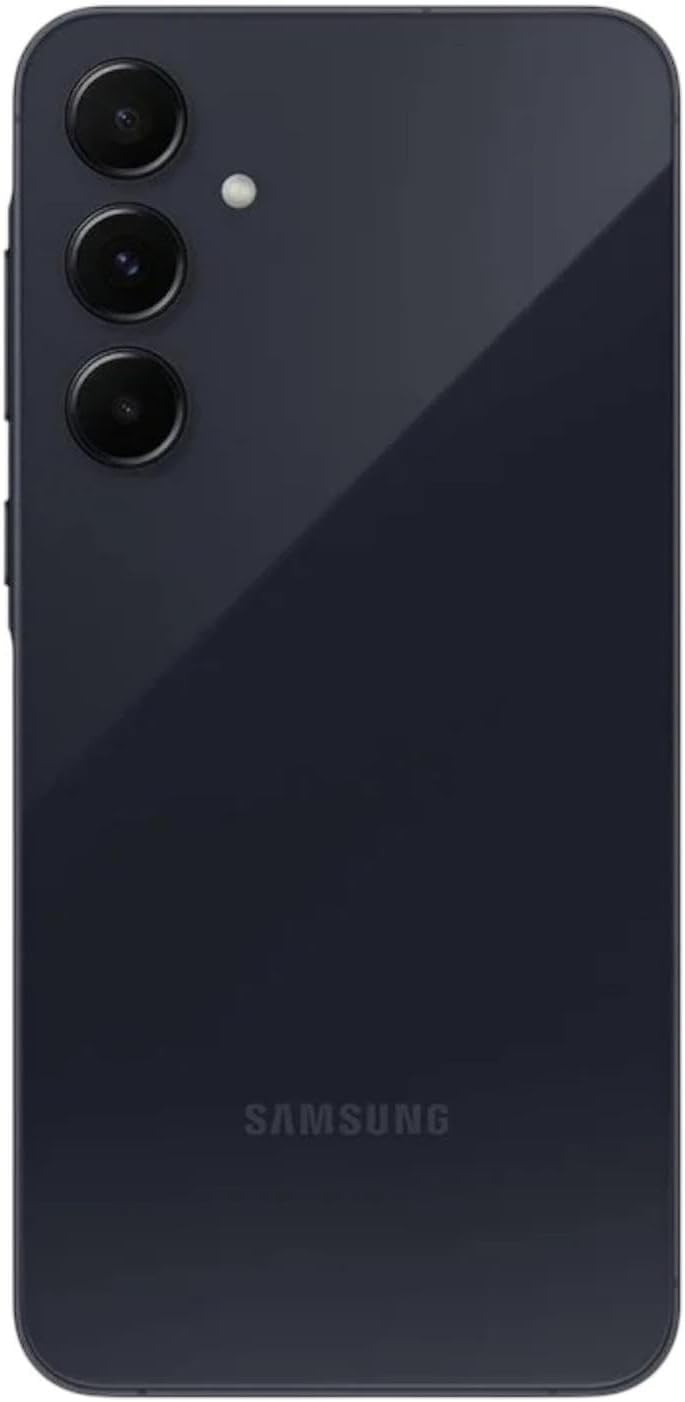
Image: Back view of the Samsung Galaxy A55 5G, highlighting the triple camera system.
Display
Experience vibrant visuals on the 6.6-inch FHD+ Super AMOLED display. With a 120Hz adaptive refresh rate, scrolling and animations are incredibly smooth. Vision Booster technology enhances visibility in bright sunlight, and the display reaches up to 1,000 nits (HBM) for excellent brightness.
- Size: 6.6 inches
- Type: FHD+ Super AMOLED
- Resolution: 1080 x 2340 pixels
- Refresh Rate: Up to 120Hz adaptive
- Brightness: 1,000 nits (High Brightness Mode)
- Features: Vision Booster, HDR10+
Cameras
Capture stunning photos and videos with the versatile camera system of the Galaxy A55 5G. From detailed landscapes to crisp selfies, your memories will be preserved with clarity.
Rear Camera System
- Main Camera: 50MP, f/1.8, with Optical Image Stabilization (OIS)
- Ultra-Wide Camera: 12MP, f/2.2
- Macro Camera: 5MP, f/2.4
Front Camera
- Selfie Camera: 32MP, f/2.2
Video Capabilities
- Record Super HDR videos in various lighting conditions.
- 4K video recording with OIS and Video Digital Image Stabilization (VDIS) for smooth motion.
Photography Features
- Portrait Mode: Enhance your pictures by sharpening focus on the subject with precise bokeh and background blur effects.
- Warm/Natural Tones: Choose your preferred tone for selfies.
Software and Hardware
The Galaxy A55 5G is powered by an efficient processor and runs on the latest Android operating system, offering a smooth and intuitive user experience.
- Operating System: Android 14 with One UI 6.1
- Processor: Exynos 1480 (4nm Octa-core)
- GPU: Xclipse 530
- RAM: 8GB
- Internal Storage: 256GB
- Expandable Storage: MicroSD card support up to 1TB
- Software Updates: Up to 4 major Android upgrades
Connectivity
Stay connected with high-speed 5G, reliable Wi-Fi, and versatile SIM options.
- Cellular Technology: 5G (compatible with most GSM carriers like T-Mobile, Mint, Ultra, Tello; will NOT work with CDMA carriers such as Verizon, Straight Talk)
- SIM Card: Dual SIM (Nano-SIM)
- Wireless Network Technology: GSM, Wi-Fi (Wi-Fi 6)
- Bluetooth: 5.3
- NFC: Supported
- Connector Type: USB Type-C
- Navigation: GPS, GLONASS, BDS, Galileo
Battery
The Galaxy A55 5G is equipped with a large battery to keep you powered throughout your day.
- Capacity: 5000mAh (typical) Lithium-Ion battery
- Charging: Supports 25W Super Fast Charging (charger sold separately)
- Battery Life: Up to 2-day battery life with typical usage
- Talk Time: Up to 48 hours
Battery Life Optimization Tips
- Adjust screen brightness and screen timeout settings.
- Enable adaptive battery and power saving modes.
- Limit background app usage and notifications.
- Consider lowering the display refresh rate to 60Hz for extended battery life.
Operating
The Samsung Galaxy A55 5G runs on Android 14 with Samsung's One UI 6.1, offering a user-friendly interface with various customization options.
- Home Screen Customization: Personalize your home screen layout, widgets, and app grid (e.g., 5x5 or 5x6) via Settings > Home screen.
- App Management: Organize apps into folders, uninstall unwanted applications, and manage permissions through the app drawer or Settings > Apps.
- Display Settings: Adjust brightness, dark mode, motion smoothness, and eye comfort shield via Settings > Display for optimal viewing.
Maintenance
Proper care and regular updates ensure your device remains in optimal condition.
- Cleaning: Use a soft, lint-free cloth to clean the screen and body. Avoid harsh chemicals.
- Software Updates: Regularly check for and install software updates to ensure your device has the latest features, security patches, and performance improvements. Go to Settings > Software update.
- Protection: Utilize a protective case and screen protector to guard against physical damage.
Troubleshooting
If you encounter issues with your device, consider these common troubleshooting steps:
- Device Not Responding: Press and hold the Power/Side key and Volume Down button simultaneously for about 7 seconds to force restart the device.
- App Issues: Clear the cache or data of the problematic app via Settings > Apps > [App Name] > Storage. If the issue persists, uninstall and reinstall the app.
- Network Connectivity: Toggle Airplane Mode on and off, restart your device, or reset network settings via Settings > General management > Reset > Reset network settings.
- Battery Drain: Review battery usage in Settings > Battery and device care > Battery to identify apps consuming excessive power. Adjust settings as needed.
Specifications
| Feature | Specification |
|---|---|
| Brand | Samsung |
| Model Name | Galaxy A55 5G |
| Operating System | Android 14 |
| RAM Memory Installed Size | 8 GB |
| Memory Storage Capacity | 256 GB |
| Screen Size | 6.6 Inches |
| Resolution | 1080 x 2340 |
| Refresh Rate | 120 Hz |
| Rear Camera Resolution | 50 MP (Main), 12 MP (Ultra-Wide), 5 MP (Macro) |
| Front Photo Sensor Resolution | 32 MP |
| Battery Capacity | 5000 Milliamp Hours |
| Water Resistance Level | Water Resistant (IP67) |
| Cellular Technology | 5G |
| Biometric Security Feature | Fingerprint Recognition |
Warranty and Support
This is an International Model without Warranty in the US. The device is still covered by the Return Policy of the retailer. For further support or inquiries, please refer to the retailer's customer service or Samsung's official support channels in your region.


