
JOYROOM JR-W09
JOYROOM 2500 mAh Portable Power Bank for Apple Watch
Model: JR-W09
Introduction
Thank you for choosing the JOYROOM 2500 mAh Portable Power Bank for Apple Watch. This device is designed to provide convenient and reliable charging for your Apple Watch and other USB-C compatible devices. Please read this manual carefully before use to ensure optimal performance and safety.
Product Overview
The JOYROOM JR-W09 is a compact and powerful portable charger featuring a 2500 mAh battery, an integrated USB-C cable, and an LED display for real-time battery status. Its magnetic charging module ensures stable and efficient power delivery to your Apple Watch.
Key Features:
- 2500mAh Capacity: Provides 3-4 full charges for most Apple Watch models, or 1.5-2 charges for Apple Watch Ultra.
- Magnetic Wireless Charging: Ensures stable and automatic alignment for efficient charging of your Apple Watch.
- Integrated 2-in-1 USB-C Cable: Functions as both an input for charging the power bank and an output for emergency charging of USB-C devices like AirPods Pro or smartphones.
- LED Digital Display: Shows the precise remaining battery percentage, offering more accurate power management than indicator lights.
- Ultra-Compact & Portable: Keychain design for easy attachment to bags, ideal for travel and outdoor activities.
- Wide Compatibility: Supports all Apple Watch Series 1-11, SE, Ultra, and Ultra 2 (38mm, 40mm, 41mm, 42mm, 44mm, 45mm, 49mm).
Package Contents:
- JOYROOM 2500 mAh Portable Power Bank for Apple Watch (JR-W09)
- Integrated USB-C Charging Cable
- User Manual (this document)
Setup
Initial Charging of the Power Bank:
- Uncoil the integrated USB-C cable from the power bank.
- Connect the USB-C end of the integrated cable to a compatible USB-C power adapter (not included) or a USB-C port on a computer.
- The LED display will show the charging progress. Charge the power bank until the display shows 100%.
- Once fully charged, disconnect the cable and store it securely in its designated slot on the power bank.

Figure 1: The integrated USB-C cable and the dual input/output port for charging the power bank or other devices.
Operating Instructions
Charging Your Apple Watch:
- Place your Apple Watch onto the magnetic charging module of the power bank. The watch will automatically align.
- The power bank will automatically begin charging your Apple Watch. The LED display on the power bank will show its remaining battery percentage, and your Apple Watch screen will indicate charging status.
- Charging time for Apple Watch Series 1-SE is approximately 1.5-2 hours. For Apple Watch Ultra/Ultra 2, it is approximately 2.5-3 hours.
- Once your Apple Watch is fully charged, remove it from the power bank. The power bank will enter standby mode.

Figure 2: Apple Watch charging on the power bank, showing the LED display.

Figure 3: Magnetic alignment for stable Apple Watch charging.
Charging Other USB-C Devices (Emergency Use):
- Uncoil the integrated USB-C cable from the power bank.
- Connect the USB-C end of the integrated cable to the charging port of your USB-C compatible device (e.g., smartphone, AirPods Pro).
- The power bank will begin to supply power to your device. Note that this feature is primarily for emergency charging due to the power bank's capacity being optimized for Apple Watch.
- Monitor your device's battery level. Disconnect once sufficient charge is acquired or the power bank is depleted.

Figure 4: Using the integrated USB-C cable for emergency charging of a smartphone.
Checking Battery Level:
The LED digital display on the power bank shows the current battery percentage. This display activates automatically when charging begins or when the power bank is connected to a power source.
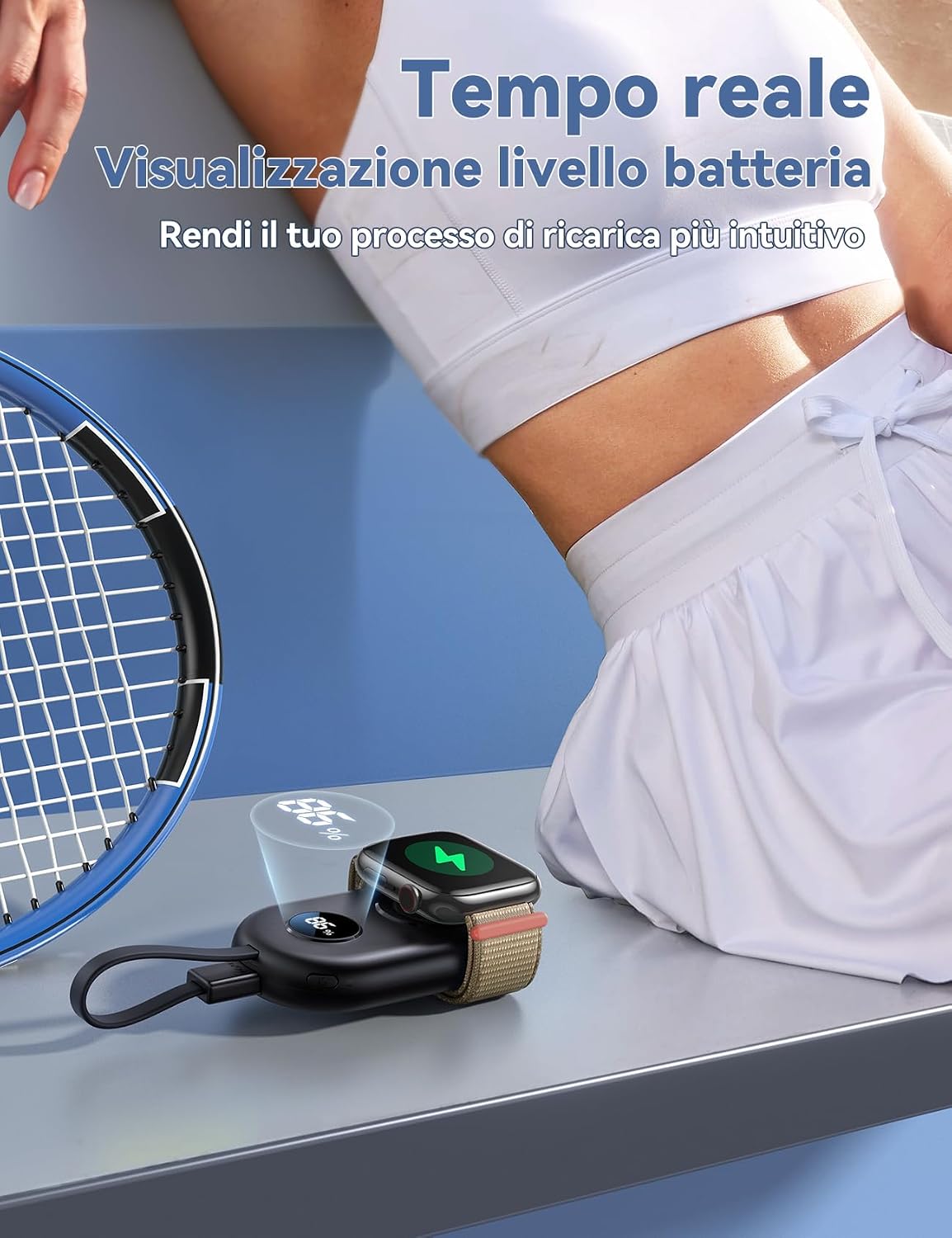
Figure 5: Real-time battery level display on the power bank.
Maintenance
- Keep the power bank dry and away from moisture.
- Avoid extreme temperatures. Do not expose to direct sunlight or very cold environments.
- Clean the device with a soft, dry cloth. Do not use harsh chemicals or abrasive materials.
- Store the power bank in a cool, dry place when not in use.
- Charge the power bank at least once every three months to maintain battery health if stored for extended periods.
- Do not attempt to disassemble or repair the device yourself. Contact customer support if issues arise.
Troubleshooting
Power Bank Not Charging:
- Ensure the integrated USB-C cable is securely connected to both the power bank and a working power adapter/source.
- Try a different USB-C power adapter or port.
- Check if the power bank's USB-C port is free of debris.
Apple Watch Not Charging:
- Ensure the Apple Watch is correctly placed and aligned on the magnetic charging module.
- Check if the power bank has sufficient charge (refer to the LED display).
- Remove any thick cases or accessories from your Apple Watch that might interfere with wireless charging.
- Restart your Apple Watch and try again.
Other Devices Not Charging via USB-C Cable:
- Verify that your device is USB-C compatible and the cable is properly connected.
- Ensure the power bank has enough charge.
- Some devices may require more power than the power bank can provide for optimal charging. This feature is for emergency use.
Specifications
| Model Number | JR-W09 |
| Brand | JOYROOM |
| Battery Capacity | 2500 mAh |
| Battery Type | Lithium Ion |
| Input | USB Type-C |
| Output Current | 1 Ampere |
| Number of Ports | 3 (1x USB-C In/Out, 1x Integrated USB-C Cable, 1x Wireless Charging Pad) |
| Dimensions (L x W x H) | 8.3 cm x 4.9 cm x 1.7 cm |
| Weight | 75 Grams |
| Special Features | LED Digital Display, Integrated USB-C Cable, Magnetic Wireless Charging |
| Compatibility | Apple Watch Series 1-11, SE, Ultra, Ultra 2 (all sizes) |

Figure 6: Wide compatibility with various Apple Watch models.
Warranty and Support
Warranty Information:
This JOYROOM product is covered by a 1-year warranty from the date of purchase. The warranty covers manufacturing defects and malfunctions under normal use. It does not cover damage caused by misuse, accidents, unauthorized modifications, or natural disasters.
Please retain your proof of purchase for warranty claims.
Customer Support:
For technical assistance, warranty claims, or any questions regarding your JOYROOM Power Bank, please contact your retailer or visit the official JOYROOM website for support information.
You can also refer to the JOYROOM Store on Amazon for additional product information and contact options.
Related documentsJR-W09


Ask a question about this manual
Ask about setup, troubleshooting, compatibility, parts, safety, or missing instructions. Manuals+ will review the question and use this page’s manual context to help answer it.