
1. Introduction and Overview
This manual provides detailed instructions for the ARGENDON Guardian 60 Commercial Dehumidifier. Designed for effective moisture control in challenging environments such as crawl spaces, basements, and industrial sites, this unit offers robust performance and user-friendly operation. It is capable of removing up to 145 pints of moisture per day at 90°F and 90% humidity, covering areas up to 1,500 Sq.Ft. Key features include continuous drainage via a drain hose, a robust fan for efficient airflow, a MERV-1 filter for air purification, and versatile humidity control modes.
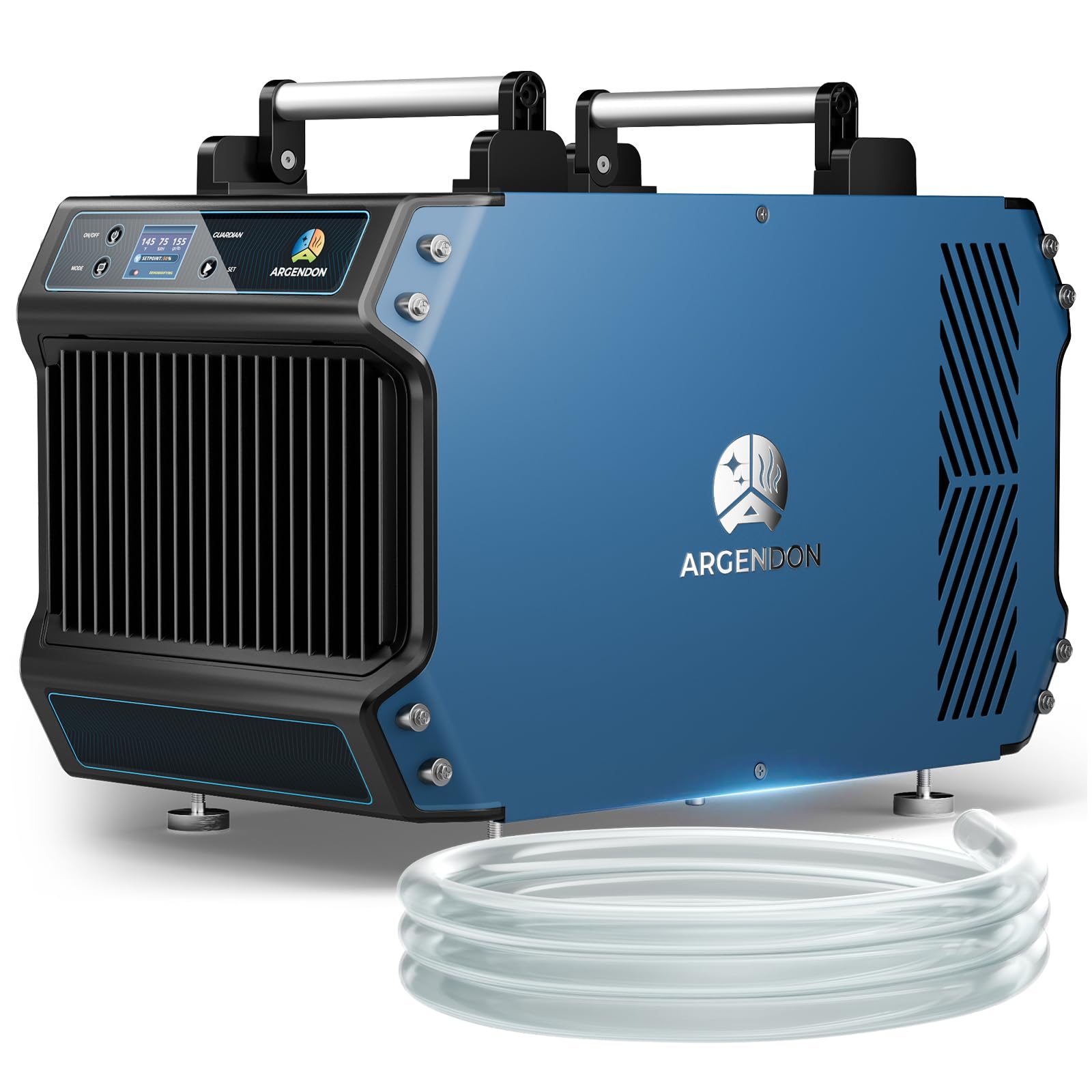
Figure 1: The ARGENDON Guardian 60 Dehumidifier in operation, illustrating its high efficiency in moisture removal.
Video 1: An overview of the ARGENDON Guardian 60 Dehumidifier, showcasing its features, internal components, and various installation options for effective humidity control.
2. Setup and Installation
2.1 Unboxing and Initial Inspection
Carefully remove the dehumidifier from its packaging. Inspect the unit for any signs of damage during transit. Ensure all accessories, including the drain hose and user manual, are present.
2.2 Placement
Place the dehumidifier on a stable, level surface in the desired location. Ensure there is adequate clearance around the air inlet and outlet for optimal airflow. The compact design allows for flexible placement in tight spaces like crawl spaces or attics.

Figure 2: The compact size of the Guardian 60, ideal for installation in confined areas.
2.3 Drain Hose Connection
The unit is designed for continuous drainage. Connect the provided 6.5 ft (2M) drain hose to the drainage outlet on the side of the unit. Ensure the hose is routed downwards to a suitable drain or collection bucket, allowing for gravity drainage. Avoid kinks or obstructions in the hose.

Figure 3: Connecting the gravity drain hose for continuous operation.
2.4 Power Connection
Plug the power cord into a grounded electrical outlet. The unit is now ready for operation.
3. Operating Instructions
The Guardian 60 features an intuitive control panel for easy operation.

Figure 4: The upgraded color screen control panel for clear information display.
3.1 Power On/Off
- Press the ON/OFF button to power the unit on or off.
- When powering off, the fan may continue to run for a short period to ensure proper drainage and prevent ice buildup. Do not unplug the unit during this time.
3.2 Mode Selection
Press the MODE button to cycle through available operating modes:
- Continuous Dehumidifying Mode: The unit will run continuously to remove moisture.
- Humidity Control Mode (RH%): Set a target relative humidity percentage. The unit will operate to maintain this level.
- Humidity Control Mode (GPP): Set a target grains per pound value. The unit will operate to maintain this level.
3.3 Setting Humidity Levels
- In Humidity Control Mode, use the SET buttons (up/down arrows) to adjust your desired humidity setpoint.
- The display will show the current temperature, relative humidity, and grains per pound.
3.4 Auto Defrost Function
The unit features an automatic defrost function, allowing it to operate effectively in low-temperature environments without manual intervention. If frost is detected on the coils, the unit will temporarily pause dehumidification and run the fan to melt the frost.
3.5 Fault Display
The control panel will display error codes if any operational issues are detected. Refer to the Troubleshooting section for guidance on resolving these issues.
4. Maintenance
Regular maintenance ensures optimal performance and longevity of your dehumidifier.
4.1 Filter Cleaning and Replacement
The Guardian 60 is equipped with a MERV-1 filter that removes dust and impurities from the air. The filter should be cleaned every 3-6 months, depending on air quality and usage.
- To access the filter, open the filter access panel on the side of the unit.
- Slide out the MERV-1 filter.
- Clean the filter by rinsing it under warm water or using a vacuum cleaner. Allow it to dry completely before reinserting.
- Replace the filter if it is damaged or excessively dirty and cannot be cleaned effectively.

Figure 5: The MERV-1 filter, drain hose, and user manual included with the dehumidifier.
4.2 Exterior Cleaning
Wipe the exterior of the unit with a soft, damp cloth. Do not use abrasive cleaners or solvents.
5. Troubleshooting
If you encounter issues with your ARGENDON Guardian 60 Dehumidifier, refer to the table below for common problems and solutions.
| Problem | Possible Cause | Solution |
|---|---|---|
| Unit does not power on | No power supply; Power button not pressed | Check power cord connection and outlet; Press ON/OFF button. |
| Dehumidifier not collecting water | Humidity setpoint too high; Ambient humidity too low; Drain hose kinked or blocked | Lower humidity setpoint; Check ambient conditions; Inspect and clear drain hose. |
| Unit displays an error code (e.g., E5) | Internal malfunction; Sensor error | Power cycle the unit (turn off, unplug, wait 5 minutes, plug in, turn on). If error persists, contact customer support. |
| Excessive noise during operation | Unit not level; Obstruction in fan; Loose components | Ensure unit is on a level surface; Check for and remove any obstructions; Contact customer support if noise persists. |
| Water leakage | Drain hose improperly connected or damaged; Unit not level | Verify drain hose connection and condition; Ensure unit is on a level surface. |
For issues not listed or if troubleshooting steps do not resolve the problem, please contact ARGENDON customer support.
6. Specifications
| Feature | Detail |
|---|---|
| Brand | ARGENDON |
| Model Name | Guardian 60 (Internal ID: 4e32c53e-3caf-4393-b3f1-0e5ee95f9dd2) |
| Capacity | 145 Pints (at 90°F, 90% RH) |
| Coverage Area | Up to 1500 Sq.Ft. |
| Air Flow Capacity | 165 Cubic Feet Per Minute (CFM) / 280 CMH |
| Operation Mode | Continuous |
| Product Dimensions (D x W x H) | 21.3" x 11.7" x 14.1" |
| Item Weight | 24.95 Kilograms |
| Material | Metal |
| Color | Blue |
| Special Feature | Portable |
| Filter Type | MERV-1 |
| Certifications | Energy Star Certified, cETL Safety Standards |
| UPC | 745278646702 |
7. Warranty and Support
The ARGENDON Guardian 60 Commercial Dehumidifier comes with a 5-year limited warranty, ensuring peace of mind and reliable performance. This warranty covers:
- 6 Month Parts and Labor: Includes shipment charges for replacement parts or unit.
- 1 Year Parts and Labor: Excludes shipment charges to send the defective product back for repair or replacement.
- 3-Year Parts and Labor: Coverage for the refrigeration system only.
- 5-Year Compressor and Coil.
For additional warranty information, technical assistance, or to inquire about protection plans, please contact our dedicated customer support team. We are committed to assisting you with all your needs.
Optional protection plans are available for extended coverage:
- 3-Year Protection Plan
- 4-Year Protection Plan
- Complete Protect (monthly billing)