
LaView LV-PWR18K-W-NL
LaView 8MP Security Camera User Manual
Model: LV-PWR18K-W-NL
Introduction
Thank you for choosing the LaView 8MP Security Camera. This manual provides detailed instructions for setting up, operating, and maintaining your camera to ensure optimal performance and security for your home or business. This advanced outdoor camera features 4K resolution, Starlight Color Night Vision, AI Human Detection, Auto Tracking, and two-way audio, designed for reliable surveillance in various environments.

Image: The LaView 8MP Security Camera, a white outdoor dome camera with dual antennas and an array of infrared LEDs around the lens, shown with a digital overlay indicating 4K resolution and a live view on a smartphone screen.
Package Contents
Please check the package contents carefully. If any items are missing or damaged, contact LaView customer support.
- LaView 8MP Security Camera Body (Model: LV-PWR18K-W-NL)
- Mounting Screws and Wall Plugs
- Power Adapter (Corded Electric)
- Quick Start Guide
Setup Guide
1. Planning Your Installation
Consider the optimal location for your camera. This camera is designed for outdoor use and has an IP65 weatherproof rating, suitable for temperatures ranging from 14°F to 122°F (-10°C to 50°C). Ensure the chosen location has a stable Wi-Fi signal and access to a power outlet.
2. Mounting the Camera
- Choose a suitable wall or ceiling location for mounting.
- Use the included mounting template (if provided) to mark drill holes.
- Drill holes and insert wall plugs.
- Secure the camera base to the wall using the provided screws.
- Adjust the camera angle as needed.
The camera supports wall mount installation. For best results, ensure the camera has a clear line of sight to the area you wish to monitor.
3. Powering On the Camera
Connect the power adapter to the camera's power input and then plug it into a power outlet. The camera will power on and initiate its startup sequence.
4. Connecting to the Network
The LaView camera connects via Wi-Fi. Download the LaView app on your iOS or Android device. Follow the in-app instructions to add your camera and connect it to your home Wi-Fi network. The camera also supports Ethernet cable connection for alternative network setup.
Operating Instructions
1. LaView App Overview
The LaView app is your primary interface for controlling and monitoring the camera. It allows for live viewing, playback, settings adjustments, and receiving alerts.
2. Video Resolution and Quality
This 8MP camera provides 4K video capture resolution, offering superior clarity and detail compared to lower resolution cameras. You can zoom in up to 12X on video and images.

Image: A visual comparison demonstrating the enhanced detail of 8MP resolution versus 4MP resolution when viewing a car in a driveway, highlighting the clarity difference.
3. Night Vision Modes
The camera supports multiple night vision modes:
- Starlight Color Night Vision: Records video in low light conditions (up to 25x darker than normal cameras) with better clarity and extended view, effective within 30 feet.
- Full Color Night Vision: Provides full-color images in low light.
- Smart Night Vision: Automatically switches between infrared and color modes based on detected activity.
- Infrared Night Vision: Standard black and white night vision using infrared illumination.
4. AI Human Detection & Motion Tracking
The camera features advanced AI human detection to reduce false alarms from animals. When motion is detected, you will receive instant alerts via the app. Motion tracking allows the camera to automatically follow detected objects within a 100° range and up to 17 feet.

Image: An illustration showing the camera detecting a human figure in a yard, with a smartphone displaying a notification for "Human body detected" and the temperature range the camera can operate in.
5. Two-Way Audio & Alarm Siren
Utilize the built-in microphone and speaker for two-way communication with visitors or to deter intruders. You can also configure an audible alarm to trigger when a stranger or danger is detected.
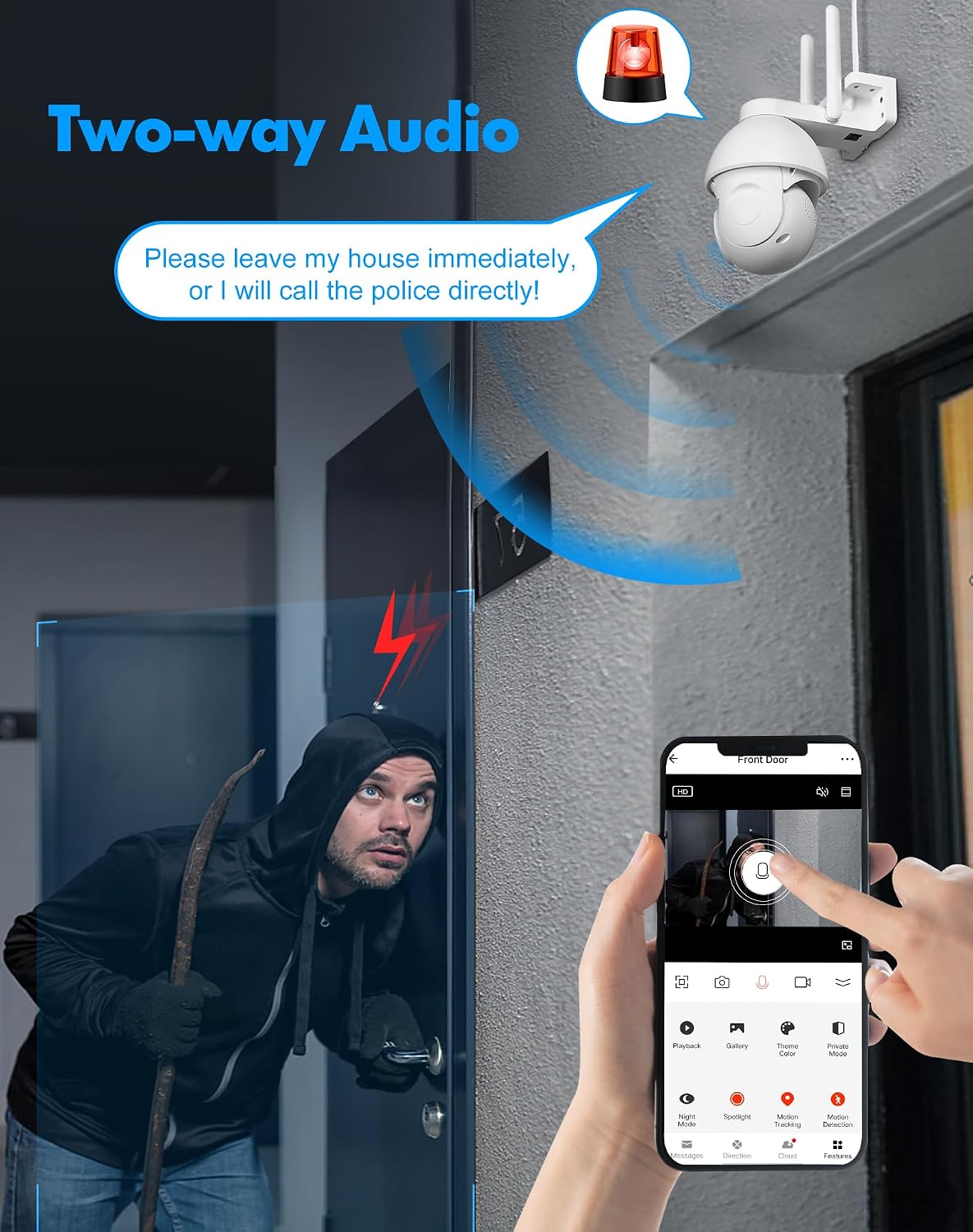
Image: A depiction of the two-way audio function, showing a person outside a door and a speech bubble indicating communication through the camera, with an alarm siren icon above the camera.
6. Recording and Storage
The camera supports 24/7 recording. Storage options include:
- Micro SD Card: Built-in slot supports up to 128GB Micro SD card for local storage.
- Cloud Storage: Every new LaView camera includes a 30-day free trial of AWS Cloud Storage.

Image: A graphic illustrating the 24/7 recording capability, showing icons for cloud storage, uninterrupted playback, and Micro SD card support, alongside a smartphone displaying recorded video clips.
7. Multi-User Sharing & Compatibility
You can share surveillance access with up to 20 users simultaneously. The camera is compatible with Alexa and Google Assistant for integrated smart home control.

Image: A collage showing various applications for the 4K wireless camera, including use in a warehouse, parking lot, business, and home, demonstrating its versatility.
8. ONVIF Compatibility
The camera supports ONVIF protocol, allowing you to manage it alongside other brand cameras using compatible software.

Image: A graphic illustrating ONVIF compatibility, showing multiple cameras connected to a central monitoring station, emphasizing the ability to manage different camera brands with one software.
Maintenance
- Cleaning: Regularly wipe the camera lens and body with a soft, damp cloth to remove dust and dirt. Do not use harsh chemicals or abrasive cleaners.
- Firmware Updates: Check the LaView app periodically for firmware updates to ensure your camera has the latest features and security enhancements.
- Power Cycle: If the camera experiences issues, try power cycling it by unplugging and replugging the power adapter.
- SD Card Management: If using a Micro SD card, periodically review and back up important footage. Format the SD card through the app if performance issues arise.
Troubleshooting
| Problem | Possible Cause / Solution |
|---|---|
| Camera offline / Cannot connect to Wi-Fi |
|
| Poor image quality |
|
| False motion alerts |
|
| Two-way audio not working |
|
Product Specifications
| Feature | Detail |
|---|---|
| Model Number | LV-PWR18K-W-NL |
| Resolution | 8MP (4K Video Capture) |
| Night Vision | Starlight Color, Full Color, Smart, Infrared |
| Detection | AI Human Detection, Motion Tracking |
| Audio | Two-Way Audio, Alarm Siren |
| Connectivity | Wi-Fi, Ethernet (ONVIF compatible) |
| Storage | Micro SD (up to 128GB), Cloud Storage |
| Weatherproof Rating | IP65 |
| Operating Temperature | 14°F to 122°F (-10°C to 50°C) |
| Power Source | Corded Electric |
| Dimensions (L x W x H) | 7.3 x 6.9 x 4.2 inches |
| Weight | 1.33 pounds |
| Compatible Devices | Alexa, Google Assistant, iOS, Android |
| Included Components | Camera body |
| Country of Origin | China |
| UPC | 192728014978 |
Warranty and Support
Warranty Information
The LaView 8MP Security Camera comes with a one-year warranty from the date of purchase. Please retain your proof of purchase for warranty claims.
Customer Support
For any questions, technical assistance, or warranty inquiries, please contact LaView customer service. LaView offers 24/7 online after-sales email service and lifetime after-sales customer service.
- Online Support: Visit the official LaView website for FAQs, troubleshooting guides, and contact information.
- Email Support: Available 24/7 for assistance.
- Live Chat: (Implied by "Live Chat" icon in PT05 image, but no direct link provided in data)

Image: A graphic representing LaView's customer support, showing icons for Live Chat, Safer (security), and Local Business (US Cloud), with customer service representatives in the background.
Related documentsLV-PWR18K-W-NL


Ask a question about this manual
Ask about setup, troubleshooting, compatibility, parts, safety, or missing instructions. Manuals+ will review the question and use this page’s manual context to help answer it.