
1. Introduction
This manual provides essential information for the safe and efficient use of the CBBEXP QAE1612.010 Programmable Logic Control (PLC) Product. Please read this manual thoroughly before installation, operation, or maintenance to ensure proper functionality and to prevent damage to the device or injury to personnel.
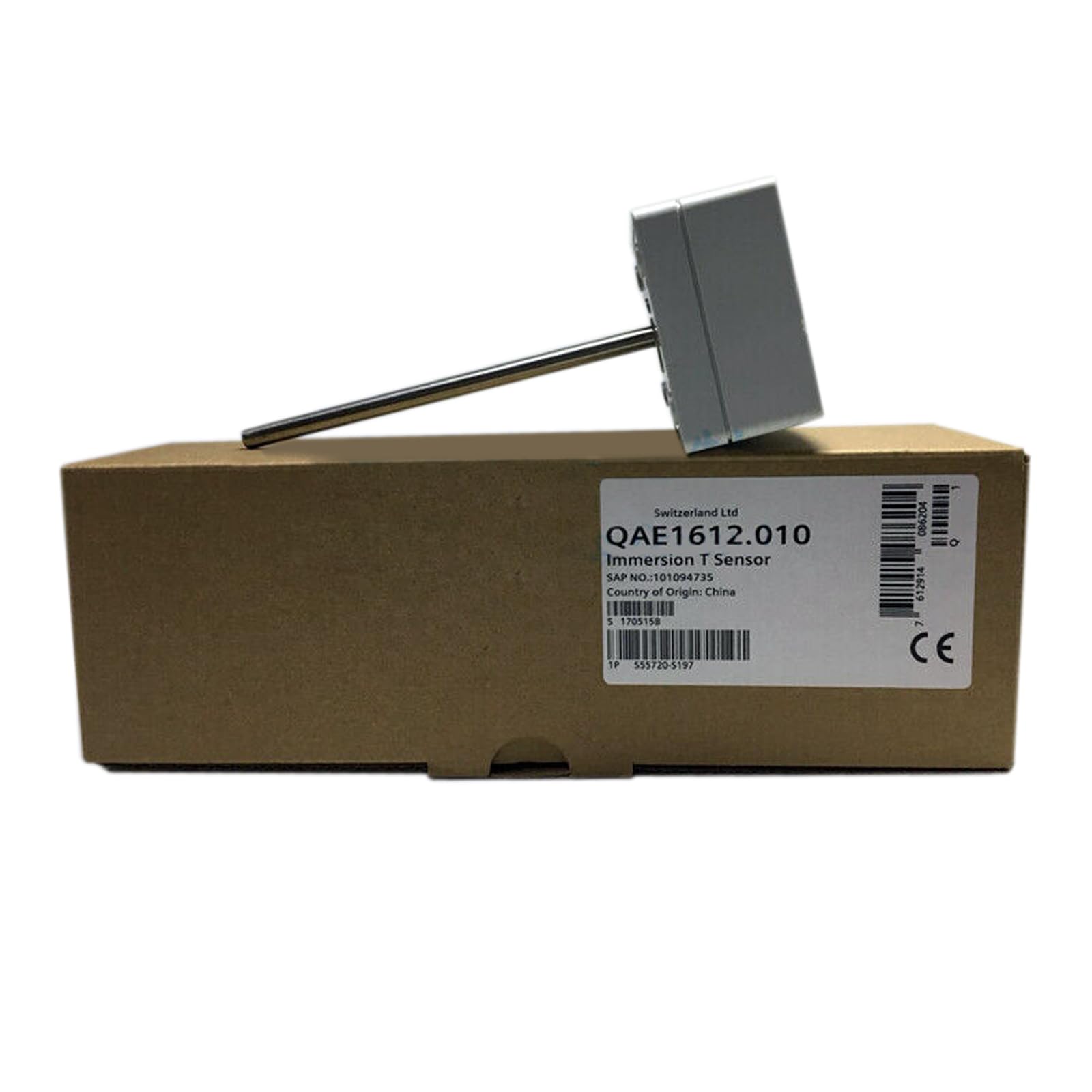
Image 1: CBBEXP QAE1612.010 Programmable Logic Control Product. This image displays the front view of the QAE1612.010 unit, showing its compact design and typical industrial connectors.
2. Safety Information
Always observe the following safety precautions:
- Ensure power is disconnected before installation or maintenance.
- Only qualified personnel should install and service this device.
- Protect the device from moisture, dust, and extreme temperatures.
- Verify all wiring connections are correct and secure before applying power.
3. Setup and Installation
Follow these steps for proper installation:
- Unpacking: Carefully remove the QAE1612.010 from its packaging. Inspect for any visible damage.
- Mounting: Mount the PLC securely in a suitable industrial enclosure, ensuring adequate ventilation.
- Wiring:
- Connect the power supply according to the specifications.
- Connect input and output devices to the appropriate terminals.
- Ensure all connections are tight and correctly polarized.
- Grounding: Properly ground the device to prevent electrical hazards and ensure stable operation.
- Initial Power-Up: After all connections are verified, apply power. Observe indicator lights for normal operation.
4. Operating Instructions
The CBBEXP QAE1612.010 operates based on programmed logic. Refer to your specific application's programming guide for detailed operational procedures.
- Programming: Use compatible PLC programming software to develop and upload your control logic to the QAE1612.010.
- Monitoring: Monitor the status of inputs, outputs, and internal registers through the programming software.
- Run Mode: Once programmed, switch the PLC to run mode to execute the control logic.
- Stop Mode: Use stop mode for programming changes or troubleshooting.
5. Maintenance
Regular maintenance ensures the longevity and reliability of your QAE1612.010 unit.
- Cleaning: Periodically clean the exterior of the unit with a soft, dry cloth. Do not use liquid cleaners.
- Connection Checks: Annually inspect all wiring connections for tightness and signs of corrosion.
- Environmental Control: Ensure the operating environment remains within specified temperature and humidity ranges.
- Firmware Updates: Check the manufacturer's website for any available firmware updates and follow instructions for installation.
6. Troubleshooting
If you encounter issues, refer to the following common troubleshooting steps:
| Problem | Possible Cause | Solution |
|---|---|---|
| PLC not powering on | No power supply; incorrect wiring; faulty power supply. | Check power connections; verify power source; test power supply. |
| Inputs not responding | Sensor wiring error; faulty sensor; incorrect program logic. | Verify sensor connections; test sensor; review PLC program. |
| Outputs not activating | Actuator wiring error; faulty actuator; incorrect program logic. | Verify actuator connections; test actuator; review PLC program. |
| Communication errors | Incorrect cable; driver issues; network configuration problems. | Check communication cables; install correct drivers; verify network settings. |
If the problem persists, contact CBBEXP technical support.
7. Specifications
- Model Number: QAE1612.010
- Product Type: Programmable Logic Control Product
- Manufacturer: CBBEXP
- ASIN: B0D4L5HCJ2
- First Available: May 20, 2024
- (Further detailed specifications such as input/output count, memory, communication protocols, power requirements, and operating environment should be referenced from the product's technical datasheet.)
8. Warranty and Support
The CBBEXP QAE1612.010 comes with a One-Year Warranty from the date of purchase. This warranty covers defects in materials and workmanship under normal use.
For technical support, warranty claims, or further assistance, please contact CBBEXP customer service. Ensure you have your product model number (QAE1612.010) and purchase details available when contacting support.
For more information, you may visit the CBBEXP brand page.