
MISTRAL Typhoon 52
Mistral D'Fan 52 Inch DC Ceiling Fan Typhoon 52
User Instruction Manual
Introduction
Thank you for choosing the Mistral D'Fan 52 Inch DC Ceiling Fan Typhoon 52. This manual provides essential information for the safe installation, operation, and maintenance of your new ceiling fan. Please read these instructions thoroughly before installation and retain them for future reference.
The Mistral Typhoon 52 features an energy-efficient DC motor, durable ABS blades, and a convenient remote control for speed, light, and timer functions. Its integrated LED light kit offers dimmable illumination with adjustable color temperatures.
Safety Information
Always follow basic safety precautions when installing and operating electrical appliances to reduce the risk of fire, electric shock, and personal injury.
- Ensure the main power supply is disconnected before installation, maintenance, or cleaning.
- Installation must be performed by a qualified electrician in accordance with local wiring regulations.
- The mounting structure must be capable of supporting the weight of the fan (approximately 8.74 kg).
- Ensure the fan blades are at least 2.3 meters (7.5 feet) above the floor and have a minimum clearance of 0.5 meters (1.6 feet) from walls or other obstructions.
- Do not insert objects into the path of the rotating blades.
- This appliance is not intended for use by persons (including children) with reduced physical, sensory or mental capabilities, or lack of experience and knowledge, unless they have been given supervision or instruction concerning use of the appliance by a person responsible for their safety.
Package Contents
Verify that all components are present before beginning installation:
- Ceiling Fan Motor Assembly
- Fan Blades (Acrylonitrile Butadiene Styrene)
- Remote Control
- LED Light Kit
- Mounting Bracket
- Downrod and Canopy
- Hardware Pack (screws, washers, wire nuts)
- Instruction Manual (this document)
Setup and Installation
Important: Ensure power is OFF at the circuit breaker before proceeding with installation.
1. Mounting the Bracket
Secure the mounting bracket to a ceiling joist or a suitable fan-rated outlet box using the provided screws and washers. The bracket must be firmly attached to support the fan's weight.
2. Assembling the Downrod and Hanging the Fan
Insert the downrod through the canopy and connect it to the fan motor assembly. Carefully lift the fan assembly and hang it onto the mounting bracket hook, ensuring it is secure. This allows for hands-free wiring.
3. Electrical Wiring
Connect the fan's electrical wires to the household wiring according to the wiring diagram provided in the separate installation guide (if applicable) or by a qualified electrician. Typically, this involves connecting live, neutral, and ground wires. Ensure all connections are secure and insulated with wire nuts.
4. Attaching the Fan Blades
Attach each ABS fan blade to the motor housing using the screws provided. Ensure all screws are tightened securely to prevent wobbling during operation.

Image: Front view of the Mistral D'Fan 52 Inch DC Ceiling Fan Typhoon 52, showcasing its five black ABS blades and the integrated central white LED light.
5. Installing the LED Light Kit
Connect the LED light kit wires to the corresponding wires from the fan motor assembly. Secure the light kit to the fan housing, typically by twisting or using screws, as per the specific design. Ensure the light cover is securely fastened.
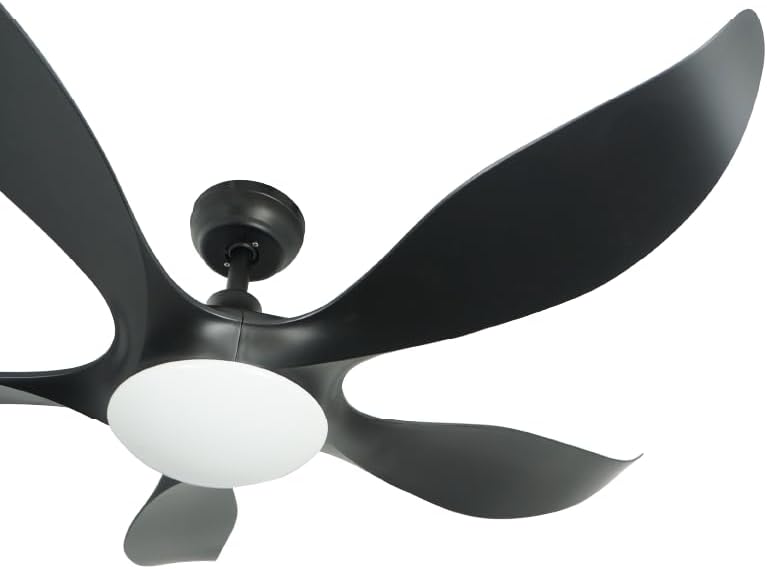
Image: Side view of the Mistral D'Fan 52 Inch DC Ceiling Fan Typhoon 52, highlighting the sleek black motor housing, downrod, and the elegant curve of the ABS blades.
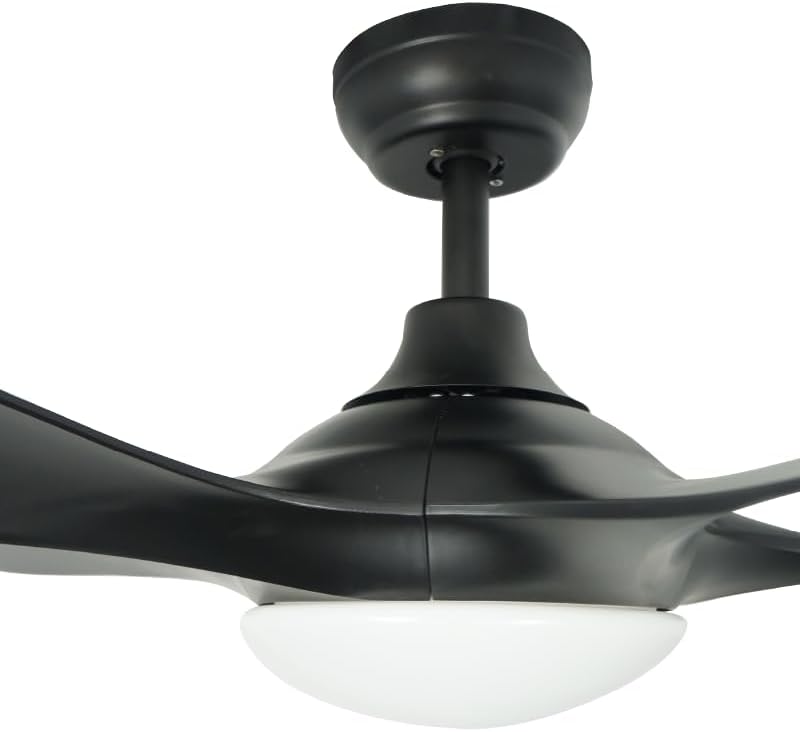
Image: Close-up view of the Mistral D'Fan 52 Inch DC Ceiling Fan Typhoon 52, focusing on the black motor housing and the integrated white LED light fixture at its base.
6. Final Assembly
Push the canopy up against the ceiling and secure it with the provided screws. Restore power at the circuit breaker and test the fan and light functions using the remote control.
Operating Instructions
Your Mistral D'Fan Typhoon 52 is operated via a remote control. Ensure batteries are correctly installed in the remote control.
Fan Operation
- Power ON/OFF: Press the fan power button to turn the fan on or off.
- Speed Control: Use the speed buttons to select from up to 5 fan speed options.
- Reverse Rotation: Press the reverse button to change the direction of the fan blades. This function is useful for circulating warm air in winter (updraft) or creating a cooling breeze in summer (downdraft).
- Timer Function: Set the fan to operate for a specific duration (3H/6H/9H/12H) using the timer buttons. The fan will automatically turn off after the set time.
Light Operation
- Light ON/OFF: Press the light power button to turn the LED light kit on or off.
- Color Temperature Toggle: Use the dedicated button to cycle through Daylight, Warm White, and Cool White light settings.
- Dimming: Press and hold the dimming button to adjust the brightness of the LED light kit to your desired level.
Maintenance
Regular maintenance ensures optimal performance and extends the lifespan of your ceiling fan.
- Cleaning: Periodically wipe the fan blades and motor housing with a soft, damp cloth. Do not use abrasive cleaners or solvents, as these can damage the finish. Ensure the fan is turned off and power is disconnected before cleaning.
- Blade Balance: If the fan wobbles, check that all blade screws are tight. A balancing kit (not included) may be used if wobbling persists.
- Light Kit: The integrated LED light kit is designed for long life and typically does not require bulb replacement.
Troubleshooting
If you encounter issues with your fan, refer to the following common problems and solutions:
| Problem | Possible Cause | Solution |
|---|---|---|
| Fan does not start | No power supply; Loose wiring; Remote control battery dead. | Check circuit breaker; Verify wiring connections; Replace remote control batteries. |
| Fan wobbles | Loose blade screws; Unbalanced blades; Loose mounting bracket. | Tighten all blade screws; Use a balancing kit; Ensure mounting bracket is secure. |
| Light does not work | Loose wiring; Remote control battery dead. | Check light kit wiring connections; Replace remote control batteries. |
| Remote control not responding | Dead batteries; Remote out of range; Interference. | Replace batteries; Ensure clear line of sight to fan receiver; Reduce interference sources. |
If the problem persists after attempting these solutions, contact qualified service personnel.
Specifications
| Brand | MISTRAL |
| Model Name | Typhoon 52 |
| Model Number | FCTYPHOON52BKXXXXBKDF |
| Fan Size | 52 Inch |
| Motor Type | DC Motor |
| Blade Material | Acrylonitrile Butadiene Styrene (ABS) |
| Number of Speeds | Up to 5 |
| Light Kit | Integrated 24W Dimmable LED (Daylight/Warm White/Cool White) |
| Control Type | Remote Controlled |
| Timer Options | 3H / 6H / 9H / 12H |
| Power Source | Corded Electric |
| Wattage | 24 watts (for light kit, fan wattage not specified but DC motors are efficient) |
| Product Dimensions | 132D x 15W x 25H centimetres |
| Item Weight | 8.74 kg (Package weight, actual item weight might be slightly less) |
| Color | Black |
Warranty and Support
For warranty information and customer support, please refer to the warranty card included with your product or visit the official MISTRAL website. Keep your purchase receipt as proof of purchase for warranty claims.
If you require technical assistance or have questions not covered in this manual, please contact MISTRAL customer service.
Related documentsTyphoon 52


Ask a question about this manual
Ask about setup, troubleshooting, compatibility, parts, safety, or missing instructions. Manuals+ will review the question and use this page’s manual context to help answer it.