
Product Overview
The PINDOWS Women's Digital Sports Watch (Model PDS-629) is a versatile and durable timepiece designed for active lifestyles. It features a 50M waterproof rating, LED backlight, calendar, alarm, and stopwatch functions, making it suitable for various indoor and outdoor activities.
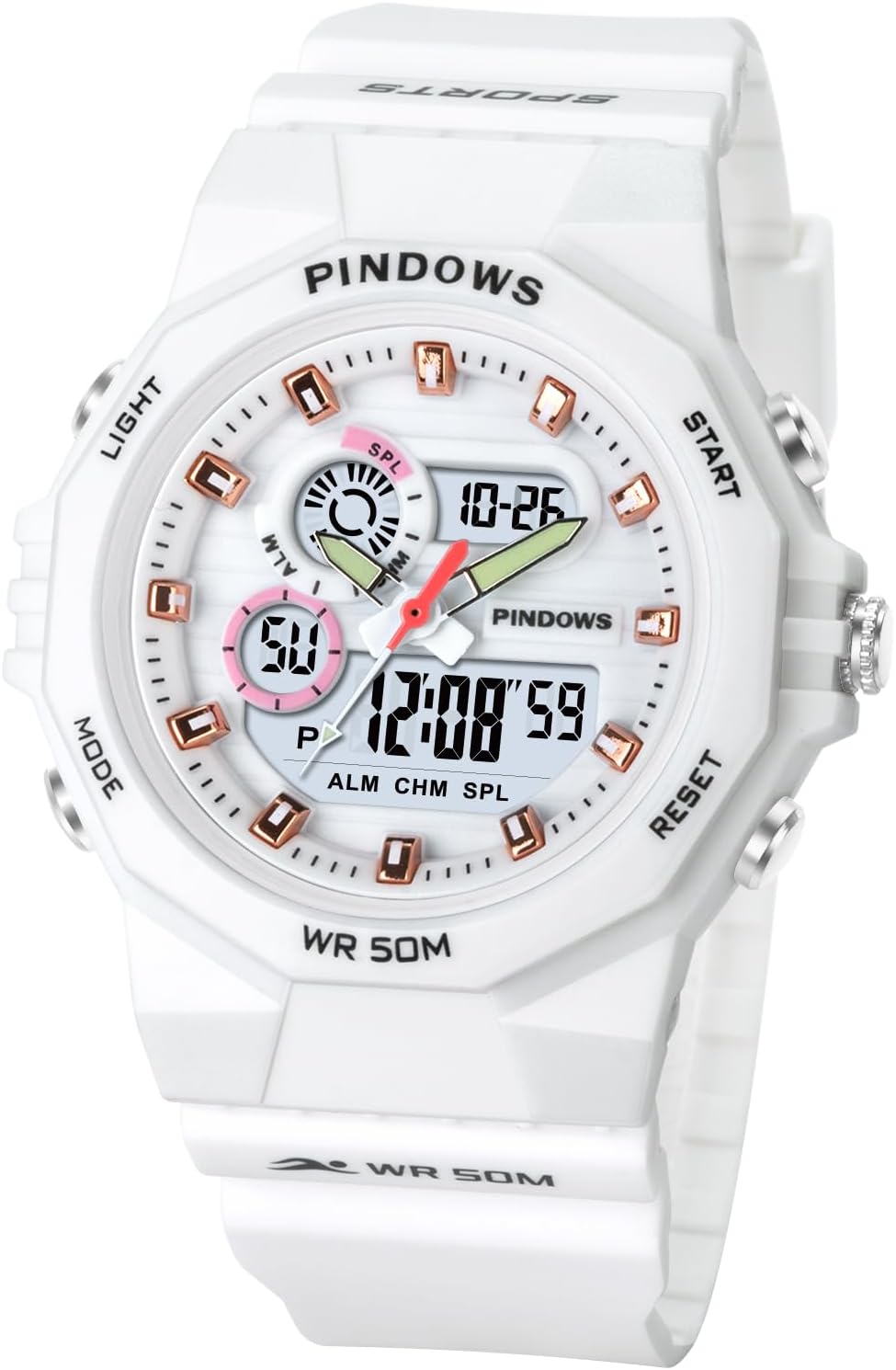
Figure 1: Front view of the PINDOWS PDS-629 Digital Sports Watch in white.
Key Features
- Multi-functional Display: Includes automatic calendar, 12/24 hour format, alarm, hourly chime, and stopwatch.
- 50M Waterproof: Designed for water resistance up to 50 meters. Note: Avoid hot water/steam and do not operate buttons underwater.
- LED Backlight: Provides super high brightness illumination for clear time reading in low-light conditions.
- Durable Construction: Features a high-quality TPU band, ABS case, and plexiglass mirror for comfort, shock resistance, and wear resistance.
- Long Battery Life: Equipped with a Japanese battery offering up to 2 years of life.
Product Components and Dimensions
Familiarize yourself with the watch's components and physical specifications.

Figure 2: Key buttons and display areas of the PINDOWS Digital Sports Watch.
- Light Button: Activates the LED backlight.
- Start/Pause Button: Used for starting and pausing the stopwatch function.
- Reset Button: Used for resetting functions, such as the stopwatch.
- Mode Button: Cycles through different modes (Time, Alarm, Stopwatch, etc.).
- Adjustment Button: Used for setting time, date, and alarm.
- Time Display: Shows the current time and other digital information.

Figure 3: Detailed product parameters including dimensions and materials.
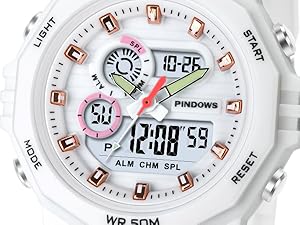
Figure 4: Close-up view of the watch face, highlighting the digital display and analog hands.
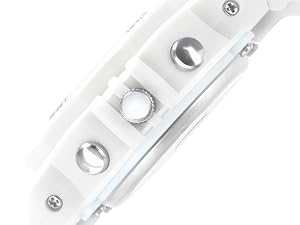
Figure 5: Side view of the watch, illustrating the placement of the control buttons.
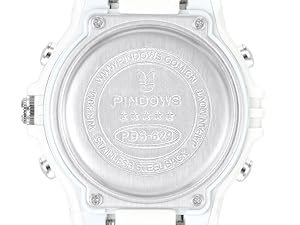
Figure 6: The stainless steel case back of the watch, showing model information.
| Specification | Detail |
|---|---|
| Weight | 110 g |
| Case Material | ABS |
| Band Material | TPU |
| Bottom Cover Material | Stainless Steel |
| Case Diameter | 43 mm (1.7 inches) |
| Case Thickness | 16.5 mm (0.65 inches) |
| Band Width | 20 mm (0.78 inches) |
| Band Length | 6.9 inches - 8.7 inches (adjustable) |
| Water Resistance | 50 Meters |
| Battery Type | 1 CR2032 (included) |
Setup and Initial Use
Setting Time and Date
- Press the MODE button repeatedly until the time setting mode is displayed (usually indicated by flashing digits).
- Use the ADJUSTMENT button to change the flashing digit (hours, minutes, seconds).
- Press the START/PAUSE button to move to the next setting (e.g., from hours to minutes).
- Repeat steps 2 and 3 for setting the date (month, day, year) and 12/24 hour format.
- Once all settings are complete, press the MODE button to exit the setting mode and return to normal time display.
Activating LED Backlight
To illuminate the display in dark conditions, simply press the LIGHT button located on the top left side of the watch. The backlight will remain on for a few seconds.

Figure 7: The watch display illuminated by the LED backlight.
Operating Functions
Using the Stopwatch
- From the normal time display, press the MODE button until the stopwatch mode is displayed (usually "00:00:00").
- Press the START/PAUSE button to begin timing.
- Press the START/PAUSE button again to pause the timing.
- To resume timing, press the START/PAUSE button.
- To reset the stopwatch to zero, press the RESET button while the stopwatch is paused.
- Press the MODE button to return to normal time display.
Setting the Alarm
- Press the MODE button until the alarm setting mode is displayed.
- Use the ADJUSTMENT button to set the alarm hour.
- Press the START/PAUSE button to move to the minute setting.
- Use the ADJUSTMENT button to set the alarm minute.
- Press the MODE button to confirm and exit the alarm setting mode.
- To turn the alarm on/off, press the ADJUSTMENT button while in the alarm display mode (without flashing digits).
Maintenance and Care
- Cleaning: Wipe the watch regularly with a soft, damp cloth. Avoid harsh chemicals or abrasive materials.
- Water Resistance: While the watch is 50M waterproof, it is designed for splashes, rain, and brief immersion. Do not press buttons underwater. Avoid exposure to hot water, steam, or saunas, as this can compromise the seals.
- Battery Replacement: The watch uses a CR2032 battery. When the display dims or functions become erratic, it may be time to replace the battery. It is recommended to have battery replacement performed by a qualified technician to ensure water resistance is maintained.
- Storage: Store the watch in a cool, dry place away from direct sunlight and extreme temperatures.

Figure 8: The PINDOWS watch demonstrating its 50M water resistance.
Troubleshooting
| Problem | Possible Cause | Solution |
|---|---|---|
| Display is dim or blank. | Low battery. | Replace the CR2032 battery. |
| Buttons are unresponsive. | Watch may be in a locked mode or battery is very low. | Try pressing all buttons to see if any response. If not, replace battery. Avoid pressing buttons underwater. |
| Time is incorrect. | Time needs to be reset after battery change or accidental adjustment. | Refer to the "Setting Time and Date" section to reset the time. |
| Water inside the watch. | Water resistance compromised due to extreme temperature changes, button operation underwater, or damaged seals. | Immediately stop using the watch. Take it to a professional for inspection and repair. This may not be covered under warranty if due to misuse. |
Warranty and Support
PINDOWS provides a 12-month warranty service for this product from the date of purchase. This warranty covers manufacturing defects and issues arising from normal use.
The warranty does not cover damage caused by:
- Accidental damage, misuse, or abuse.
- Unauthorized repairs or modifications.
- Normal wear and tear, including scratches on the case or band.
- Damage due to failure to follow care instructions (e.g., pressing buttons underwater, exposure to hot water/steam).
For warranty claims or technical support, please contact PINDOWS customer service through the retailer where the product was purchased or refer to the contact information provided with your product packaging. Please have your purchase receipt and product model number (PDS-629) ready.


