
PINDOWS PDS-629
PINDOWS Women's Digital Sports Watch PDS-629 Instruction Manual
Model: PDS-629
Introduction

Image: The PINDOWS PDS-629 Women's Digital Sports Watch.
Thank you for choosing the PINDOWS PDS-629 Women's Digital Sports Watch. This watch is designed for active lifestyles, featuring 50-meter water resistance, an LED backlight, alarm, calendar, and stopwatch functions. Please read this manual carefully to understand how to operate and maintain your watch for optimal performance.
Product Features
- Multi-functional Display: Includes automatic calendar, 12/24-hour format, alarm, hourly chime, and stopwatch.
- 50M Water Resistance: Suitable for daily use, swimming, and showering. Not recommended for hot water activities or operating buttons underwater.
- LED Backlight: Ultra-bright illumination for clear visibility in low-light conditions.
- Durable Construction: Features a high-quality TPU band, ABS case, and plexiglass mirror for shock and drop resistance.
- Long Battery Life: Equipped with a Japanese battery designed for up to 2 years of use.
Watch Components and Button Functions

Image: Overview of the PINDOWS PDS-629 watch, highlighting the functions of each button.
- LIGHT Button: Activates the LED backlight.
- START/PAUSE Button: Used for starting and pausing the stopwatch, and for adjusting settings.
- ADJUSTMENT Button: Used for confirming settings and advancing values during adjustment.
- MODE Button: Cycles through different modes (Time, Alarm, Stopwatch).
- TIME DISPLAY: Shows the current time and other information.
Operating Instructions
1. Setting the Time (Digital Display)
- From the normal time display, press the MODE button three times to enter Time Setting Mode. The seconds will flash.
- Press the START/PAUSE button to reset the seconds to 00.
- Press the ADJUSTMENT button to move the flashing selection to the hour digits.
- Press the START/PAUSE button to adjust the hour. (Note: 'A' or 'P' indicates AM/PM in 12-hour format).
- Press the ADJUSTMENT button to move the flashing selection to the minute digits.
- Press the START/PAUSE button to adjust the minutes.
- Continue pressing the ADJUSTMENT button to cycle through year, month, and day settings, adjusting each with the START/PAUSE button.
- Once all settings are correct, press the MODE button to exit Time Setting Mode.
2. Setting the Analog Hands
The analog hands are set independently. Pull out the crown (small knob on the side) and rotate it to set the analog time. Push the crown back in to start the analog movement.
3. Using the Alarm
- From the normal time display, press the MODE button once to enter Alarm Mode.
- Press the START/PAUSE button to toggle the alarm ON/OFF. The alarm icon will appear/disappear.
- To set the alarm time, press the ADJUSTMENT button. The hour digits will flash.
- Press the START/PAUSE button to adjust the hour.
- Press the ADJUSTMENT button to move to the minute digits.
- Press the START/PAUSE button to adjust the minutes.
- Press the MODE button to exit Alarm Setting Mode.
4. Using the Stopwatch
- From the normal time display, press the MODE button twice to enter Stopwatch Mode.
- Press the START/PAUSE button to start the stopwatch.
- Press the START/PAUSE button again to pause the stopwatch.
- Press the ADJUSTMENT button to reset the stopwatch to zero.
- Press the MODE button to exit Stopwatch Mode.
5. Activating the LED Backlight

Image: The watch display illuminated by the LED backlight for visibility in dark conditions.
Press the LIGHT button (top-left) to illuminate the digital display. The backlight will remain on for a few seconds.
Water Resistance

Image: The watch submerged in water, illustrating its water-resistant design.
This watch is rated for 50 meters (5 ATM) of water resistance. This means it is suitable for everyday use, including splashes, rain, showering, and swimming in shallow water. However, it is important to observe the following precautions:
- Do NOT operate any buttons while the watch is submerged in water.
- Avoid exposing the watch to hot water or steam, such as in hot showers, saunas, or hot tubs, as this can compromise the water seals.
- After exposure to saltwater, rinse the watch with fresh water and dry it thoroughly.
Maintenance
- Cleaning: Wipe the watch regularly with a soft, dry cloth. For stubborn dirt, use a slightly damp cloth and mild soap, then dry thoroughly.
- Battery Replacement: The watch uses a CR2032 battery. When the display dims or functions become erratic, it's time to replace the battery. It is recommended to have the battery replaced by a qualified watch technician to ensure the water resistance seal is properly maintained.
- Storage: Store your watch in a cool, dry place away from direct sunlight and extreme temperatures when not in use.
Troubleshooting
| Problem | Possible Cause / Solution |
|---|---|
| Digital display is dim or blank. | Battery may be low or depleted. Replace the CR2032 battery. |
| Time is incorrect. | Digital time needs to be reset (refer to "Setting the Time"). Analog hands may need to be adjusted (pull out and rotate crown). |
| Alarm does not sound. | Ensure the alarm is set to ON in Alarm Mode. Check alarm time settings. |
| Water inside the watch. | Water resistance may have been compromised by operating buttons underwater or exposure to hot water/steam. Seek professional repair immediately. |
Specifications
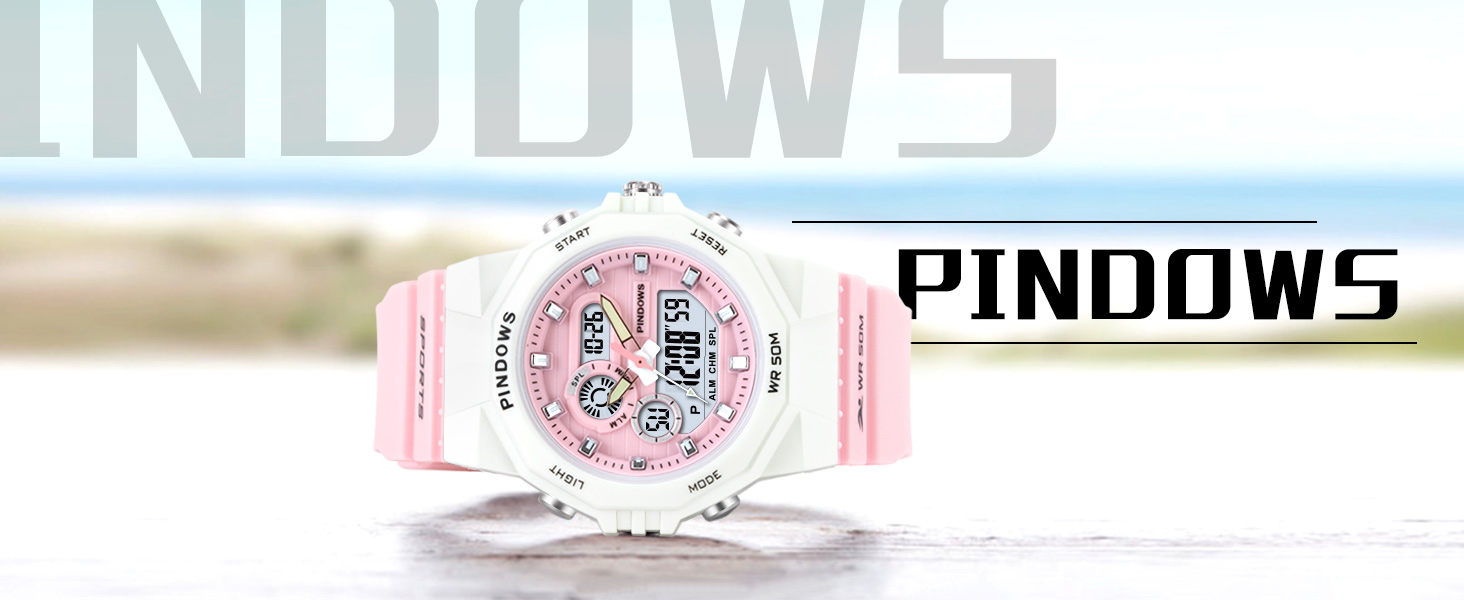
Image: Detailed product parameters including dimensions and materials.
- Model Number: PDS-629
- Case Material: ABS
- Band Material: TPU
- Bottom Cover Material: Stainless Steel
- Mirror Material: Plexiglass
- Water Resistance: 50M (5 ATM)
- Battery Type: 1 x CR2032 (included)
- Battery Life: Up to 2 years
- Product Dimensions: 4.4 x 3.6 x 1.35 cm
- Weight: 44 g
- Case Diameter: 43 mm (1.7 inches)
- Case Thickness: 16.5 mm (0.65 inches)
- Band Width: 20 mm (0.78 inches)
- Band Length: 17.5 cm - 22.1 cm (6.9 inches - 8.7 inches)
Warranty and Support
PINDOWS provides a 12-month warranty service for this product. We are committed to providing high-quality products and services that satisfy our customers. If you encounter any issues or have questions regarding your watch, please contact our customer support for assistance. Please refer to your purchase documentation for specific contact details.