
1. Product Overview
The Moultrie Easy Aim Mount (Model: MMA-14144) is an accessory designed to provide precise vertical angle adjustment for Moultrie Edge Series trail cameras. This mount eliminates the need for improvised solutions, ensuring your camera is consistently aimed correctly. It features a reversible design, allowing the camera to be angled either downwards towards a trail or upwards from a lower mounting position. The mount attaches securely to your Edge Series camera and utilizes the camera's standard strap for tree mounting, requiring no additional tools or hardware.

Figure 1: Side view of the Moultrie Easy Aim Mount, highlighting its design for secure attachment and angle adjustment.
2. Setup Instructions
- Attach Mount to Camera: Align the Moultrie Easy Aim Mount with the back of your Moultrie Edge Series trail camera. Snap the mount firmly into place until it is securely seated. The mount is designed for a tool-free connection.
- Prepare for Mounting: Ensure the camera's standard mounting strap is accessible. The mount integrates with this strap for tree attachment.
- Mount to Tree: Position the camera with the attached mount against the desired tree or post. Route the camera's standard strap through the designated slots on the Easy Aim Mount and around the tree. Tighten the strap securely to prevent movement.
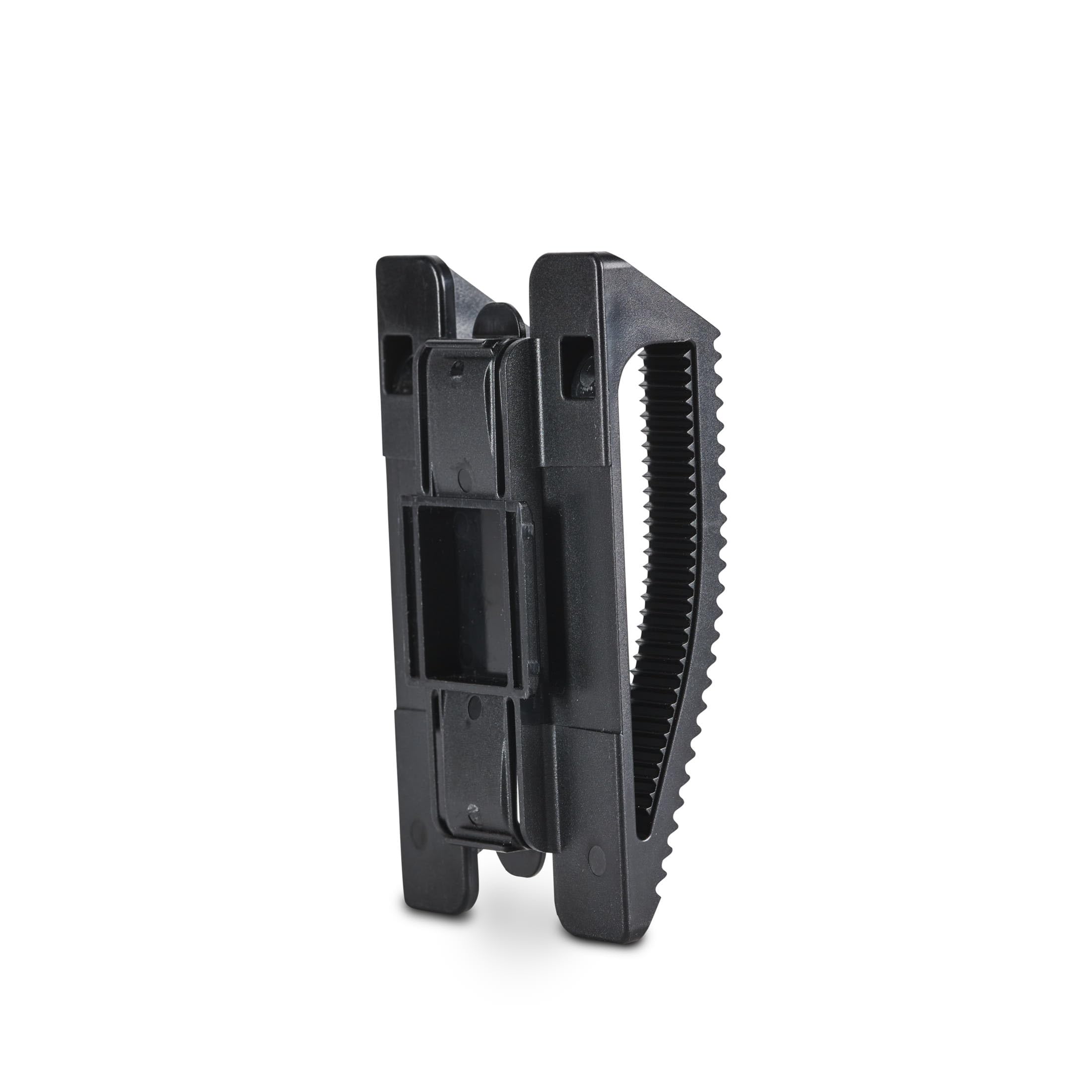
Figure 2: The Easy Aim Mount securely attached to an Edge Series trail camera.

Figure 3: Camera mounted on a tree, angled downwards using the Easy Aim Mount.

Figure 4: Camera mounted on a tree, angled upwards using the Easy Aim Mount.
Setup Video Guide
Video 1: Official Moultrie guide demonstrating the installation and use of the Easy Aim Mount for Edge Series Cameras.
3. Operating Instructions
The Easy Aim Mount allows for quick and precise vertical angle adjustments without tools.
- Angling Downwards: To aim the camera downwards (e.g., towards a trail or scrape), slide the mount in one direction on the camera's back. The serrated edges will engage, locking the desired downward angle.
- Angling Upwards: To aim the camera upwards (e.g., from a lower mounting position), remove the mount from the camera, flip it over, and re-attach it. Then, slide the mount to achieve the desired upward angle.
- The mount's design ensures that once an angle is set, it remains stable, preventing the camera from shifting position due to environmental factors.
4. Maintenance
The Moultrie Easy Aim Mount is constructed from heavy-duty outdoor-grade plastic designed to withstand various weather conditions.
- Cleaning: Periodically inspect the mount for dirt, debris, or mud. Clean with a damp cloth and mild soap if necessary. Avoid harsh chemicals that may damage the plastic.
- Storage: When not in use, store the mount in a cool, dry place away from direct sunlight to prolong its lifespan.
- Inspection: Before each use, check the mount for any signs of damage or wear. Ensure the serrated gripping surfaces are intact for optimal performance.
5. Troubleshooting
- Issue: Camera angle shifts after mounting.
Solution: Ensure the Easy Aim Mount is fully snapped onto the back of the Edge Series camera. Verify that the camera's standard strap is threaded correctly through the mount and tightened securely around the tree or post. The strap must be taut to prevent slippage. - Issue: Difficulty attaching the mount to the camera.
Solution: Confirm that you are using a Moultrie Edge Series trail camera, as this mount is specifically designed for that series. Ensure no obstructions are present on the camera's back panel where the mount attaches. Apply firm, even pressure until you hear or feel the mount snap into place. - Issue: Mount appears damaged or worn.
Solution: If the mount shows significant wear, cracks, or damage to its gripping surfaces, it may compromise its ability to hold the camera securely. Consider replacing the mount to ensure reliable performance.
6. Specifications
| Specification | Detail |
|---|---|
| Model Number | MMA-14144 |
| Brand | Moultrie |
| Material | Plastic |
| Color | Black |
| Item Dimensions (L x W x H) | 2.6 x 1.2 x 4.4 inches |
| Item Weight | 0.07 kg |
| Included Components | Easy Aim Mount |
| Mounting Type | Tree Strap Mounting |
| UPC | 053695141442 |
| Manufacturer | Pradco Outdoor Brands |
7. Warranty and Support
Warranty: The Moultrie Easy Aim Mount is covered by a 1-year manufacturer's warranty. Please retain your proof of purchase for warranty claims.
Customer Support: For technical assistance, warranty inquiries, or further information regarding your Moultrie Easy Aim Mount, please visit the official Moultrie website or contact Moultrie customer service directly. Contact details can typically be found on the product packaging or the official Moultrie website.