
Introduction
The Noise Buds Connect 2 are true wireless earbuds designed to provide a high-quality audio experience with advanced features. This manual provides detailed instructions for setting up, operating, maintaining, and troubleshooting your earbuds to ensure optimal performance.
What's in the Box
Upon unboxing your Noise Buds Connect 2, you will find the following items:
- 1N Bluetooth Headphone (Earbuds)
- 1N Charging Case
- 1N Charging Cable
- 1N User Manual
- 1N Warranty Registration Card
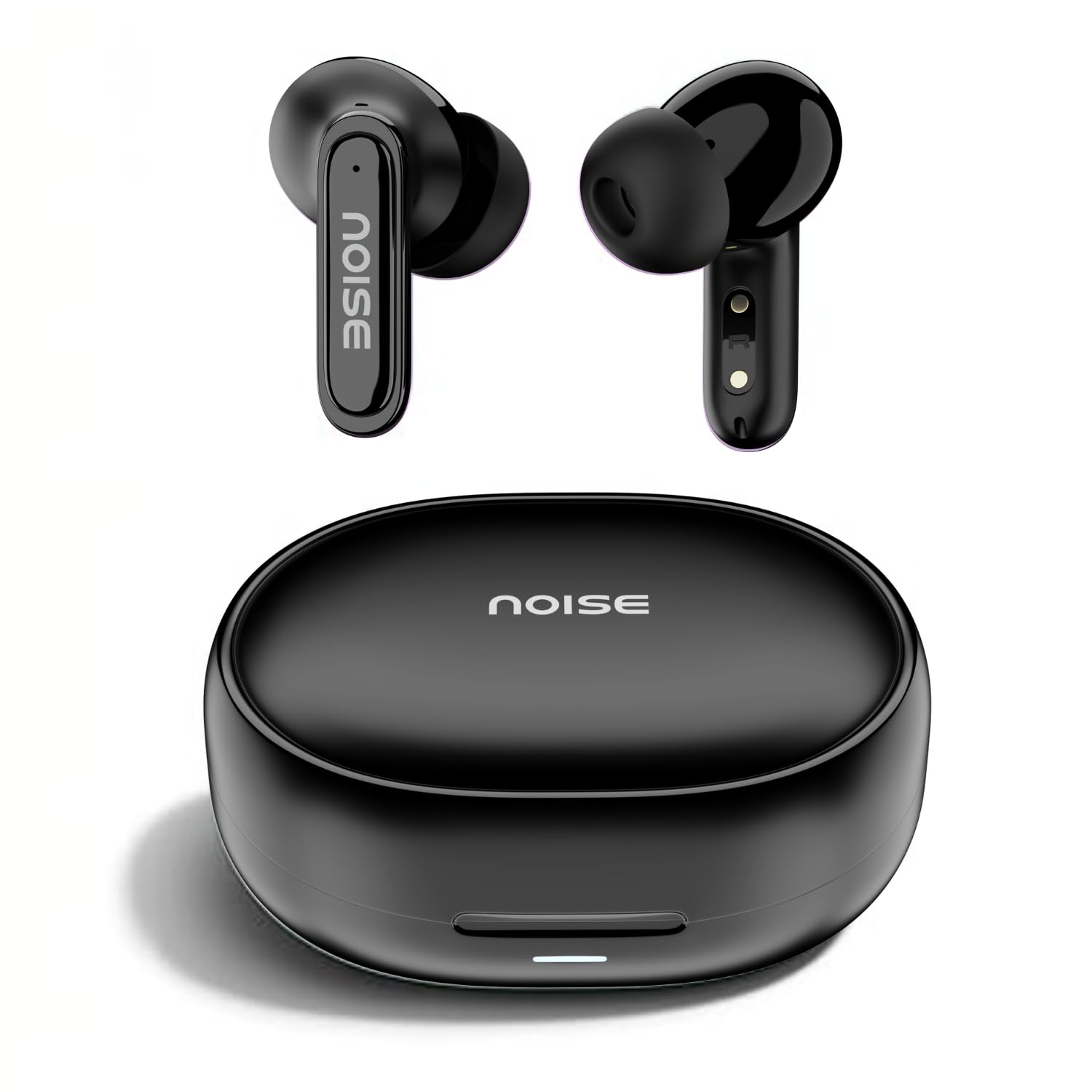
Image: Noise Buds Connect 2 earbuds and their charging case.
Setup
1. Charging Your Earbuds
Before first use, fully charge the earbuds and the charging case. Connect the provided charging cable to the charging case and a power source. The indicator light on the case will show the charging status.
- Battery Average Life: Up to 50 hours (with charging case)
- Battery Charge Time: Approximately 1.5 hours for a full charge.
- Instacharge: 10 minutes of charge provides up to 120 minutes of playtime.

Image: Noise Buds Connect 2 earbuds placed inside their charging case.
2. Initial Pairing
- Open the charging case. The earbuds will automatically enter pairing mode.
- On your device (smartphone, tablet, laptop), enable Bluetooth.
- Search for 'Noise Buds Connect 2' in the list of available Bluetooth devices.
- Select 'Noise Buds Connect 2' to connect. A voice prompt will confirm successful pairing.

Image: Earbuds connected to a device via Bluetooth 5.3, showing music playback.
3. Dual Device Pairing
The Noise Buds Connect 2 support dual device pairing, allowing you to connect to two devices simultaneously and switch between them seamlessly.
- Pair the earbuds with your first device as described above.
- Disconnect the earbuds from the first device's Bluetooth settings.
- Pair the earbuds with your second device.
- Reconnect the earbuds to the first device from its Bluetooth settings. The earbuds are now paired with both devices.

Image: Noise Buds Connect 2 earbuds shown with a smartphone and a laptop, illustrating dual device pairing.
Operating Instructions
Touch Controls
The earbuds feature touch controls for easy management of music and calls. Specific gestures for play/pause, track skipping, volume adjustment, and call handling are typically detailed in the quick start guide included with your product. Refer to that guide for precise touch commands.
In-Ear Detection
The earbuds are equipped with in-ear detection. Music playback will automatically pause when you remove an earbud from your ear and resume when you place it back in.

Image: A person wearing Noise Buds Connect 2, demonstrating the in-ear detection feature.
Features
- Quad Mic with Environmental Noise Cancellation (ENC): Ensures clear voice calls by filtering out ambient noise.
- IPX5 Water Resistance: Protects your earbuds from sweat and light splashes, making them suitable for workouts and outdoor activities.
- Low Latency (up to 40ms): Provides a synchronized audio-visual experience, ideal for gaming and video playback.
- Bluetooth v5.3: Offers stable and efficient wireless connectivity with a range of up to 10 meters.
Image: Noise Buds Connect 2 earbuds highlighting the Quad Mic with ENC feature for enhanced call clarity.

Image: Noise Buds Connect 2 showcasing its IPX5 water resistance feature.
Maintenance
Cleaning
- Gently wipe the earbuds and charging case with a soft, dry, lint-free cloth.
- Do not use harsh chemicals, cleaning solvents, or strong detergents.
- Clean the charging contacts on both the earbuds and the case regularly to ensure proper charging.
Storage
- Store the earbuds in their charging case when not in use to protect them and keep them charged.
- Avoid exposing the earbuds to extreme temperatures, humidity, or direct sunlight.
Troubleshooting
- Earbuds not pairing: Ensure both earbuds are in the charging case, then open the lid to initiate pairing mode. Check your device's Bluetooth settings and try re-pairing.
- One earbud not working: Place both earbuds back in the case, close the lid, wait a few seconds, then open it again. This often resets the connection.
- Charging issues: Clean the charging contacts on both the earbuds and the case. Ensure the charging cable is securely connected and the power source is active.
- Low volume or poor sound quality: Check the volume on both your device and the earbuds. Ensure the earbuds are properly seated in your ears. Clean any debris from the earbud nozzles.
- In-ear detection not working: Ensure the sensors are clean and unobstructed.
Specifications
| Feature | Specification |
|---|---|
| Brand | Noise |
| Model Name | Buds Connect 2 |
| Model Number | AUD-HDPHN-BUDSCONNECT-2-BLK |
| Colour | Charcoal Black |
| Ear Placement | In Ear |
| Form Factor | True Wireless |
| Noise Control | Environmental Noise Cancellation (ENC) |
| Battery Average Life | 50 Hours |
| Battery Charge Time | 1.5 Hours |
| Frequency Range | 20 Hz - 20 kHz |
| Audio Driver Type | Dynamic Driver |
| Product Features | Fast Charging, Lightweight, Microphone Included, Rechargeable Battery, Sweatproof |
| Enclosure Material | Polycarbonate (PC) |
| Water Resistance Level | IPX5 Water Resistant |
| Bluetooth Version | 5.3 |
| Bluetooth Range | 10 Metres |
| Control Type | Media Control |
| Control Method | Touch |
Warranty and Support
The Noise Buds Connect 2 come with a 1-year assured warranty from the date of purchase, provided by the manufacturer. For warranty claims, technical support, or further information, please refer to the warranty registration card included in your package or visit the official Noise brand store.
Official Brand Store: Noise Store on Amazon.in
Product Video Overview
Watch this video for a brief overview of the Noise Buds Connect 2 features and contents.
Video: A short preview highlighting key features of the Noise Buds Connect 2 earbuds.


