
radtel RT 830
Radtel RT-830 Dual Band Ham Radio User Manual
Model: RT 830
Introduction
This manual provides comprehensive instructions for the operation, maintenance, and troubleshooting of your Radtel RT-830 Dual Band Ham Radio. Please read this manual thoroughly before using the device to ensure proper functionality and safety.

Figure 1: Radtel RT-830 Dual Band Ham Radio with its charging cradle and flexible antenna.
Package Contents
Verify that all items are present in your package:
- Radtel RT-830 Ham Radio Unit
- Flexible Tri-Band Antenna (144/222/430Mhz)
- Charging Cradle
- Power Adapter (for charging cradle)
- Rechargeable Lithium Battery Pack
- USB Type-C Charging Cable
- User Manual (this document)
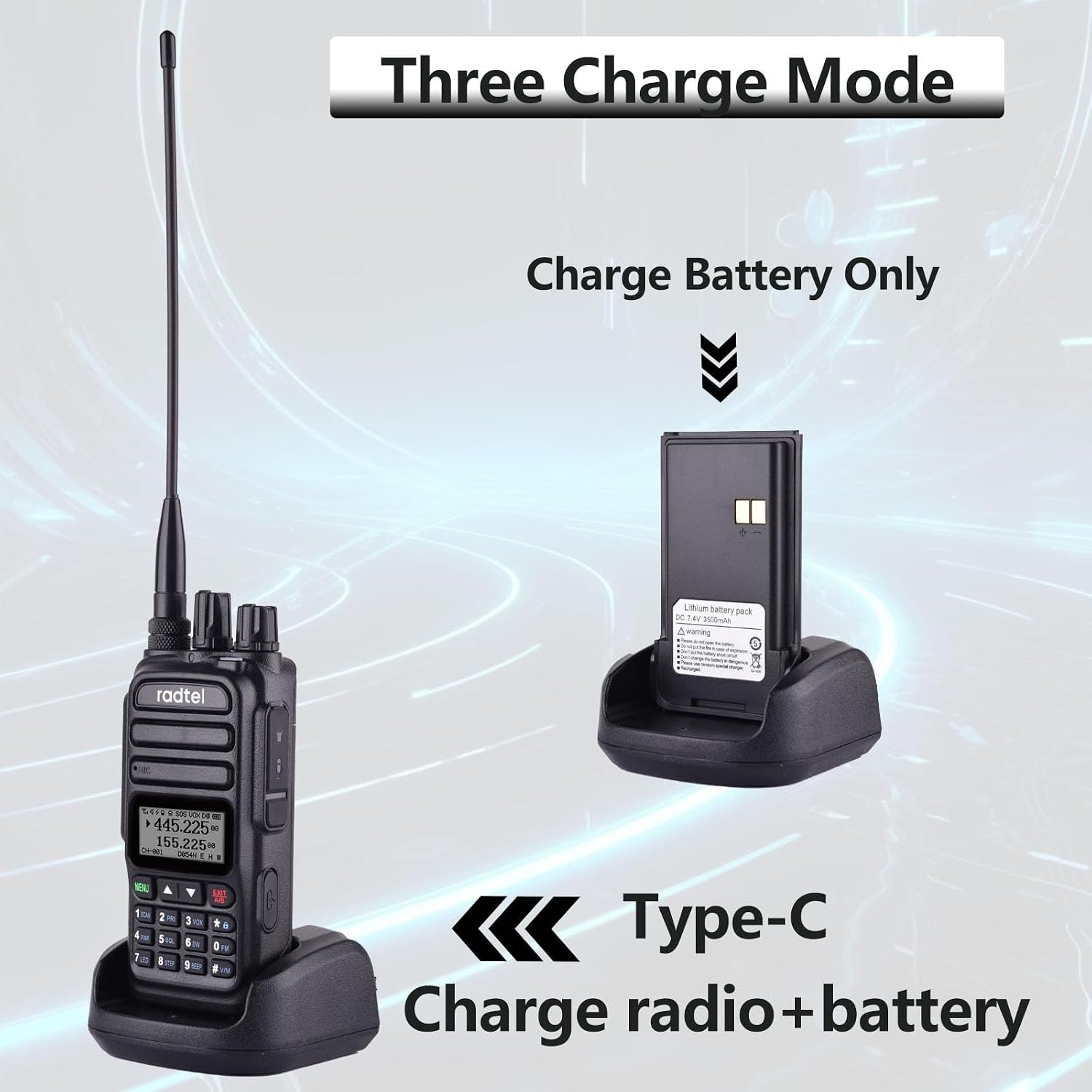
Figure 2: The Radtel RT-830 supports multiple charging modes, including charging the battery separately or charging the radio and battery simultaneously via Type-C or desktop charger.
Setup
1. Battery Installation
- Ensure the radio is powered off.
- Align the battery pack with the battery compartment on the back of the radio.
- Gently push the battery into place until it clicks securely.
- To remove, slide the battery release latch (if present) and pull the battery away.
2. Antenna Attachment
- Locate the antenna connector on the top of the radio.
- Screw the flexible tri-band antenna clockwise onto the connector until it is finger-tight. Do not overtighten.

Figure 3: The flexible tri-band antenna, measuring 1.37 inches, designed for enhanced communication range.
3. Charging the Battery
The Radtel RT-830 offers multiple charging options:
- Desktop Charging Cradle: Place the radio with the battery installed into the charging cradle. Ensure the charging contacts align. The indicator light on the cradle will show charging status.
- USB Type-C Direct Charging: Connect a USB Type-C cable to the port on the side of the radio and to a compatible USB power source. This method allows charging the radio and battery simultaneously.
- Battery-Only Charging: The charging cradle can also charge the battery pack independently without the radio unit.
A full charge typically takes several hours. Do not operate the radio while it is charging via the desktop cradle.
Operating Instructions
Basic Operation
- Power On/Off: Rotate the power/volume knob clockwise to turn on the radio. Continue rotating to adjust volume. Rotate counter-clockwise until it clicks to power off.
- Frequency/Channel Selection: Use the up/down arrow keys or the keypad to enter desired frequencies or select channels.
- Transmit (PTT): Press and hold the Push-To-Talk (PTT) button on the side of the radio to transmit. Release to receive.
- Keypad Lock: The radio features a keypad lock to prevent accidental input. Refer to the display for lock status.
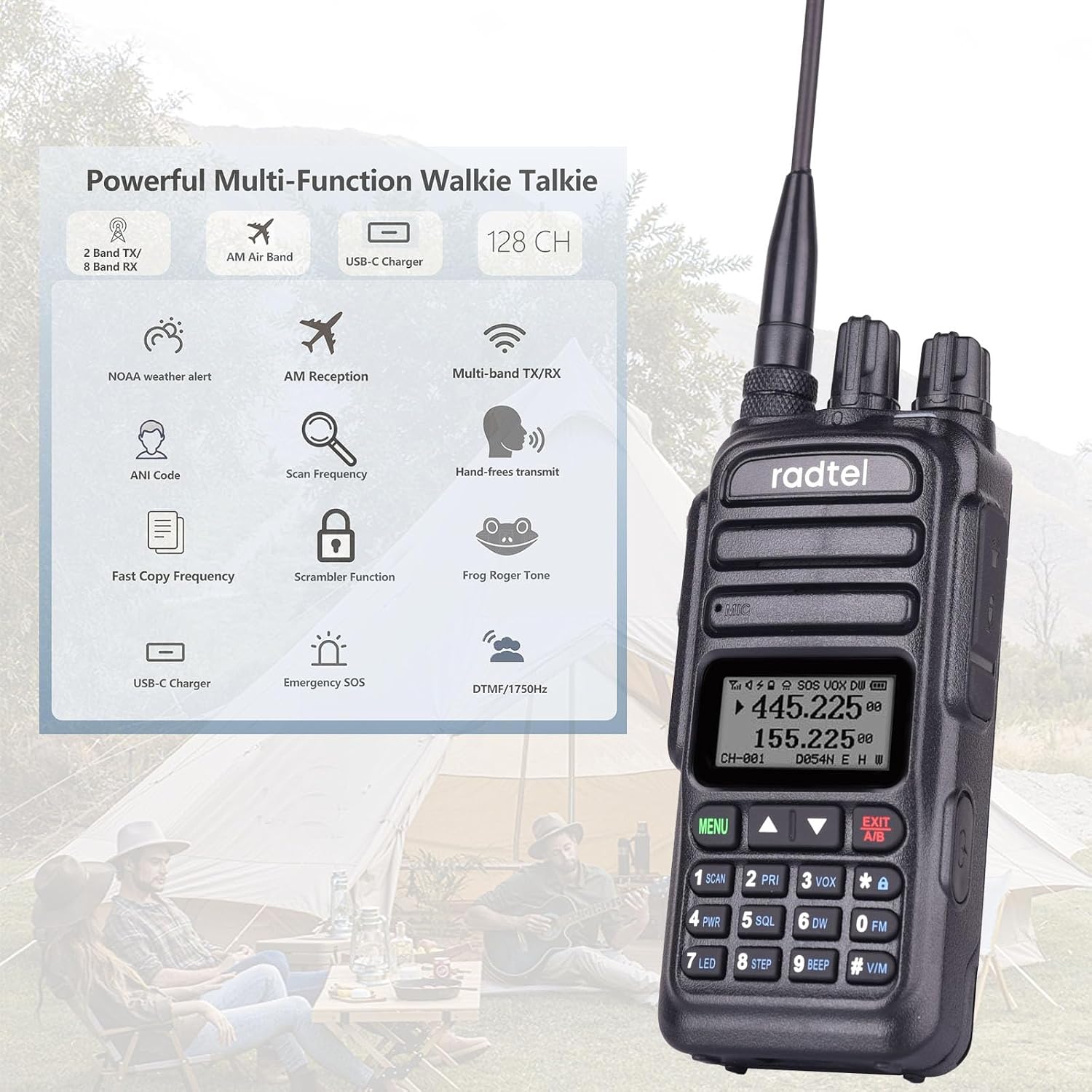
Figure 4: Overview of the Radtel RT-830's multi-functional capabilities, including NOAA weather, AM reception, USB-C charging, and more.
Advanced Features
- Dual Band Operation: The RT-830 supports 144-148Mhz and 420-450Mhz bands for transmit and receive. It also receives 108-136Mhz AM Air Band and 136-520Mhz UHF/VHF.
- NOAA Weather Channels: Access 8 NOAA weather channels to stay informed about local weather conditions.
- VOX/Squelch: Adjustable Voice Operated Transmit (VOX) and squelch settings are available for hands-free operation and noise reduction.
- Power Levels: Select between High (HI) and Low (LOW) power output settings to conserve battery or extend range.

Figure 5: The Radtel RT-830 supports multi-band transmit and receive across various frequency ranges, including 144-148Mhz, 420-450Mhz, 108-136Mhz AM, and 136-520Mhz UHF/VHF.

Figure 6: The Radtel RT-830 provides NOAA Weather Alerts, keeping users informed of critical weather updates.
Maintenance
- Cleaning: Use a soft, damp cloth to clean the radio's exterior. Do not use harsh chemicals or abrasive cleaners.
- Storage: Store the radio in a cool, dry place when not in use. Remove the battery if storing for extended periods.
- Antenna Care: Ensure the antenna connection is secure but do not overtighten. Avoid bending or stressing the antenna excessively.
- Battery Care: Fully charge the battery before first use. Avoid completely draining the battery frequently to prolong its lifespan.
Troubleshooting
| Problem | Possible Cause | Solution |
|---|---|---|
| Radio does not power on. | Battery is low or not installed correctly. | Charge the battery or re-install it securely. |
| Cannot transmit or receive. | Incorrect frequency/channel, antenna not connected, or out of range. | Verify frequency/channel, ensure antenna is attached, move closer to other radios. |
| Poor audio quality. | Low signal strength, high interference, or incorrect squelch setting. | Adjust squelch, move to an area with better signal, check antenna. |
| Keypad is unresponsive. | Keypad lock is active. | Deactivate keypad lock (refer to radio display for unlock sequence). |
Specifications
| Feature | Detail |
|---|---|
| Model Number | RT 830 |
| Brand | Radtel |
| Frequency Range (TX/RX) | 144-148 MHz / 420-450 MHz |
| Frequency Range (RX Only) | 108-136 MHz (AM Air Band), 136-520 MHz (UHF/VHF) |
| Antenna Type | Flexible Tri-Band (144/222/430Mhz) |
| Number of Channels | 8 |
| Special Features | Keypad Lock, NOAA Weather Alert, Air Band Receive, FM Broadcast, VOX, Adjustable Power (HI/LOW) |
| Charging Options | Desktop Cradle, USB Type-C |
| Color | Black |
| Water Resistance Level | Not Water Resistant |

Figure 7: The Radtel RT-830, when paired with its high-gain antenna, offers extended communication ranges depending on terrain: 0.5-1.5 miles in urban areas, 1.5-2.5 miles in suburban/rural, and 2.5-3.5 miles in open mountainous regions.
Warranty Information
Radtel products are covered by a limited warranty against defects in materials and workmanship. Please refer to the warranty card included with your product or visit the official Radtel website for detailed warranty terms and conditions. Keep your purchase receipt as proof of purchase for warranty claims.
Customer Support
For technical assistance, troubleshooting not covered in this manual, or warranty inquiries, please contact Radtel customer support. Contact information can typically be found on the official Radtel website or on the product packaging.
Online Resources: For the latest updates, FAQs, and additional resources, please visit the official Radtel Store on Amazon.
Related documentsRT 830

Ask a question about this manual
Ask about setup, troubleshooting, compatibility, parts, safety, or missing instructions. Manuals+ will review the question and use this page’s manual context to help answer it.