
Introduction
The DYNASONIC DYNAPRO 12 Plus is a powerful and versatile portable Bluetooth speaker designed for various audio applications. Featuring a 12-inch audio system, 700W power output, and TWS (True Wireless Stereo) technology, it delivers high-fidelity sound. This speaker includes Bluetooth connectivity, USB/SD playback, and inputs for microphones and instruments, making it suitable for events, outdoor use, and professional sound reinforcement. Its integrated wheels and extendable handle ensure easy transport.
Safety Information
Please read and understand all safety instructions before using this product. Retain this manual for future reference.
- Do not expose the speaker to water, moisture, or extreme temperatures.
- Avoid placing the speaker near heat sources or in direct sunlight for extended periods.
- Use only the provided charging cable and power adapter.
- Do not attempt to open or repair the speaker yourself. Refer all servicing to qualified personnel.
- Ensure proper ventilation around the speaker during operation.
- Keep out of reach of children.
Battery Safety
- The speaker contains a Lithium-polymer battery. Do not dispose of the battery in fire or expose it to high temperatures.
- Recharge the battery fully before first use.
- If the speaker will not be used for an extended period, charge it every 3 months to maintain battery health.
Package Contents
Verify that all items are present in the package:
- DYNASONIC DYNAPRO 12 Plus Portable Bluetooth Speaker
- Wireless Microphone
- Headset Microphone
- Tablet Stand
- Remote Control
- Charging Cable
- User Manual (this document)

Image: DYNASONIC DYNAPRO 12 Plus speaker shown with its accessories, including a wireless microphone, headset microphone, remote control, and tablet stand.
Product Overview
Front Panel
The front of the speaker features the main 12-inch woofer and a horn tweeter for clear audio reproduction. The DYNASONIC Professional Audio logo is visible on the speaker grille.
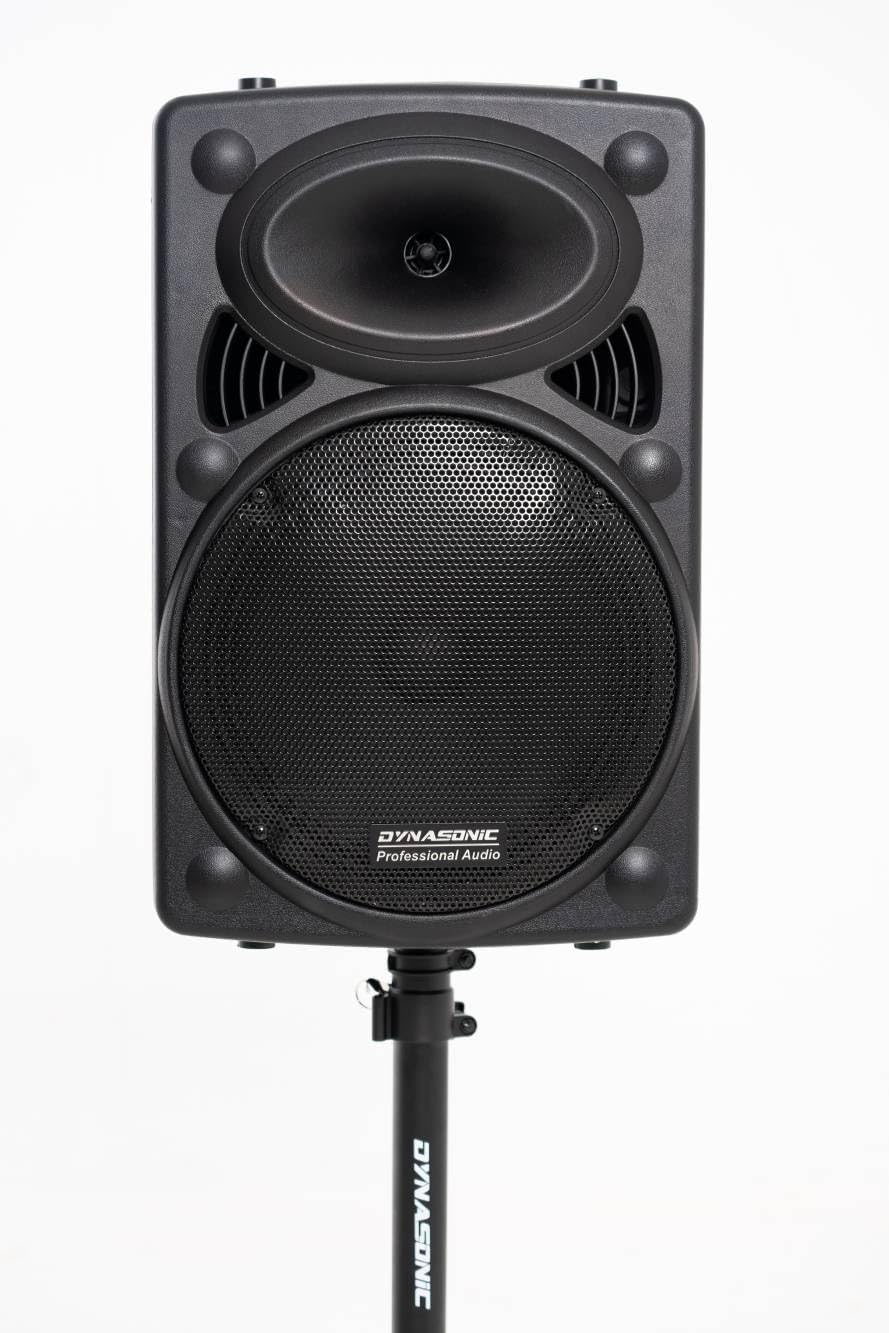
Image: Front view of the DYNASONIC DYNAPRO 12 Plus speaker, showcasing the speaker grille and horn tweeter, mounted on a stand.
Rear Control Panel
The rear panel houses all input/output ports and control knobs for sound adjustment and playback management.

Image: Detailed view of the speaker's rear control panel, showing various knobs, ports (USB, SD, microphone, instrument), and display.
- Display Screen: Shows current mode, track information, and volume level.
- Mode Button: Switches between Bluetooth, USB, SD, and AUX input modes.
- Playback Controls: Play/Pause, Previous Track, Next Track.
- Volume Knobs: Master Volume, Microphone Volume, Echo, Bass, Treble.
- Microphone Inputs: Wired microphone input (6.35mm jack).
- Instrument Input: Guitar input (6.35mm jack).
- USB Port: For USB flash drives.
- SD Card Slot: For SD memory cards.
- AUX Input: 3.5mm stereo input for external audio devices.
- Power Switch: Turns the speaker ON/OFF.
- DC Input: For charging the internal battery.
- External DC 12V Input: For connecting to an external 12V power source.
Setup
Initial Charging
- Before first use, connect the speaker to a power outlet using the provided charging cable.
- Allow the speaker to charge fully. The charging indicator light will change when charging is complete.
Attaching the Tablet Stand
The tablet stand can be mounted on top of the speaker for convenient placement of a tablet or smartphone.
- Locate the mounting holes on the top surface of the speaker.
- Align the tablet stand with the holes and secure it firmly.
- Adjust the stand to hold your device securely.

Image: The DYNASONIC DYNAPRO 12 Plus speaker with a tablet securely placed on the integrated stand, demonstrating its utility.
Powering On/Off
- To power on, flip the Power Switch on the rear panel to the 'ON' position.
- To power off, flip the Power Switch to the 'OFF' position.
Operating Instructions
Bluetooth Pairing
- Power on the speaker. The speaker will automatically enter Bluetooth pairing mode, indicated by a flashing Bluetooth icon on the display.
- On your mobile device, enable Bluetooth and search for available devices.
- Select "DYNAPRO 12 Plus" from the list of devices.
- Once paired, the speaker will emit a confirmation sound, and the Bluetooth icon will stop flashing.
- You can now play audio from your device through the speaker.
USB/SD Card Playback
- Insert a USB flash drive or SD card into the corresponding port/slot on the rear panel.
- The speaker will automatically switch to USB or SD mode and begin playing audio files. If not, press the 'Mode' button to select the correct input.
- Use the Playback Controls (Play/Pause, Previous, Next) to manage your audio.
Microphone Usage
The DYNAPRO 12 Plus supports both wired and wireless microphones.
- Wired Microphones: Connect a wired microphone (or the headset microphone) to the 6.35mm MIC input jack on the rear panel. Adjust the 'MIC VOL' knob for microphone volume and 'ECHO' for echo effect.
- Wireless Microphone: The included wireless microphone is pre-paired. Ensure it is powered on. Adjust 'MIC VOL' and 'ECHO' as needed.
Instrument Input
Connect an instrument, such as a guitar, to the 'GUITAR IN' 6.35mm jack on the rear panel. Adjust the instrument's volume directly or use the master volume control.
TWS (True Wireless Stereo) Function
If you have two DYNAPRO 12 Plus speakers, you can pair them together for a stereo sound experience.
- Ensure both speakers are powered on and in Bluetooth mode, but not yet paired to any device.
- On one speaker (this will be the primary speaker), press and hold the TWS button (refer to the rear panel diagram for location, if available, or assume a dedicated button).
- The primary speaker will search for the secondary speaker. Once connected, both speakers will emit a confirmation sound.
- Now, pair your mobile device to the primary speaker via Bluetooth as described above. Audio will play in stereo through both speakers.
Sound Adjustment
Use the dedicated knobs on the rear panel to fine-tune the audio output:
- BASS: Adjusts the low-frequency output.
- TREBLE: Adjusts the high-frequency output.
- ECHO: Controls the echo effect for microphones.

Image: A man playing a guitar while using the DYNASONIC DYNAPRO 12 Plus speaker, demonstrating its instrument input capability.
Maintenance
- Cleaning: Wipe the speaker with a soft, dry cloth. Do not use abrasive cleaners or solvents.
- Storage: Store the speaker in a cool, dry place away from direct sunlight and extreme temperatures.
- Battery Care: If not used for extended periods, charge the battery every 3 months to prolong its lifespan.
- Transport: Utilize the integrated wheels and extendable handle for easy and safe transport.

Image: A person transporting the DYNASONIC DYNAPRO 12 Plus speaker using its built-in wheels and extendable handle, highlighting its portability.
Troubleshooting
| Problem | Possible Cause | Solution |
|---|---|---|
| No power | Battery is depleted; Power switch is off. | Charge the speaker; Ensure the power switch is in the 'ON' position. |
| No sound | Volume too low; Incorrect input mode selected; Device not connected properly. | Increase master volume and source volume; Press 'Mode' button to select correct input (Bluetooth, USB, SD, AUX); Re-pair Bluetooth device or re-insert USB/SD. |
| Bluetooth not connecting | Speaker not in pairing mode; Device too far; Interference. | Ensure speaker is in Bluetooth mode and flashing; Move device closer; Turn off other Bluetooth devices. |
| Microphone not working | Microphone not powered on; Volume too low; Incorrect input. | Ensure wireless microphone is charged and powered on; Increase 'MIC VOL' knob; Ensure wired microphone is fully inserted. |
| TWS pairing fails | Speakers already paired to a device; Speakers too far apart. | Ensure both speakers are not connected to any Bluetooth device; Bring speakers closer and retry TWS pairing. |
Specifications
- Brand: DYNASONIC
- Model: DYNAPRO 12 Plus
- Speaker Type: Full-range portable system with Subwoofer
- Connectivity Technology: Bluetooth, USB
- Audio Input: Microphones (wireless/wired), Guitar
- Number of Channels: 2
- Power Output: 700W (Peak)
- Dimensions (L x W x H): 50 x 50 x 40 cm (19.7 x 19.7 x 15.7 inches)
- Item Weight: 11 kg (24.25 lbs)
- Material: Polypropylene (PP)
- Power Source: Battery Powered (1 Lithium-polymer battery included)
- Battery Life: Approximately 4-5 hours (rechargeable)
- Special Features: TWS function, USB/SD player, Tablet stand, Wheels and extendable handle.
Warranty and Support
DYNASONIC products are manufactured with quality and performance in mind. For warranty information, please refer to the documentation provided at the time of purchase or contact your retailer. For technical support or inquiries, please visit the official DYNASONIC website or contact their customer service department.
Please have your model number (DYNAPRO 12 Plus) and purchase details ready when contacting support.