1. Introduction
This manual provides instructions for the proper use and care of your Fintie 360° Rotating Case for iPad Air 13-inch. Please read this manual thoroughly to ensure optimal performance and longevity of your product.
2. Compatibility and Model Verification
This case is specifically designed for the following iPad Air 13-inch models:
- iPad Air 13-inch M3 2025 (Model Numbers: A3268 / A3269 / A3271)
- iPad Air 13-inch M2 2024 (Model Numbers: A2898 / A2899 / A2900)
How to find your iPad model number:
- Look on the back of your iPad for a small print that includes the model number starting with 'A'.
- Alternatively, go to Settings > General > About on your iPad. Tap the 'M' part number to reveal the 'A' model number.
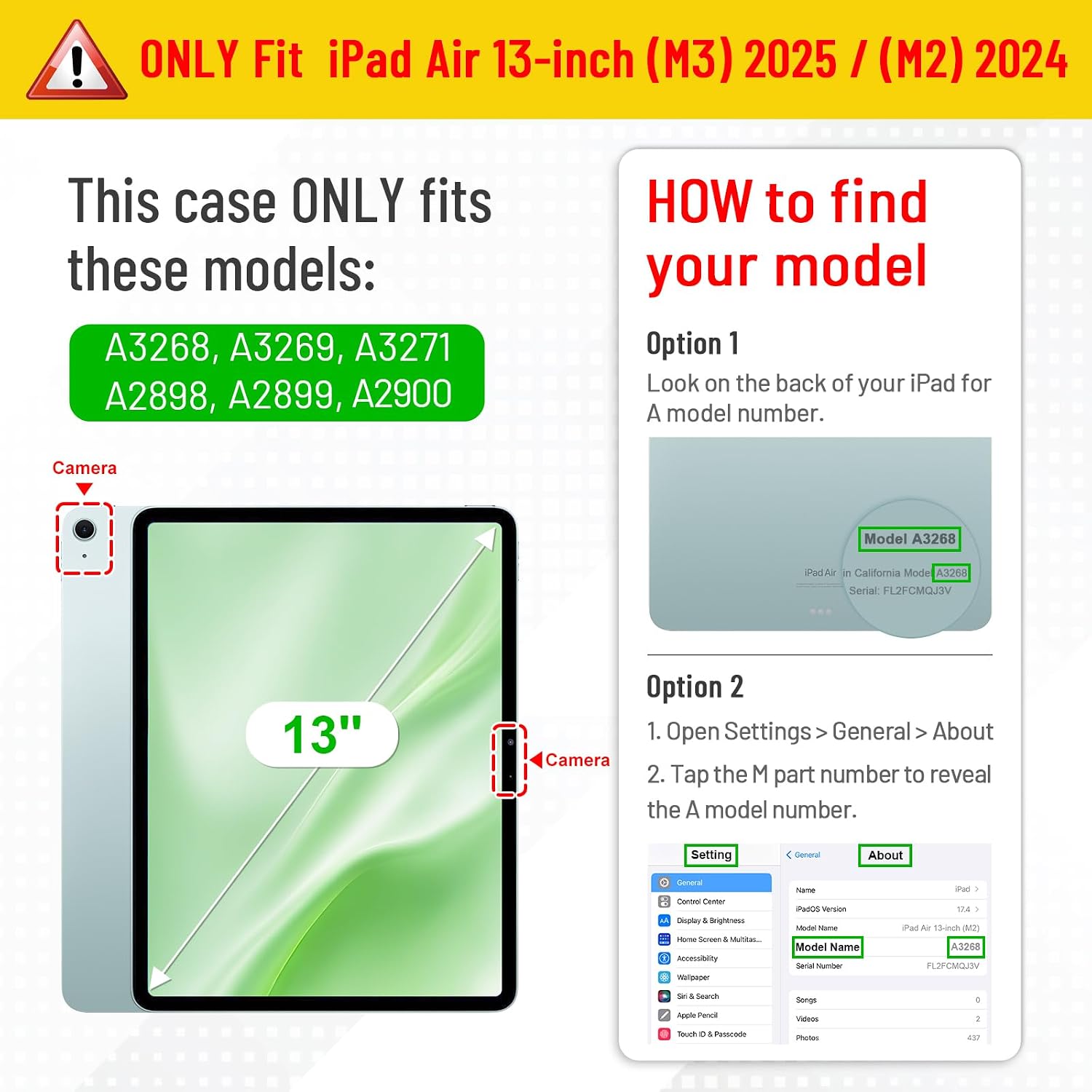
Image: Guide to identifying your iPad Air 13-inch model number for case compatibility.
3. Installation and Setup
To install your iPad into the Fintie 360° Rotating Case:
- Gently align your iPad with the hard shell back cover of the case.
- Press firmly around the edges of the iPad until it securely snaps into place within the case. Ensure all corners are protected.
- Verify that all ports, buttons, and the camera are accessible and unobstructed.

Image: The Fintie 360° Rotating Case for iPad Air 13-inch, showcasing its design and stand functionality.
4. Key Features and Operation
4.1. 360° Rotation for Versatile Viewing
The case features a unique 360-degree rotating mechanism, allowing you to switch between portrait and landscape viewing orientations effortlessly. Simply rotate the iPad within the case to your desired position.

Image: The 360-degree rotating feature allows for both portrait and landscape viewing modes.
4.2. Adjustable Stand Angles
Utilize the two anti-slip grooves on the inner cover to prop up your iPad at multiple stable viewing angles. This is ideal for typing, watching videos, or video calls.

Image: The case offers adjustable viewing angles with stable support from anti-slip grooves.
4.3. Integrated Apple Pencil Holder
The case includes a built-in slot for your Apple Pencil, providing a secure place to store it. It also supports wireless charging for compatible Apple Pencil models while stored.
Note: Apple Pencil is not included with the case.
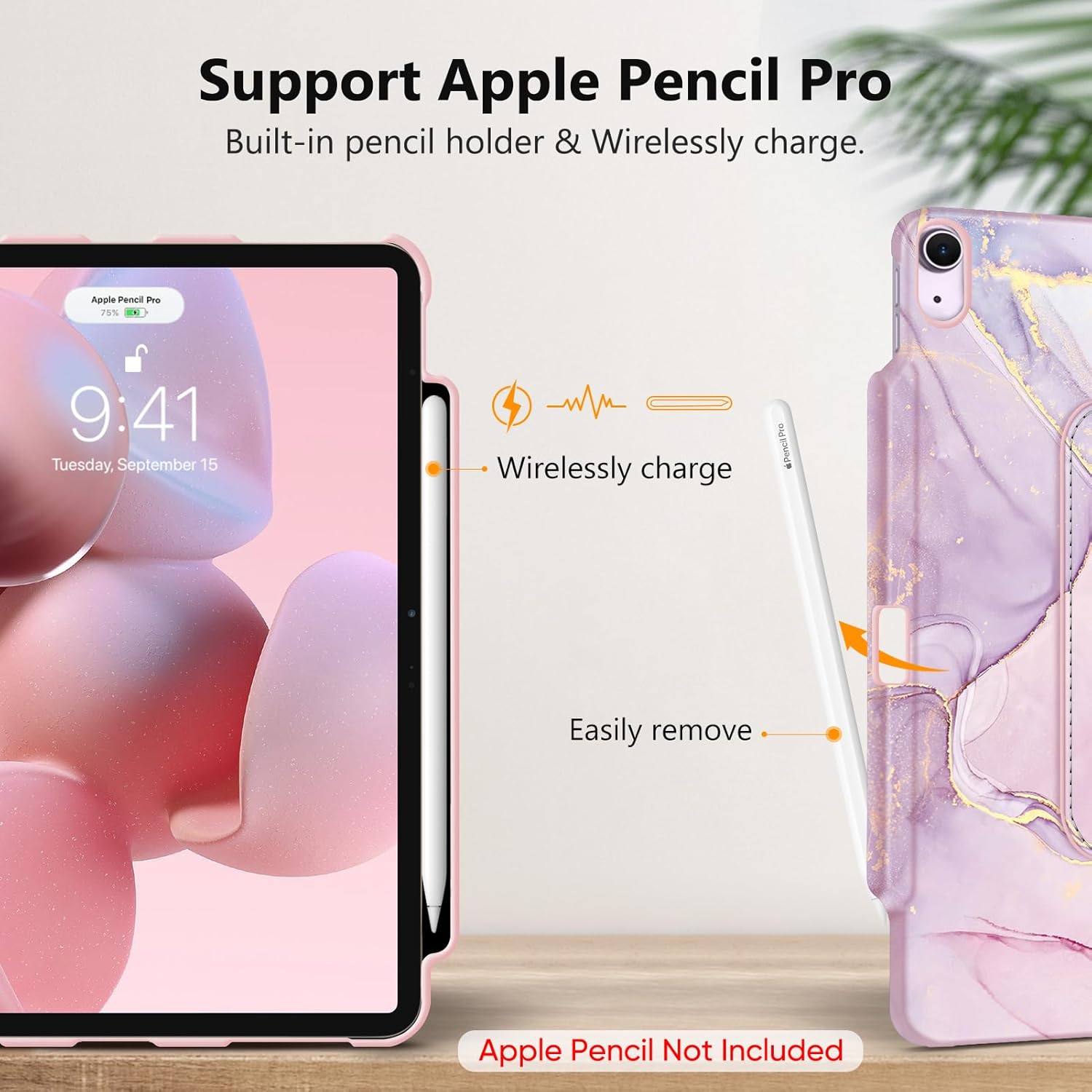
Image: The integrated Apple Pencil holder supports wireless charging and allows for easy removal.
4.4. Auto Wake/Sleep Function
The magnetic cover automatically wakes your iPad when opened and puts it to sleep when closed, conserving battery life. Ensure your iPad's 'Lock/Unlock' setting is enabled for this feature to function.
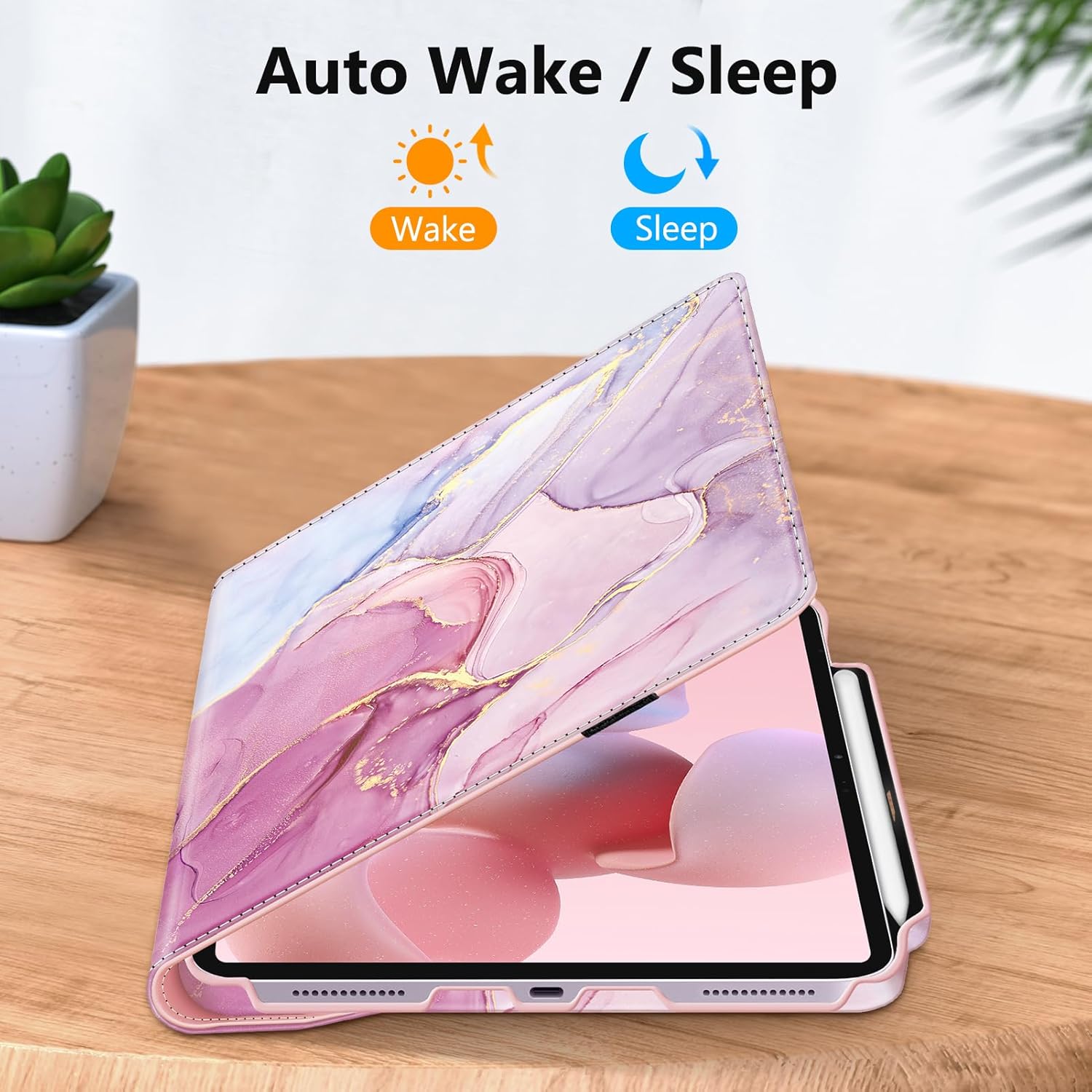
Image: The case automatically wakes the iPad when opened and puts it to sleep when closed.
4.5. Touch ID Access
The case is designed with precise cutouts to ensure full access to the Touch ID fingerprint sensor, allowing for secure and convenient unlocking of your iPad.

Image: The case provides unobstructed access to the Touch ID sensor for secure unlocking.
4.6. Enhanced Protection
The durable synthetic leather exterior and hard shell back provide comprehensive protection against drops, bumps, and scratches, safeguarding your iPad during daily use and transport.

Image: The case offers robust protection, making it suitable for carrying your iPad in a bag.
5. Maintenance
To maintain the appearance and functionality of your Fintie case:
- Wipe the exterior with a soft, damp cloth to remove dust and smudges.
- Avoid using harsh chemicals or abrasive cleaners, as these can damage the material.
- Keep the case away from extreme temperatures and direct sunlight to prevent material degradation.
6. Troubleshooting
- Auto Wake/Sleep not working: Ensure your iPad's 'Lock/Unlock' feature is enabled in Settings > Display & Brightness. Also, check that the iPad is correctly seated in the case and the cover is fully closed.
- iPad not fitting correctly: Double-check your iPad model number against the compatibility list in Section 2. Ensure the iPad is aligned properly before pressing it into the case.
- Stylus not charging wirelessly: Confirm your Apple Pencil model supports wireless charging. Ensure the stylus is correctly placed in the designated holder.
7. Specifications
| Feature | Description |
|---|---|
| Brand | FINTIE |
| Compatible Devices | iPad Air 13-inch (M3 2025 / M2 2024) |
| Form Factor | Case |
| Case Type | Hybrid |
| Material | Synthetic Leather |
| Max Compatible Device Size | 13 Inches |
| Special Features | 360° Rotation, Stylus Holder, Auto Wake/Sleep, Adjustable Stand Angles, Touch ID Access |
8. Warranty and Support
For warranty information or technical support, please refer to the Fintie official website or contact your retailer. Keep your purchase receipt for warranty claims.


