
Introduction
This comprehensive instruction manual provides detailed guidance for the setup, operation, and maintenance of your wheelfun 1/14 RC Hydraulic Excavator Aoue 9150 PL18EV Lite. Learn about its advanced hydraulic system, controls, and care to ensure optimal performance. Please read this manual thoroughly before operating the model.
What's in the Box
The RTR (Ready-To-Run) edition includes the following components:
- 1/14 Aoue 9150 RC Excavator Model
- Electronic Speed Controller (ESC)
- Motor
- Servo
- Light System
- Hydraulic System
- Flysky PL18Ev Lite Remote Controller and Receiver
- Battery
The PNP (Plug-N-Play) edition is a finished model that does not include the radio controller, battery, and charger. These items must be purchased separately.
Setup
Follow these steps for initial setup of your RC Hydraulic Excavator:
- Unpacking: Carefully remove all components from the packaging. Inspect for any damage during transit.
- Battery Installation (RTR Edition):
- Locate the battery compartment, typically under a removable panel on the excavator's body.
- Connect the provided battery to the excavator's power connector. Ensure correct polarity.
- Securely close the battery compartment.
- Remote Controller Setup (RTR Edition):
- Install batteries into the Flysky PL18Ev Lite Remote Controller.
- Ensure the remote controller is powered on and properly bound to the excavator's receiver. Refer to the Flysky PL18Ev Lite manual for detailed binding instructions if necessary.
- Initial System Check:
- Power on the excavator first, then the remote controller.
- Verify all functions (movement, arm, bucket, lights) respond correctly to the remote controller inputs.
- Check the analog electronic display for system status, including voltage, temperature, and current.

Image: The wheelfun 1/14 RC Hydraulic Excavator Aoue 9150 PL18EV Lite RTR Edition, showcasing the excavator, remote controller, and battery.
Operating Instructions
The Aoue 9150 features a precise hydraulic system for coordinated and smooth movements. Familiarize yourself with the controls before operating in challenging environments.
Basic Controls:
- Movement: Use the left joystick (or corresponding controls) for forward, backward, and turning movements of the tracks.
- Arm and Bucket: The right joystick and additional switches control the main arm, secondary arm, and bucket movements. Practice these movements to achieve fluid operation.
- Hydraulic System: The double oil pump hydraulic system provides super large flow for powerful digging and lifting. Operate controls smoothly to avoid sudden movements.
Advanced Features:
- Lighting System: The full machine lighting system can be activated via a dedicated switch on the remote controller.
- Analog Electronic Display: Monitor real-time operational data such as voltage, temperature, and current on the integrated display.
- Modular Design: The modular design allows for the arm to be replaced with a forward shovel (sold separately) for different operational needs.
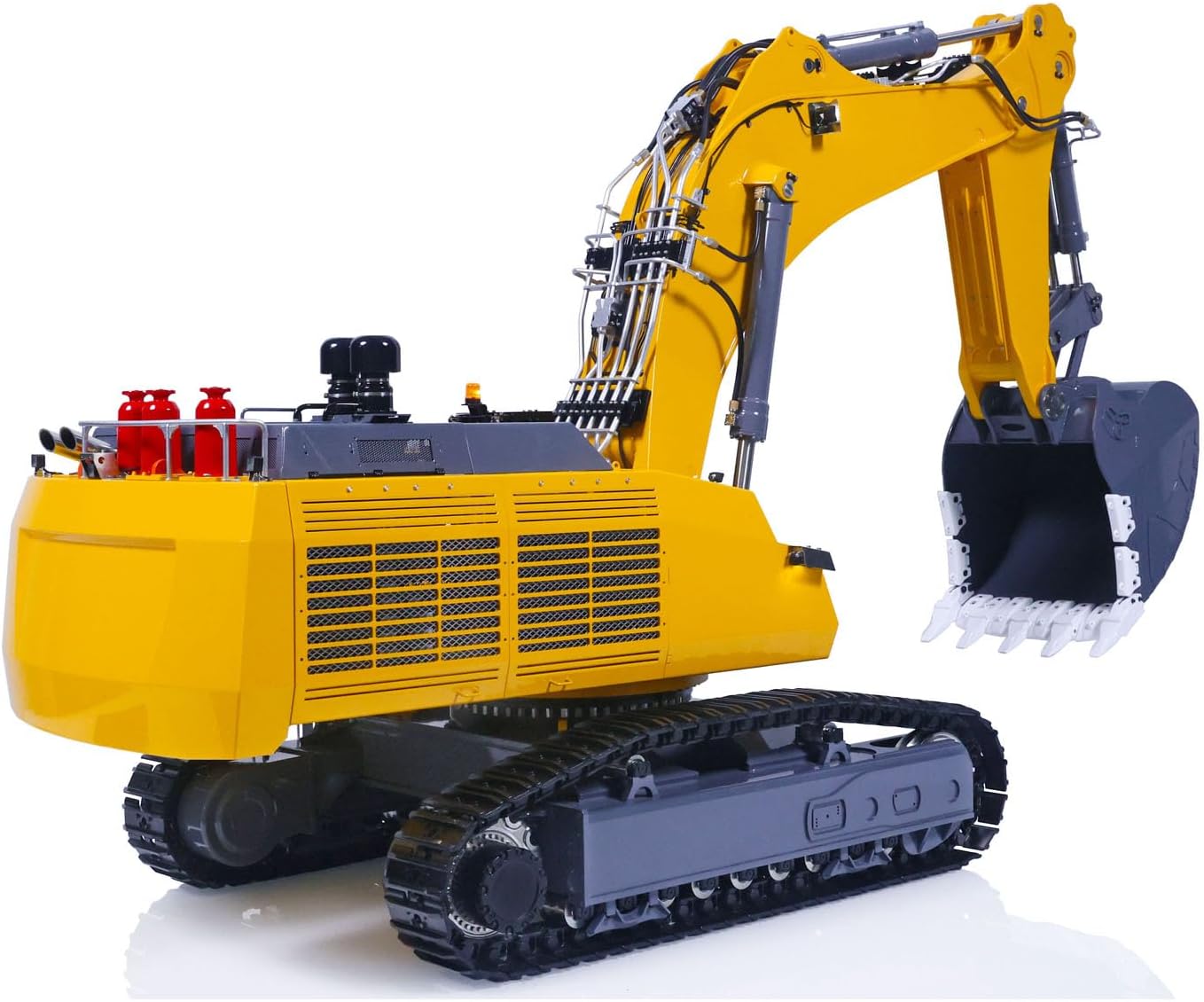
Image: Side view of the wheelfun 1/14 RC Hydraulic Excavator Aoue 9150 PL18EV Lite, highlighting the detailed construction and hydraulic lines.
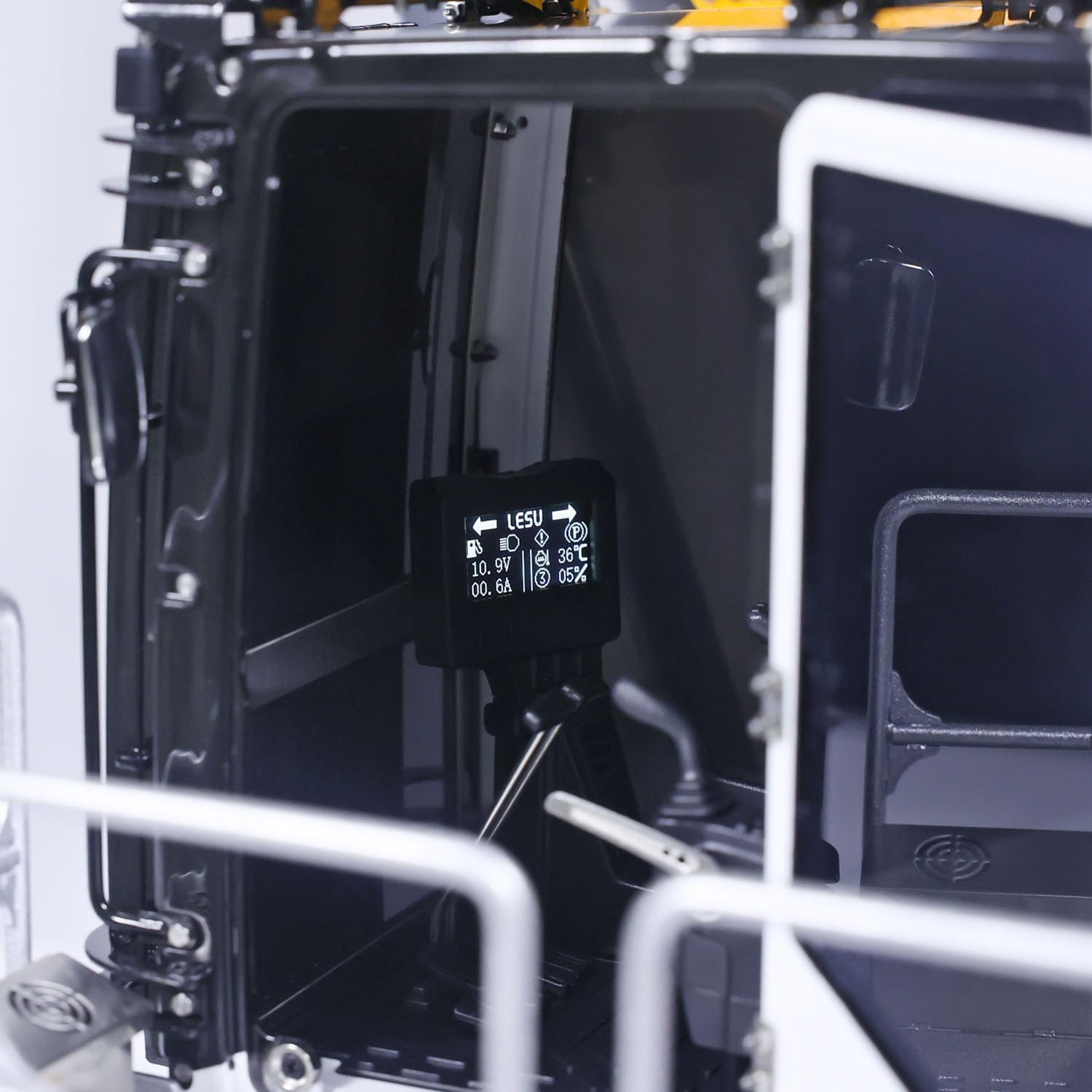
Image: Close-up of the excavator's cab interior, showing the electronic display with operational data.
Maintenance
Regular maintenance ensures the longevity and optimal performance of your excavator.
- Cleaning: After each use, clean the excavator to remove dirt, dust, and debris. Pay special attention to the tracks, hydraulic cylinders, and moving parts. Use a soft brush and compressed air.
- Hydraulic System Check: Regularly inspect hydraulic lines and cylinders for leaks or damage. Ensure all connections are secure. The oil circuit system is largely welded with copper for reliability.
- Track Inspection: Check the metal tracks for wear, damage, or debris lodged between links. Ensure smooth movement.
- Battery Care: Store batteries in a cool, dry place. Follow manufacturer guidelines for charging and discharging to prolong battery life.
- General Inspection: Periodically check all screws, bolts, and moving parts for tightness and proper function.

Image: Close-up view of the excavator's hydraulic lines and components, demonstrating the intricate plumbing.
Troubleshooting
This section addresses common issues you might encounter:
| Problem | Possible Cause | Solution |
|---|---|---|
| Excavator does not power on. | Battery not charged or improperly connected. | Ensure battery is fully charged and correctly installed. Check all power connections. |
| Remote controller not responding. | Remote controller batteries low or not bound to receiver. | Replace remote controller batteries. Re-bind the remote controller to the receiver as per its manual. |
| Hydraulic arm/bucket movement is sluggish. | Low hydraulic fluid, air in the system, or motor issue. | Check hydraulic fluid levels. Consult a qualified technician for hydraulic system bleeding or motor inspection. |
| Tracks are not moving smoothly. | Debris in tracks or track links are stiff. | Clean tracks thoroughly. Lubricate track links if necessary. |
Specifications
- Product Dimensions: 50 x 30 x 22 inches
- Item Model Number: Ls-Ba-B0009-Fc-Rtr-Y
- Manufacturer Recommended Age: 21 years and up
- Manufacturer: wheelfun
- Hydraulic System: Double Oil Pump, Super Large Flow, Double Hydraulic Cylinder Digging Arm
- Construction: 90% metal, 80% copper-welded oil circuit system
- Features: Modular design, full machine lighting, analog electronic display, pure copper carved bucket teeth, aluminum alloy excavator arm and counterweight (CNC processed)
Warranty and Support
For warranty information, technical support, or service inquiries, please refer to the contact details provided with your purchase or visit the official wheelfun website. Keep your proof of purchase for warranty claims.
Visit the wheelfun Store for additional products and information.
Product Media
Images:

