
Introduction
Thank you for choosing the Jnaurb 11.5ft x 5ft Color Changing Christmas Net Lights. These 360 LED net lights are designed to provide versatile and vibrant illumination for your outdoor and indoor decorations. Featuring 11 lighting modes, 4-level dimming, and a convenient timer function, these lights offer a dynamic way to enhance your holiday and event decor. This manual provides essential information for safe setup, operation, and maintenance of your net lights.
Safety Information
- Outdoor Use: The LED net lights are IP44 waterproof, suitable for outdoor use. However, the power adapter is NOT waterproof and must be kept dry. Use a waterproof receptacle cover when used outdoors.
- Power Source: Ensure the power source matches the specifications of the adapter.
- Connection: Do not connect more than 3 sets of net lights end-to-end to avoid overloading.
- Handling: Handle the lights carefully to prevent damage to the wires or LED bulbs.
- Children and Pets: Keep the lights and adapter out of reach of children and pets.
Package Contents
- 1 x 360 LED Net Mesh String Lights (11.5ft x 5ft)
- 1 x Remote Control
- 1 x US Power Adapter
- 1 x User Manual

Video: Unboxing the Jnaurb Christmas Net Lights, showing the contents including the net lights, remote, and adapter.
Specifications
| Size | 11.5ft x 5ft |
| Number of LEDs | 360 |
| Lead Length | 9.8ft |
| Light Color | White & Multicolor (Color Changing) |
| Lighting Modes | 11 Modes |
| Dimming Levels | 4 (25%, 50%, 75%, 100%) |
| Timer Functions | 6hrs on/18hrs off; 18hrs on/6hrs off; 6hrs on/6hrs off/3hrs on/9hrs off |
| Waterproof Rating | IP44 (lights only, adapter not waterproof) |
| Connectable | Up to 3 sets |
| Power Source | AC/DC |
| Wattage | 6 watts |
| Material | Copper |
| Control Method | Remote Control, Button on Power Adapter |
Setup Instructions
- Unpack: Carefully remove the net lights and all components from the packaging. Untangle the net lights gently.
- Connect Multiple Sets (Optional): If using multiple sets, connect them end-to-end. Ensure the total connected wattage does not exceed the recommended limit (maximum 3 sets). Secure connections with the provided caps.
- Positioning: Drape the net lights over bushes, trees, fences, or other desired surfaces. Adjust the net to cover the area evenly.
- Power Connection: Connect the net lights to the US Power Adapter.
- Secure Adapter: Plug the adapter into a power outlet. If used outdoors, ensure the adapter is protected from water using a waterproof receptacle cover.
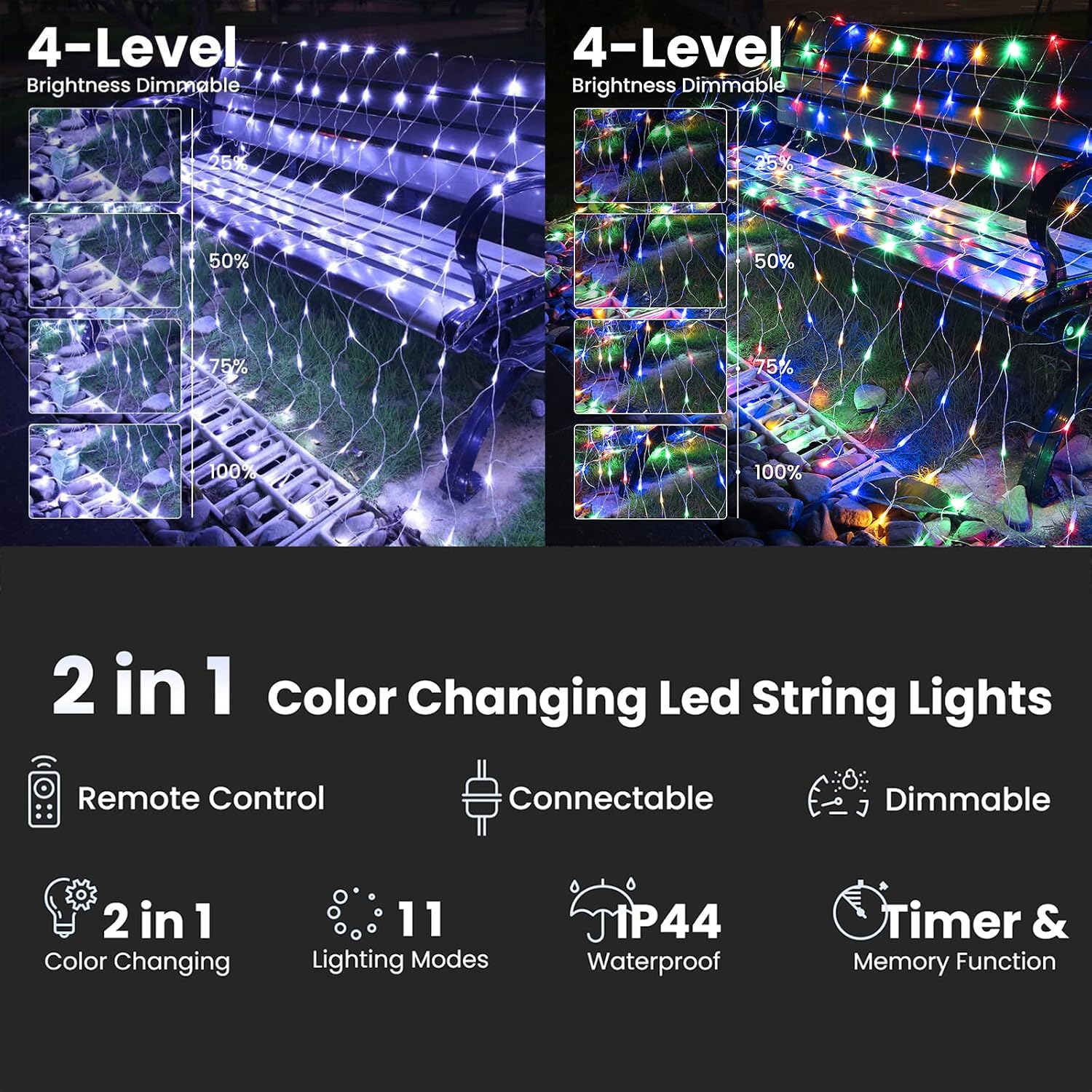
Image: Jnaurb Christmas Net Lights draped over outdoor bushes, showcasing both white and multicolor options.

Image: Jnaurb Christmas Net Lights covering a bush, with an inset showing the remote control for various settings.

Image: Jnaurb Christmas Net Lights covering outdoor bushes, illustrating the transition between white and multicolor lighting.
Video: Demonstrates the connectable feature of the LED net lights, showing how multiple sets can be linked together.
Operating Instructions
The Jnaurb Net Lights can be controlled using the included remote or the button on the power adapter.
Remote Control Functions:
- ON/OFF: Press to turn the lights on or off.
- TIMER: Select from 3 timer settings:
- 6 hours ON, 18 hours OFF
- 18 hours ON, 6 hours OFF
- 6 hours ON, 6 hours OFF, 3 hours ON, 9 hours OFF
- MODE (1-11): Choose from 11 different lighting modes.
- DIM+/-: Adjust brightness to 25%, 50%, 75%, or 100%.
Button on Power Adapter:
- Press the button to cycle through the 11 different lighting modes.
- Press and hold the button for 3 seconds to set or reset the timer (green light indicates timer is on).
11 Lighting Modes:
- Modes 2-11 Cycling
- White Steady On
- Multicolor Steady On
- 30% White & 70% Multicolor Steady On
- 70% White & 30% Multicolor Steady On
- White & Multicolor SLO-GLO
- White & Multicolor Fade
- White Flash 5s Slowly & 12s Fastly
- Multicolor Flash 5s Slowly & 12s Fastly
- White & Multicolor 5s Slowly & 12s Fastly
- White & Multicolor in Waves
Memory Function: The built-in memory chip saves your last mode setting, so there is no need to reset the mode every time you turn the lights on.

Image: Detailed view of the remote control and the power adapter with its control button, explaining their functions.

Image: Illustration of the 4-level dimming feature of the net lights, showing brightness at 25%, 50%, 75%, and 100%.
Video: Showcases the 11 color-changing modes of the Jnaurb Christmas Net Lights, transitioning between various white and multicolor settings.
Maintenance
- Cleaning: Gently wipe the lights with a soft, dry cloth if needed. Do not use harsh chemicals or abrasive cleaners.
- Storage: When not in use, carefully coil the net lights and store them in a cool, dry place away from direct sunlight and moisture.
- Adapter Protection: Always ensure the power adapter is kept dry, especially during outdoor use.
Troubleshooting
- Lights Not Turning On: Check if the power adapter is securely plugged into a working outlet. Ensure the connection between the lights and the adapter is firm.
- Remote Not Working: Ensure there are no obstructions between the remote and the receiver on the power adapter. Check the remote's battery.
- Inconsistent Lighting: Verify all connections are secure. If using multiple sets, ensure you have not exceeded the maximum connectable limit.
Warranty and Support
Your Jnaurb Christmas Net Lights come with a 30-day refund guarantee. If you have any questions or encounter any issues with your product, please do not hesitate to contact us via the Amazon email box. Our customer support team is ready to assist you.