
1. Product Overview
The Geekria VR In-Ear Headphones are designed to provide an immersive audio experience for virtual reality environments. Constructed from durable aluminum alloy and TPE materials, these lightweight earbuds offer 360-degree surround 3D sound with deep bass, crisp mids, and clear treble. They are compatible with VR headsets featuring a 3.5mm audio port, including Pico Neo 3 and HTC Vive.
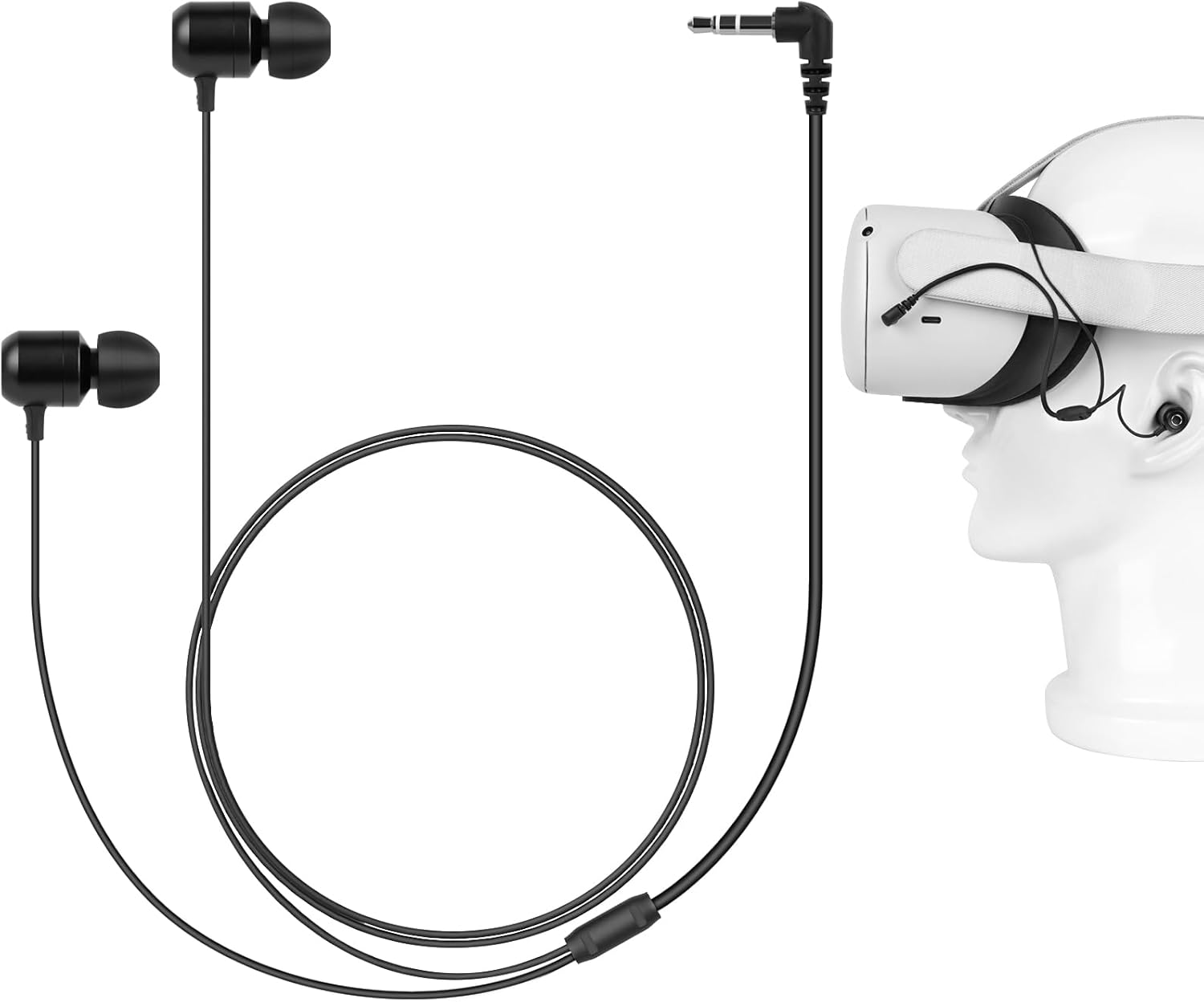
Image 1.1: Geekria VR In-Ear Headphones with a VR headset. The headphones feature a short cable designed for VR use, connecting to the headset's audio jack.

Image 1.2: Key features of the headphones, highlighting super deep bass, in-ear design, metal sound outlet, and stereo sound for an enhanced gaming experience.
2. Package Contents
Please verify that all items are present in your package:
- 1 x Geekria VR In-Ear Headphones
- 2 x Cable Tie Straps
- 3 sizes (S/M/L) of Custom Silicone Ear Tips (one pair pre-installed on headphones)
3. Setup and Installation
Follow these steps to properly install your VR In-Ear Headphones with your compatible VR headset:

Image 3.1: Visual guide for headphone installation.
- Insert the 3.5mm plug: Locate the 3.5mm headphone jack on your VR headset. Carefully insert the headphone plug into the jack.
- Adjust and wrap the tie: Position the cable appropriately along your headset. Use one of the provided tie straps to secure the cable, preventing it from dangling or interfering with your VR experience.
- Pass the right earphone cable: Guide the cable for the right earphone through the headset strap or frame to ensure it reaches your right ear comfortably without excessive slack.
- Add the wrapping tie: Use the second tie strap to further secure the right earphone cable, ensuring a snug and organized fit.
Ear Tip Selection: The headphones come with three sizes (S, M, L) of silicone ear tips. Experiment with different sizes to find the pair that provides the most comfortable fit and best sound isolation for your ears. A proper seal is crucial for optimal audio quality and bass response.

Image 3.2: Different sizes of silicone ear tips for personalized comfort and fit, along with details of the earbud construction.
4. Operating Instructions
Once properly installed, the Geekria VR In-Ear Headphones are ready for use. They are designed to deliver a 360-degree sound experience, enhancing your immersion in VR content.
- Audio Output: The headphones will automatically receive audio from your VR headset once connected to the 3.5mm jack.
- Immersive Sound: The mono-calibrated earphones are engineered to provide directional audio cues, contributing to a more realistic and engaging virtual environment.
- Comfort: The in-ear design and soft silicone ear tips ensure comfort during extended VR sessions. The unique cable length design allows the cable to be wrapped around the neck, minimizing tangles and ensuring a secure fit.

Image 4.1: Diagram depicting the internal components and sound propagation for an immersive audio experience.
5. Maintenance
Proper care will extend the lifespan of your headphones:
- Cleaning: Gently wipe the earbuds and cable with a soft, dry cloth. For ear tips, remove them and clean with mild soap and water, then rinse thoroughly and allow to dry completely before reattaching.
- Storage: When not in use, store the headphones in a clean, dry place, preferably in a small pouch to prevent tangling and damage.
- Avoid Moisture: Do not expose the headphones to excessive moisture or liquids.
6. Troubleshooting
If you encounter issues with your headphones, consider the following:
- No Sound:
- Ensure the 3.5mm plug is fully inserted into the VR headset's audio jack.
- Check the volume settings on your VR headset.
- Test the headphones with another device (e.g., smartphone) to confirm functionality.
- Poor Sound Quality:
- Ensure ear tips are clean and properly seated on the earbuds.
- Try different sized ear tips to achieve a better seal in your ear canal.
- Check for any kinks or damage in the cable.
- Compatibility Issues (e.g., Quest 2/3): While designed for Pico Neo 3 and HTC Vive, these headphones may work with other 3.5mm port headsets. However, some VR headsets (e.g., Meta Quest 2/3) have their audio jack on the left side. The shorter cable on these headphones is intended for the right ear. If used with a headset where the jack is on the left, the stereo sound may be reversed, or the left earbud cable may not reach comfortably.
7. Specifications
| Model Number | XNP42-01 |
| Connectivity Technology | Auxiliary (3.5 mm Jack) |
| Compatible Devices | Pico Neo 3, HTC Vive, Meta Q3, Meta Q2, and other 3.5mm port headsets |
| Cable Length | 23.6 inches (60 cm) |
| Item Weight | 11 Grams (0.388 ounces) |
| Frequency Range | 20 Hz - 20,000 Hz |
| Audio Driver Type | Dynamic Driver |
| Special Feature | 3D 360 Degree Sound, In-Ear Headphone, Durable, Lightweight |
| Color | Black |
8. Warranty and Support
For warranty information or technical support, please refer to the product packaging or contact Geekria customer service directly through their official website or the retailer where the product was purchased. Please have your model number (XNP42-01) and purchase details ready when contacting support.