
1. Introduction
This manual provides instructions for the RIJER 4K Wireless HDMI Transmitter and Receiver Kit. This device enables wireless transmission of high-definition video and audio signals, eliminating the need for long HDMI cables. It is designed for various applications, including business presentations, home entertainment, and educational settings.
2. Safety Information
To ensure safe and optimal operation of your device, please observe the following:
- Avoid placing the device near other wireless devices to prevent signal interference.
- Use only the provided power supply to avoid damage to the unit.
- Do not expose the device to extreme temperatures, humidity, or direct sunlight.
- Do not attempt to disassemble or modify the device. Refer all servicing to qualified personnel.
3. What's in the Box
Verify that all items are present in the package:
- 1 x Wireless Extender Transmitter
- 1 x Wireless Extender Receiver
- 2 x Type-C USB Cables (for power)
- 2 x HDMI Male to Female Cables
- 4 x Adapters (Type-C to HDMI, Mini HDMI to HDMI, Micro HDMI to HDMI, DP to HDMI)
- 1 x User Manual

4. Setup Guide
4.1 Initial Setup (Plug and Play)
The RIJER Wireless HDMI Extender Kit is designed for plug-and-play operation. The transmitter (TX) and receiver (RX) units are pre-paired at the factory. No software installation or network configuration is required for basic use.

4.2 Power Requirements
Both the transmitter and receiver units require external power to operate. Connect the provided Type-C USB cables to the respective units and then to a USB power source (e.g., a USB port on your laptop, TV, or a USB wall adapter). The LED indicator on each unit will show its connection status.

4.3 Pairing Instructions (If Re-pairing is Needed)
In most cases, the units are pre-paired. If re-pairing is necessary, follow these steps:
- Connect both the transmitter (TX) and receiver (RX) to their respective power supplies.
- On the receiver unit, long-press the code matching button for 5 seconds. The screen will display 'Release the button to pair with Transmitter'. Release the button to enter 'Ready to pair' mode.
- At this time, long-press the pairing button on the sending end (transmitter) to display 'Pairing'. Release the sending end's button. The pairing process is completed.
- After successful pairing, the connection status displayed on the screen will change from 'X' to '√', indicating a successful connection.

5. Operation
5.1 Connecting Devices
The kit includes various adapters (Type-C, DP, Mini HDMI, Micro HDMI) to ensure compatibility with a wide range of devices. Use the appropriate adapter to connect your source device (e.g., laptop, PC, camera) to the HDMI In port of the transmitter (TX). Connect the receiver (RX) to the HDMI Out port of your display device (e.g., TV, projector, monitor).

5.2 Transmission Range and Performance
The system utilizes 2.4G/5G transmission protocols, offering a barrier-free transmission range of up to 500 feet (150 meters). When transmitting through walls or other obstacles, the range may be reduced to approximately 115 feet (35 meters). For optimal performance, minimize physical obstructions between the transmitter and receiver.


5.3 Video and Audio Quality
The wireless HDMI extender supports 4K decoding for input signals and delivers an ultra-high-definition output of 1080P at 60Hz. This ensures clear visuals and synchronized audio for various media. Please note that while it decodes 4K input, the output resolution is 1080P/60Hz. The dual-band 2.4G/5G transmission minimizes latency, providing a smooth viewing experience.


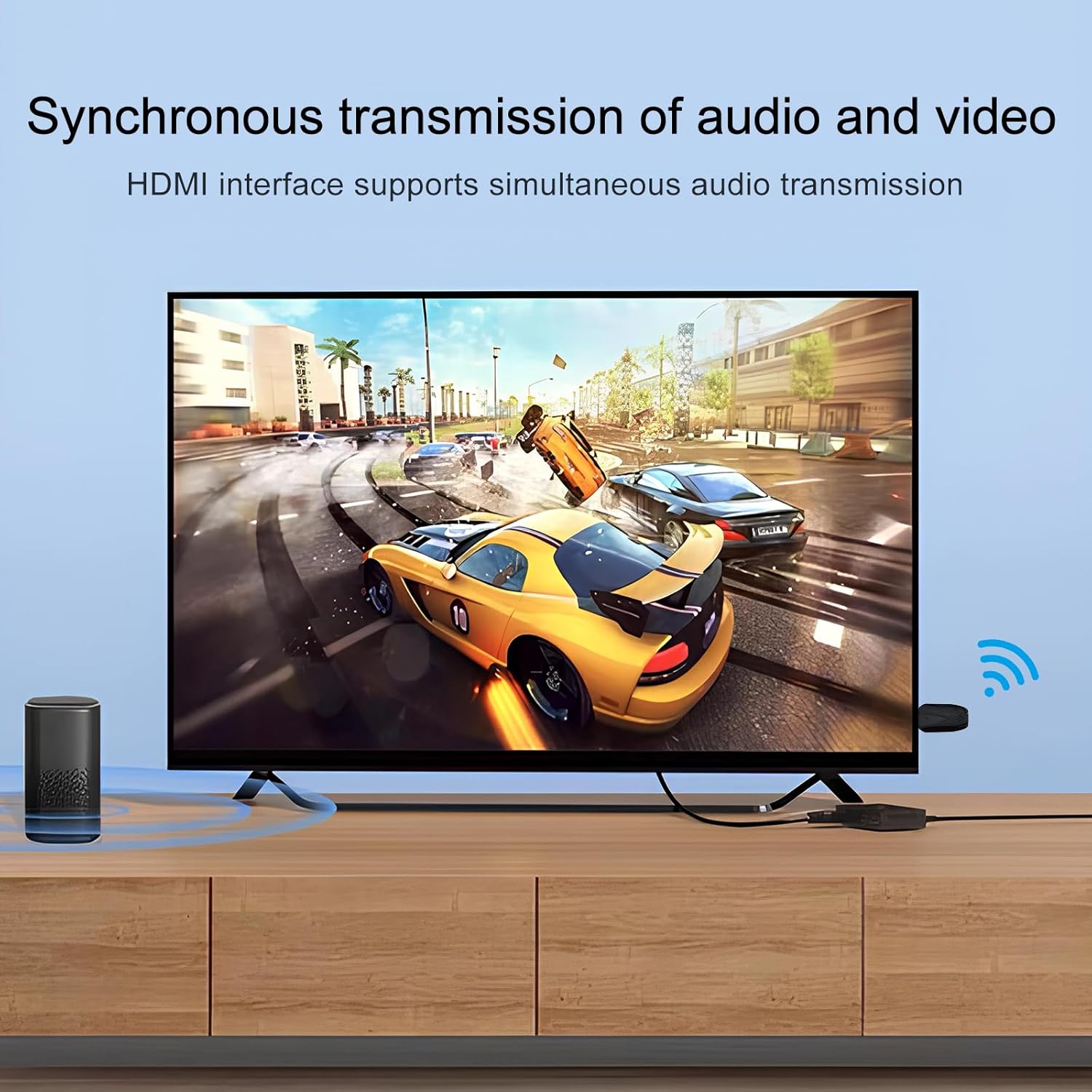
5.4 Applicable Scenarios
This wireless HDMI extender is suitable for a variety of environments:
- Business Meetings: Facilitate presentations without cable clutter.
- Education: Share content from a computer to a projector or large display in classrooms.
- Home Entertainment: Stream movies or games from a PC/laptop to a TV or projector.
- Events: Ideal for family gatherings, sports events, or outdoor theaters.
6. Troubleshooting
- No Signal or 'Error' Message:
Ensure both the transmitter and receiver units are properly powered via their USB-C ports. Check that the HDMI connections are secure. If the units were recently moved or disconnected, re-attempt the pairing process as described in Section 4.3. - Reduced Transmission Range or Intermittent Signal:
Wireless transmission can be affected by physical obstructions (walls, furniture) and interference from other wireless devices (Wi-Fi routers, cordless phones). Try to minimize obstacles between the transmitter and receiver. Ensure the units are operating on the 5G band for better performance in congested environments. - Resolution Issues (e.g., Not Displaying 4K):
The device supports 4K input decoding but outputs at 1080P/60Hz. If your source device is set to a higher resolution than 1080P, the extender will downscale it to 1080P. Ensure your display device is compatible with 1080P/60Hz input. - Audio Not Synchronized or Missing:
Verify that the audio settings on your source device are correctly configured for HDMI output. Ensure the display device's audio input is selected correctly.
7. Specifications
| Feature | Specification |
|---|---|
| Product Dimensions | 2.95 x 1.53 x 0.47 inches |
| Item Weight | 9.9 ounces |
| Model Number | 492ft wireless |
| Special Feature | 500FT/150M barrier-free transmission |
| Connectivity Technology | HDMI Wireless (2.4G/5G) |
| Power Source | External Power Supply (USB-C) |
| Input Resolution | Supports 4K/30Hz decoding and lower |
| Output Resolution | 1080P/60Hz |
8. Warranty and Support
The RIJER 4K Wireless HDMI Transmitter and Receiver Kit comes with a 12-month warranty covering problems with the product itself. Lifetime technical support and installation assistance are available. For any inquiries or support needs, please contact RIJER customer service.