
1. Important Safety Information
Please read all safety instructions carefully before using this product. Keep this manual for future reference.
- Electrical Safety: Do not expose this appliance to rain or moisture. Do not open the casing. Refer all servicing to qualified personnel.
- Liquid Exposure: Keep the soundbar and subwoofer away from liquids. Do not place objects filled with liquids, such as vases, on the apparatus.
- Ventilation: Ensure proper ventilation around the unit. Do not block any ventilation openings.
- Cleaning: Unplug the unit from the power source before cleaning. Use a soft, dry cloth. Do not use liquid cleaners or aerosol cleaners.
- Placement: Place the unit on a stable, flat surface. Avoid placing it near heat sources or in direct sunlight.
2. Package Contents
Verify that all items listed below are included in your package:
- 1x Soundbar with Wireless Subwoofer
- 2x Surround Speakers
- 1x Power Adaptor
- 1x Subwoofer Power Cable
- 1x Stereo RCA to RCA Cable
- 1x HDMI eARC Cable
- 1x Digital Optical Cable
- 1x Stereo 3.5mm to RCA Audio Cable
- 1x 6-pin Cable for Soundbar Connection
- 1x Remote Control (Batteries Not Included)
- 1x User Manual
- 12x Wall Mounted Kits
- 6x Wall Bracket
- 2x HDMI Adaptor

Image: All components of the ULTIMEA Nova S80 soundbar system, including the soundbar, wireless subwoofer, surround speakers, and various cables and accessories.
3. Product Overview
3.1 Components
The ULTIMEA Nova S80 system consists of a main soundbar unit, a wireless subwoofer, and two rear surround speakers.
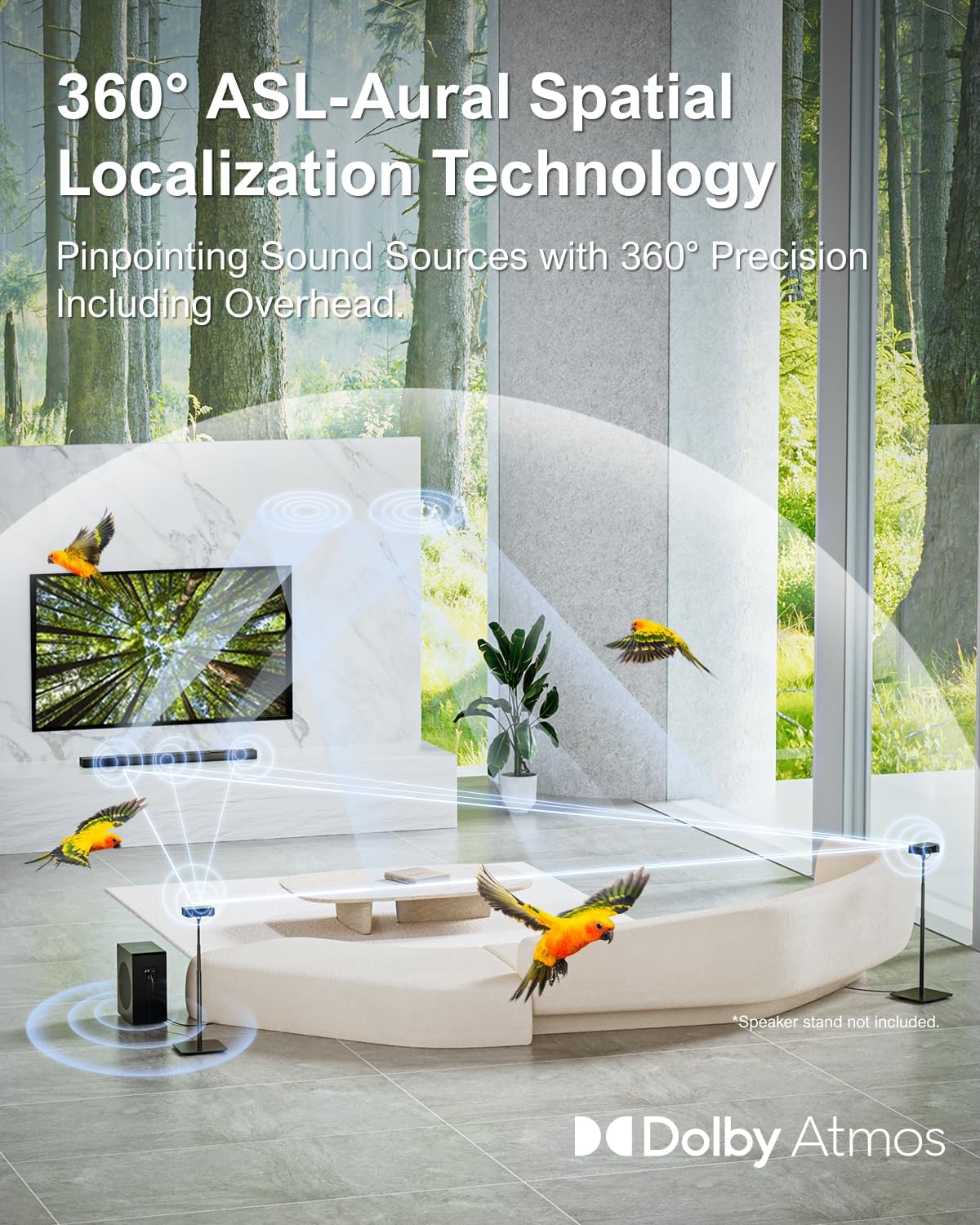
Image: The main soundbar unit, the wireless subwoofer, and the two compact surround speakers, showcasing the complete 5.1.2 system.
3.2 Controls and Ports
The soundbar features intuitive controls and a variety of input/output ports for versatile connectivity.
Image: Close-up view of the soundbar's rear panel, highlighting the HDMI eARC, HDMI IN, USB, Optical, and AUX ports for various audio and video connections.
- HDMI OUT (eARC): For connecting to your TV's HDMI eARC/ARC port.
- HDMI IN: For connecting external devices like gaming consoles or Blu-ray players.
- OPT (Optical): Digital audio input for TVs or other devices.
- AUX: Analog audio input for devices with a 3.5mm jack.
- USB: For firmware updates or media playback.
- DC IN: Power input.
4. Setup Guide
Follow these steps to set up your ULTIMEA Nova S80 soundbar system.
4.1 Assembling the Soundbar
The soundbar comes in two parts for easier shipping and flexible placement. Connect them by pushing them parallelly until they combine into one piece. Ensure the 6-pin cable is securely plugged in between the two halves.
Video: ULTIMEA Nova S80 Unboxing and Assemble Video. This video demonstrates the physical assembly of the soundbar from its two halves and connecting the internal cable.
4.2 Connecting the Subwoofer and Surround Speakers
Connect the power cord to the wireless subwoofer. For the surround speakers, use the provided RCA cables, matching the red and white color distinctions on the subwoofer and surround sound interfaces. The subwoofer and soundbar will pair automatically once powered on.

Image: The ULTIMEA Nova S80 soundbar system set up in a living room, showing the soundbar under the TV, the subwoofer to the side, and the two surround speakers positioned for optimal audio.
5. Connection Guide
The ULTIMEA Nova S80 offers multiple ways to connect to your TV and other devices.
5.1 HDMI eARC Connection (Recommended for Dolby Atmos)
For the best audio experience, especially with Dolby Atmos content, connect your soundbar to your TV's HDMI eARC/ARC port using the provided HDMI eARC cable. This allows for high-quality audio transmission and CEC functionality.

Image: A visual representation of the 4K HDR Passthrough capability, showing the soundbar connected to a TV and external devices, with sound waves indicating immersive audio.
To connect other devices (like gaming consoles or Blu-ray players) while using HDMI eARC, connect them to the soundbar's HDMI IN port. Ensure your TV's HDMI port supports eARC for Dolby Atmos audio.
5.2 Optical Connection
If your TV does not have an HDMI eARC/ARC port, you can use the Optical connection for digital audio. Remember to remove the protective caps from the optical cable before inserting it into the TV's Optical OUT port and the soundbar's OPT port.
5.3 AUX Connection
For analog audio devices, use the provided 3.5mm to RCA cable. Connect the RCA ends to your TV's RCA AUDIO OUT ports and the 3.5mm end to the soundbar's AUX port.
5.4 Bluetooth Connection
Select "BT" mode on the soundbar and pair it with your device from its Bluetooth settings. The soundbar's LED will display "BT" when connected.

Image: Illustration showing the soundbar's Bluetooth 5.3 connectivity with various devices such as smartphones, iPads, laptops, and TVs, enabling wireless music and movie streaming.
Video: ULTIMEA Nova S80 5.1.2Ch Sound Bar with Dolby Atmos. This video highlights the soundbar's features and demonstrates various connection methods including HDMI eARC, Optical, AUX, and Bluetooth.
6. Operating Instructions
Learn how to control your ULTIMEA Nova S80 soundbar system.
6.1 Remote Control Overview
The included remote control provides full functionality for your soundbar. Key buttons include Power, Input Selection (eARC, HD IN, OPT, BT, AUX), Volume Up/Down, Play/Pause, Skip, EQ modes, Surround, and BassMX.

Image: The remote control for the ULTIMEA Nova S80, showing buttons for power, input selection, volume, playback controls, EQ, Surround, and BassMX.
6.2 Sound Modes and Features
- Dolby Atmos: Experience immersive, multi-dimensional audio with overhead effects.
- 360° Aural Spatial Localization (ASL): Advanced technology for precise sound source pinpointing, creating a dynamic spherical sound field.
- BassMX Technology: Enhances bass performance for powerful and thunderous low-frequency effects.
- EQ Modes: Adjust sound profiles for different content types (e.g., Movie, Music, News).
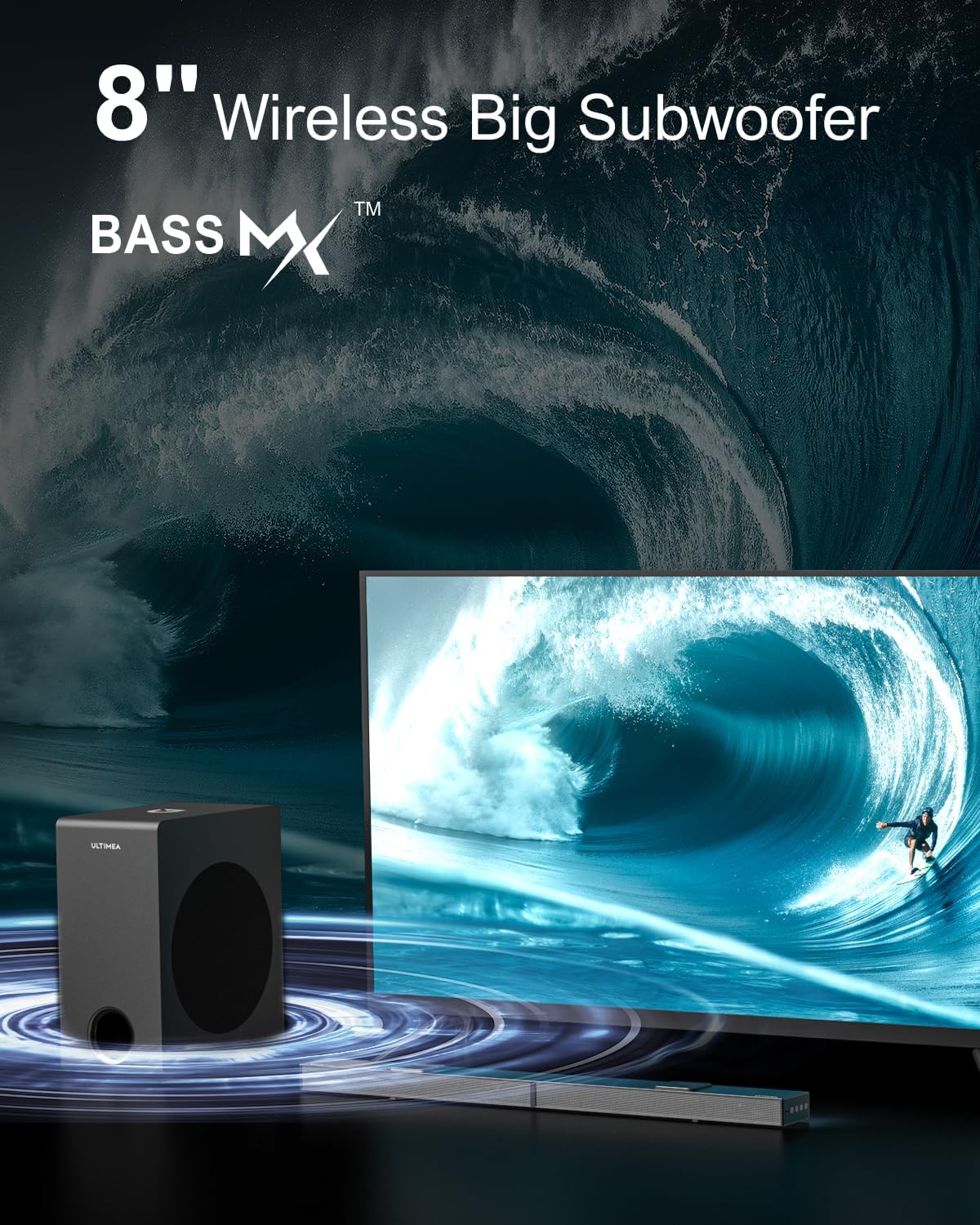
Image: A living room setup illustrating the 360° Aural Spatial Localization Technology, with sound waves emanating from the soundbar and surround speakers, creating an immersive audio environment.
7. Maintenance
Proper maintenance ensures the longevity and optimal performance of your soundbar system.
- Cleaning: Regularly wipe the surfaces of the soundbar, subwoofer, and speakers with a soft, dry, lint-free cloth. Do not use abrasive cleaners, waxes, or solvents.
- Ventilation: Keep the ventilation openings clear of dust and debris to prevent overheating.
- Storage: If storing the unit for an extended period, unplug it from the power source and store it in a cool, dry place, preferably in its original packaging.
8. Troubleshooting
If you encounter any issues with your ULTIMEA Nova S80, refer to the solutions below. If the problem persists, contact ULTIMEA customer support.
8.1 No Sound from Soundbar
- Check Power: Ensure the soundbar and subwoofer are properly plugged into a power outlet and turned on.
- Input Selection: Verify that the correct input source (e.g., eARC, OPT, AUX, BT) is selected on the soundbar.
- Volume Level: Increase the volume on both the soundbar and your TV/connected device. Ensure neither is muted.
- TV Audio Settings: For HDMI eARC, ensure your TV's audio output format is set to "Auto" or "Passthrough" for Dolby Atmos. For Optical, ensure it's set to "Optical" or "PCM".
- Cable Connection: Check all audio cables (HDMI, Optical, AUX) for secure connections. Try re-seating them.
8.2 No Sound from Subwoofer/Surround Speakers
- Re-pair Subwoofer: If there is no sound from the subwoofer, it may need to be re-paired with the soundbar. Press and hold the "BassMX" button on the remote for 3 seconds. Then, press and hold the "PAIR" button on the subwoofer for 3 seconds until the white LED flashes rapidly. The subwoofer and soundbar should pair automatically.
- Surround Speaker Connection: Ensure the RCA cables for the surround speakers are correctly connected to the subwoofer (matching red/white ports).
9. Specifications
| Feature | Description |
|---|---|
| Model Name | Nova S80 (U4120) |
| Speaker Type | 5.1.2Ch Soundbar with Dolby Atmos |
| Surround Sound Channel Configuration | 5.1.2 |
| Subwoofer Size | 8 Inches Wireless Jumbo Subwoofer |
| Connectivity Technology | HDMI IN/eARC, Auxiliary, Bluetooth 5.3, Optical |
| Special Features | Dolby Atmos, 4K HDR Pass-through, BassMAX, 360° ASL Aural Spatial Localization Technology, Upward-Firing Drivers |
| Product Dimensions | 3.54"D x 31.5"W x 1.5"H (Soundbar) |
| Item Weight | 14.77 Pounds |
| Color | Black |
10. Warranty and Support
The ULTIMEA Nova S80 comes with a Limited Warranty. For detailed warranty information, product support, or technical assistance, please contact ULTIMEA customer service.
You can visit the official ULTIMEA store for more information and support resources: