
MCHOSE A5 ProMax
MCHOSE A5 ProMax Wireless Gaming Mouse User Manual
Model: A5 ProMax
1. Introduction
Welcome to your MCHOSE A5 ProMax Wireless Gaming Mouse. This manual provides essential information for setting up, operating, and maintaining your device to ensure optimal performance and longevity. The MCHOSE A5 ProMax is a high-performance wireless gaming mouse designed for precision and comfort during extended gaming sessions.
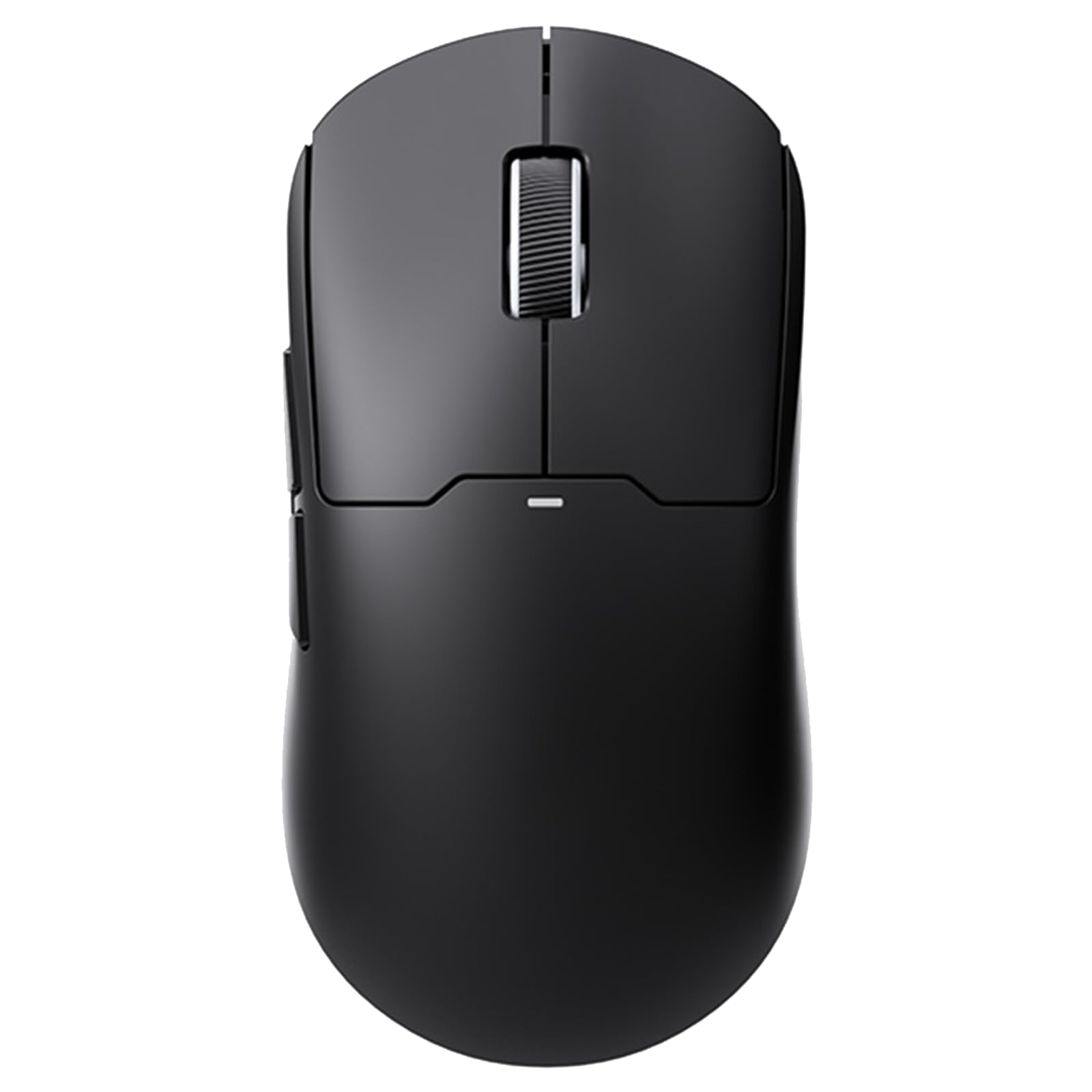
Image 1.1: MCHOSE A5 ProMax Wireless Gaming Mouse (Black variant shown).
2. Setup Guide
Follow these steps to set up your MCHOSE A5 ProMax Wireless Gaming Mouse:
2.1. Package Contents
Ensure all items are present in the package:
- MCHOSE A5 ProMax Wireless Gaming Mouse
- USB Dongle (2.4GHz receiver)
- USB-C Charging Cable
2.2. Initial Charging
Before first use, it is recommended to fully charge the mouse. Connect the supplied USB-C cable to the mouse's charging port and the other end to a USB power source (e.g., computer USB port, USB wall adapter).

Image 2.1: The USB-C charging port located at the front of the mouse.
2.3. Connecting the Mouse
The MCHOSE A5 ProMax supports three connectivity modes: 2.4GHz Wireless, Bluetooth, and Wired (via USB-C cable).
2.3.1. 2.4GHz Wireless Mode
- Locate the USB dongle stored in the compartment on the underside of the mouse.
- Plug the USB dongle into an available USB port on your computer.
- Flip the switch on the bottom of the mouse to the '2.4G' position.
- The mouse should automatically connect to your computer.

Image 2.2: The USB dongle is securely stored in a dedicated compartment on the mouse's underside.
2.3.2. Bluetooth Mode
- Flip the switch on the bottom of the mouse to the 'BT' (Bluetooth) position.
- On your computer or device, go to Bluetooth settings and search for new devices.
- Select 'MCHOSE A5 ProMax' from the list of available devices to pair.

Image 2.3: The bottom of the mouse showing the power and mode selection switches.
2.3.3. Wired Mode
Connect the USB-C charging cable directly from the mouse to your computer's USB port. The mouse will function as a wired mouse and charge simultaneously.
3. Operating Instructions
3.1. Basic Functions
- Left Click: Primary action.
- Right Click: Secondary action/context menu.
- Scroll Wheel: Scroll up/down, middle click.
- Side Buttons: Typically configured for forward/backward navigation in web browsers or custom functions in games.
3.2. Key Features
The MCHOSE A5 ProMax is engineered with features to enhance your gaming experience:
- Lightweight Design: Weighing just 59 grams, the mouse provides optimal control and comfort, reducing fatigue during long gaming sessions.
- High Precision Tracking: Equipped with a PAW3395 optical sensor, it offers maximum accuracy with up to 26,000 DPI for pixel-perfect tracking.
- 1K Polling Rate: Ensures rapid response times and smooth cursor movement.
- Long-Lasting Battery: Enjoy up to 130 hours of battery life on a single charge, minimizing interruptions during gameplay.
- Durable Switches: Rated for up to 80 million clicks, the switches provide consistent tactile and audible feedback.

Image 3.1: The MCHOSE A5 ProMax mouse is designed to be ultra-lightweight at 59 grams.

Image 3.2: The PAW3395 optical sensor provides up to 26,000 DPI for precise tracking.

Image 3.3: The mouse offers an impressive battery life of over 130 hours on a single charge.

Image 3.4: The mouse features durable switches designed for up to 80 million clicks.
3.3. Software Customization
The MCHOSE A5 ProMax mouse can be customized using its web-based software. This allows you to adjust DPI settings, reassign button functions, and configure other performance parameters. Refer to the official MCHOSE website for access to the customization software and detailed instructions.
4. Maintenance
4.1. Cleaning
To maintain optimal performance and appearance, clean your mouse regularly:
- Use a soft, dry, lint-free cloth to wipe the surface of the mouse.
- For stubborn dirt, slightly dampen the cloth with water. Avoid harsh chemicals or abrasive materials.
- Do not immerse the mouse in water or any cleaning solution.
4.2. Battery Care
- Charge the mouse using only the provided USB-C cable.
- Avoid exposing the mouse to extreme temperatures (hot or cold) as this can affect battery life.
- If storing the mouse for an extended period, charge it to about 50% to prolong battery health.
5. Troubleshooting
If you encounter issues with your MCHOSE A5 ProMax mouse, refer to the following common solutions:
5.1. Mouse Not Responding
- Check Power: Ensure the mouse is switched ON using the power switch on the bottom.
- Battery Level: Connect the mouse to a power source using the USB-C cable to check if the battery is depleted.
- Mode Selection: Verify that the mode switch (2.4G/BT/OFF) is set to the correct connection type you intend to use.
5.2. Connectivity Issues (2.4GHz Wireless)
- Dongle Connection: Ensure the USB dongle is securely plugged into a working USB port on your computer. Try a different USB port.
- Proximity: Make sure the mouse is within close range of the USB dongle and there are no major obstructions.
- Interference: Other wireless devices (Wi-Fi routers, cordless phones) can cause interference. Try moving the dongle or mouse away from such devices.
5.3. Connectivity Issues (Bluetooth)
- Pairing: Ensure the mouse is in Bluetooth pairing mode (switch set to BT) and your device's Bluetooth is enabled and searching. Re-pair the mouse if necessary.
- Device Compatibility: Confirm your device supports Bluetooth connectivity.
5.4. Lag or Jittery Movement
- Surface: Use the mouse on a clean, uniform surface or a high-quality mouse pad.
- Interference: As with 2.4GHz, Bluetooth can be affected by interference.
- Drivers/Firmware: Ensure your mouse drivers and firmware are up to date using the MCHOSE web-based software.
6. Specifications
| Feature | Detail |
|---|---|
| Model | A5 ProMax |
| Brand | MCHOSE |
| Connectivity Technology | 2.4GHz Wireless, Bluetooth, USB Wired |
| Sensor | PAW3395 Optical Sensor |
| Max DPI | 26,000 DPI |
| Polling Rate | 1K (1000Hz) |
| Item Weight | 59g (2.12 ounces) |
| Product Dimensions | 1.57 x 2.76 x 0.04 inches |
| Battery Life | Up to 130 hours |
| Battery Type | 1 Lithium Ion battery (included) |
| Switch Durability | Rated for up to 80 million clicks |
| Color | Black |
7. Warranty and Support
The MCHOSE A5 ProMax Wireless Gaming Mouse comes with a manufacturer's warranty. For specific warranty terms, conditions, and duration, please refer to the warranty card included with your product or visit the official MCHOSE website.
For technical support, troubleshooting assistance, or to access the latest drivers and firmware updates, please visit the MCHOSE Official Store on Amazon or the manufacturer's official support channels.
Related documentsA5 ProMax


Ask a question about this manual
Ask about setup, troubleshooting, compatibility, parts, safety, or missing instructions. Manuals+ will review the question and use this page’s manual context to help answer it.