Introduction
The NQD Spider Remote Control Car is a versatile and exciting 4WD off-road RC stunt car designed for dynamic play. Featuring double-sided driving, 360° rotation capabilities, cool lighting effects, and dynamic music, this car offers an engaging experience for users aged 8-12. Its robust design allows for play on various terrains, making it suitable for both indoor and outdoor adventures.

Image: The NQD Spider Remote Control Car, its remote controller, and product packaging, highlighting its key features.
What's in the Box
- NQD Spider Remote Control Car
- Remote Controller
- USB Charging Cable
- Product Manual
Safety Information
Please read and understand all safety warnings before operating the NQD Spider Remote Control Car.
- Do not operate near pets, young children, the elderly, or the disabled.
- Keep fingers, hair, and loose clothing away from the wheels and moving parts when the car is in operation.
- Do not operate the car in wet conditions or near water to prevent electrical damage.
- Ensure the car is turned off when not in use and during charging.
- Adult supervision is recommended for children operating the RC car.
Setup
1. Charging the RC Car Battery
The NQD Spider Remote Control Car includes a 500 mAh (3.7V) lithium battery. Before first use, fully charge the car's battery.
- Connect the USB charging cable to the car's charging port.
- Plug the other end of the USB charging cable into a standard USB power adapter (not included) or a computer's USB port.
- The charging indicator light will show the charging status (refer to the car's specific indicator behavior).
- A full charge takes approximately 1 hour. Once fully charged, disconnect the cable.
2. Installing Remote Controller Batteries
The remote controller requires 2 AA batteries (not included).
- Locate the battery compartment on the back of the remote controller.
- Open the battery compartment cover.
- Insert 2 AA batteries, ensuring correct polarity (+/-).
- Close the battery compartment cover securely.

Image: Detailed diagram of the remote control, showing button layout and functions.
Operating Instructions
1. Power On/Off
- Turn on the power switch on the RC car.
- Turn on the power switch on the remote controller.
- The car and remote will automatically pair. Once paired, you are ready to play.
2. Basic Controls
Refer to the remote control diagram in the Setup section for button locations.
- Forward/Backward: Use the left joystick to move the car forward or backward.
- Turn Left/Right: Use the right joystick to turn the car left or right.
- Move Left/Right (Lateral Shift): Use the dedicated buttons for sideways movement.
- 360° Rotation: Press the 360° rotation button for continuous spinning stunts.
- Auto Demo: Press the Auto Demo button to initiate a pre-programmed stunt sequence.
- Music/Sound: The car features dynamic music and racing drift sounds. 360° rotation allows switching between 3 different dynamic music tracks.
- Cool Lighting: The car is equipped with fancy colorful lights that activate during operation.

Image: The RC car demonstrating its 360-degree spin capability with vibrant lighting.
3. Double-Sided Driving
The NQD Spider RC Car is designed for double-sided driving, meaning it can continue to operate even if it flips over. This feature enhances playability and durability.

Image: Two RC cars showcasing their ability to drive on both sides, emphasizing the double-sided stunt feature.
4. All-Terrain Capability
Equipped with non-slipping rubber tires and dual motors, the car provides strong power and grip, allowing it to drive on various terrains.
- Asphalt roads
- Lawn/Grass
- Stone roads
- Carpet
- Sand

Image: A collage showing the RC car performing on different surfaces, including asphalt, grass, stone, and carpet, demonstrating its all-terrain capability.
5. Multi-Player Operation
The 2.4GHZ anti-interference technology allows multiple RC cars to be operated simultaneously without signal disruption, enabling competitive races and group play.
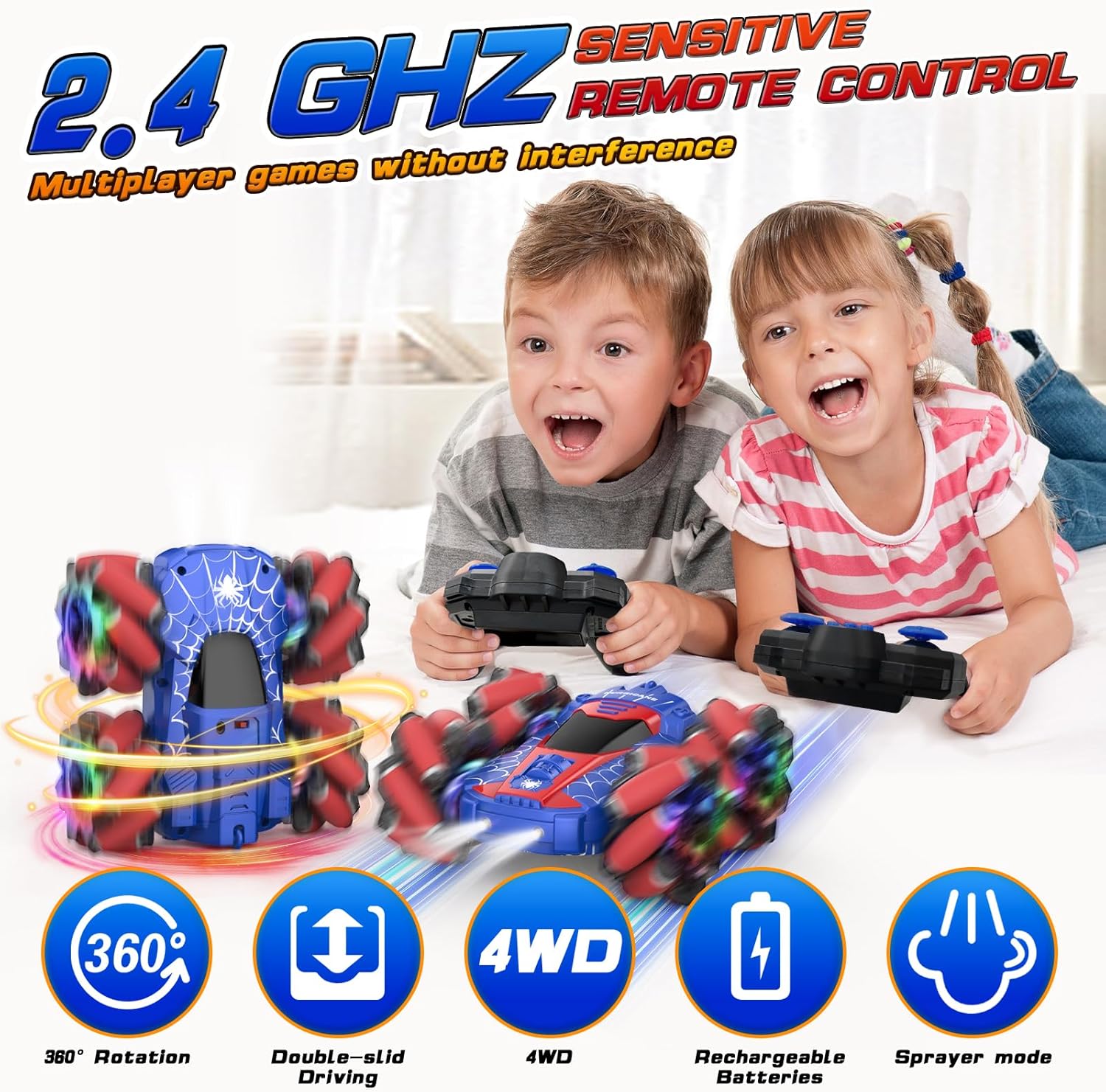
Image: Two children happily playing with their NQD Spider RC cars, illustrating the multi-player capability and the 2.4GHz sensitive remote control.
6. Official Product Video
Video: An official product video demonstrating the NQD Spider Remote Control Car's features, including its 360-degree rotation, double-sided driving, and all-terrain capabilities on grass, pavement, and carpet.
Maintenance
- After each use, turn off both the car and the remote control.
- Wipe the car clean with a dry cloth to remove dust and debris. Avoid using water or harsh chemicals.
- Store the car and remote in a cool, dry place away from direct sunlight and extreme temperatures.
- If the car will not be used for an extended period, remove batteries from the remote control to prevent leakage.
Troubleshooting
| Problem | Possible Cause | Solution |
|---|---|---|
| Car does not respond to remote. |
|
|
| Short play time. |
|
|
| Car moves slowly or inconsistently. |
|
|
Specifications
| Feature | Detail |
|---|---|
| Brand | NQD |
| Model Number | 757-4WD31A |
| Product Dimensions | 3 x 2 x 5 inches |
| Item Weight | 1.32 pounds |
| Car Battery | 500 mAh (3.7V) Lithium (Rechargeable) |
| Remote Battery | 2 AA batteries (not included) |
| Charging Time | Approx. 1 hour |
| Play Time | Up to 45 minutes+ |
| Max Speed | Up to 10 KM/H |
| Recommended Age | 8 - 12 years |
| Country of Origin | China |
Warranty & Support
For warranty information or technical support, please contact NQD customer service through the retailer where the product was purchased or visit the official NQD store online.
NQD Store: Visit the NQD Store on Amazon


