
TRAUSI i27
TRAUSI Wireless Earbuds i27 User Manual
Model: i27
Brand: TRAUSI
Introduction
Thank you for choosing TRAUSI Wireless Earbuds. This manual provides essential information for setting up, operating, and maintaining your i27 Bluetooth headphones. Please read it carefully to ensure optimal performance and longevity of your device.

Figure 1: TRAUSI i27 Wireless Earbuds and Charging Case. The earbuds are shown inside their open charging case, displaying their sleek design and digital battery indicators.
Product Features
- 3D Stereo Sound & Crystal Clear Calls: Equipped with AAC/SBC audio decoder and 14.2mm composite diaphragm for rich, layered sound (20Hz-20kHz). Features built-in 2 clear microphones and CVC 8.0 noise reduction for enhanced call clarity.
- Bluetooth 5.3 & Quick Connection: Utilizes Bluetooth 5.3 technology with dual-channel transmission for faster (150% increase over BT 5.2) and more stable (50% increase) connections, and 100ms low latency. Supports HSP, HFP, A2DP, and AVRCP protocols. Automatic reconnection after initial pairing.
- Extended Playtime & Fast Charging: Offers 6-8 hours of playback on a single charge, extendable to 54 hours with the 400mAh compact charging case. Features a Type-C quick charge, fully charging the case in 1.5 hours. The charging case includes an LED display showing battery percentage.
- Comfortable Sports Earhooks & IPX7 Waterproof: Designed with soft, ultra-light, and flexible 45° earhook structure for a secure fit. Each earbud weighs 7g and comes with 3 sizes of silicone earplugs (S/M/L). IPX7 certified waterproof rating protects against sweat and rain.
- Smart Touch Control & Refined Appearance: Multi-function touch panels on each earbud allow for play/pause, volume adjustment, track skipping, answering/ending calls, and activating voice assistants (Siri/Google Assistant). Features a 100% glossy coating for a smooth touch and exquisite look.

Figure 2: Earbud illustrating powerful dynamic audio capabilities. Sound waves emanate from the earbud, symbolizing its rich audio output.
Package Contents
- TRAUSI Wireless Earbuds (i27)
- Charging Case
- USB Type-C Charging Cable
- Silicone Earplugs (S/M/L sizes)
- User Manual
Setup
1. Charging the Earbuds and Case
Before first use, fully charge the earbuds and the charging case. Connect the provided USB Type-C cable to the charging port on the case and a power source. The LED display on the charging case will show the battery percentage, indicating the charging status.

Figure 3: The charging case with earbuds inside, displaying the remaining power percentage on its LED screen. This visual confirms the charging status and battery life.
A 10-minute quick charge provides 2 hours of playback. A full charge of the case takes approximately 1.5 hours.
2. Pairing with Your Device
- Ensure the earbuds are charged.
- Open the charging case. The earbuds will automatically enter pairing mode.
- On your device (smartphone, tablet, computer), enable Bluetooth.
- Search for "i27" in the list of available Bluetooth devices and select it to connect.
- Once connected, the earbuds will automatically pair with your device whenever you take them out of the charging case.
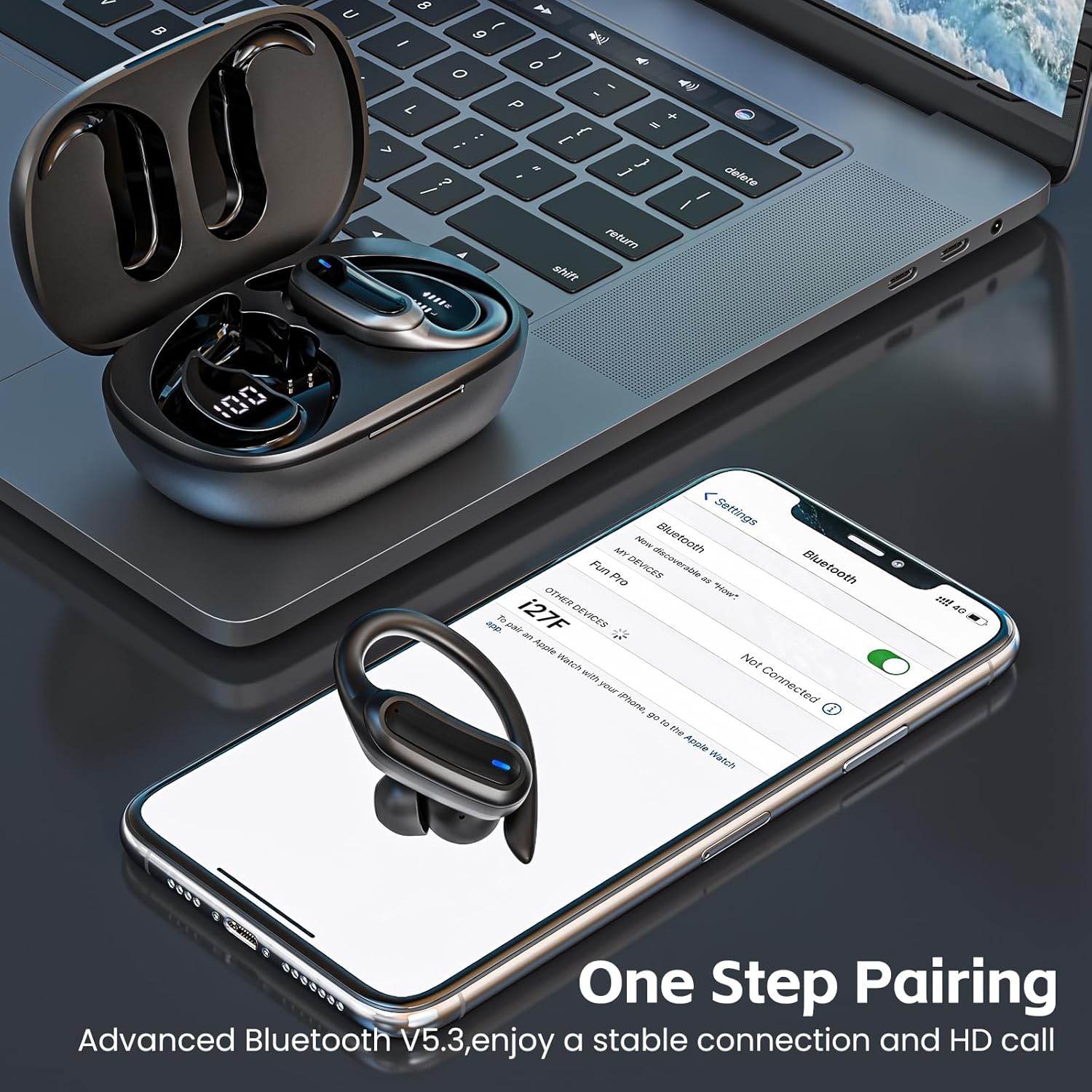
Figure 4: An earbud resting on a smartphone screen, which displays the Bluetooth settings menu with "i27" listed as a discoverable device, illustrating the one-step pairing process.
Operating Instructions
1. Wearing the Earbuds
Select the appropriate silicone earplug size (S, M, or L) for a comfortable and secure fit. The flexible earhooks are designed to fit smoothly over your ears, ensuring stability during activities like workouts or running.

Figure 5: A woman wearing an earbud, demonstrating the secure and comfortable fit provided by the earhook design. Different sizes of ear tips (L, M, S) are shown, highlighting customization options for optimal comfort.
2. Smart Touch Controls
The earbuds feature multi-function touch panels for easy control of audio and calls:
| Action | Control |
|---|---|
| Play/Pause | Single tap on either earbud |
| Next Track | Double tap right earbud |
| Previous Track | Double tap left earbud |
| Volume Up | Triple tap right earbud |
| Volume Down | Triple tap left earbud |
| Answer/End Call | Single tap on either earbud |
| Reject Call | Press and hold for 2 seconds on either earbud |
| Activate Voice Assistant (Siri/Google Assistant) | Press and hold for 3 seconds on either earbud |

Figure 6: A man wearing an earbud, with icons illustrating the various touch controls for play/pause, track navigation, call management, volume adjustment, and voice assistant activation.
Maintenance
To ensure the longevity and optimal performance of your TRAUSI Wireless Earbuds, follow these maintenance guidelines:
- Cleaning: Regularly wipe the earbuds and charging case with a soft, dry cloth. Do not use abrasive cleaners or solvents.
- Water Resistance: The earbuds are IPX7 waterproof, meaning they can withstand sweat and rain. However, they are not designed for swimming or submersion in water. Ensure the charging port is dry before charging.
- Storage: When not in use, store the earbuds in their charging case to protect them and keep them charged. Store in a cool, dry place away from extreme temperatures.
- Battery Care: Avoid fully draining the battery frequently. Charge the earbuds and case regularly, even if not in constant use, to maintain battery health.

Figure 7: An earbud with water droplets, visually representing its IPX7 waterproof rating, indicating resistance to sweat and rain.
Troubleshooting
If you encounter issues with your TRAUSI Wireless Earbuds, please refer to the following common solutions:
| Problem | Solution |
|---|---|
| Earbuds not pairing/connecting |
|
| No sound or low volume |
|
| Earbuds not charging |
|
| Call quality issues |
|
Specifications
| Feature | Detail |
|---|---|
| Model | i27 |
| Wireless Communication Technology | Bluetooth 5.3 |
| Form Factor | Over Ear |
| Color | Black |
| Material | Plastic |
| Item Weight | 1 Grams (per earbud) |
| Product Dimensions | 3.9 x 7 x 2.8 cm |
| Water Resistance Level | IPX7 Waterproof |
| Frequency Range | 20 Hz - 20,000 Hz |
| Battery Cell Composition | Lithium Ion |
| Playtime (Single Charge) | 6-8 hours |
| Total Playtime (with Charging Case) | Up to 54 hours |
| Charging Time (Case) | Approx. 1.5 hours (Type-C) |
| Special Features | Lightweight, Noise Cancellation (CVC 8.0 for calls) |
Official Product Video
Video 1: Official product video for TRAUSI i27 Wireless Earbuds. This video demonstrates key features such as design, fit, sound quality, and connectivity.
Warranty and Support
TRAUSI products are designed and manufactured to the highest quality standards. For warranty information, technical support, or customer service inquiries, please refer to the contact information provided on the product packaging or visit the official TRAUSI website.
Please retain your proof of purchase for warranty claims.
Ask a question about this manual
Ask about setup, troubleshooting, compatibility, parts, safety, or missing instructions. Manuals+ will review the question and use this page’s manual context to help answer it.