
1. Product Overview
The COOAU 4MP Wireless Outdoor WiFi Surveillance Camera System provides comprehensive security for your home or property. This system includes a HomeBase and two 4MP cameras, offering high-resolution video, extensive local storage, and flexible power options.
Key Features
- Secure Local Storage: The HomeBase comes with a pre-installed 64GB memory card, expandable up to 256GB, allowing up to 6 months of recordings without monthly fees. Data is stored locally on the HomeBase for enhanced privacy and security.
- Superior 4MP Resolution: Equipped with a 4MP ultra-clear lens, the cameras capture sharp details, including faces and license plates, over greater distances. H.265 video compression ensures efficient storage and faster transmission while maintaining original video quality.
- 100% Wireless & Solar Powered: Easy to install without cables. The detachable solar panel with a 3-meter cable provides optimal sun exposure and continuous power, ensuring 365 days of non-stop operation.
- Advanced Wi-Fi 6 & Dual-Band Technology: The HomeBase acts as a powerful Wi-Fi signal amplifier, supporting both Ethernet and Wi-Fi 6 connections. Intelligent switching between 2.4 GHz and 5 GHz bands ensures faster, more stable, and wider coverage, reducing disconnections by 90%.
- Comprehensive Home Security: Compatible with the ARCCTV app for easy setup and management. Each HomeBase can connect up to 4 outdoor cameras, providing 360° coverage to secure your entire property.
- Enhanced Security Functions: Features include an indoor HomeBase siren, 4 LED color night vision/infrared night vision, Alexa compatibility, privacy zone settings, multiple recording options, and two-way audio.

Image: Overview of the COOAU surveillance system, showing two cameras, two solar panels, the HomeBase, and a smartphone displaying the live view.
2. Components Included
The COOAU 4MP Wireless Outdoor WiFi Surveillance Camera System package includes the following items:
- HomeBase x1 (with pre-installed 64GB memory card)
- Cameras x2
- Camera Mounts x2
- Solar Panels x2
- Solar Panel Mounts x2
- Sets of Screws for Camera x2
- Sets of Screws for Solar Panel x2
- Network Cables x2
- Charging Adapter x1
- Charging Cables x2
- Camera Positioning Stickers x2
- Solar Panel Positioning Stickers x2
- Quick Start Guides x2
- Gift Box x1
3. Setup
Initial Setup
- Connect the HomeBase: Connect the HomeBase to your internet router using the provided RJ45 network cable. Plug the HomeBase into a power outlet using the charging adapter and cable.
- Power On Cameras: Ensure both cameras are charged. The first time, you may need to manually power them on.
- Download the App: Download the "ARCCTV" application from your smartphone's app store (Google Play Store or Apple App Store).
- Pair Devices: Open the ARCCTV app and create an account. Follow the in-app instructions to add the HomeBase by scanning the QR code located on its side. The cameras are pre-paired with the HomeBase.
- Configure Wi-Fi (Optional): After initial setup via Ethernet, you can configure the HomeBase to connect via Wi-Fi for wireless placement.

Image: Visual guide showing the three steps for initial setup: downloading the ARCCTV app, powering on and resetting the camera, and scanning the QR code to connect.
Mounting the Cameras
The cameras can be mounted on a wall or ceiling. Use the provided drilling templates and screws for secure installation.
- Choose Location: Select a location that provides optimal viewing angle and good Wi-Fi signal strength from the HomeBase. Ensure the solar panel can receive sufficient sunlight.
- Drill Holes: Use the positioning stickers to mark drill points. Drill holes and insert wall anchors if necessary.
- Attach Mount: Secure the camera mount to the wall or ceiling using the provided screws.
- Attach Camera: Mount the camera onto the secured bracket.
- Connect Solar Panel: Connect the solar panel to the camera using the 3-meter cable. Position the solar panel to maximize sun exposure, adjusting its 360° rotation and 90° tilt.
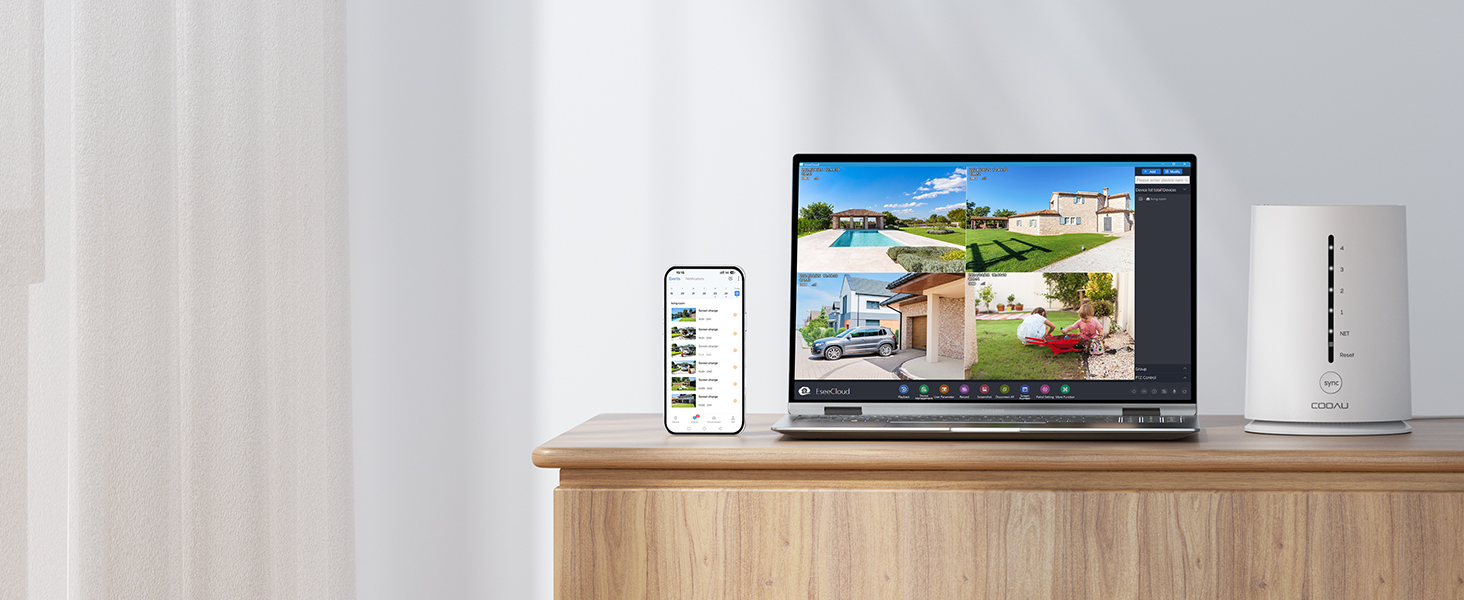
Image: An outdoor camera mounted under the eaves of a house, connected to a solar panel, illustrating a typical installation scenario.
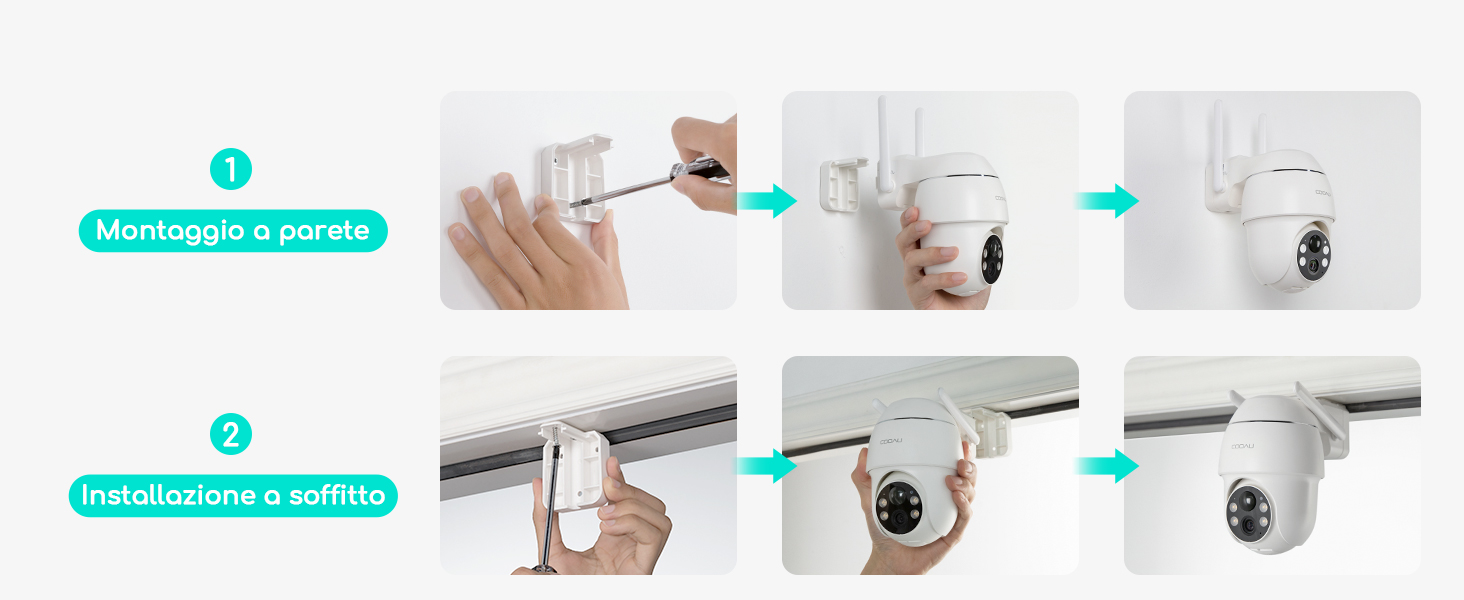
Image: A close-up of the solar panel and its adjustable mount, highlighting the 3-meter cable for flexible placement.
4. Operating Instructions
Using the ARCCTV App
The ARCCTV app is your primary interface for managing the COOAU surveillance system. It allows you to:
- Live View: Access real-time video feeds from all connected cameras.
- Playback: Review recorded footage stored on the HomeBase.
- Pan & Tilt: Control the camera's 360° horizontal and 90° vertical movement to cover all angles.
- Two-Way Audio: Communicate with visitors or deter intruders using the built-in microphone and speaker.
- Settings: Adjust various camera parameters, including video quality, motion detection sensitivity, and privacy zones.
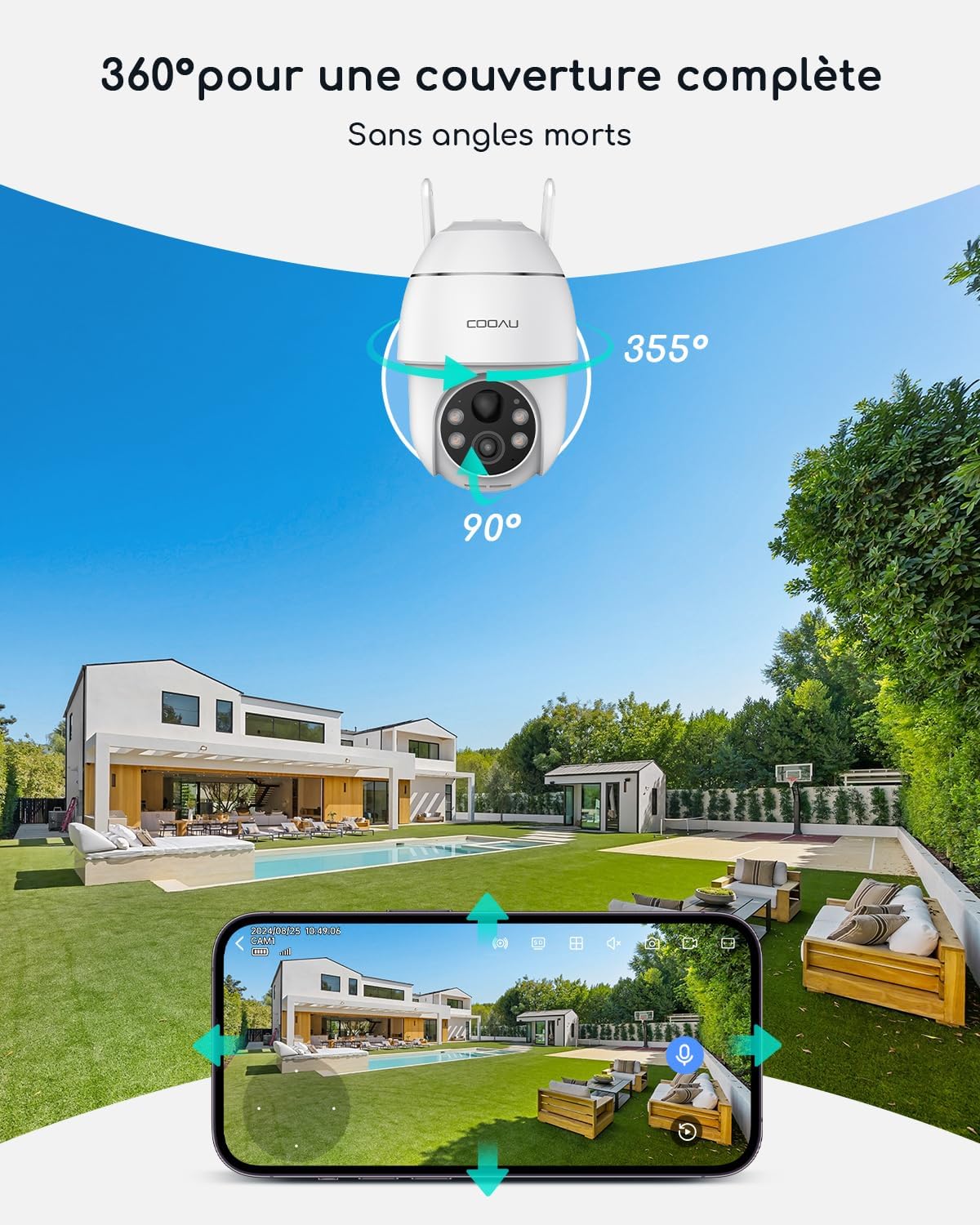
Image: A camera illustrating its 360-degree pan and 90-degree tilt capabilities, providing full coverage without blind spots.
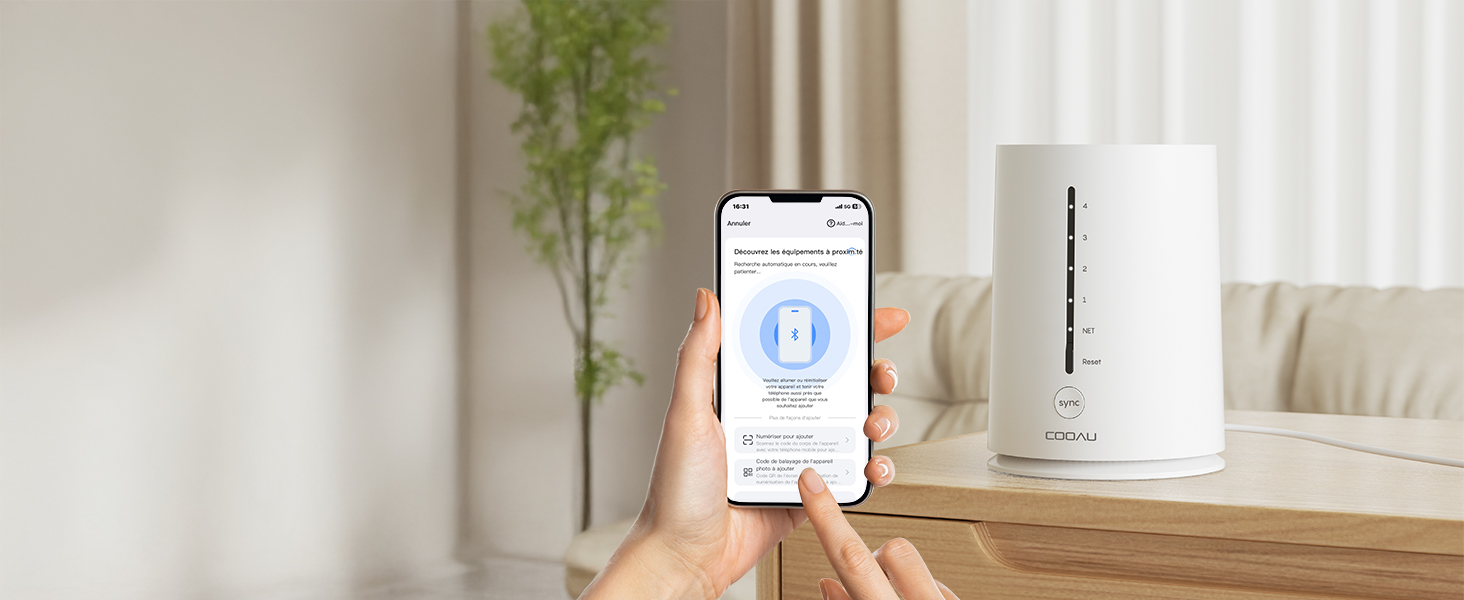
Image: A person holding a smartphone, demonstrating the two-way audio feature with speech bubbles indicating communication with someone at the door.
Motion Detection and Alerts
The system utilizes PIR (Passive Infrared) motion detection for accurate alerts. When motion is detected:
- You will receive instant push notifications on your smartphone.
- The camera's spotlight can activate to illuminate the area.
- The HomeBase siren can be triggered to deter intruders.
- Recordings will automatically begin and be saved to the HomeBase.

Image: A person walking towards a door, triggering the camera's spotlight and generating an alert notification on a smartphone, demonstrating the motion detection feature.
Night Vision
The COOAU cameras offer advanced night vision capabilities:
- Color Night Vision: With 4 built-in LEDs, the cameras can capture full-color video even in low-light conditions.
- Infrared Night Vision: For complete darkness, the cameras switch to infrared mode, providing clear black-and-white images up to 15 meters.

Image: A camera with its four LEDs illuminated, demonstrating its capability for enhanced night vision in a dark outdoor setting.
5. Maintenance
Solar Panel Efficiency
To ensure optimal charging and continuous operation, periodically check and clean the solar panels. Dust, dirt, or debris can reduce their efficiency. Position them to receive maximum direct sunlight throughout the day.
Cleaning
Wipe the camera lenses and body with a soft, damp cloth to remove any dirt or smudges. Avoid using harsh chemicals or abrasive materials that could damage the camera's surface or lens coating. The cameras are waterproof and designed to withstand various weather conditions.
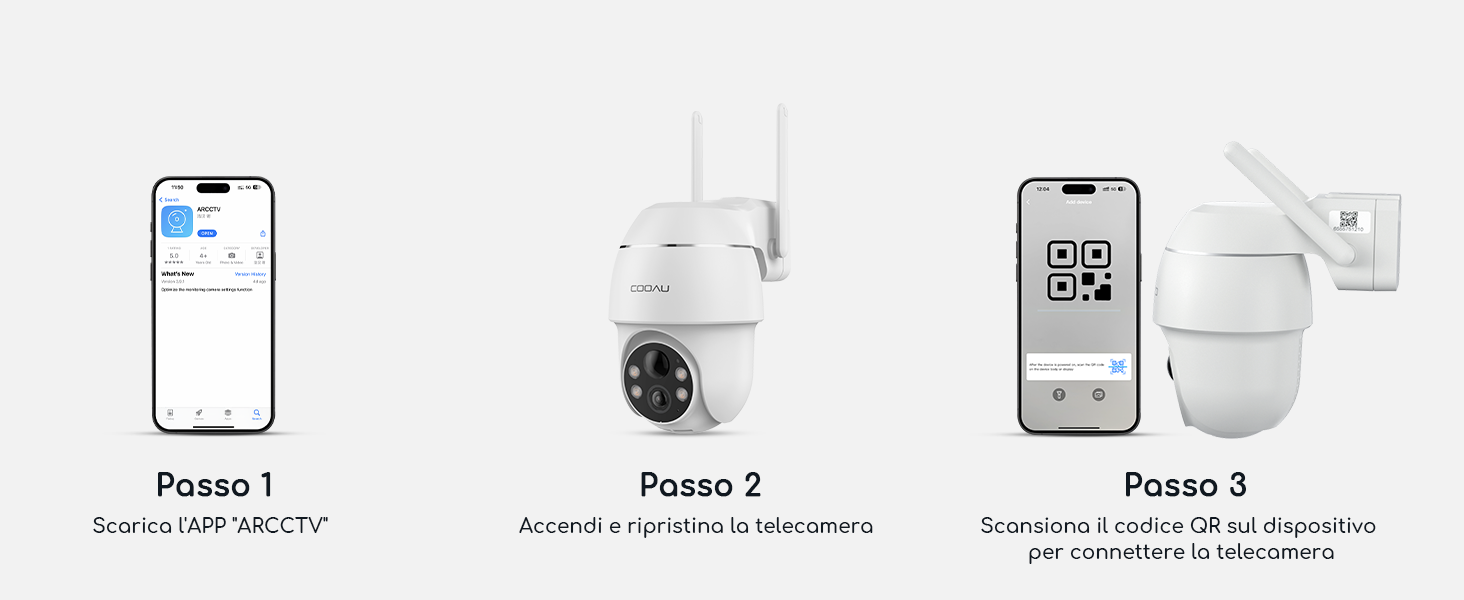
Image: An outdoor camera shown in various weather conditions (heat, cold, rain), illustrating its robust weather resistance from -10°C to 50°C.
Storage Management
The HomeBase includes a 64GB microSD card for local storage. If you require more storage, you can expand it up to 256GB by replacing the existing card with a larger compatible one. Ensure the new card is properly formatted before use.
6. Troubleshooting
Common Issues and Solutions
- No Power/Camera Offline:
- Ensure the HomeBase is properly plugged in and powered on.
- Check the solar panel connection to the camera and ensure it receives adequate sunlight.
- Verify the camera's battery level in the ARCCTV app.
- Poor Video Quality/Lag:
- Check your Wi-Fi signal strength. The HomeBase's Wi-Fi 6 and dual-band technology should provide strong coverage, but obstructions can affect it.
- Ensure your internet connection is stable.
- Adjust video quality settings in the ARCCTV app to a lower resolution if bandwidth is an issue.
- Motion Detection Not Working/False Alarms:
- Adjust the motion detection sensitivity in the app.
- Set up privacy zones to exclude areas with frequent, irrelevant motion (e.g., public roads).
- Ensure the camera lens is clean and unobstructed.
- Cannot Connect to App:
- Ensure your smartphone is connected to the internet.
- Verify the HomeBase is connected to your network (Ethernet or Wi-Fi).
- Restart the HomeBase and your router.
- Ensure the ARCCTV app is updated to the latest version.
7. Technical Specifications
| Feature | Specification |
|---|---|
| Model Name | C7 |
| Video Recording Resolution | 4MP (2.5K) |
| Wireless Communication Technology | Wi-Fi (Wi-Fi 6, Dual-Band 2.4/5 GHz) |
| Local Storage | 64GB MicroSD (pre-installed), expandable up to 256GB |
| Power Source | Battery powered; Solar powered |
| Night Vision Range | 15 Meters |
| Viewing Angle | 360 degrees (Pan), 90 degrees (Tilt) |
| Frame Rate | 20 frames per second |
| Material | Plastic |
| Water Resistance Level | Waterproof |
| Operating Temperature | -10°C to 50°C |
| Dimensions (L x W x H) | 10.6 x 14.6 x 20.8 cm |
| Weight | 2.2 kilograms |
8. Warranty and Support
COOAU provides dedicated customer support for its products.
- Product Warranty: This product comes with a 24-month warranty from the date of purchase.
- Customer Service: For any technical assistance, troubleshooting, or warranty claims, please contact COOAU customer support.
Contact Email: support-eu@cooau.com
You can also visit the official COOAU store on Amazon for more information and products: COOAU Amazon Store